


Buying a laptop on a budget is tough, too many options, too little clarity.
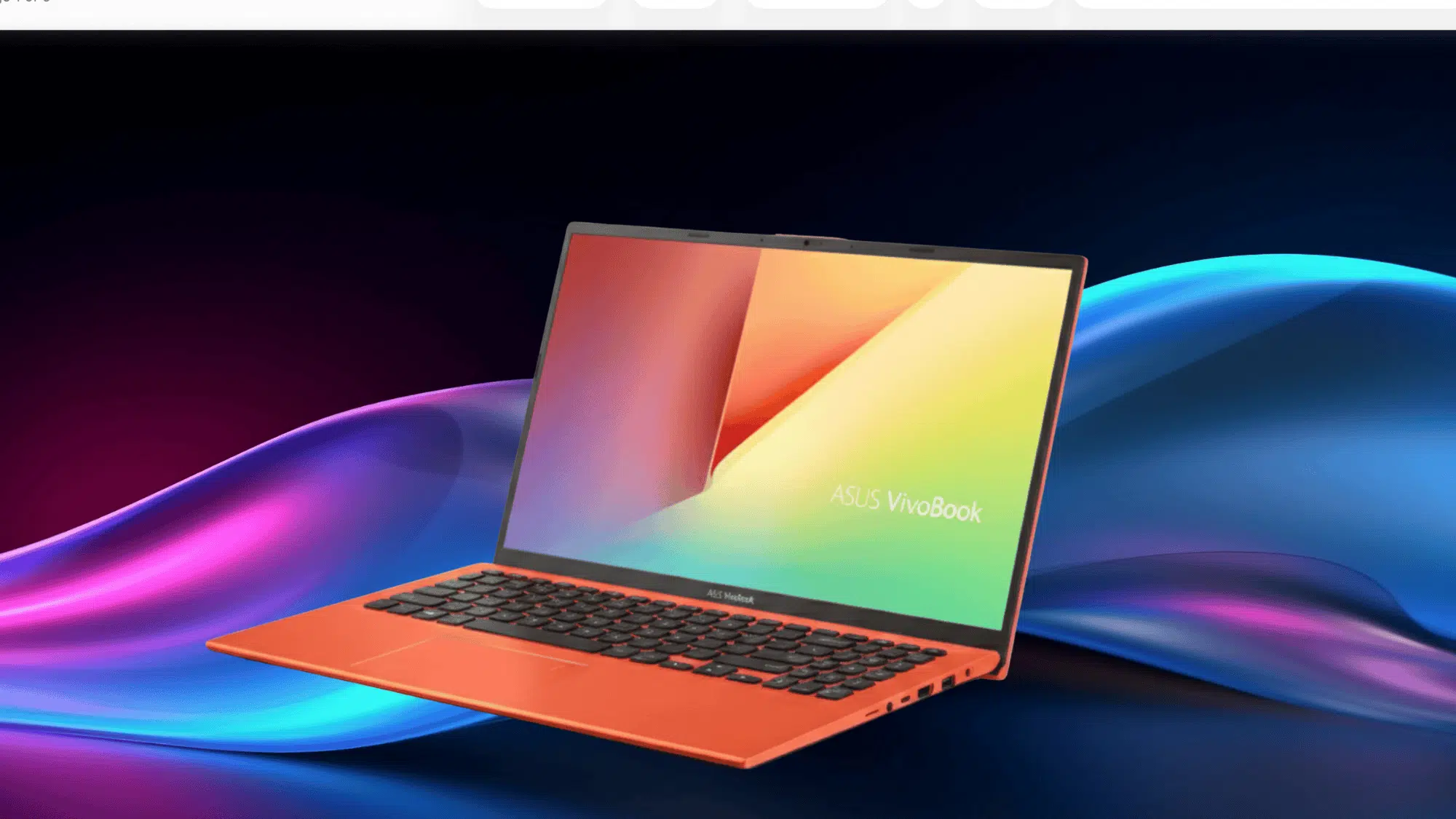
If you’ve been searching for an Asus VivoBook 15 review, this one covers it all. This lightweight 15-inch laptop from ASUS has been gaining attention among students, remote workers, and everyday users.
In this review, we break down real-world performance, standout features, pros and cons, so you can decide if it’s the pick for you.
What is the Asus VivoBook 15?
The Asus VivoBook 15 sits comfortably in the budget-to-mid-range laptop space, offering solid everyday performance without the premium price tag.
It strikes a balance between performance and affordability, delivering the essentials for daily tasks, such as browsing, document editing, and media consumption.
If working from home or on the go, the VivoBook 15 is designed to handle it all.
Key Specs
| Feature | Details |
|---|---|
| Screen Size | 15.6 inches |
| Resolution | Full HD (1920×1080) |
| Processor Options | Intel Core i7 or AMD Ryzen 5 3500U |
| Graphics | NVIDIA MX130 or AMD Radeon Vega 8 |
| Wi-Fi | Dual-band Wi-Fi 5 (802.11ac), up to 867Mbps |
| Weight | 1.6 kg (Lightweight) |
| Storage Options | 512GB SSD + 1TB HDD (dual storage) |
| Colors Available | Transparent Silver, Slate Grey, Peacock Blue, Coral Crush |
Asus VivoBook 15: A Closer Look at Every Feature
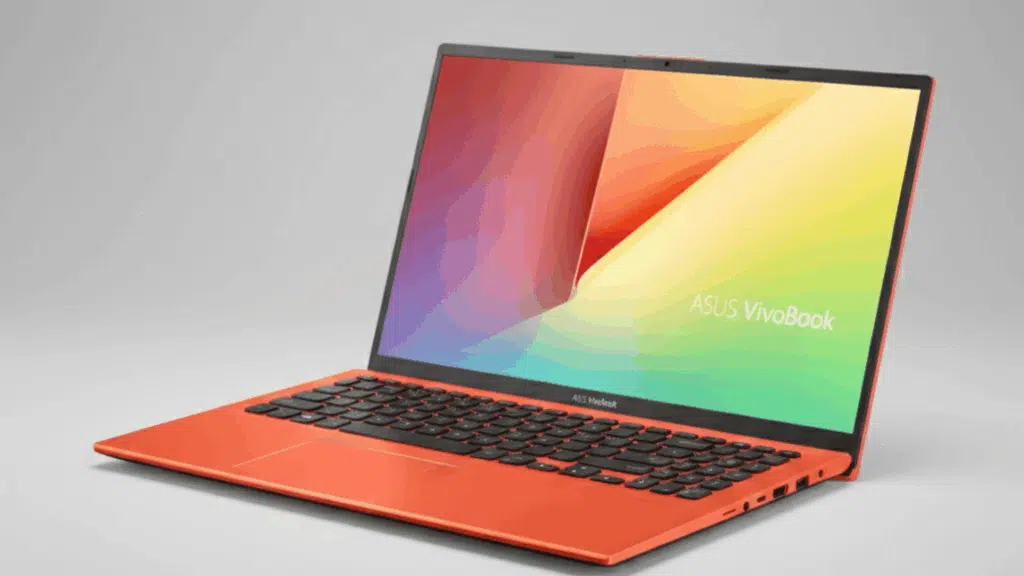
The VivoBook 15 packs a lot into a budget-friendly frame. Below’s a breakdown of each feature so you know exactly what you’re getting.
1. Design & Build
At just 1.6 kg, the VivoBook 15 is easy to carry around all day. Slip it in your bag and forget it’s there.
It comes in four finishes, including the head-turning iridescent Peacock Blue that shifts color depending on the angle.
The ErgoLift hinge tilts the keyboard at a 2° angle when you open the lid, a small touch that makes typing noticeably more comfortable.
The four-sided NanoEdge display also keeps the overall footprint smaller than most 15-inch laptops.
- Pro: Lightweight, stylish, and feels more premium than its price suggests.
- Con: Plastic build, it won’t feel as sturdy as metal-chassis laptops in the same price range.
2. Display
The 15.6″ FHD NanoEdge display with an 88% screen-to-body ratio and a slim 5.7mm bezel makes for an immersive viewing experience.
The wide 178° viewing angle means the screen looks good from almost any position. ASUS also managed to fit an HD camera in that thin top bezel, handy for video calls.
That said, some reviewers flag that colors can look a little washed out and brightness struggles outdoors.
- Pro: Near-frameless display looks great; wide viewing angle is a plus.
- Con: Low contrast ratio (300:1) and only 58% sRGB coverage, not the sharpest display at this price.
3. Performance
Under the hood, the VivoBook 15 runs on up to an Intel Core i7 or AMD Ryzen 5 3500U with up to 16GB DDR4 RAM, more than enough for smooth multitasking.
The dual storage setup pairs a fast SSD for app loading with a large HDD for files, and select configs support Intel Optane memory for even snappier performance.
The NVIDIA MX130 GPU handles light creative tasks and casual gaming like Fortnite or PUBG without breaking a sweat.
Wi-Fi 5 dual-band at up to 867Mbps keeps streaming and browsing smooth.
- Pro: Handles everyday multitasking, productivity, and casual gaming with ease.
- Con: Heavy video editing or AAA gaming is a stretch. Configs with integrated graphics will feel the limits faster.
4. Battery Life
The VivoBook 15 charges to 60% in just 49 minutes, so even a short break can top it up significantly.
ASUS’s Battery Health Charging technology helps extend the battery’s lifespan up to 3x longer over time, which is a thoughtful feature.
In real-world use, expect around 4–5 hours of moderate usage before you reach for the charger.
- Pro: Fast charging is a genuine lifesaver for busy days; battery health tech adds long-term value.
- Con: 4–5 hours of battery life won’t cut a full school or work day; keep the charger handy.
5. Keyboard, Ports & Everyday Usability
The full-size backlit keyboard with 1.4mm key travel and the ErgoLift tilt make long typing sessions comfortable, even in low-light settings.
The optional fingerprint sensor in the touchpad lets you log in with a single touch via Windows Hello quick and secure.
On select models, ASUS BacGuard antibacterial treatment covers the surface and reduces bacteria growth by over 99% in 24 hours.
Ports cover all the basics: USB-C, USB 3.1, USB 2.0, HDMI, and microSD.
- Pro: Comfortable keyboard, convenient fingerprint login, and a solid port lineup for everyday use.
- Con: NumPad keys feel a little cramped, and the trackpad click can feel spongy.
6. Pricing
When it comes to cost, the Asus VivoBook 15 generally falls into a lower-mid price bracket rather than premium laptop territory.
Most standard Vivobook 15 models retail around approximately $400–$800, depending on configuration, features, and retailer.
Higher-spec variants with more RAM, storage, or advanced displays can push closer to the upper mid-range, while basic models often sit toward the lower end of this range.
Keep in mind that prices vary across platforms and change with sales, promotions, and seasonal discounts, so you might see lower or higher offers at different stores or online marketplaces.
Asus Vivo Book 15 X512 vs. X505: See the Difference
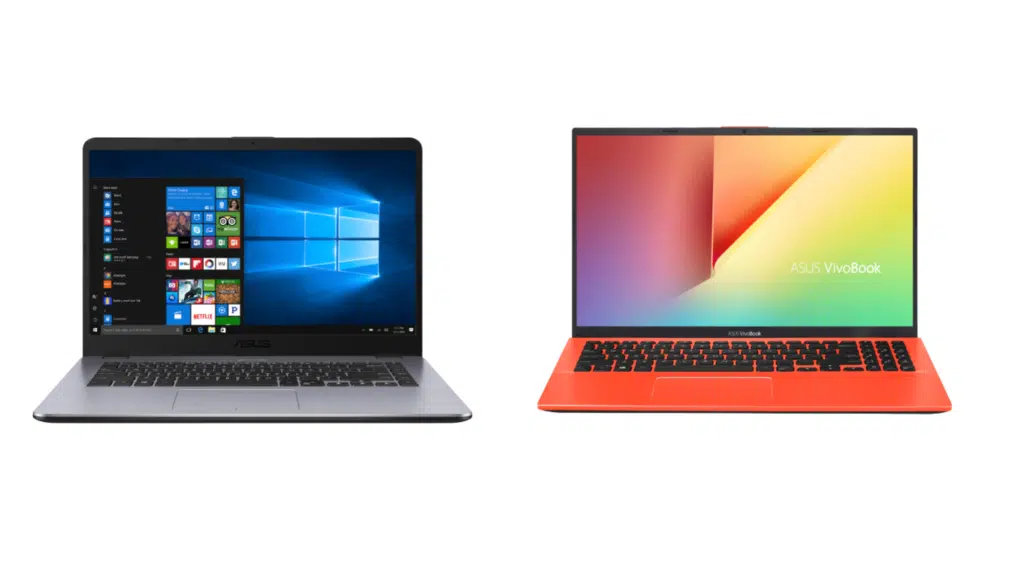
Both laptops come from the same VivoBook 15 line, but the Asus VivoBook 15 brings some clear upgrades. Here’s the full picture.
| Feature | VivoBook 15 X505 | VivoBook 15 X512 |
|---|---|---|
| Processor | Up to AMD Ryzen 7 2700U | Up to Intel Core i7 / AMD Ryzen 5 3500U |
| Display Bezel | 7.7mm, 81% screen-to-body | 5.7mm, 88% screen-to-body |
| Thickness | 18.9mm | Slimmer footprint |
| Storage | 256GB SSD + 1TB HDD | Up to 512GB SSD + 1TB HDD + Intel Optane |
| ErgoLift Hinge | Not available | 2° keyboard tilt |
| Backlit Keyboard | Not available | Available |
| Fingerprint Sensor | Not available | Available |
| BacGuard Antibacterial | Not available | Available on Transparent Silver model |
| Color Options | Icicle Gold, Star Grey | Transparent Silver, Slate Grey, Peacock Blue, Coral Crush |
| Fast Charging | 60% in 49 mins | 60% in 49 mins |
| Starting Price | From $499 | From $400 |
The newer X512 brings upgraded processors, tightens the display bezels from 7.7mm down to 5.7mm, and adds practical upgrades like the ErgoLift hinge, backlit keyboard, and fingerprint sensor , none of which the X505 offered.
The VivoBook 15 X505 has since been discontinued and is no longer available as a new purchase.
Asus VivoBook 15 Reviews: What Users Think About It
Getting hands-on with a laptop reveals what specs alone cannot. Here’s what reviewers say about its performance, features, and overall value.
“I was really impressed with the VivoBook 15! It handles all my basic tasks—browsing, schoolwork, and even some light streaming—with no lag. The backlit keyboard is a nice touch, and the performance is excellent for the price. It’s a great option for students on a budget.” –Sarah L. (Amazon Verified Buyer)
“For the price, this laptop is amazing. The VivoBook 15 is lightweight, the screen looks decent, and it’s fast enough for daily work. I do wish the battery lasted longer, but it gets the job done for school and casual use.” – John R. (Amazon Verified Buyer)
“I bought this laptop for work and school, and it does everything I need. The keyboard is comfortable to type on for long hours, and it starts up quickly. The only downside is the battery life, but for everyday use, it’s more than enough.” – Emily T. (Best Buy Verified Buyer)
Who Should Buy the Asus VivoBook 15?
The VivoBook 15 is a solid everyday laptop, but it’s not for everyone. Here’s a quick breakdown to help you decide.
Buy it if you are:
- A student who needs a lightweight, portable laptop for classes, assignments, and video calls
- A remote worker handling documents, emails, and light multitasking day to day
- A casual user who wants a stylish, capable laptop without crossing the $1,000 mark
Skip it if you are:
- A gamer looking to run demanding AAA titles, this one won’t keep up
- A creative professional who needs a color-accurate display for photo or video editing
- Someone who needs all-day battery life at 4–5 hours, you’ll want your charger close by
Final Verdict
The Asus VivoBook 15 does a lot of things well for the price: sleek design, capable performance, fast charging, and a near-frameless display that looks great on a desk.
Yes, the battery could be stronger, and the display won’t impress creative professionals, but at this price point, those are trade-offs most everyday users can live with.
If you’re a student, a remote worker, or just someone who needs a dependable daily laptop without stretching the budget, the VivoBook 15 deserves a spot on your shortlist.