

How-Tos
Quick, practical guides that make everyday tech problems easy to fix. Learn it fast, use it instantly.

A black, blurry, or frozen front camera can come from an app problem, obstruction, setting, software issue, or hardware fault. First, check..... See more

A graphics card can look fine while its fans sit still, and that can be confusing if you expect them to run..... See more
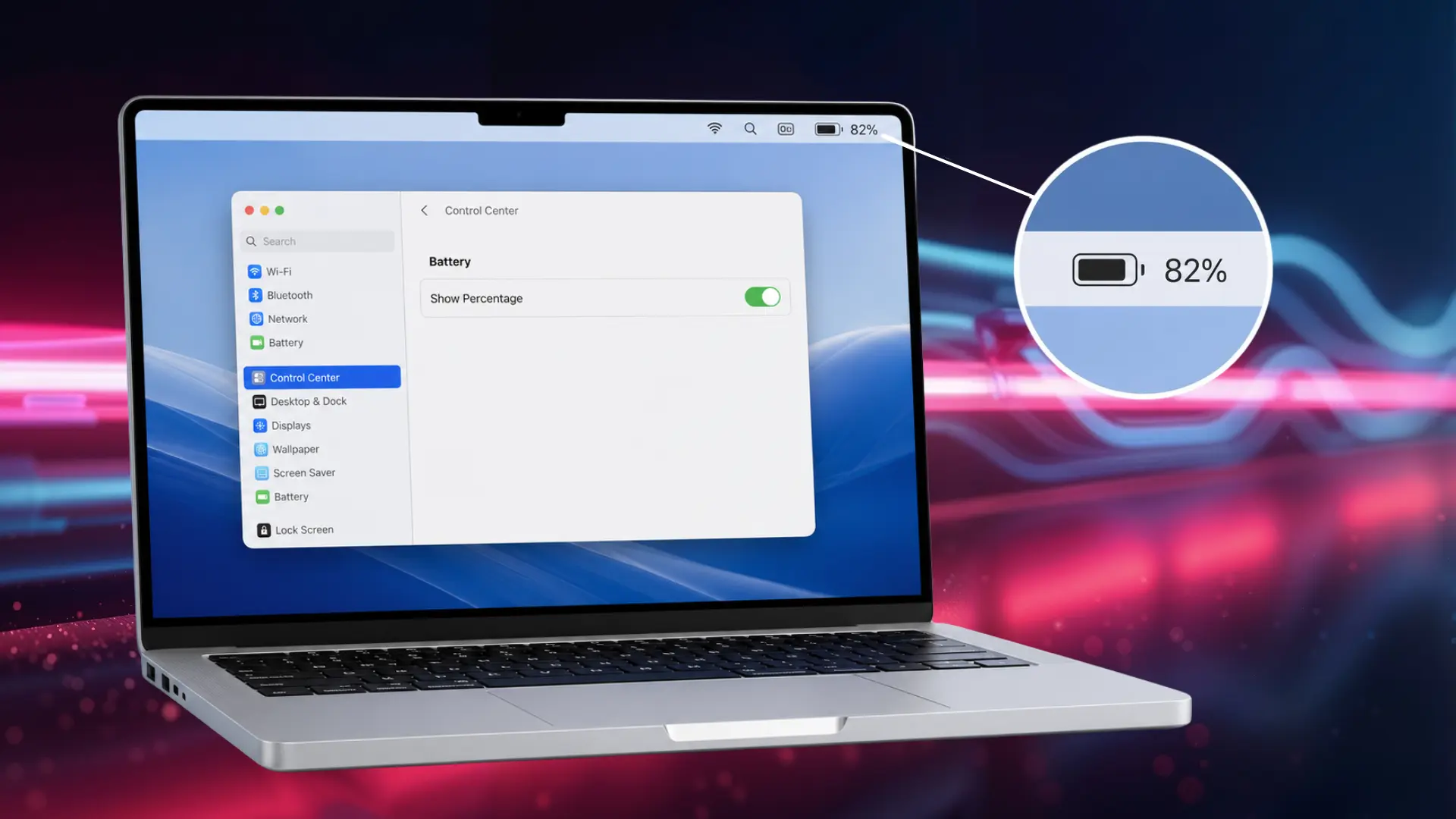
You’re deep into work on your MacBook when you glance at the battery icon and get nothing but a rough shape, no..... See more
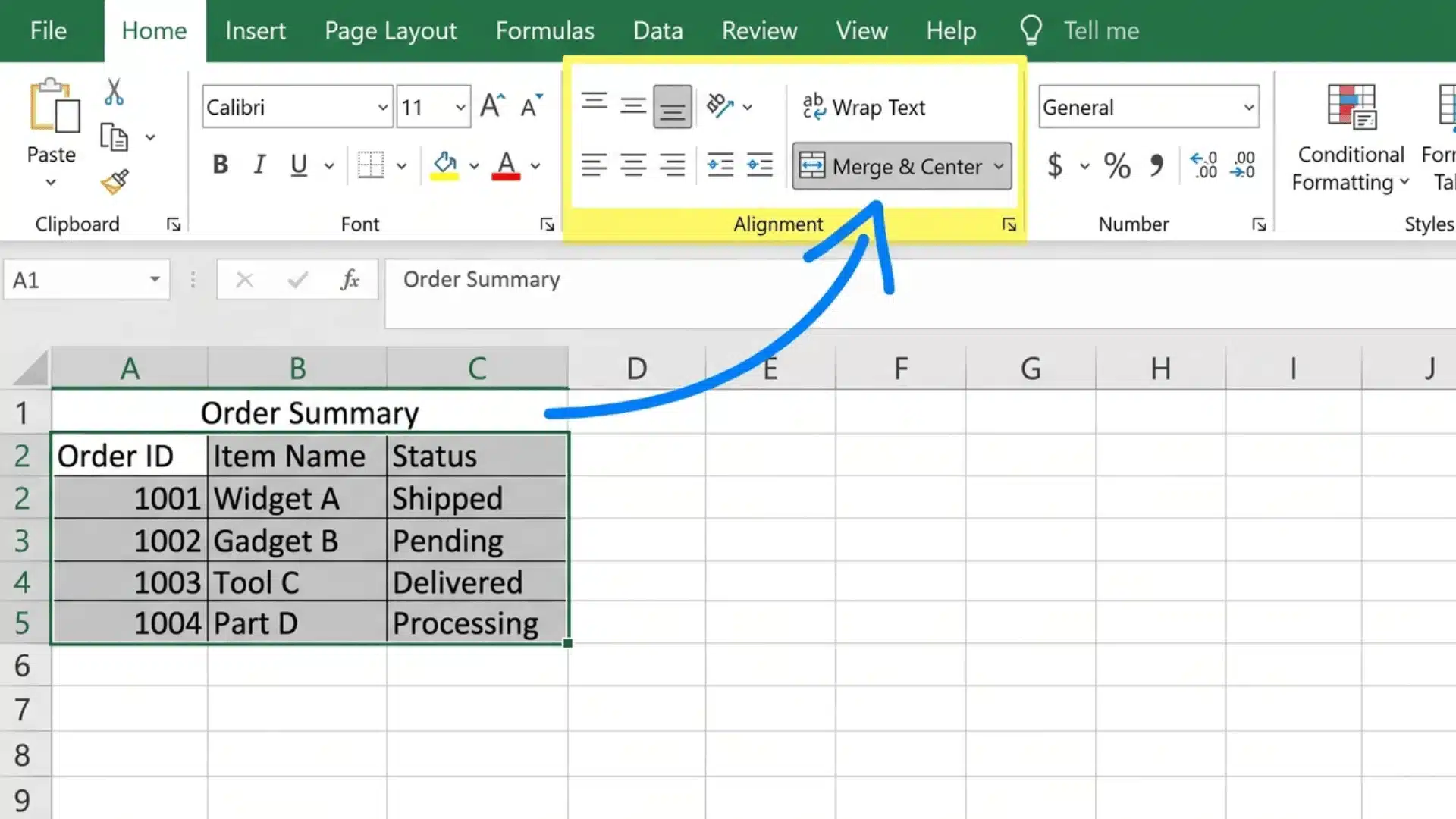
Merged cells can make an Excel worksheet look organized, but they often become a problem once you start sorting, filtering, editing, or..... See more

Your phone can steal more time than you notice. One quick check can turn into twenty minutes of scrolling before you realize..... See more

Testing problems rarely start with a lack of test cases. More often, teams begin testing before deciding what needs the most attention,..... See more

Your internet plan says 500 Mbps, but the Ethernet cable running to your office chair is a scuffed spool from 2015. Does..... See more

Pressing Start and getting no response can turn a simple laundry day into a real headache. A Samsung dryer that won’t start..... See more

So you want to take a screenshot on an iPad, and you’re not sure how? Trust me, you’re not alone. It trips..... See more

Have you ever taken a photo on your iPhone and noticed it moved when you opened it later? Many iPhone users turn..... See more
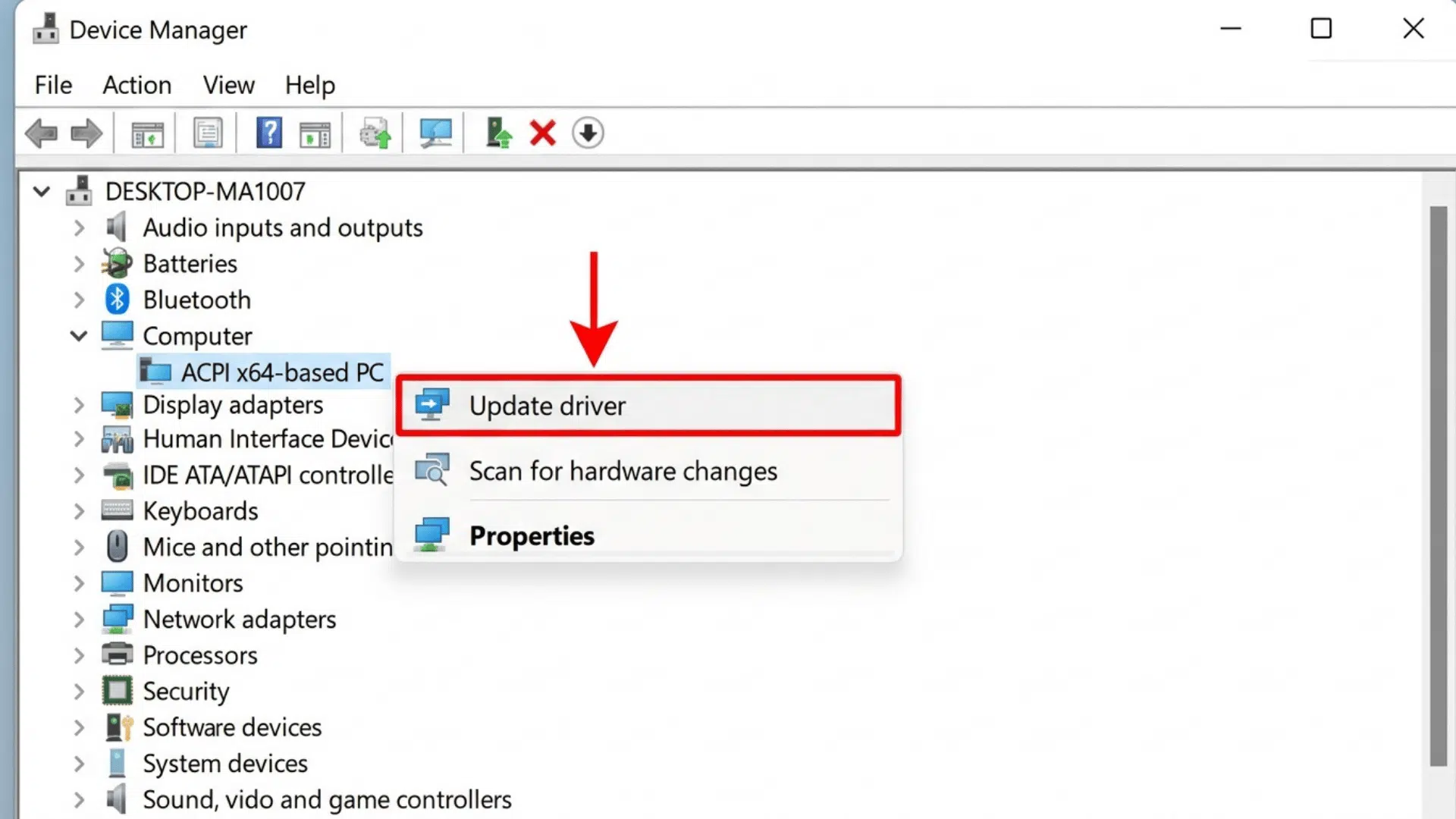
Your laptop fan spins up, a game stutters, or a second monitor just won’t connect right. Nine times out of ten, an..... See more

Few things are more annoying than tapping AirDrop and seeing nothing happen. I know how quickly a simple file transfer can turn..... See more