
If you care about good sound quality, you have probably heard the name AudioQuest DragonFly come up more than once.
It has built a strong reputation among music lovers and everyday listeners alike. But what makes it so talked about? Is it really worth your attention?
This blog looks at the AudioQuest DragonFly from all angles, what it is, how it works, and why people love it. If you are new to audio gear or just curious about it, keep reading.
What is the AudioQuest DragonFly?
The AudioQuest DragonFly is a small USB Digital-to-Analog Converter (DAC). It also has a built-in headphone amplifier, which means it does two jobs in one tiny device.
In simple terms, it takes the digital audio signal from your laptop, phone, or tablet and converts it into a cleaner, better-sounding output for your headphones or speakers.
What makes it even more appealing is its plug-and-play design. You do not need to install any special software or go through a complicated setup. Just plug it in, and it starts working right away. It is that simple.
What is a USB DAC and Why You May Need One
A DAC, or Digital-to-Analog Converter, is a small but important piece of technology.
When you play music on your phone or laptop, the audio is stored as a digital file. But your ears can only hear analog sound.
So, a DAC converts that digital information into an analog signal that your headphones or speakers can play. Every phone and laptop already has a basic DAC built in.
However, these built-in DACs are often made to keep costs low. An external DAC like the AudioQuest DragonFly is built with better components, which means the sound it produces is cleaner, clearer, and noticeably more powerful.
Signs You May Need a DragonFly
- Your headphones sound quieter than expected, even at full volume
- The music sounds flat or dull, with no life to it
- You hear a faint hiss or background noise while listening
- You own high-quality headphones, but feel like they are not performing at their best
- Music lacks depth, and everything sounds like it is coming from one flat layer
Overview of AudioQuest DragonFly Models
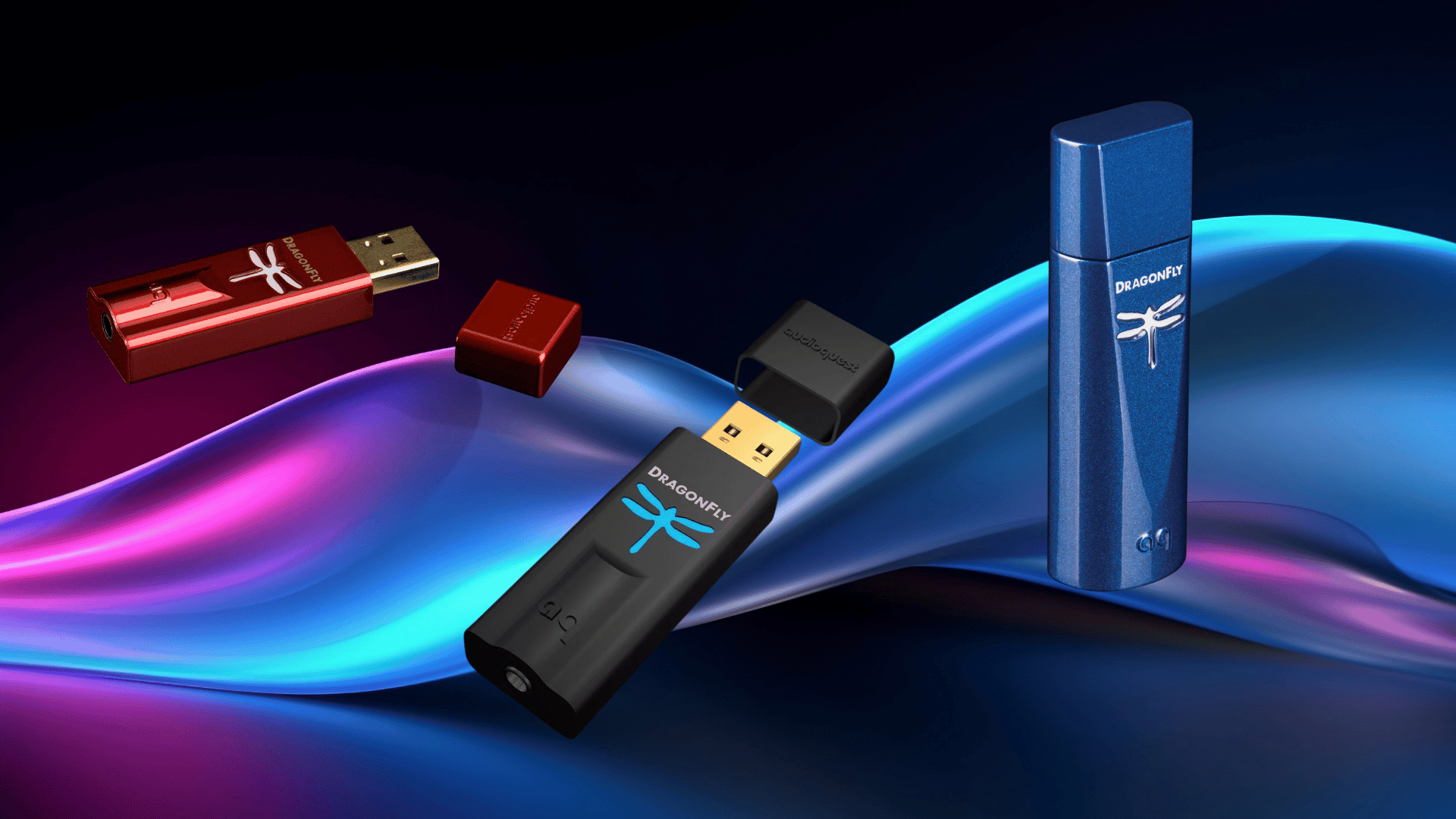
AudioQuest offers three main versions of the DragonFly: the Black, the Red, and the Cobalt. Each one is built for a different type of listener and budget. As you move up the range, the sound quality and power improve.
1. AudioQuest DragonFly Black
The DragonFly Black is the entry-level option in the lineup, and it is a great starting point for anyone new to external DACs.
Key Specifications
- DAC Chip: ESS 9010
- Output Voltage: 1.2 volts
- Bit Depth: 24-bit
- Sample Rate: Up to 96kHz
- Digital Volume Control
- USB Powered, no battery required
Sound Performance
- Noticeable improvement over built-in laptop audio
- Balanced and natural tone
- Good bass response for an entry-level device
- Works best with easy-to-drive headphones
Design and Build Quality
- Compact USB stick form factor
- Solid metal housing
- Color-coded dragonfly logo for sample rate identification
- Green: 44.1 kHz | Blue: 48 kHz | Amber: 88.2 kHz | Magenta: 96 kHz
- Easy to carry during travel
- No batteries needed
- AudioQuest DragonFly Red Review
User Reviews
Just received my Dragonfly Black and hooked it up to my iPad Pro. The difference is stunning, with far more detail. I can hear things I never heard before. The music just sounds better; no harshness, some warmth. 5 out of 5 on this one. – Thomas, Crutchfield: 5/5
I was hooked. All I can say is WOW! I have two home stereo setups and a Transit van OEM system. I adjusted the EQ to suit my ears and I am truly amazed at the sound! I had never heard of a DAC before, and I am really glad I spent the time to understand the advantages. -Dale, crutchfield: 5/5
2. AudioQuest DragonFly Red
The DragonFly Red sits in the middle of the lineup. It offers more power and better sound than the Black, making it a strong choice for serious listeners.
Key Specifications
- DAC Chip: ESS 9016
- Output Voltage: 2.1 volts
- Bit Depth: 24-bit
- Sample Rate: Up to 96kHz
- Bit-Perfect Digital Volume Control
- Stronger amplifier compared to the Black
Sound Performance
- More powerful output than the Black
- Cleaner sound at higher volume levels
- Tighter and more controlled bass
- Better vocal clarity and detail
- Handles more demanding headphones with ease
Design and Build Quality
- Compact USB stick form factor
- Solid metal housing
- Color-coded dragonfly logo for sample rate identification
- Green: 44.1 kHz | Blue: 48 kHz | Amber: 88.2 kHz | Magenta: 96 kHz
- Easy to carry during travel
- No batteries needed
- AudioQuest DragonFly Cobalt Review
I bought the DragonFly Red as a gift for an adult child who wants to hear better-quality music from his iPhone and MacBook. The DragonFly and phones combo blew his mind. He says the imaging and resolution are far superior… I’m giving this product five stars because the price-to-impact ratio is so high.
-Crutchfield Customer: 5/5An awesome way to improve the sound of your analog aux input. Auto-detects bit rate and selects the appropriate preloaded equalization. Pros: Easy to use with any digital input device. Cons: A little expensive if you are cost-conscious. -Jason, Crutchfield: 5/5
3. AudioQuest DragonFly Cobalt
The DragonFly Cobalt is the top model in the range. It is built for those who want the best possible sound from a portable DAC.
Key Specifications
- DAC Chip: ESS 9038Q2M
- Output Voltage: 2.1 volts
- Bit Depth: 24-bit
- Sample Rate: Up to 96kHz
- Improved Microcontroller for better processing
- Reduced power draw
- Advanced noise filtering
Sound Performance
- Noticeably cleaner audio background
- More refined and detailed sound
- Better instrument separation
- Smoother and more natural high frequencies
- Greater overall control and balance across all frequencies
Design and Build Quality
- Compact USB stick form factor
- Solid metal housing
- Color-coded dragonfly logo for sample rate identification
- Green: 44.1 kHz | Blue: 48 kHz | Amber: 88.2 kHz | Magenta: 96 kHz
- Easy to carry during travel
- No batteries needed
I use these when mowing and running the tractor; the DAC I had previously could not power the headphones over the noise of the zero-turn diesel. It was like night and day. I can now easily hear my music over the sound of the engine. – Patrick John, Crutchfield: 5/5
Sounds fantastic! Not built to last as long as it could. The sound coming from this DAC is much better than the internal DACs on all of my devices… I am disappointed that the build quality was not what I had hoped it would be after 1.5 years. The casing is no longer secure and slides off easily. -Gabriel Ferreira, crutchfield: 4/5
DragonFly Black vs. Red vs. Cobalt: Quick Table Comparison
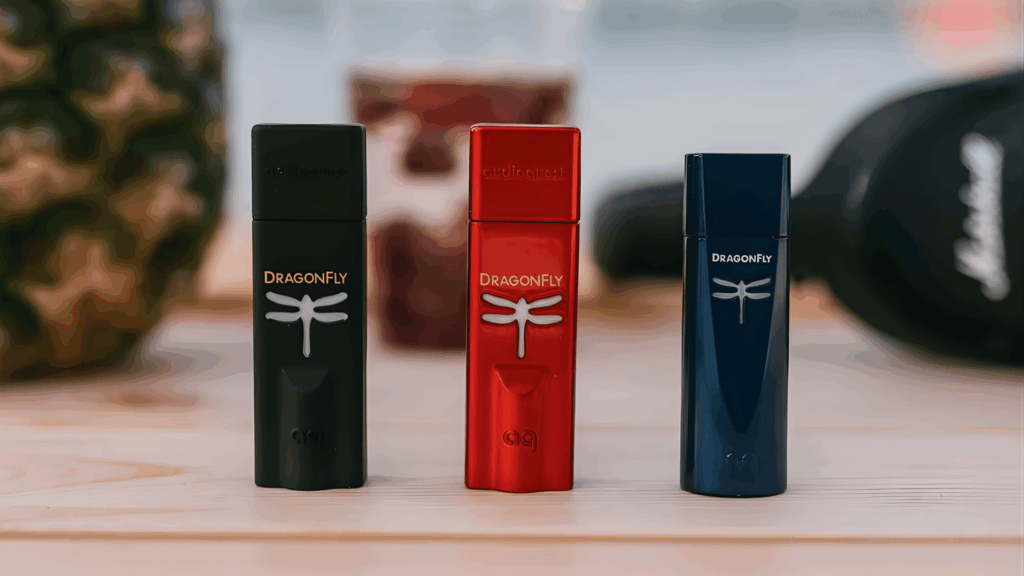
Not sure which model is right for you? Below is a simple side-by-side look at all three to help you decide.
| Feature | DragonFly Black | DragonFly Red | DragonFly Cobalt |
|---|---|---|---|
| DAC Chip | ESS 9010 | ESS 9016 | ESS 9038Q2M |
| Output Voltage | 1.2 volts | 2.1 volts | 2.1 volts |
| Max Resolution | 24-bit / 96kHz | 24-bit / 96kHz | 24-bit / 96kHz |
| Amplifier Power | Standard | Strong | Strong |
| Noise Filtering | Basic | Moderate | Advanced |
| Best For | First-time DAC users and easy-to-drive headphones | Serious listeners with demanding headphones | Audiophiles who want the cleanest, most refined sound |
Who Should Choose DragonFly?
Not every DragonFly model is built for the same type of listener, so choosing the right one depends on your needs and gear.
The DragonFly Black is ideal for beginners who want a simple plug-and-play upgrade, use easy-to-drive headphones, and prefer budget-friendly value without complicated setup.
The DragonFly Red suits more serious listeners who own higher-quality headphones, want more power and volume, and care about cleaner bass and clearer vocals.
If you’re chasing maximum detail, the DragonFly Cobalt is designed for audiophiles who use premium headphones, are sensitive to background noise, and want the most refined and controlled sound in the lineup, even at a higher price point.
Setup Guide for First-Time Users
Setting up the AudioQuest DragonFly is straightforward, but following the right steps from the start will help you get the best sound right away.
How to Set Up on a Laptop
- Plug the DragonFly directly into an available USB port on your laptop
- Once connected, go to your sound settings and select DragonFly as your audio output device
- Plug in your headphones to the DragonFly’s 3.5mm jack
- Start playing music and adjust the volume to a comfortable level
- Make sure no other audio output is selected at the same time, as it may interfere with the sound
How to Set Up on a Phone
- Check your phone’s connector type and get the correct adapter, USB-C or Lightning
- Connect the DragonFly to your phone using the adapter
- Plug your headphones into the DragonFly’s 3.5mm output
- If your phone asks you to select an audio device, choose USB audio
- Open your music app and start playing. The DragonFly will handle the rest automatically
Common Setup Tips
- Check for any available firmware updates for your DragonFly model before first use
- Always lower your system volume before plugging in to protect your hearing
- Use good-quality headphones to fully notice the difference in sound
- Avoid using cheap or low-quality cables, as they can affect output quality
- If the device is not recognized, try a different USB port or restart your device
Final Thoughts
The AudioQuest DragonFly has earned its reputation for good reason.
It is one of those rare audio devices that delivers a real, noticeable difference without making things complicated. From the budget-friendly Black to the refined Cobalt, there is an option for almost every type of listener.
If you have been putting up with average sound from your phone or laptop, the AudioQuest DragonFly could be the straightforward upgrade you have been looking for.
It is small, reliable, and built with genuine audio quality in mind. For anyone who values how their music sounds, this little device is well worth considering.