


Most people assume a Ring doorbell just keeps working once it’s up. In practice, it wears down like any piece of consumer electronics, and missing the early signs of battery or hardware decline can leave you blind to visitors or deliveries at exactly the wrong moment.
The battery question alone has two separate answers.
There’s how long a single charge lasts, which resets every time you plug in. And there’s how long the battery pack itself lasts before it stops holding a charge reliably. Both clocks are running, but people only track one of them.
From realistic per-charge expectations to the settings and hardware choices that actually move the needle, knowing what affects Ring doorbell battery life is key to staying ahead of problems before they become surprises.
How Long Does a Ring Doorbell’s Hardware Actually Last?
A Ring doorbell typically lasts about 3–5 years for battery models and 5–7 years for hardwired units.
The gap comes down to how the electronics handle power. Hardwired units avoid the repeated charge cycles that gradually stress internal components. Battery models don’t get that break; every recharge adds wear the device never fully recovers from.
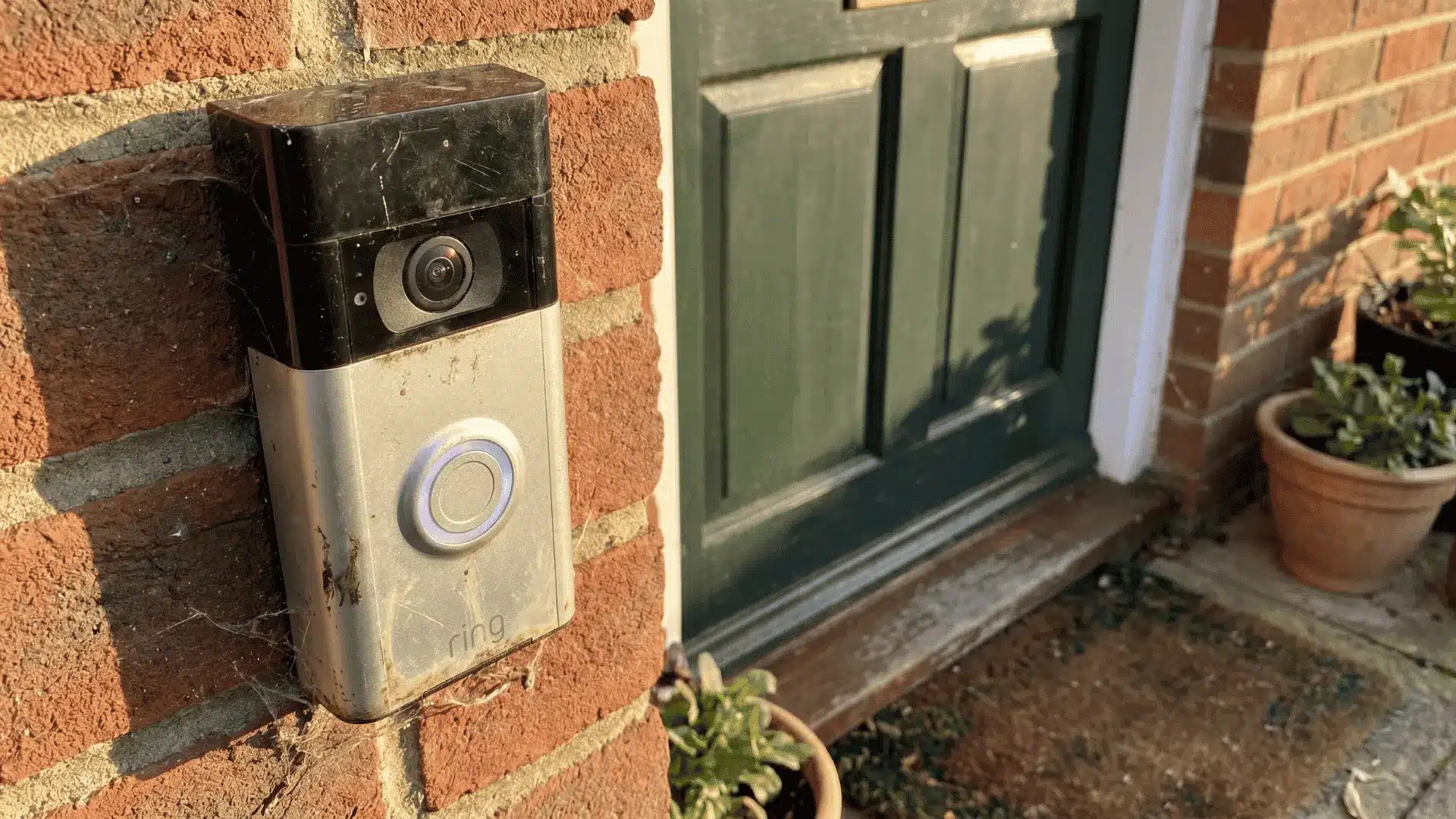
Ring doorbells are not simple doorbells. They are consumer electronics with cameras, Wi-Fi radios, and processors that wear down over time, closer to a smartphone than a traditional chime.
Signs of Hardware Decline
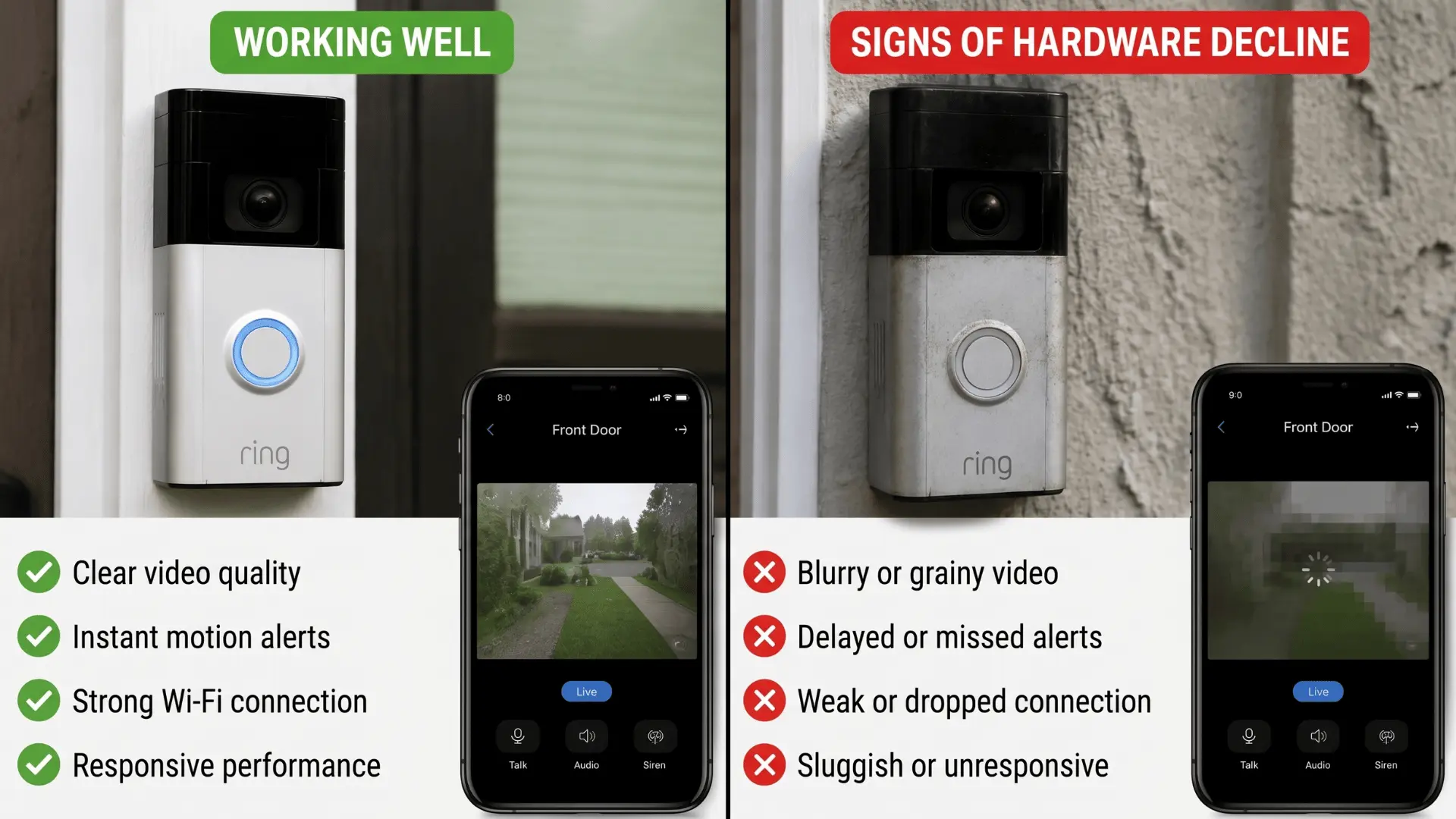
Your device can power on and still be in decline. The signs usually show up in this order:
- Fading video quality, slight softness or slower focus, especially in low light
- Missed motion alerts even when sensitivity settings haven’t changed
- Intermittent connectivity problems and delayed notifications
By the time all three are present, the device is in the final stretch of its useful life. Each one on its own is worth watching. Together, they’re a replacement signal.
How Performance Changes Over Time
Ring doorbells rarely quit all at once. The decline follows a predictable sequence, camera quality softens first, then motion detection becomes less consistent, then connectivity starts dropping in and out.
This pattern looks a lot like how a smartphone ages. A traditional wired doorbell can last 10–20 years because it has no camera, no processor, and no battery. Ring devices trade that simplicity for capability, and that trade comes with a shorter, more predictable lifecycle.
How Long Does a Ring Doorbell Battery Last: Per Charge vs. Over Time
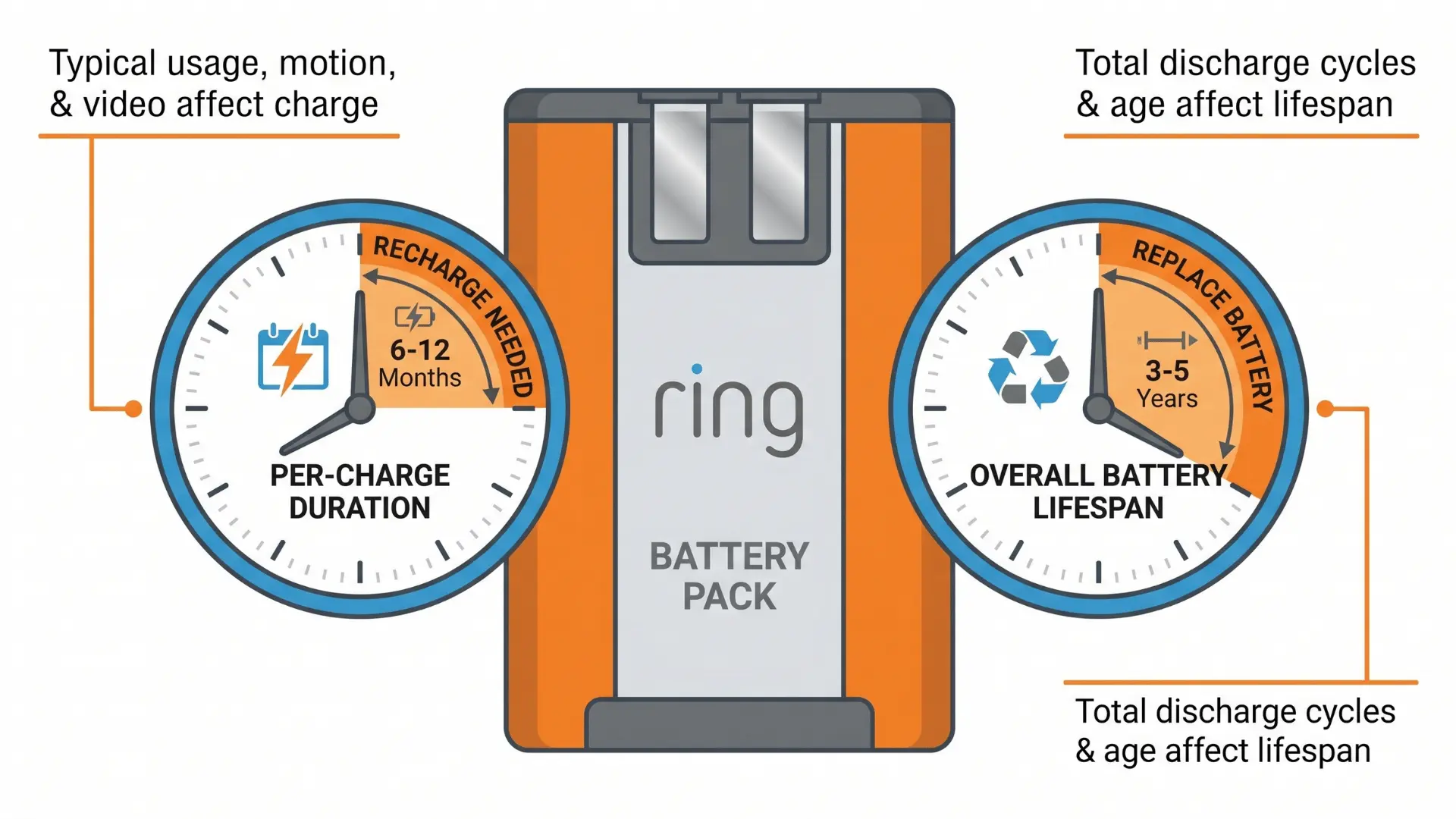
A Ring doorbell battery lasts 1–3 months per charge in real-world conditions, while the battery pack itself lasts 3–5 years before noticeable degradation sets in. These are two entirely separate clocks:
- Per-charge clock: resets with every recharge. Driven by usage, motion events, video recording, Live View sessions.
- Battery pack clock: permanent chemical wear that never resets. This one governs total lifespan.
Most users focus only on per-charge life and keep tweaking settings. By year three, the pack’s capacity has dropped enough that no setting change fixes the frequency of recharges.
Battery life also varies by model.
Entry-level devices like the Ring Video Doorbell 2nd gen and Ring Peephole Cam typically run 2–3 months between charges under normal use.
Newer models like the Ring Battery Doorbell Plus and Ring 4 include improved power management, pushing real-world life closer to 4–6 months in the same conditions.
If your device is an older model and charges more often than expected, the model itself, not just your settings, may be a factor.
Per-Charge Battery Life: Advertised vs. Reality
Ring’s advertised 6–12 months per charge is based on around 3–4 motion events per day. Most front doors see significantly more than that. Here’s how the numbers shift in practice:
| Condition / Location | Advertised Life | Real-World Life | Notes |
|---|---|---|---|
| Ideal conditions | 6–12 months | 6–12 months | Ring’s Quick-Release battery estimate — low-traffic, optimal environment |
| Quiet suburban home | 6–12 months | 2–3 months | Minimal motion events, few triggers |
| Average residential area | 6–12 months | 1–2 months | Typical traffic; moderate motion detection |
| Busy street / high traffic | 6–12 months | 2–4 weeks | Frequent motion events drastically reduce per-charge life |
Features like Snapshot Capture and Advanced Motion Detection push these numbers further down across every location type.
What Actually Drains the Battery Per Charge?
Every motion event kicks off a sequence the device has to complete from start to finish. None of the steps can be skipped:
- Motion detected → processor wakes from standby
- Camera sensor powers on
- Video recorded
- Clip sent over Wi-Fi
- Stored on Ring servers
Each step draws power. Two identical Ring devices placed in different locations can show up to fourfold differences in per-charge life, purely based on how often that sequence runs.
Battery Pack Lifespan: The Clock That Doesn’t Reset
Ring batteries are rated for roughly 500–1,000 charge cycles depending on the model; the official Quick-Release Battery Pack sits toward the lower end of that range. How quickly you burn through cycles depends entirely on how often you recharge.
Charging monthly means around 12 cycles per year, which stretches the pack far beyond the device’s useful life. Charging weekly means roughly 50 cycles per year, wearing the pack out in under a decade.
Capacity loss doesn’t happen evenly. It accelerates in the final third of the pack’s cycle life. That’s why users in high-traffic areas often spend year two tweaking every setting, when the real reason for shorter battery life is the pack itself, not the configuration.
If recharge frequency is climbing without any change in traffic or settings, the battery pack is wearing out. Not the Wi-Fi. Not the app.
What Affects Ring Doorbell Battery Life and What You Can Do About It
Not all drain factors carry the same weight. Some are responsible for the bulk of your battery use. Others barely move the needle. Knowing which is which means you fix the right thing first, not the easiest thing.
Factors That Drain Battery Fastest
These are the variables that actually determine how often you’re recharging. They’re ranked by impact, not by how often they come up in Ring app settings.
- Motion event frequency: Every detection runs the full power sequence: processor wake, camera on, record, upload. High-traffic locations can trigger this dozens of times a day. Nothing else comes close to this level of drain.
- Live View sessions: Manually opening the camera in the Ring app keeps the sensor actively streaming. Even a 30–60 second check-in can use 5–10% of battery. Check the feed several times a day and it adds up fast, regardless of your motion settings.
- Snapshot Capture: Takes continuous background photos even when no motion occurs. The drain is lower than a motion event, but it runs constantly. In quieter locations, it becomes a proportionally larger share of total battery use.
- Video clip length per event: Longer recordings mean more energy per trigger. Shortening clips from 60 seconds to 15 reduces per-event consumption without affecting whether events are captured.
- Advanced Motion Detection processing: Running multiple detection zones or high sensitivity adds computational load on every event. The per-event cost is higher than standard detection.
- Wi-Fi signal quality: A weak or unstable connection forces the device to retry transmissions and boost its radio signal to stay connected. Poor Wi-Fi alone can cut per-charge life by 20–30%, independent of how much motion your location sees. A closer router or a Wi-Fi extender near the doorbell is one of the highest-leverage fixes available.
- Temperature: Cold weather temporarily reduces lithium-ion capacity, making the battery appear to drain faster. The effect reverses when temperatures rise; it’s not permanent damage unless combined with repeated cycles over years.
Start with motion frequency and Wi-Fi quality. Fix those two, and the rest rarely need touching.
Settings Worth Changing vs. Settings That Don’t Move the Needle
Some settings make a real difference. Others feel productive but don’t change much. This table shows where your time is worth spending.
| Setting | Impact on Battery | Notes |
|---|---|---|
| Motion zone customization | High | The biggest lever available — but only if zones are drawn to exclude sidewalks, roads, and neighboring yards. Misconfigured zones negate the savings entirely. |
| Video clip length | Moderate | Shortening from 60 to 15 seconds reduces per-event energy meaningfully. Won’t offset a high-traffic location on its own, but stacks with other changes. |
| Snapshot Capture | Moderate | Draws low-level current continuously. Disabling it has a noticeable effect in quieter locations where motion events are infrequent. |
| Motion sensitivity | Low to moderate | Reducing sensitivity cuts false triggers, but the per-event power draw is fixed. Fewer events save more than lower sensitivity alone. |
Motion zones first. Everything else is secondary.
Hardware Solutions: Solar Charger and Power Kit
When settings adjustments aren’t enough, two hardware options reduce how often you’re pulling the battery to recharge.
Ring Solar Charger: Provides a continuous trickle charge. Ring recommends at least 3–4 hours of direct daily sunlight for the charger to keep pace with typical drain. In overcast climates or shaded doorways, it slows discharge rather than eliminating recharges; still useful, but not a full substitute for wired power.
Ring Power Kit: Hardwires a battery doorbell to existing doorbell wiring, removing the need for regular recharges. The best option where wiring is accessible and you’d rather not think about battery management again.
On recharge times: A full charge typically takes 5–10 hours depending on the model and whether you’re using a wall outlet or USB port. Cold temperatures and high prior drain can make charging appear slower, but the battery is not permanently affected by a single slow charge.
Wrapping Up
Ring doorbells don’t fail overnight. The battery and hardware wear gradually, showing up first in video quality, then motion detection, then connectivity. Catching those patterns early gives you time to act rather than react.
Most battery problems come down to motion frequency and Wi-Fi quality. Fix those two and the rest rarely needs adjusting.
And when recharging keeps getting more frequent despite no changes in settings or traffic, the battery pack is telling you something. Replacing it is usually enough to get another few years out of the unit.
Frequently Asked Questions
Can I leave my Ring doorbell plugged in all the time?
Yes, hardwired models are designed for continuous power. Wireless models should only stay connected to a charger temporarily; constant trickle charging can slightly reduce battery lifespan over time.
Will extreme weather permanently damage my Ring battery?
Extreme cold or heat temporarily reduces battery performance, but the effects are mostly reversible once temperatures normalize. Permanent damage happens only after repeated exposure combined with the normal chemical degradation that comes with age and cycle count.
Does using Snapshot Capture reduce battery life significantly?
It does reduce it, though not as sharply as frequent motion events. Snapshot Capture draws continuous low-level power even when nothing is happening at your door. In lower-traffic locations, it becomes a larger share of total daily drain, worth disabling if you’re recharging more often than expected.
Can a Ring doorbell survive a power outage?
Hardwired Ring doorbells will lose connectivity during an outage but resume automatically once power returns. Battery-powered units stay fully functional throughout; they don’t depend on mains electricity to operate.