



A TV can have the right screen size and still be too wide for your stand. That mismatch happens because the number on the box describes the diagonal display, not the complete television.
If you are learning how to measure TV size, I can help you separate those measurements without making the process confusing.
You can see where to position the tape, which outer parts to leave out, and how to check width, height, depth, and foot spacing.
I also cover available wall space, media stands, VESA patterns, and viewing distance. With a few accurate figures, you can compare models more easily and avoid buying a television that crowds your furniture or mounting area.
If you’re also deciding between a dedicated screen and a computer display for the same spot, it helps to first understand how TVs and monitors differ before you start measuring anything.
What Does TV Size Actually Mean?
TV size refers to the diagonal length of the visible screen, measured from one corner to the opposite corner. A 55-inch TV, for example, has a display measuring about 55 inches diagonally.
That number does not describe the television’s width, height, depth, bezel, or stand. Two models with the same advertised size may have different outer dimensions because their frames, speakers, feet, and rear panels vary.
Screen sizes are usually listed in inches, although some product specifications also show centimetres. The advertised number is useful when comparing screens, but it cannot confirm how much physical space a television needs. Complete dimensions matter when choosing furniture, brackets, or a suitable position.
How to Measure TV Size: Step-By-Step
If you are asking, “How do you measure a TV screen?”, the basic method is to measure diagonally across the visible display. Use a tape with clear inch or centimetre markings and keep the television stable while working.
Step 1: Position the TV Safely
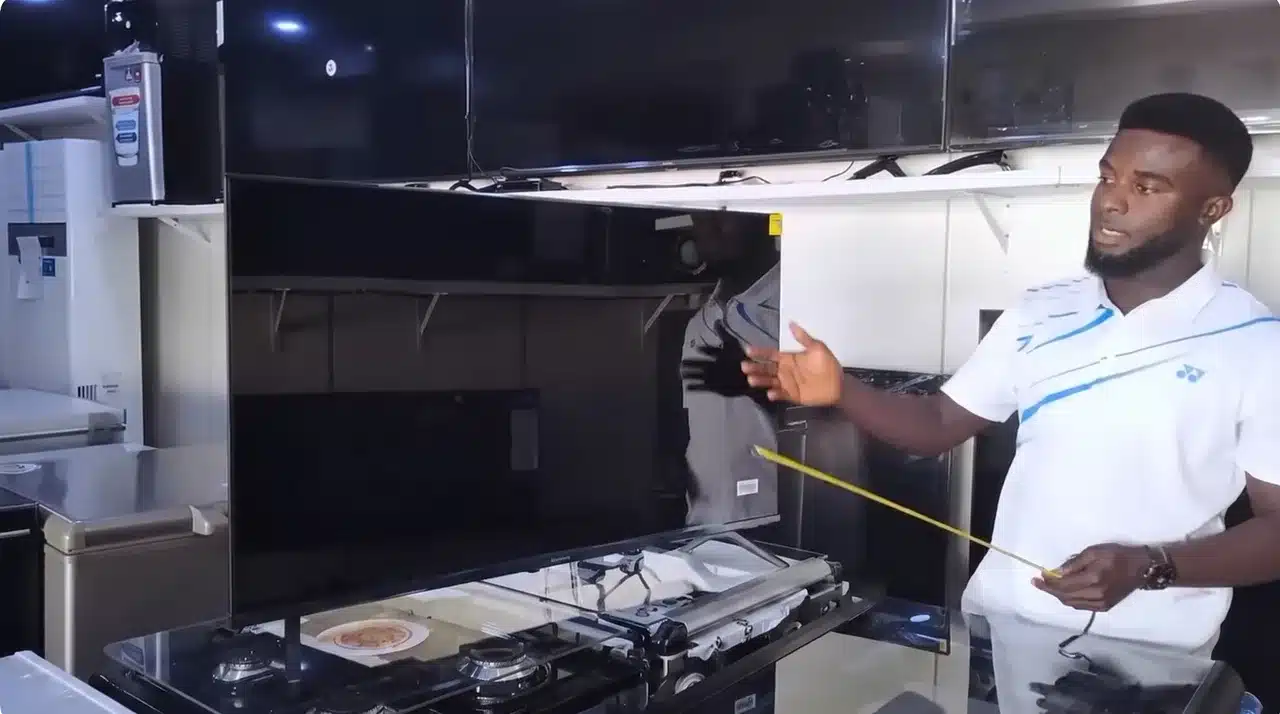
Before measuring, place the TV in a stable position where you can access the full screen. I usually measure TVs on a stand or display table because it keeps the screen steady and makes the process easier.
Avoid measuring at an angle or while the TV is leaning, as even a small shift can affect accuracy. A clear view of all four corners of the screen is all you need. If the TV is mounted, measure carefully without putting pressure on the panel or moving the screen.
Step 2: Find the Screen Corners
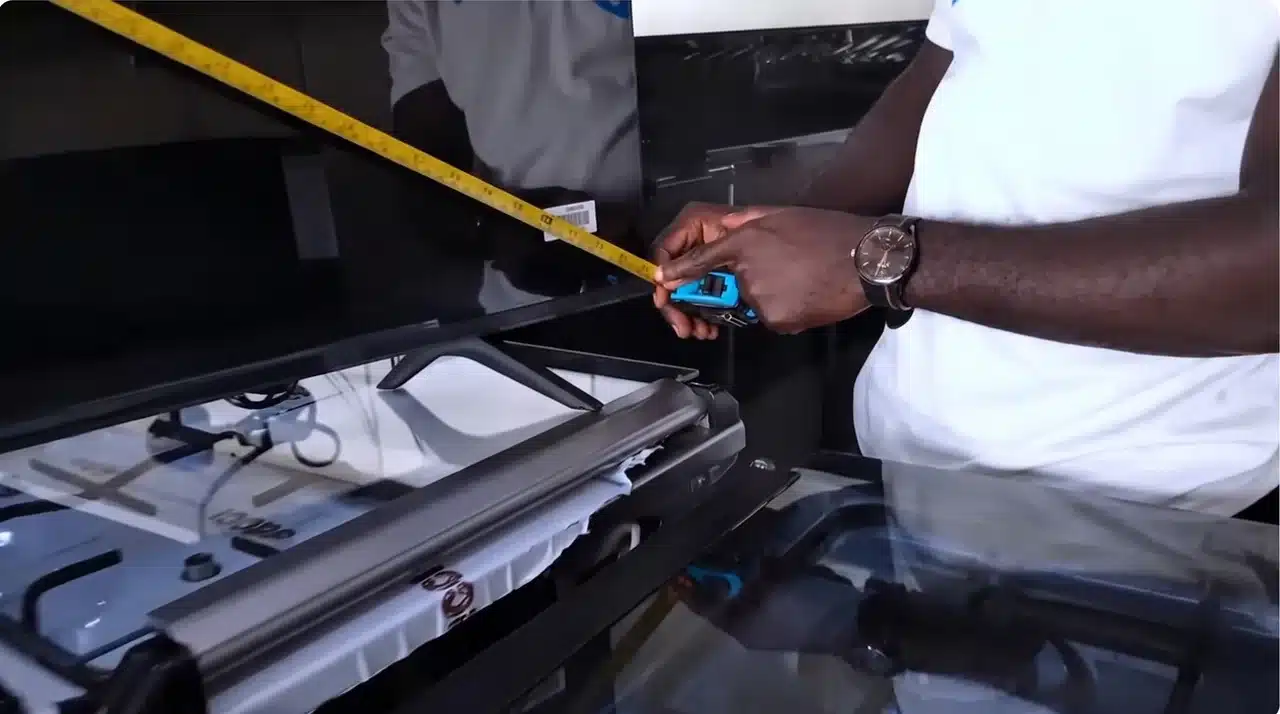
Start by locating the actual display corners, not the outer edges of the TV frame. I have seen people measure from the bezel and end up with a size that does not match the TV’s listed measurement.
Find the top-left and bottom-right corners of the visible screen area. These points create the diagonal line used for the official TV size. The panel itself plays a role here too, since display panel technology affects how thin or thick the bezel sits around the actual screen edge.
Step 3: Measure the Screen Diagonally

Place the tape measure at one screen corner and extend it diagonally to the opposite corner. Keep the tape straight across the display without bending or slipping.
When I check TV sizes, I always make sure the tape touches the screen edges rather than the frame. Take the measurement slowly and check that the tape follows the shortest straight line between the two corners.
Step 4: Exclude the Frame and Stand

Only measure the screen itself when finding the TV size. The frame, stand, and other outer parts are not included in the advertised inch measurement.
A TV labeled as 55 inches means the display measures 55 inches diagonally, not the entire television body. Even a thin bezel can add extra inches, so keep the tape focused only on the visible display area.
Step 5: Record the Diagonal Screen Size
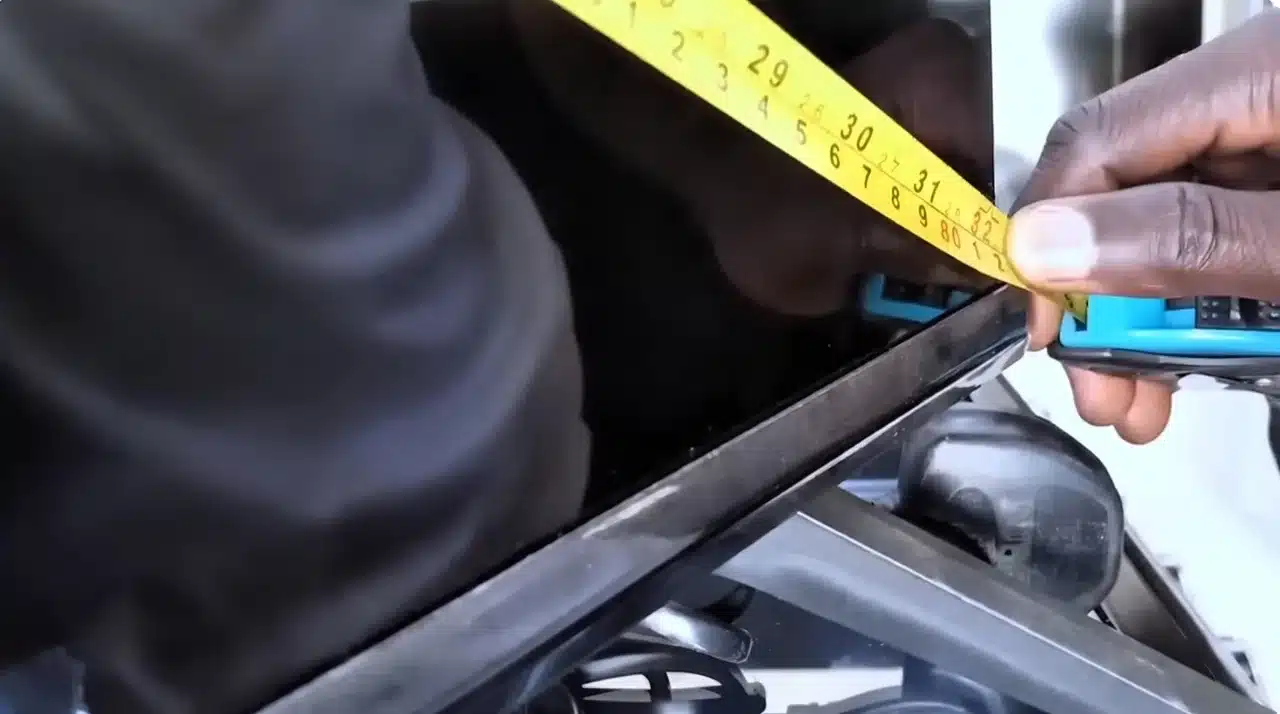
Write down the diagonal measurement once you have a clear reading. This number helps you compare different TV models and understand what size you are actually buying.
When helping someone choose a TV, I always recommend confirming this measurement first because a few extra inches can change how a screen fits and feels in a room. It’s also worth thinking about what will sit near the TV once it’s mounted, since a 4K streaming box or similar device can take up shelf space you’d planned to leave clear.
Step 6: Measure the Full TV for Placement
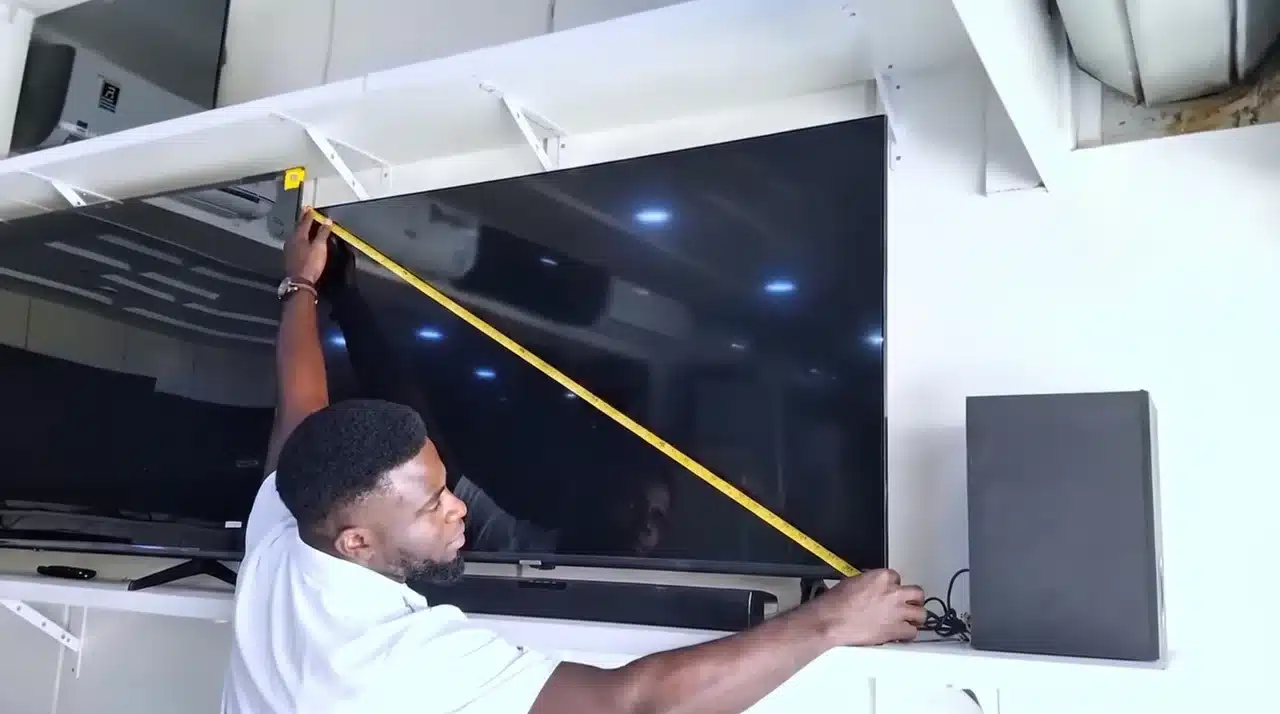
Measure the TV’s total width, height, and depth separately when checking whether it fits a wall, stand, cabinet, or entertainment center.
Include the frame and stand during these measurements. Compare every dimension with the available space before buying, mounting, or repositioning the TV. Measuring your TV correctly takes only a few minutes.
Watch the video below to see how to measure a TV correctly from corner to corner.
How to Measure TV Size in Centimetres
The method stays the same when working in centimetres. Take the diagonal screen measurement and record the result without including the surrounding frame.
Use this formula to convert inches into centimetres: TV size in inches × 2.54 = TV size in centimetres
To convert centimetres into inches, divide the measurement by 2.54.
The table below lists diagonal measurements for several common TV sizes.
| TV Size in Inches | Diagonal Size in Centimetres |
|---|---|
| 32 inches | 81.3 cm |
| 40 inches | 101.6 cm |
| 43 inches | 109.2 cm |
| 50 inches | 127 cm |
| 55 inches | 139.7 cm |
| 65 inches | 165.1 cm |
| 75 inches | 190.5 cm |
| 85 inches | 215.9 cm |
These conversions describe screen size only. They do not show the television’s complete outer dimensions.
Screen Size vs. Full TV Dimensions
The diagonal screen size identifies the model category. Full dimensions show how much physical room the television occupies.
Check the television in three directions:
- Full Width: Measure horizontally from the outer-left edge of the frame to the outer-right edge.
- Full Height: Measure vertically from the top of the frame to the lowest point. Record a second figure with the stand attached.
- Full Depth: Measure from the front edge to the deepest point at the back. Include the base when the TV uses a pedestal or feet.
These figures are more useful than diagonal size when checking cabinets, shelves, wall sections, and media units.
Common TV Sizes and Approximate Dimensions
Most modern televisions use a 16:9 aspect ratio. That standard shape makes it possible to estimate screen width and height from the diagonal measurement.
The following figures cover the display panel. Frames and stands increase the television’s final footprint.
| Advertised Size | Approximate Screen Width | Approximate Screen Height |
|---|---|---|
| 32 inches | 27.9 inches | 15.7 inches |
| 40 inches | 34.9 inches | 19.6 inches |
| 43 inches | 37.5 inches | 21.1 inches |
| 50 inches | 43.6 inches | 24.5 inches |
| 55 inches | 47.9 inches | 27 inches |
| 65 inches | 56.7 inches | 31.9 inches |
| 75 inches | 65.4 inches | 36.8 inches |
| 85 inches | 74.1 inches | 41.7 inches |
Use these figures for early planning, then confirm the chosen model’s listed dimensions before purchasing furniture or mounting hardware.
How to Measure the Available TV Space
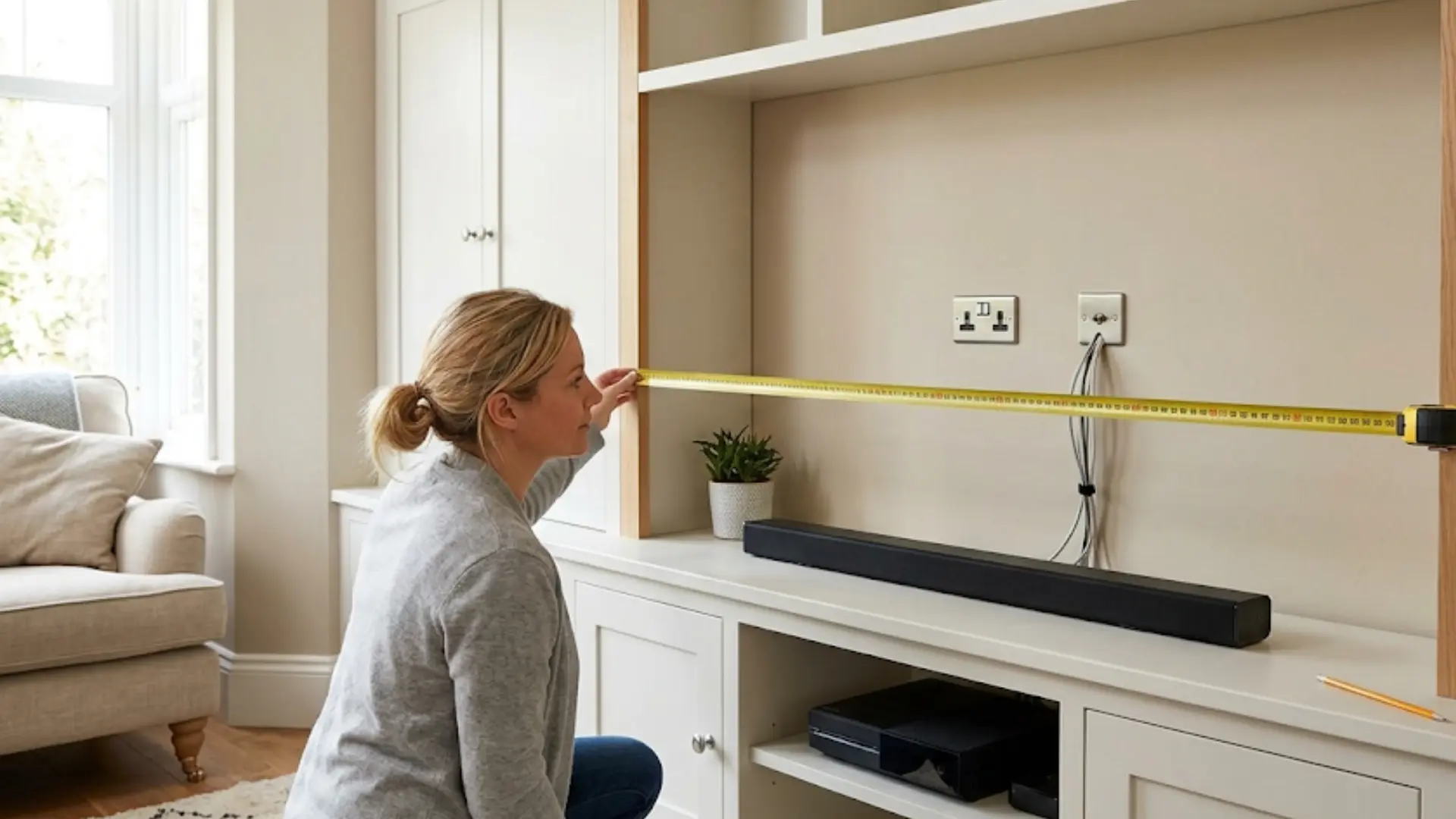
Measure the wall, cabinet, or alcove before comparing television models. Start with the usable width and height, excluding areas blocked by shelves, sockets, doors, trim, or furniture.
Check the available depth if the TV sits inside a cabinet. HDMI plugs, power adapters, and other connections can add several centimetres behind the rear panel.
Account for the position of:
- Electrical outlets
- Aerial and cable connections
- Gaming consoles and media players
- Soundbars
- Cabinet doors
- Shelves and wall trim
- Heating vents
- Cable routes
Leave enough open space for airflow based on the manufacturer’s instructions. A television should not press tightly against the sides or back of an enclosed cabinet.
TV Size Based on Viewing Distance
Viewing distance can help you select a comfortable screen size. A small screen may make fine details difficult to see, while a large screen placed too close can feel tiring.
One common starting formula is: Viewing distance in inches ÷ 1.6 = suggested TV size
A seating distance of 96 inches produces a suggested size of about 60 inches. A 55-inch or 65-inch television could suit that distance, depending on personal preference and viewing habits.
Measure from your normal seating position to the planned screen location. Do not measure only to the wall because a stand or bracket can bring the display farther forward.
Treat the formula as a general estimate. Screen resolution, room layout, eyesight, and viewing habits can affect what feels comfortable.
Common TV Measuring Mistakes
Several small errors can produce an incorrect result or lead to a poor fit.
- Measuring Horizontally: A side-to-side measurement gives the screen width, not its advertised size.
- Starting at the Bezel: The official measurement begins and ends at the visible display corners.
- Forgetting the Stand: The attached base changes the television’s total height and depth.
- Ignoring Foot Spacing: Wide-set feet may not sit safely on a narrow media unit.
- Skipping Cable Space: Thick plugs and adapters may prevent the television from sitting close to a wall.
- Trusting Estimated Dimensions: Models in the same size category can have different frames and bases.
Checking each measurement before buying is especially important when working with a narrow stand or enclosed cabinet.
How to Find Your TV Size Without a Tape Measure
Check the label on the back panel if a measuring tape is unavailable. The label normally includes the complete model number.
Enter that number on the manufacturer’s support website to find the product specifications. The original packaging, manual, receipt, or online order history may also list the screen size.
A phone measuring app can provide an estimate. A piece of string can also help when checked against a ruler afterward. Both methods are less reliable than official specifications, so use them only when an exact tool is unavailable.
Some settings menus display model details under options such as “About,” “Device Information,” or “Support.” Search the full model number instead of assuming every number in its name refers to screen size.
Conclusion
TV measurements become far more useful once each number has a clear purpose. The diagonal identifies the advertised screen size, while the full width, height, depth, and foot spacing show how the television fits your setup.
Stand placement requires a stable base, and wall mounting depends on weight limits, VESA spacing, cable access, and viewing height. Knowing how to measure TV size also helps you compare models without relying on product photos.
I recommend writing down every figure before shopping and checking it against the manufacturer’s specifications. I also suggest measuring your available space twice when clearance is limited.
Use these steps for your next TV purchase, and share your measuring experience or questions below.
Frequently Asked Questions
Is a 50-inch TV actually 50 inches wide?
That 50-inch number is the diagonal measurement, not the width, and a TV in that size class usually comes out to around 44 inches wide and 24 inches tall. The exact numbers vary slightly depending on the bezel and aspect ratio of the specific model you’re looking at, so it’s always worth checking the physical dimensions separately before you start planning where the TV will actually go.
What is the actual width and height of a 55-inch TV?
You’re looking at roughly 48 inches wide and 27 inches tall if it’s a standard 16:9 screen, which most TVs are these days. Different manufacturers shave off small amounts here and there, so if you’re working with a tight space, pulling up the exact spec sheet for your model is a smart extra step that saves you from any surprises later.
Can I check my TV’s screen size without physically measuring it?
Absolutely, and it’s honestly the easier route if you don’t feel like grabbing a tape measure. The size is usually printed right on the box, listed on the spec label on the back of the TV, or tucked away in the settings menu under model information. You can also just search the model number online, and the manufacturer’s site will show you both the diagonal size and the physical dimensions right away.
How can I measure a TV without a tape measure?
A phone measuring app or a piece of string checked against a ruler can work when you do not have a tape measure. Measure diagonally from one screen corner to the opposite corner, excluding the bezel. That is the key to getting accurate TV dimensions.