







The best music apps can change how you enjoy songs, playlists, and podcasts every day. I have seen how small feature differences can shape listening habits.
Choosing a music service isn’t just about finding songs. You also need to compare features, settings, sound quality, and how each app fits you.
I have tested different music platforms across devices, and I want to show what makes each option stand apart before you make a final choice.
Here, I will share the details that matter most, from everyday convenience to tools that can improve your listening experience without making the decision harder.
How Features and Settings Shape Your Listening Experience?
Two people using the same app can have completely different experiences. Settings, EQ options, and small features change how music actually sounds and feels day to day.
Spotify lets you fine-tune EQ manually across bass, mids, and treble. Most listeners never touch it, missing a real improvement in sound quality for free.
Apple Music enables lossless and spatial audio through simple toggles in settings. Many users never turn these on, so their experience stays unchanged despite paying for them.
YouTube Music defaults to lower quality streaming to save mobile data automatically. Switching that setting manually noticeably improves clarity, especially over decent headphones or speakers.
Tidal and Qobuz assume you already want maximum quality every time. Their settings favor audiophiles by default, unlike apps built around casual convenience first.
In my testing, that default-to-quality setup is the single biggest reason serious listeners land on one of these two apps and never bother checking the settings menu at all.
What Are the Best Music Apps Right Now?
There’s no single best music app. The right one depends on your phone, your budget, and how much you care about sound quality.
I’ve tested most of these apps over the years on different phones. Here’s what each one actually does best for you.
1. Spotify
Spotify has the largest catalog of any major streaming app right now. It covers mainstream releases, podcasts, and countless niche genres that most rivals miss entirely.
Its playlist and discovery tools are still the best in the category. Weekly recommendations feel genuinely personal after a few months of regular use.
It runs evenly across Android and iOS with no real gaps. That consistency makes it the safest default pick for most listeners.
One real gap worth knowing before you buy: Spotify still caps out at standard streaming quality, with no lossless or hi-res tier at any price, so anyone chasing studio-level detail will want to look elsewhere on this list.
2. Apple Music
Apple Music comes built into every iPhone by default. It syncs cleanly across iPhone, Mac, and Apple Watch without any extra setup.
Lossless audio is included at no additional cost here. That’s a real advantage over rivals that charge extra for the same feature.
In my side-by-side testing against Spotify on the same tracks, that lossless jump is real, but it is only obvious through wired headphones or a home speaker like the Sonos Era 100, not through a phone’s built-in speaker.
Android support exists, but it feels noticeably less polished. This app makes the most sense if you’re already inside Apple’s ecosystem.
3. YouTube Music
YouTube Music pulls from YouTube’s massive library of videos and audio. That includes live versions, remixes, and fan uploads that other apps simply don’t have.
It’s one of the stronger free options on this list. You still get ads and shuffle-only playback without a paid plan, though.
Offline downloads and background play require a premium subscription. Without it, the free version stays fairly limited on mobile.
4. Amazon Music
Amazon Music comes included automatically for anyone with a Prime membership. That makes it a genuinely free option for millions of existing subscribers.
It integrates tightly with Echo speakers and Fire tablets specifically. Outside Amazon’s own hardware, it works fine but adds little extra value.
Its catalog is solid but slightly behind Spotify’s in overall depth. Prime members get the most value out of choosing it.
5. Tidal

Tidal was built specifically for people who care about sound quality. High fidelity streaming is the core feature, not an added extra.
You’ll need real headphones or a proper speaker setup to notice it. On basic earbuds, the difference mostly disappears entirely.
It also includes exclusive content and artist-first payout structures. That appeals more to dedicated music fans than casual listeners.
6. Qobuz
Qobuz targets listeners who want studio-quality downloads, not just streaming. Its focus sits closer to audiophile territory than mainstream convenience.
Files here are larger and more detailed than typical streaming formats. That only matters with equipment capable of reproducing that extra detail.
Its catalog is smaller than Spotify’s or Apple’s. It trades size for depth in classical and jazz collections specifically.
7. SoundCloud
SoundCloud stands out for independent and emerging artists you won’t find elsewhere. Many tracks appear here months before hitting other major platforms.
Its free tier is genuinely usable, not just a limited trial. You get real browsing and playback without constant paywalls blocking basic features.
Its mainstream catalog is thinner than Spotify’s or Apple’s. It works best for discovering new music rather than replacing your main streaming app.
How Do the Top Music Apps Actually Differ?
The top music apps mainly differ in three ways: how far their audio quality goes, how much they restrict free and offline access, and how well they run across different devices.
Here’s a side-by-side look before the details below.
| App | Best for | Free tier | Top audio quality | Platform strength |
|---|---|---|---|---|
| Spotify | Overall pick, biggest catalog | Ad-supported, shuffle-only | Standard streaming, no lossless | Even across Android and iOS |
| Apple Music | iPhone owners who want lossless free | Trial only, no ongoing free tier | Lossless and spatial audio included | Deepest on Apple hardware |
| YouTube Music | Best free experience | Ad-supported, full catalog access | Standard streaming, lower by default on mobile | Even across Android and iOS |
| Amazon Music | Existing Prime members | Included with Prime, limited outside it | Lossless on the Unlimited plan | Best with Echo and Fire devices |
| Tidal | Sound-quality-first listeners | No free tier | Hi-fi lossless standard on every plan | Needs real headphones or speakers to notice |
| Qobuz | Audiophiles who want studio downloads | No free tier | Studio-quality hi-res downloads | Smaller catalog, strong in classical and jazz |
| SoundCloud | Discovering independent artists | Genuinely usable free tier | Standard streaming quality | Best for new and indie music |
1. Audio Quality and Lossless
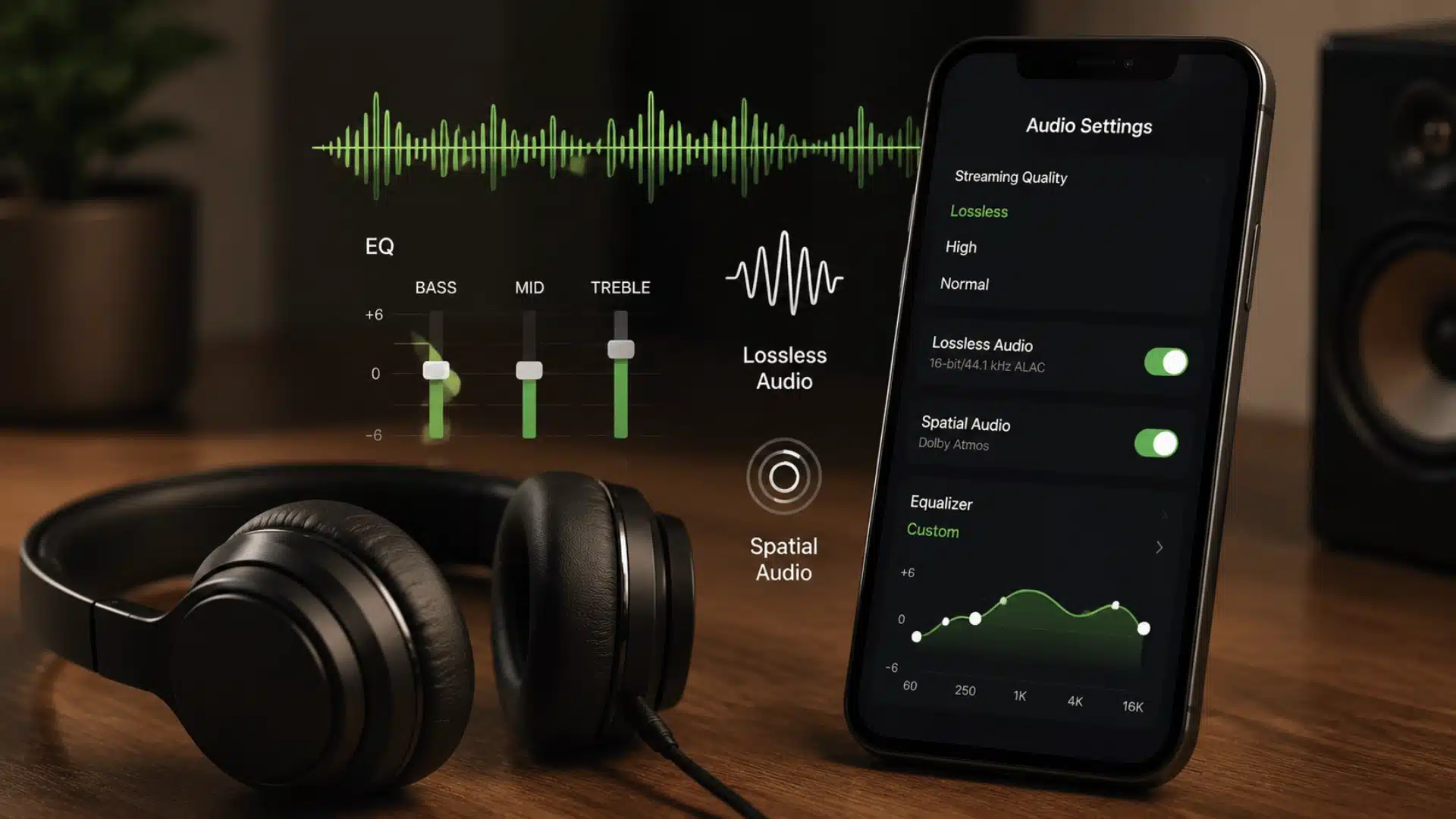
Lossless streaming sends you the full audio file with nothing removed. Regular streaming compresses music, cutting small details to save data and bandwidth.
You’ll only notice this with good headphones or a wired connection. Phone speakers and basic earbuds rarely reveal any real difference at all.
Lossless matters most to people who already care about sound quality. For casual listening on the go, it barely changes anything.
2. Free vs. Paid Access and Offline Listening
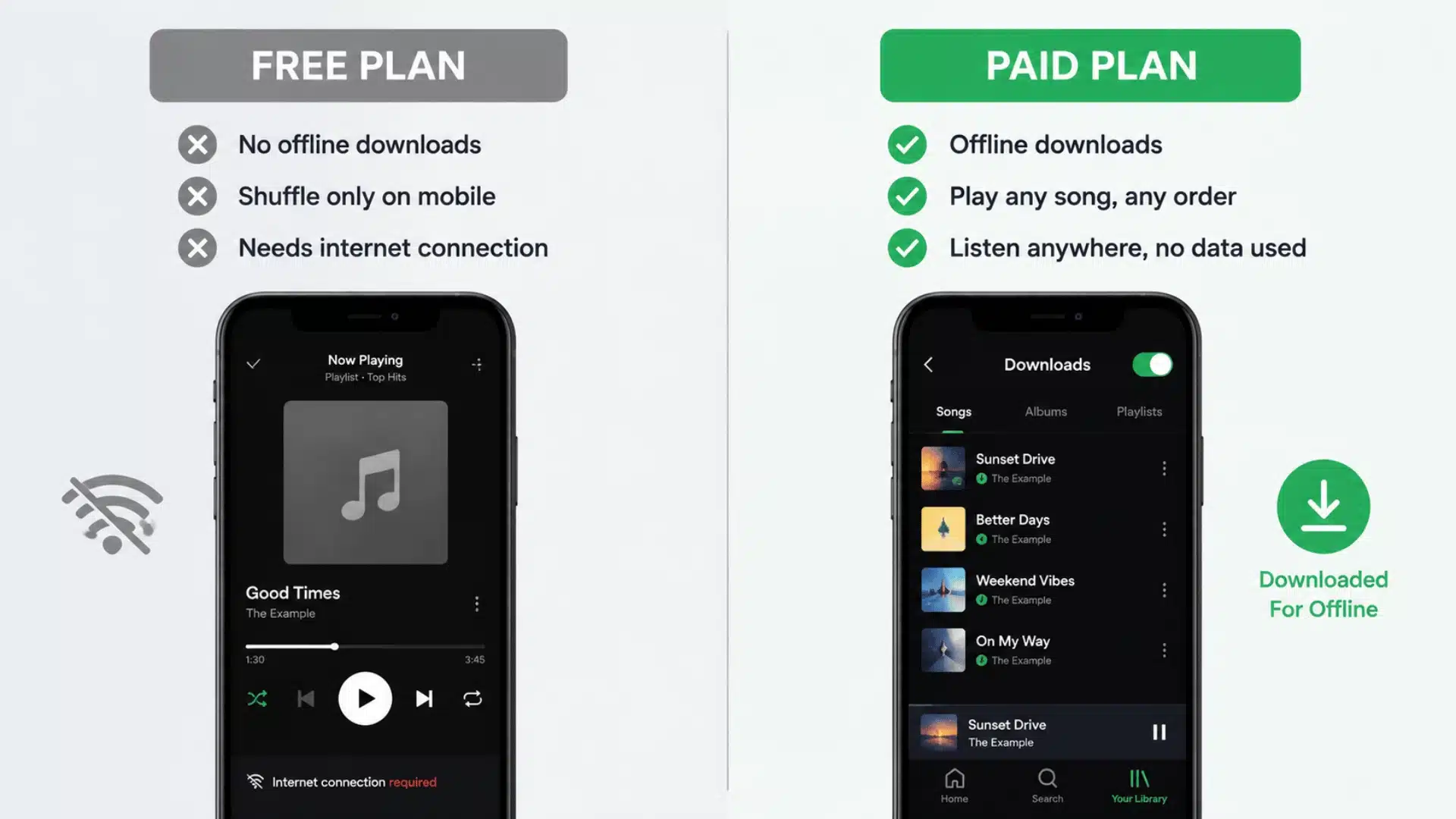
Free plans skip offline downloads, even when the app advertises offline listening as a feature. You still need a live internet connection.
Paid plans unlock real offline access instead. You download songs, albums, or playlists, then play them anywhere without using mobile data.
Free tiers also limit you to shuffle-only playback on most mobile apps. Offline listening only works once you’re actually paying for it.
3. Platforms and Device Compatibility
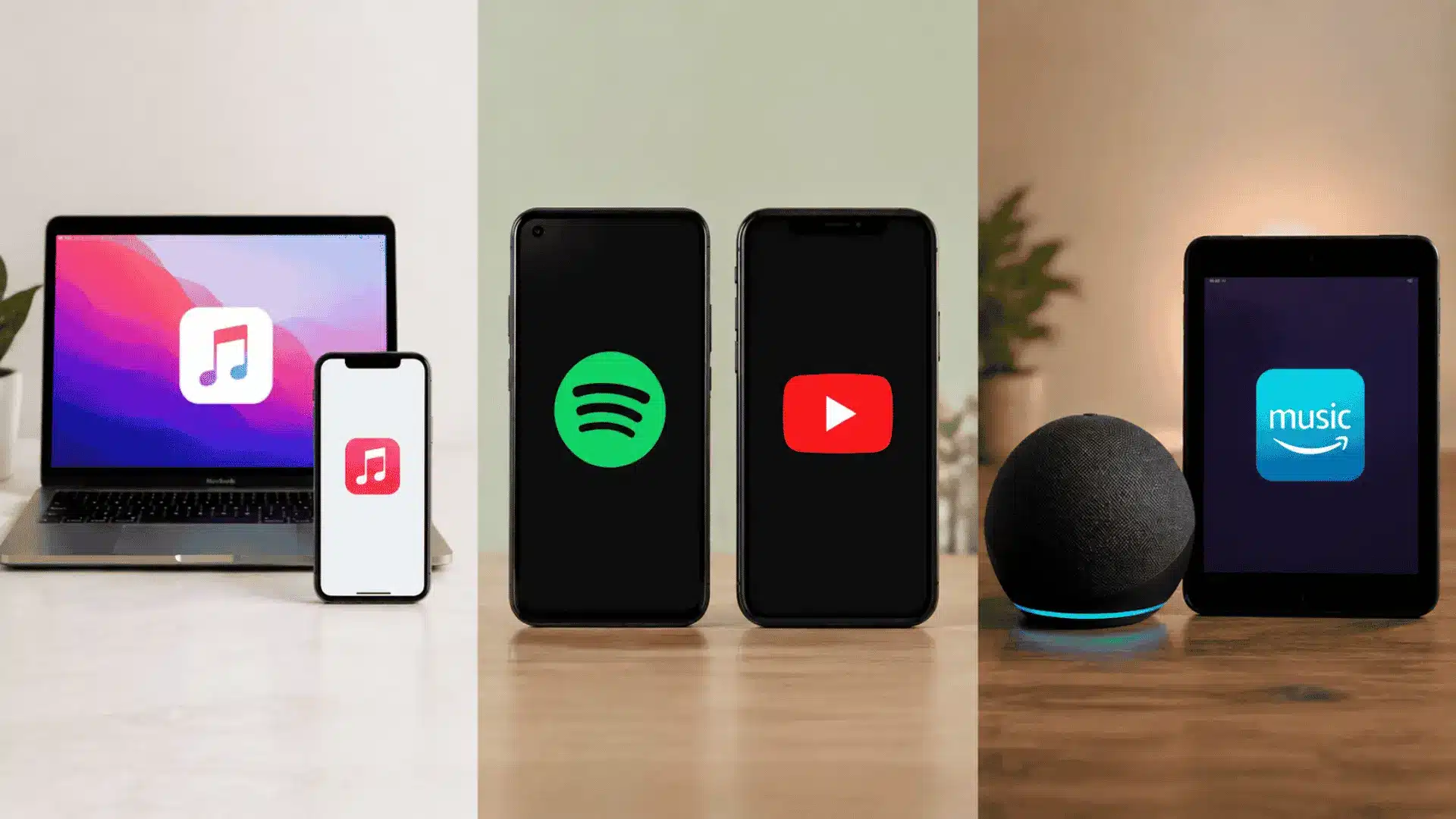
Apple Music runs deepest on Apple hardware. It syncs cleanly across iPhone, Mac, and Apple Watch, all built in by default.
Spotify and YouTube Music take the opposite approach here. Both run evenly across Android and iOS, with nearly identical features either way.
Amazon Music integrates tightly with Echo speakers and Fire tablets instead. Prime members get it included, though it offers little extra elsewhere.
Which Conditions Change the Right Choice?
The right app changes based on a few personal conditions. Your device, your budget, and your gear all shape the answer.
- Already own an iPhone: Apple Music fits naturally into what you use daily, so switching adds friction for little benefit.
- Prime member: Amazon Music comes at no extra cost, making a second paid service hard to justify.
- Listen mostly through phone speakers or basic earbuds: Lossless audio won’t matter much, so a bigger catalog is worth more than higher fidelity.
- Own real headphones or a wired setup: Lossless becomes worth paying for, and Tidal or Apple Music both deliver that upgrade properly. Our open-back headphones guide covers the gear that actually lets you hear the difference.
- Sharing a household or still in school: Family and student plans cut the per-person cost on most of these apps, so check those tiers before paying full individual price.
Paying more doesn’t always buy a better experience. It only helps when your gear and habits can actually use what you’re paying for.
Which Music App Should You Choose?
For most people, Spotify is the strongest overall pick. It has the biggest catalog and the best playlists for everyday listening.
If you already own an iPhone and care about sound quality, Apple Music is the better fit. Lossless comes included at no extra cost.
If you want the best free option, YouTube Music holds up better than most. It still limits offline downloads and lossless access, though.
Even strong picks have limits worth knowing. Catalog size shifts by region, and switching services later can mean losing playlists you’ve built.
Pick based on what you already own and how you actually listen. That matters more than chasing whatever ranks first on a list.
Conclusion
The best music apps are easier to choose when you stop chasing one universal winner. Spotify makes sense if you want strong playlists and simple discovery.
Apple Music is better if you use an iPhone and can actually hear the value of lossless audio.
YouTube Music works well if free access matters most, while Tidal and Qobuz only make sense when your gear can reveal the extra detail.
I would choose based on your phone, headphones, budget, and how often you listen offline. That gives you a better answer than any ranking alone.
Try your top choice for a week, then decide if it deserves a paid spot on your phone.
Frequently Asked Questions
Is Spotify or Apple Music Better Overall?
For most listeners, the two are close in overall quality. Spotify wins on discovery tools and social playlist sharing. Apple Music includes lossless audio at no extra cost. It also works better if you already use an iPhone.
Do Free Music Apps Have Noticeably Worse Sound Quality than Paid Ones?
Free plans usually stream at a lower bitrate than paid ones. On good headphones, that difference can be noticeable. On phone speakers or basic earbuds, you likely won’t hear a difference. Ads and shuffle-only playback are bigger downsides than sound quality.
Can I Switch Music Streaming Services without Losing My Playlists?
Yes, third-party transfer tools can move playlists between most major apps. They handle popular tracks reliably in most cases. Matching isn’t always perfect for obscure or regional songs, though. Check a transfer tool’s compatibility before canceling your current plan.
Which Music App Is Best for Offline Listening without Wifi?
Spotify, Apple Music, and Amazon Music all support offline downloads on paid plans. You can save playlists or albums locally. Free plans generally skip offline downloads altogether. If offline listening matters to you, a paid plan is required either way.