



Do you still rely on keys to secure your building? That might work for a while, but it can quickly create security risks.
It only takes one lost key or one unauthorized visitor to cause problems. Before you know it, your people, property, and daily operations could be at risk.
That’s why more businesses are turning to access control installation.
Planning a new system? Replacing an outdated one? Getting the installation right matters. This guide will walk you through the key steps of a successful access control system installation.
What is an Access Control System?
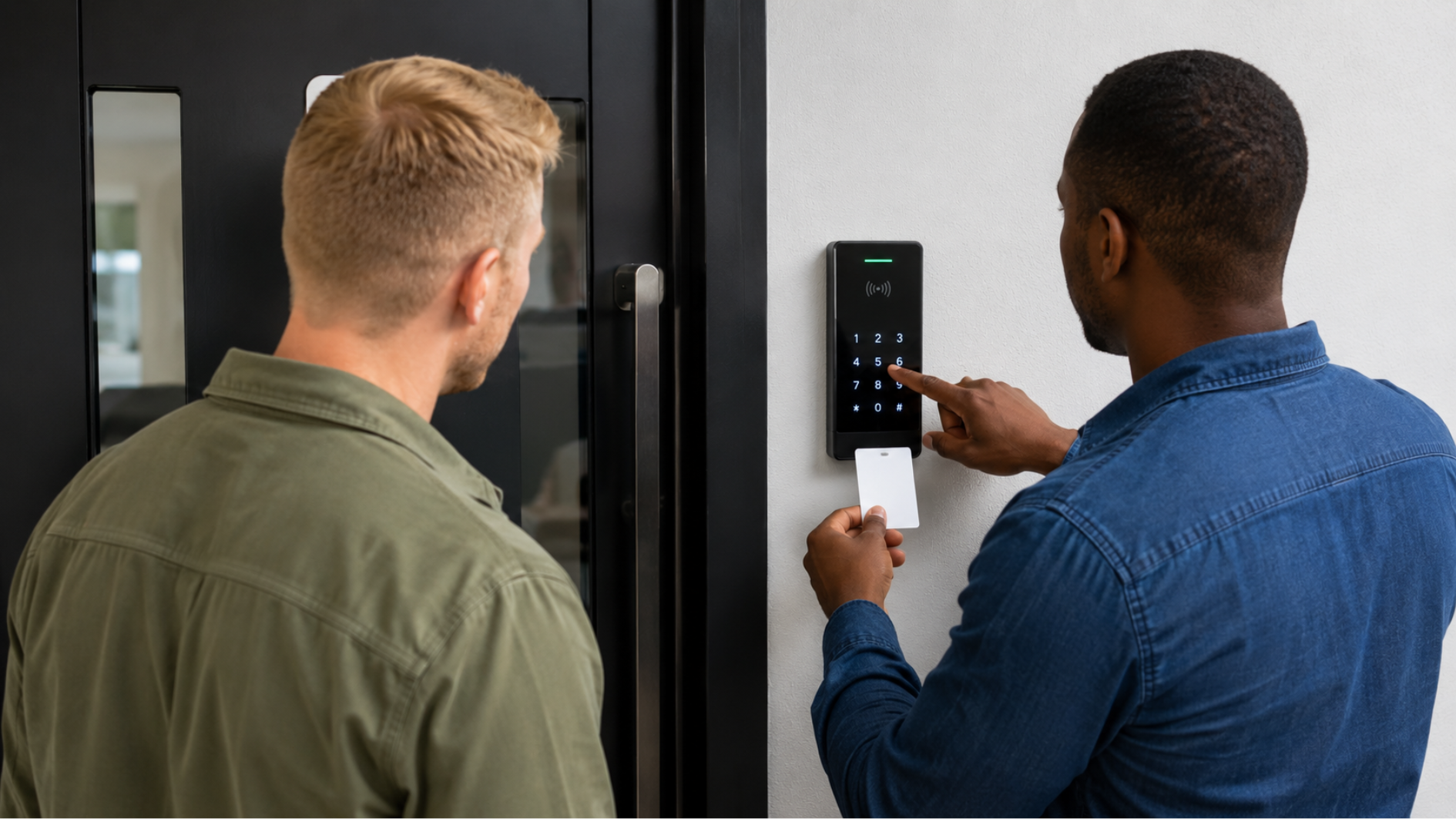
An access control system helps manage who can enter specific areas within a property. As part of an access control installation, it allows only authorized individuals to gain access.
Instead of relying on traditional keys, these systems use digital credentials to verify users. Proper installation of an access control system helps improve security and reduce unauthorized entry.
Access control systems are used in offices, schools, healthcare facilities, and other properties. They help organizations monitor and control access more effectively.
Key Components of an Access Control System
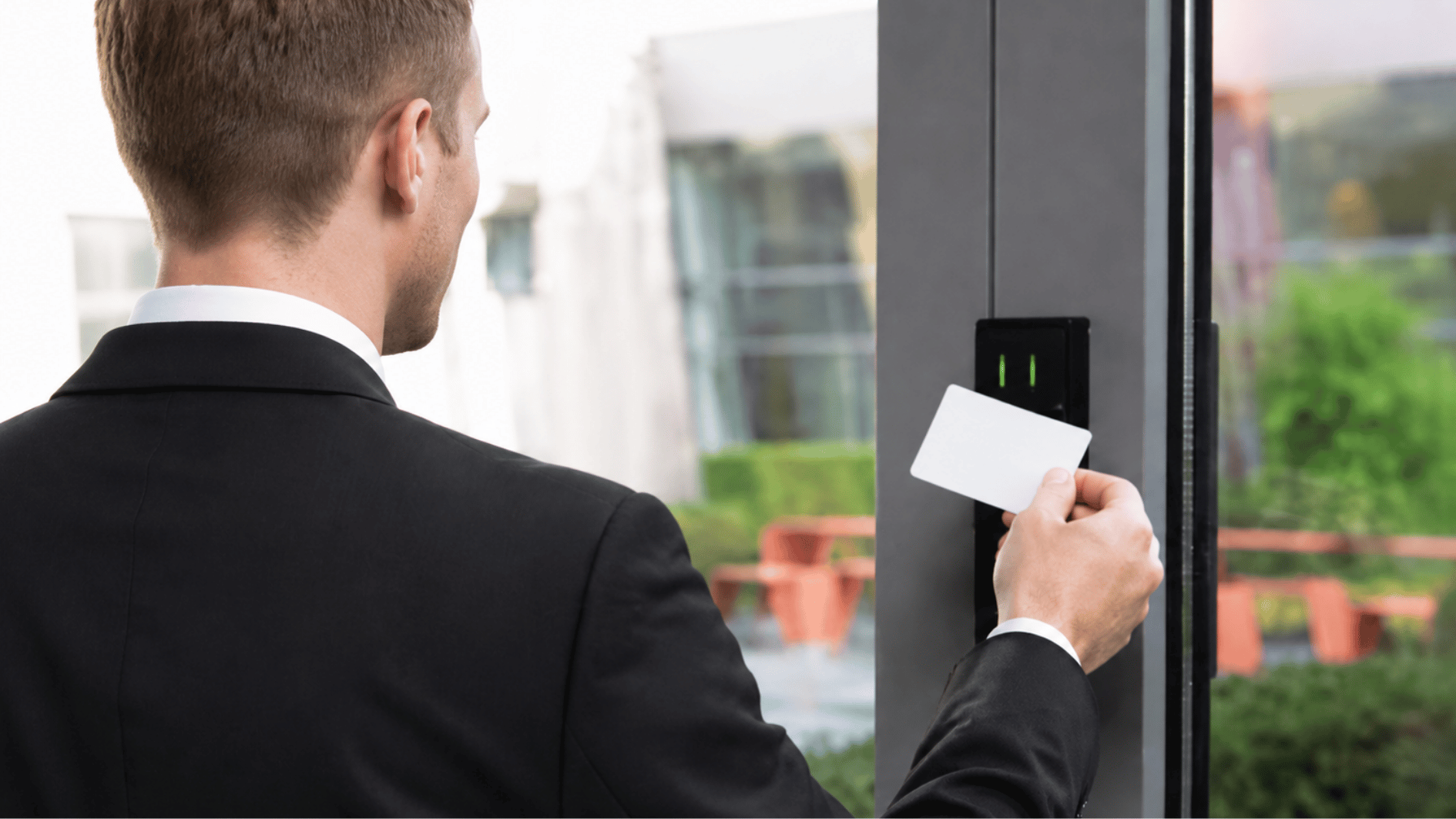
Every access control system relies on several core components that work together to verify users and regulate entry. Each component plays a specific role in verifying users and controlling access throughout the property.
Most access control systems include:
| Component | Category | Description |
|---|---|---|
| Access control panel | Hardware | Controls system operations and access decisions. |
| Card/biometric reader | Hardware | Reads user credentials at entry points. |
| Electric/magnetic lock | Hardware | Secures doors and unlocks when access is approved. |
| User credentials | Identity | Identifies authorized users. |
| Power supply & backup battery | Power | Keeps the system running during power loss. |
Here’s How Access Control System Installation is Done
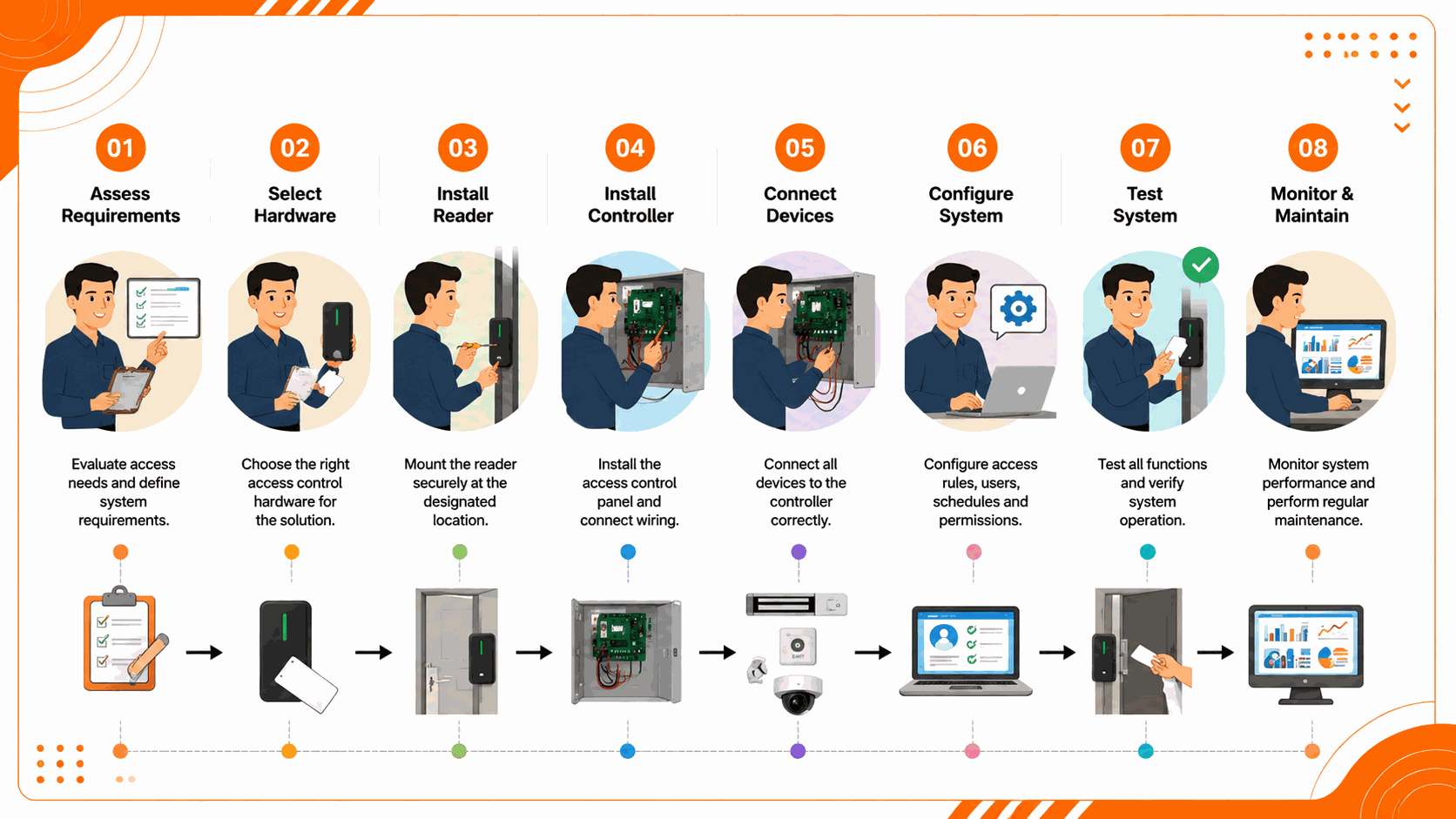
Before installing an access control system, proper planning and setup are essential. Follow these steps to ensure reliable performance and long-term security:
Step 1: Evaluate Security Requirements
Before installation, assess your security needs and identify areas that require controlled access. This helps you plan a system that fits your facility.
- Identify entry points that need restricted access.
- Review employee and visitor access requirements.
- Determine the number of doors, readers, and credentials needed.
Step 2: Select the Appropriate System
Choose a system that aligns with your facility size, security requirements, and budget. The right choice can support both current and future security needs.
- Keypad Access Systems: Use PIN codes for authentication.
- Card-Based Systems: Authenticate users through cards or key fobs.
- Biometric Access Systems: Verify identity using fingerprints or facial recognition.
- Mobile Credential Systems: Allow access through smartphones.
- Cloud-Managed Platforms: Support remote management and monitoring.
Step 3: Create an Installation Plan
A detailed installation plan helps ensure all components are placed correctly and operate efficiently. Planning ahead can also reduce delays during deployment.
- Select locations for readers, controllers, and locking devices.
- Determine wiring routes and power supply placement.
- Confirm that equipment locations support easy access and maintenance.
Step 4: Install Door Locking Hardware
Properly installed locking hardware is essential for secure and reliable access control. Ensure all devices are compatible with your access control system and door type.
- Install electric strikes, magnetic locks, or other approved locking devices.
- Verify that doors open, close, and lock without obstruction.
- Test locking mechanisms to ensure they respond correctly to access requests.
Step 5: Run Cabling and Power Connections
Proper wiring ensures reliable communication between system components and helps prevent operational issues after installation.
- Connect readers, locks, and controllers using compatible cabling.
- Install power supplies and backup batteries in designated locations.
- Verify that all wiring complies with local electrical and safety regulations.
Step 6: Install the Access Control Panel
The access control panel serves as the central hub of the system, managing communication between all connected devices.
- Mount the control panel in a secure, restricted location.
- Connect readers, locks, and other system components to the panel.
- Verify all wiring connections before powering on the system.
Step 7: Configure the Software
Software configuration defines how the system operates and what level of access each user receives. Settings should align with your organization’s security requirements.
- Create user accounts and assign credentials.
- Set access permissions and schedules.
- Configure reporting and notification settings.
Step 8: Test System Performance
Testing confirms that the system functions correctly before it is placed into daily operation. It also helps identify any issues that need to be addressed.
- Verify user authentication and credential recognition.
- Test door release functions and access schedules.
- Confirm alarm integration and backup power functionality.
Professional vs. DIY Installation: Which is Better?
Choosing between DIY and professional installation depends on the system’s complexity and the level of support required.
| Parameter | DIY Installation | Professional Installation |
|---|---|---|
| Cost | Lower upfront cost with no installation fees. | Higher initial investment due to labor and service costs. |
| Technical Expertise | Requires knowledge of wiring, hardware, and software configuration. | Handled by trained professionals with specialized experience. |
| Installation Time | May take longer due to setup and troubleshooting. | Typically completed more quickly and efficiently. |
| System Complexity | Suitable for small or basic access control systems. | Ideal for multi-door and large-scale installations. |
| Long-Term Reliability | Depends on the installer’s skill and experience. | Generally provides more reliable performance and ongoing support. |
Access Control Installation Best Practices & Common Mistakes
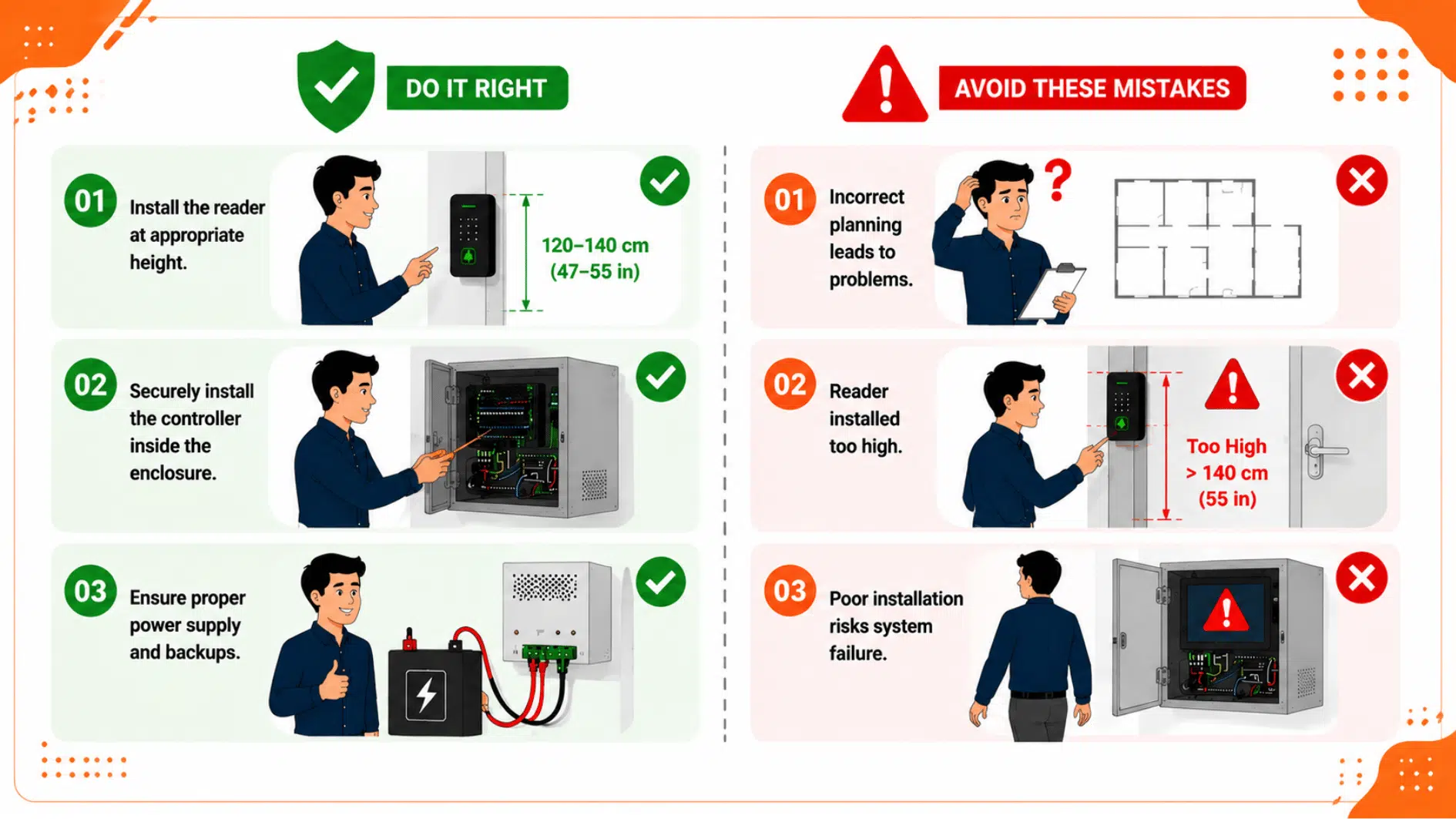
Following best practices and avoiding common mistakes can help ensure a reliable and efficient access control installation.
Cutting corners during installation might save time initially, but it almost always leads to system failures, security gaps, and costly fixes down the line. Here is what actually makes the difference:
Best Practices
A successful access control installation depends on more than choosing the right system. You also need proper setup, secure placement, and reliable backup support to keep everything working smoothly.
- Use Quality Equipment: Choose reliable hardware and components to support consistent performance and minimize maintenance requirements.
- Secure Critical Components: Install controllers, power supplies, and other essential equipment in restricted locations to prevent tampering.
- Maintain Backup Power: Use backup batteries to keep the system operational during power outages.
- Follow Manufacturer Guidelines: Install and configure equipment according to manufacturer recommendations to ensure proper functionality.
- Document System Configuration: Keep records of wiring layouts, user permissions, and system settings to simplify future maintenance and troubleshooting.
Common Mistakes
Even a good system can cause problems if it is poorly planned or installed. Avoiding common mistakes during access control system installation can help you prevent security gaps, delays, and extra costs.
- Poor System Planning: Failing to assess security requirements can result in inadequate coverage and unnecessary costs.
- Incorrect Device Placement: Improper positioning of readers, controllers, or locks may affect usability and system performance.
- Inadequate Testing: Skipping final system testing can lead to operational issues that may go unnoticed until after deployment.
- Ignoring Future Expansion Needs: Choosing a system without considering future growth can lead to costly upgrades and limitations.
- Neglecting Regular Maintenance: Failing to inspect and maintain system components can reduce performance and increase the risk of failures.
Wrapping It Up
Keeping a building secure sounds simple, until it is not. And nine times out of ten, the problem traces straight back to decisions made during the access control installation that nobody thought twice about at the time.
The tech is only part of it. How access gets managed today quietly shapes how secure everything stays for the next several years. That is a bigger deal than most people realize.
So if the investment is already going into an access control system installation, do it right. A strong start does not just fix today. It handles whatever comes next, too.
Frequently Asked Questions
What are the 5 D’s of access control?
The 5 D’s of access control- Deter, Detect, Deny, Delay, and Defend—help prevent unauthorized access and strengthen overall security.
What are the 5 goals of access control?
The five goals of access control are authorization, authentication, access, management, and auditing.
What are three levels of access control?
The three main access control models are Discretionary Access Control (DAC), Role-Based Access Control (RBAC), and Attribute-Based Access Control (ABAC).