



Ever screenshot someone’s Story and then feel a tiny flash of panic wondering if they just got notified?
I’ve done that more times than I’d like to admit. Instagram’s rules aren’t the same across every feature, and that inconsistency is exactly what causes the confusion.
A regular post works one way, a disappearing message works completely differently, and guessing wrong could mean an awkward surprise later.
So before you screenshot anything else, it helps to actually know whether Instagram shows screenshots and when it doesn’t.
Can You Take a Screenshot On Instagram?
Yes, you can take a screenshot on Instagram using your phone’s standard screen capture controls. This includes most posts, Stories, Reels, Highlights, profiles, comments, and regular direct messages.
Instagram generally allows screenshots, except for some temporary content like disappearing photos or videos sent via direct messages that may behave differently.
The rules depend on the content type rather than the account being public, private, personal, business, or verified.
Instagram Screenshot Policy Explained
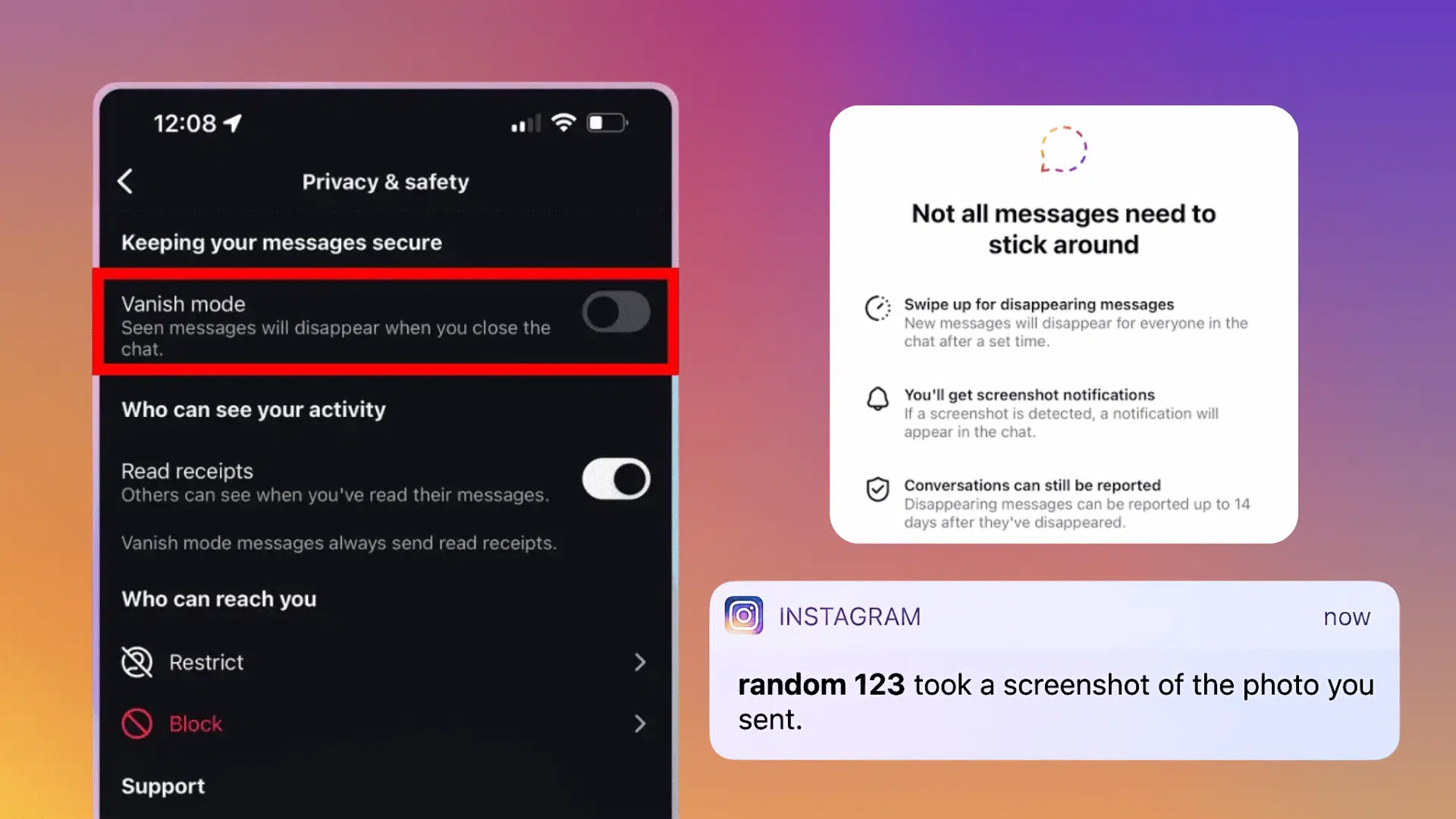
Instagram’s screenshot policy depends on the type of content being captured and how that content was shared. Regular posts, Stories, Reels, Highlights, profiles, direct messages, and temporary media may follow different rules.
The sections below explain how Instagram handles screenshots across each feature, including where alerts, indicators, or recording restrictions may apply.
1. When Does Instagram Send Screenshot Notifications?
Yes. Instagram may send screenshot alerts or restrict captures when someone tries to save temporary photos, videos, or disappearing chats shared through direct messages.
Screenshot behavior on Instagram changes depending on the type of interaction involved. Some features are designed around temporary sharing, where privacy signals work differently from everyday browsing.
Instagram Content | Screenshot Alert | What the Sender Can See |
|---|---|---|
View Once Media | Yes | A screenshot indicator beside the temporary media. |
Allow Replay Media | Yes | They may receive an alert when the media is captured. |
Vanish Mode Chats | Yes | A screenshot notice appears inside the conversation. |
Audio In Vanish Mode | Yes | They may see an alert if the disappearing chat is captured. |
Media In Vanish Mode | Yes | The temporary media or conversation was screenshot. |
Keep in Mind: This policy applies to all temporary media and conversations shared through Instagram Direct or Vanish Mode.
2. When Does Instagram Not Send Screenshot Alerts?
Instagram does not send screenshot alerts for most regular content, though account owners may still see views and engagement activity. Most everyday activities happen without a screenshot warning or visible capture record.
Instagram Content | Screenshot Alert | What the Owner Can See |
|---|---|---|
Stories | No | They can see who viewed the Story, not who took a screenshot. |
Posts | No | They can see likes, comments, shares, and saves. |
Reels | No | They can see views and engagement, but not screenshots. |
Highlights | No | They cannot see who captured the Highlight. |
Profiles | No | They cannot see screenshots of bios, photos, or follower lists. |
Instagram Lite generally follows the same screenshot rules as the main Instagram app. Regular posts, Stories, Reels, Highlights, profiles, and standard chats do not trigger screenshot alerts. The difference between the apps is mainly performance, storage use, and available features.
3. Instagram’s Take On Screen Recording
Instagram handles screen recordings much like screenshots, but temporary direct message media may have stronger restrictions. Screenshots are not the only way users save content, and screen recordings follow similar privacy rules.
Instagram Content | Recording Alert | What Happens |
|---|---|---|
Posts, Reels, and Stories | No | Owner is not notified when standard content is recorded. |
Profiles and Regular Chats | No | Instagram does not show who recorded the screen. |
View Once Photos or Videos | Restricted | The recording may be blocked or show a blank screen. |
Allow Replay Photos or Videos | Restricted | Temporary content may not appear in the saved files. |
Important: Instagram can restrict recording tools used on the same device, but it cannot detect another phone or camera filming the screen.
Can Third-Party Apps Reveal Who Took a Screenshot?
No, third-party apps cannot reliably show who screenshotted your Instagram content. Instagram does not provide screenshot records for regular posts, Stories, Reels, Highlights, or profiles.
Apps that claim to offer this information may display guesses, unrelated account activity, or false results. Some may also ask for your password, security code, or full account access.
Using unverified services can lead to data theft or viruses, unwanted charges, phishing attempts, or account loss. For better security, use only Instagram’s official app and never share your login details with outside tools.
Tips to Stay Private on Instagram
Instagram privacy settings can limit who sees your content, but they cannot stop every screenshot. The tips below show simple ways to protect personal details with security and reduce unwanted sharing.
- Limit personal details: Avoid posting addresses, phone numbers, payment information, travel plans, or private documents.
- Review your followers: Remove accounts you do not know, trust, or recognize.
- Check your Close Friends list: Keep only trusted people on the list and review it regularly.
- Use temporary media carefully: Send View Once or Allow Replay content only to people you trust.
- Hide private details: Crop usernames, locations, email addresses, and chat information before sharing screenshots.
- Avoid tracking apps: Never enter your Instagram password into services claiming to show screenshot activity.
- Ask before reposting: Get permission before sharing another person’s Story, message, photo, or profile details.
- Report harmful sharing: Report accounts that post private content without your consent.
Does Instagram Have Any New Screenshot Features?
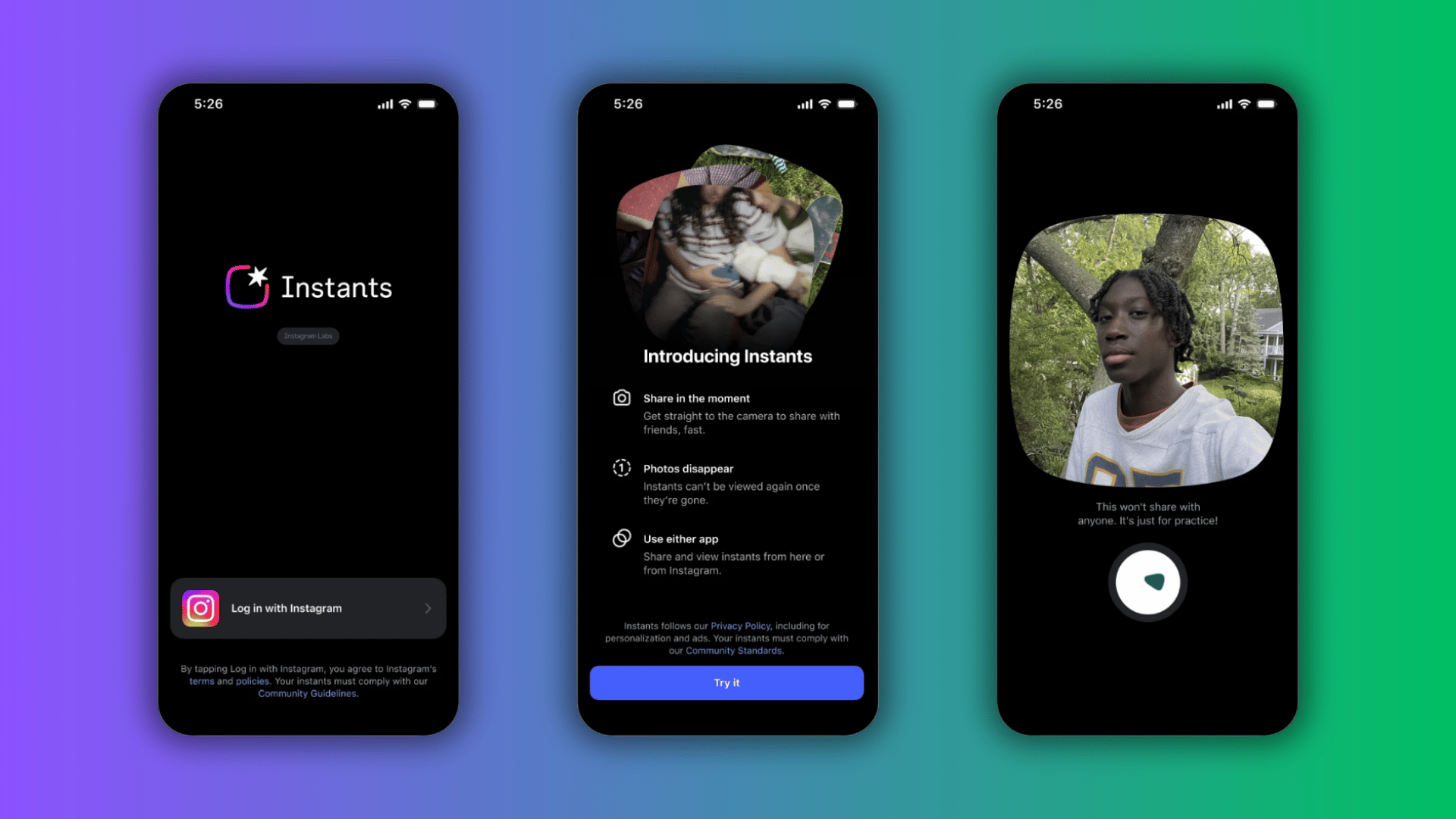
Yes. Instagram launched Instants worldwide on May 13, 2026. It is a new photo-sharing feature within the direct message inbox, and a separate Instants app is currently being tested in select countries.
Important to Know: Instagram also blocks screenshots and screen recordings of Instants. This gives the feature stronger capture controls than standard posts, Stories, Reels, and Highlights.
Users can send a fresh, unedited photo to Close Friends or mutual followers, but photos from the gallery cannot be shared. Senders can keep their Instants private for up to a year, as Instants disappear after being opened or after 24 hours if they remain unopened.
What Happens When You Screenshot a Disappearing Photo On Instagram?
When you screenshot a disappearing photo on Instagram, the sender may be notified that you captured the content. This applies to temporary photos or videos sent through Direct Messages, including View Once media.
Instagram uses this feature to give users more control over private content that is meant to disappear after viewing. However, the same rule does not apply to regular posts, Stories, Reels, or profile pages.
Those screenshots do not trigger alerts. Since Instagram updates its features from time to time, checking the latest privacy settings can help you understand how screenshot notifications work.
Final Thoughts
I’ve stopped worrying every time I screenshot something, because now I actually know which features send an alert and which ones stay completely silent.
Posts, Stories, and Reels won’t tip anyone off, but temporary media and Vanish Mode chats play by a totally different set of rules.
So next time you’re wondering whether Instagram shows screenshots before you tap that button, you won’t need to guess anymore. You’ll already know exactly what happens on the other end.
Frequently Asked Questions
Can Instagram Detect a Photo Taken With Another Phone?
No. Instagram cannot detect when someone uses a separate phone or camera to capture content displayed on a screen.
Does Instagram Notify On Screenshot of a Live Video?
No, the host does not receive a notification when you screenshot an Instagram Live. They can see viewers, comments, likes, and other Live activity, but not screen captures.
Does Instagram Notify When You Screenshot a Note?
No, Instagram Notes do not send screenshot alerts. The person who posted the Note cannot see who captured it.
Does Instagram Lite Notify Users About Screenshots?
No, Instagram Lite does not normally notify users when you screenshot regular posts, Stories, Reels, profiles, or standard chats.
Does Data Saver Mode Change Screenshot Notifications?
No, Data Saver mode only reduces mobile data use. It does not change Instagram’s screenshot notification rules.