



Most phones at the price range of $300 ask you to compromise. You either get a good screen or a good build. Decent cameras or a decent battery. Rarely all of it in one place.
The Motorola Edge 60 Fusion is built around solving exactly that problem. After spending real time with it, some things impressed me more than expected, and a couple of things are worth knowing before you swipe your card.
Here’s an honest breakdown of what this phone actually delivers, where it earns its price, and where it quietly falls short.
Motorola Edge 60 Fusion Overveiw and Who Is It For?
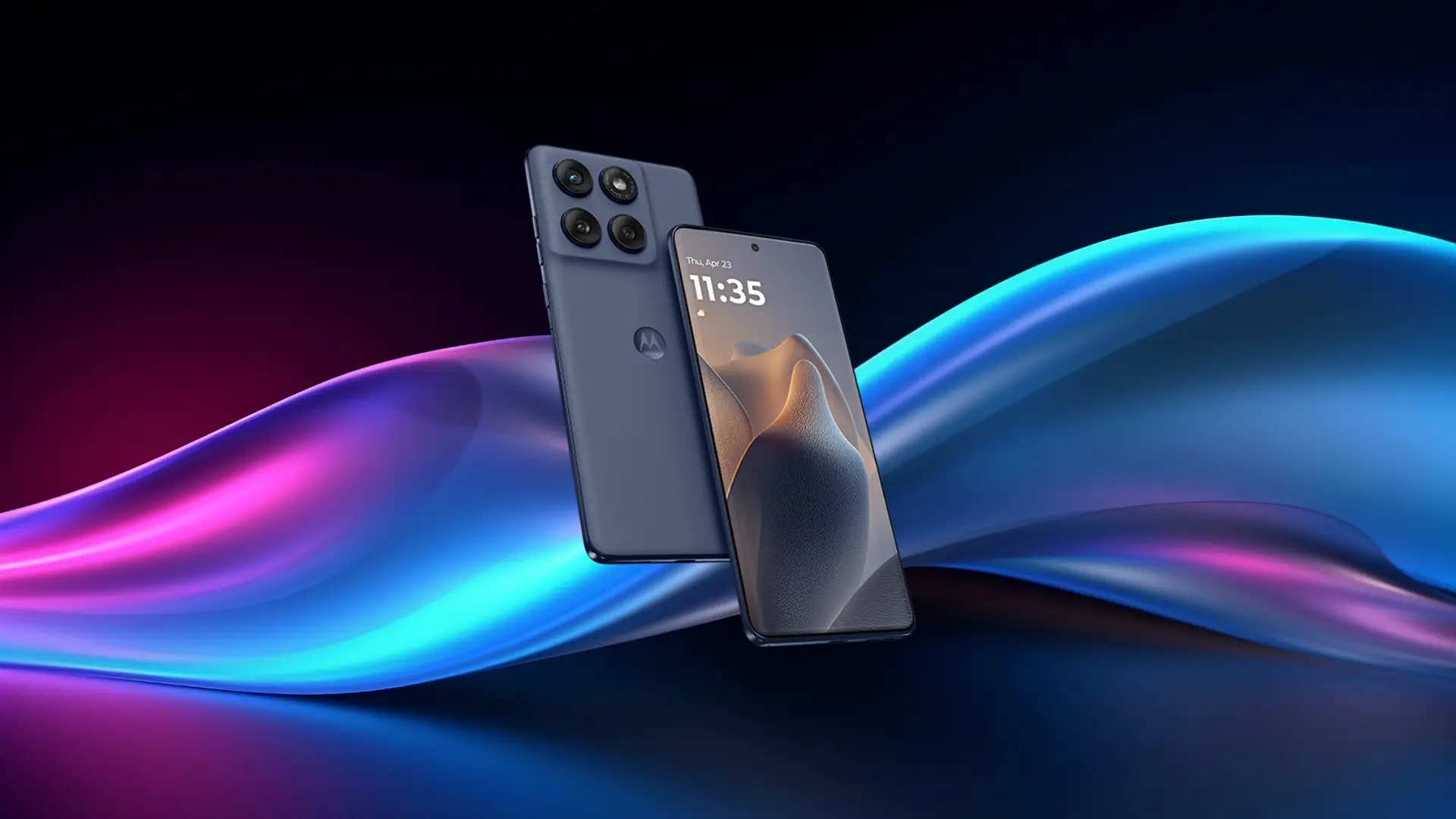
The Motorola Edge 60 Fusion is a mid-range Android phone built around premium design and display quality.
At around $280–$300, it sits in a tier where most phones make compromises on build or screen. The Edge 60 Fusion doesn’t. You get a curved pOLED display, an eco-leather back, and a frame that feels more expensive than it is.
If you’re moving up from a budget Android and want something that feels premium in your hand, this is a strong candidate. If you want flagship-level aesthetics without paying flagship prices, same answer.
Where it doesn’t try to compete is in raw processing ambition. Phones like the Nothing Phone 3a Pro or the Pixel 9a are chasing different goals. The Edge 60 Fusion is chasing how it looks and feels. It wins that fight more often than not.
What Does the Hardware Actually Deliver?
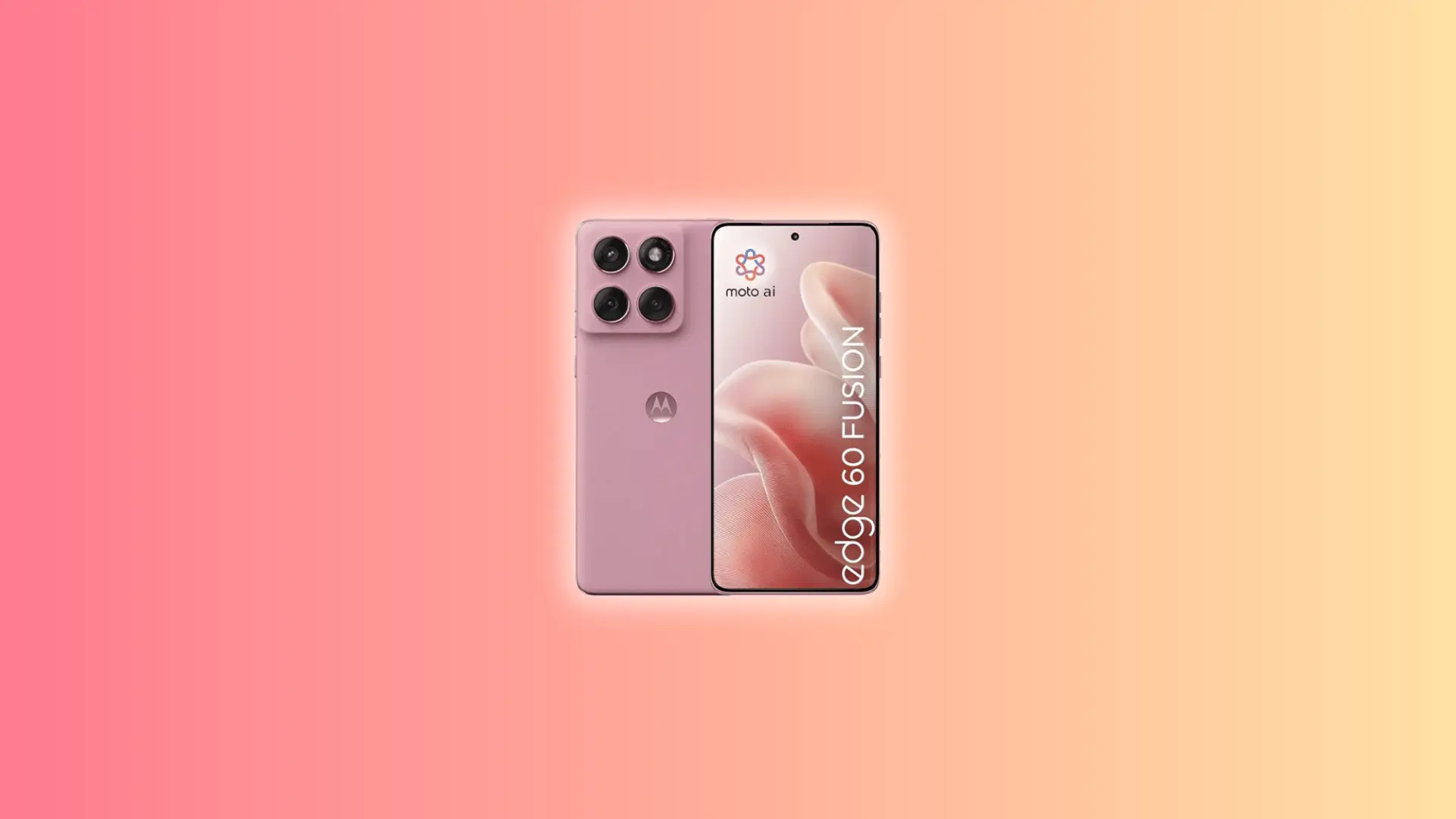
The Motorola Edge 60 Fusion looks good on a spec sheet. But a couple of hardware choices here will either win you over or give you pause.
Display and Brightness
| Spec | Detail |
|---|---|
| Display Size | 6.67 inches |
| Resolution | 1.5K (1220 x 2712 pixels) |
| Panel Type | pOLED |
| Refresh Rate | 120Hz |
| Peak Brightness | 4500 nits |
The Edge 60 Fusion runs 1.5K horizontal lines of pixels. More pixels, sharper image.
On a 6.67-inch screen, that gap shows. Text has cleaner edges. Photos look more detailed. I’ve handed this phone to people who’ve never read a spec sheet, and the first thing they say is the screen looks really crisp.
The panel is pOLED, meaning each pixel produces its own light. Blacks look actually black. Colors pop without looking overdone.
The 4500-nit brightness is where it earns its keep. A nit measures light output, most indoor screens sit around 400 to 600.
At 4500, you can use this phone in direct sunlight without squinting. I’ve used plenty of phones where outdoor visibility becomes a daily frustration. This one doesn’t have that problem.
Build and Design Trade-offs
The front is protected by Corning Gorilla Glass 7i, which Motorola says offers roughly double the drop resistance of the previous generation.
In practice, it makes the phone feel more durable than its price suggests, you don’t need to slap a case on it immediately.
The eco-leather back feels nothing like plastic. It’s soft, textured, and holds up better than the glass backs you typically find; no fingerprint smears, no visible wear after months of use.
The quad-curved display is where it gets complicated. All four screen edges curve slightly inward. It looks sleek, but it creates accidental touches. Grip the phone tightly or type one-handed, and your palm brushes the edge and triggers taps you didn’t mean.
Motorola’s palm rejection helps. It doesn’t fully fix it. You get used to it after a week, but it’s worth knowing before you buy.
How Does Performance Hold Up Under Real Use?
Daily tasks are handled effortlessly. Apps launch fast, multitasking feels smooth, and casual browsing or media playback shows no stutter. For most people, the phone keeps up without issue.
- Casual Gaming: Short sessions run fine. The phone stays cool and responsive, even with graphically intensive titles.
- Multitasking: Switching between apps feels snappy, and background apps rarely reload.
The story changes when the processor is pushed for longer periods. Run a game for 30–60 minutes, or navigate with music in the background, and you’ll see the limits. The phone begins to throttle, deliberately slowing down to manage heat.
- Throttling Explained: This isn’t a defect. It’s the device protecting itself from overheating due to its slim 8mm chassis.
- Slim Build Trade-Off: Limited internal space means less room to absorb and dissipate heat, so prolonged heavy workloads trigger performance reduction.
For everyday users, these limits are mostly invisible. Heavy users, especially those gaming or running demanding apps for long stretches, will notice slowdown before a session ends. The Dimensity 7300 is capable, but it’s not limitless.
Bottom Line: Excellent for normal daily use and short gaming bursts, but sustained heavy workloads reveal the trade-offs of a thin, budget-friendly design.
Camera and Video: What It Does Well and Where It Stops
The main camera on the Motorola Edge 60 Fusion is strong for the price. The other two cameras are where expectations need adjusting.
Main Camera: Where It Earns Its Price
The main camera is 50MP. That means it captures a lot of detail in every shot.
It also uses OIS, think of it as a tiny shock absorber inside the lens. When your hand moves slightly, the camera adjusts so the photo stays sharp. Without it, quick shots often come out blurry.
Daylight photos look great. Sharp, natural colors, and nothing feels over-processed.
Low light is where it really pulls ahead of phones at this price. Evening shots hold detail without turning grainy. In very dark spaces, switch on night mode and it recovers well.
Video records in 4K at 30fps. For social clips, family footage, and travel, that’s more than enough resolution, and the stabilization keeps handheld footage usable without a gimbal.
Ultrawide and Macro: The Trade-off You Should Know
The second camera handles both ultrawide and macro shots. One lens doing two jobs sounds like a win. It isn’t, really.
Ultrawide shots capture a wider view, useful for group photos or fitting a full room in one frame. Macro shots get extremely close to small subjects, like a flower or a coin. These two jobs need different optics, and when one lens tries to cover both, the ultrawide takes the hit.
In good light, shots are passable. In low light, details turn muddy and colors go off. It’s noticeably worse than the main camera in the same conditions.
4K video is available on the ultrawide, but indoor footage loses sharpness and looks washed out compared to what the main camera produces. It’s not a dealbreaker, but if you shoot a lot of wide-angle photos or indoor video, you’ll feel the gap.
What AI Features Does Edge 60 Have?
The Edge 60 Fusion runs Android 15 with Motorola’s own AI layer built on top, called Moto AI. It’s not the main reason to buy this phone, but a few features are worth knowing about.
| Feature | What It Does |
|---|---|
| Remember This | Saves notes to screenshots and images so you can recall them later |
| Copilot Vision | Shares your camera or screen with an AI model for real-time conversation |
| Image Studio | Generates AI images directly on the device |
Remember This is the standout. The way it actually works: take a screenshot of anything; a receipt, a menu, a product label, and the feature tags it with a searchable note so you can pull it back up later with a text query. It’s a small thing, but it’s more useful day-to-day than most AI additions at this price.
That said, Moto AI still feels early. Some features work better than others, and it’s not polished enough to be a selling point on its own.
If AI tools matter to you, what’s here is useful. Just don’t expect it to compete with what Google’s Pixel lineup offers at a similar price.
Battery Life and Charging: How Far Does It Actually Go?
The 5200mAh battery on the Motorola Edge 60 Fusion is one of its strongest selling points. At this price, most phones make you reach for the charger by evening. This one doesn’t.
Real-World Endurance
Third-party lab testing puts active use time at 14 hours and 18 minutes — a result that holds up in real-world use. Heavy days will bring that number down, but most users won’t see the bottom of this battery before bed.
Push it harder and it drops. Heavy gaming or continuous GPS drains it faster than typical use. Keep that in mind if your days are more demanding.
Charging Speeds
The Edge 60 Fusion charges at 68W TurboPower. GSMArena’s lab test clocked a full charge in 45 minutes. Most phones at this price charge at 18W to 33W and keep you tethered for well over an hour.
In practice, a 15-minute charge in the morning buys you several hours of use. I stopped thinking about battery life altogether after a week with this phone.
One limitation worth knowing: there’s no wireless charging. If that’s part of your daily routine, the Edge 60 Fusion doesn’t have it.
Software Support
One more thing worth knowing before you buy: The Edge 60 Fusion ships with Android 15, and Motorola promises three major OS upgrades and four years of security patches, putting it on track to receive Android 18 as its final update.
That’s a reasonable commitment, but rivals at this price are raising the bar. The Samsung Galaxy A36 offers six years of OS updates. The Pixel 9a matches that. If you plan to keep a phone for four or five years, that gap is worth factoring in.
How Does It Stack Up Against the Competition?
At $280–$300, the Edge 60 Fusion isn’t competing in a vacuum. A few phones are worth knowing about before you decide.
Nothing Phone 3a Pro: Stronger processor and a cleaner software experience with more ambitious AI integration. The cameras need more work, and the design is more utilitarian. If processing power and software matter more than build quality, this is worth a look.
Samsung Galaxy A36: Slower charging (25W vs 68W) and a less distinctive design, but six years of OS updates puts it in a different league for long-term value. Worth considering if you keep phones for four or five years.
Poco X7 Pro: The raw performance leader at this price. A Snapdragon chip means it handles sustained gaming better and throttles less under load. The Edge 60 Fusion counters with a better display and build quality, but if consistent performance is your priority, the X7 Pro wins that specific fight.
The Edge 60 Fusion beats all three on display quality and design. Where it trails is processing headroom and software longevity. Know which of those you’re optimizing for, and the choice gets easier.
Is the Edge 60 Fusion Worth Buying in 2026?
For $280 to $300, it covers the things that matter in daily use without the usual trade-offs that come with the price tag. Here’s a quick way to know if it’s right for you.
Buy it if:
- You want a phone that looks and feels premium without paying flagship prices
- A sharp, bright outdoor display is something you’ll actually use every day
- You need real battery longevity; full day, fast top-up, no anxiety
- Your camera use centers on the main lens for photos and video
- Gaming means casual sessions, not marathon runs
The Edge 60 Fusion wins on design, display, and battery. Those are the pillars it’s built around, and it delivers on all three.
Don’t buy it if:
- Marathon gaming sessions are a regular thing and consistent frame rates matter
- Wide-angle shots and indoor video are a big part of how you use your camera
- Wireless charging is part of your daily routine and not a feature you’ll drop
- Raw processing power matters more to you than how the phone looks and feels
Step back and look at the full picture. The display is hard to beat at this price. The battery outlasts nearly everything in its tier. The build quality feels well above what $300 usually gets you.
If design, display, and battery are your priorities, this is the right phone. If gaming performance or a versatile camera system matter more, spend some time looking at what else $300 gets you before deciding.
Conclusion
The Motorola Edge 60 Fusion is one of those rare phones that gets the fundamentals right without asking you to overpay. The display stands out. The battery holds up. The build feels considered rather than cheap.
What it asks in return is honesty about your priorities. It’s not built for heavy gamers. The ultrawide camera has limits. The software update window is shorter than some rivals.
But for the person who wants a premium daily driver without a premium price tag, it delivers more than most alternatives at this price.
If you’re ready to make the switch, the Edge 60 Fusion is worth your time.
Frequently Asked Questions
Is the Motorola Edge 60 Fusion good for gaming?
Fine for casual play. Under heavy load for 30-plus minutes, the processor slows down to manage heat. For serious mobile gaming, a Snapdragon-based phone is a better fit.
Does it support expandable storage?
Yes. The Motorola Edge 60 Fusion supports microSD cards on top of 256GB internal storage. Most competitors at this price have dropped that feature entirely.
What is the IP rating on the Motorola Edge 60 Fusion?
It carries IP68 and IP69 ratings, covering submersion and high-pressure water. It also meets MIL-STD-810H military durability standards for drops and temperature extremes.