



Have you ever wanted to create personalized gifts, custom stickers, or unique home décor with ease?
Crafting has become one of the most exciting hobbies for people of all ages. But having the right tool can make a huge difference between a frustrating experience and a fun one.
That is where the Cricut Joy Xtra comes in.
This blog covers everything you need to know about the Cricut Joy Xtra, from key features and technical details to what makes this machine stand out.
What is the Cricut Joy Xtra?
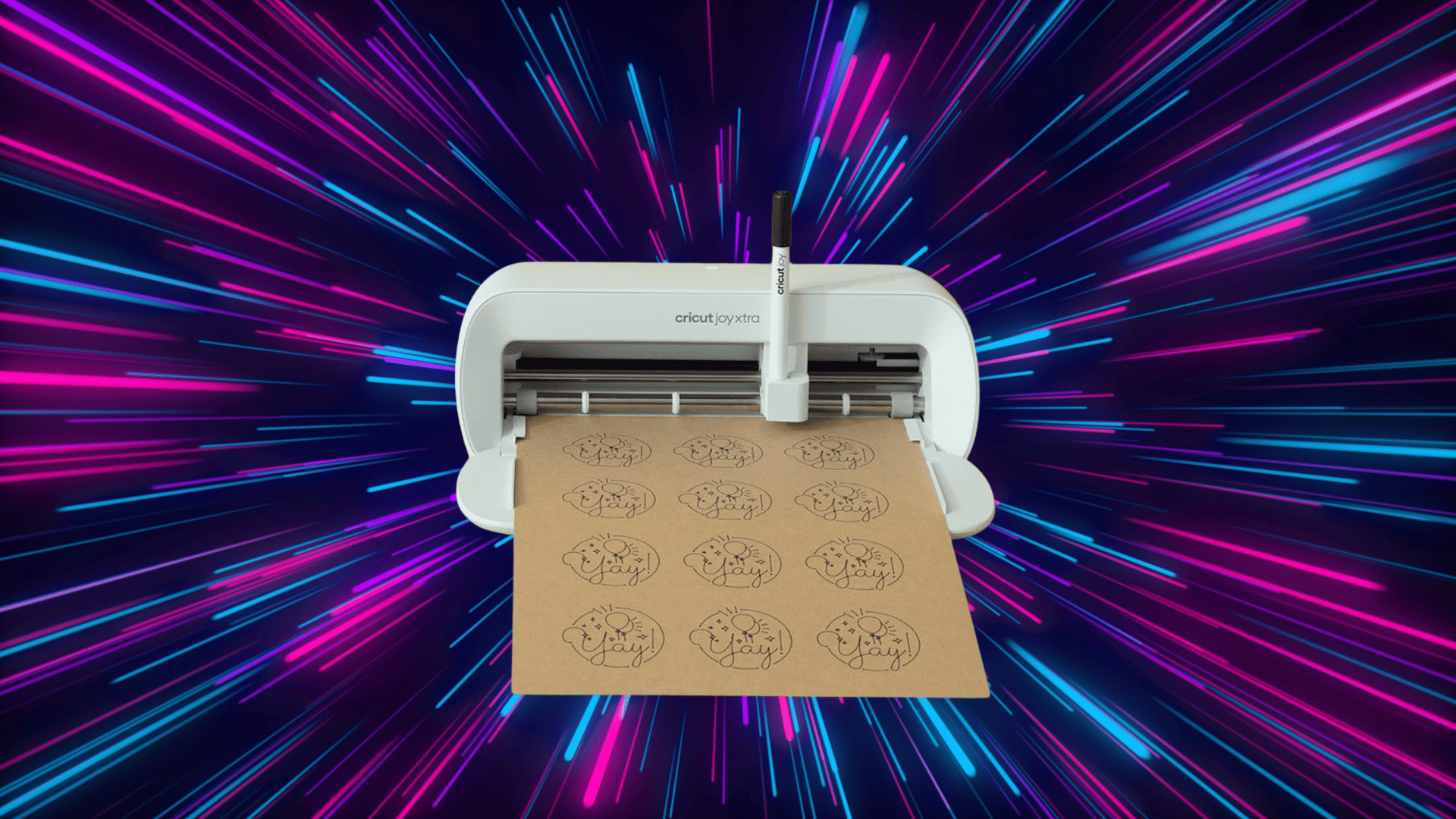
The Cricut Joy Xtra is a compact smart cutting machine designed to make crafting faster and easier.
It connects wirelessly to your phone, tablet, or computer via the Cricut Design Space app, where you can create and customize projects before sending them to be cut or drawn.
It is a great fit for beginners who want a simple setup and for experienced crafters who need a portable option for everyday projects.
Unlike the original Cricut Joy, the Joy Xtra offers a wider cutting area and supports more material types, giving you more flexibility without switching to a full-sized machine.
It works with or without a cutting mat, making the overall process quicker and more straightforward.
Cricut Joy Xtra Specifications Breakdown
Before choosing any cutting machine, it helps to know the numbers behind it. Here is a complete look at the Cricut Joy Xtra specs so you know exactly what you are getting.
1. Machine Dimensions and Weight
The Cricut Joy Xtra has a compact body that fits comfortably on a desk, shelf, or craft table without taking up too much room.
- Machine Dimensions: 8.46 inches tall, 5.51 inches wide, and 4.69 inches deep when closed
- Weight: The machine weighs approximately 3.4 pounds (1.55 kg), making it light enough to carry to craft events, classes, or a friend’s house with ease
2. Maximum Cut Size
The cutting size of the Cricut Joy Xtra is one of the key improvements over the original Cricut Joy.
| Cutting Method | Maximum Cut Width | Maximum Cut Length | Additional Notes |
|---|---|---|---|
| With Mat | 4.5 inches | 24 inches per pass | Requires a sticky mat to hold materials in place. |
| Without Mat | 4.5 inches | Up to 48 inches (for Cricut Smart Materials) | Works with Cricut Smart Materials that feed directly into the machine. |
3. Supported Materials
The Cricut Joy Xtra handles a wide range of everyday crafting materials:
- Vinyl: Cuts both permanent and removable adhesive vinyl for decals, car stickers, custom tumblers, and home décor. Smart Vinyl can be cut without a mat in lengths up to 4 feet.
- Iron-On: Cuts heat transfer vinyl (HTV) for custom designs on t-shirts, tote bags, hats, and pillowcases. Smart Iron-On works without a mat.
- Cardstock: Cuts through standard cardstock cleanly for greeting cards, gift boxes, and decorative paper shapes.
- Sticker Paper: Print your design first, then cut it precisely. A popular choice for planners, journaling, and custom packaging.
- Printable Vinyl: Print colorful designs and cut them out for waterproof, durable stickers or decals.
- Paper: Cuts construction paper and copy paper for school projects, decorations, and basic craft tasks.
- Labels: Supports Cricut Smart Label Writable Paper for custom jar, bottle, and pantry labels.
4. Tools and Blades Included
- Standard Fine Point Blade: Included in the box; cuts vinyl, iron-on, cardstock, paper, and sticker paper with accuracy.
- Blade Housing: Holds the blade securely in the tool carriage. Only the blade needs replacing when dull, not the full housing.
- Optional Add-On Tools: Available separately to extend the machine’s capability:
- Foil Transfer Tool: Adds a shiny foil finish to paper projects
- Scoring Stylus: Creates clean fold lines for cards, envelopes, and boxes
- Pen Set: Lets the machine write, draw, or add lettering to projects
- Wavy Blade: Cuts materials with a decorative wavy edge
Key Features of Cricut Joy Xtra
The Cricut Joy Xtra is packed with features that make crafting faster, easier, and more flexible. Here is a closer look at what sets this machine apart.
1. Print Then Cut Feature
The Print Then Cut feature allows you to print a design on your home inkjet printer first, and then cut it out precisely with the Cricut machine. It uses a built-in sensor to detect printed registration marks and guide the blade accurately.
This feature works through Cricut Design Space, where you can design, print, load, and cut in a few simple steps. It’s particularly ideal for designs that include colors or illustrations that cannot be cut from solid material alone.
2. Smart Materials Compatibility
Smart Materials feed directly into the Cricut machine without needing a cutting mat. This speeds up the crafting process by removing the mat application and peeling steps.
Supported Smart Materials and sizes include Smart Vinyl in 3-inch, 4-inch, and 4.5-inch widths, up to 4 feet long; Smart Iron-On in 4-inch and 4.5-inch widths, up to 4 feet long; and Smart Label Writable Paper, which can be used up to 4 feet long.
3. Compact and Space-Saving Design
Weighing just 3.4 pounds, the Cricut machine is easy to move and carry. Its compact size allows it to fit on a desk corner, side table, or bookshelf without taking up much space.
You don’t need a dedicated craft room or large workspace to use it, and it’s light enough to pack into a bag, making it perfect for taking to classes, meetups, or a friend’s place.
4. Bluetooth Connectivity
The Cricut machine connects wirelessly to your devices through Bluetooth, eliminating the need for cables. You can send projects directly from your device to the machine, even from across the room.
It is compatible with iPhones, iPads, Android phones and tablets, Windows, and Mac computers.
How to Set Up Cricut Joy Xtra
Getting started with the Cricut Joy Xtra is straightforward. Follow these simple steps to go from unboxing to your first cut.
Step 1 – Unbox the Machine: Take out the Cricut Joy Xtra, power adapter, and sample materials. The Standard Fine Point Blade comes pre-installed in the machine, so no extra setup is needed.
Step 2: -Plug It In: Connect the power adapter to the machine and plug it into a wall outlet. The machine will power on and be ready to pair.
Step 3 – Download Cricut Design Space: Download the Cricut Design Space app for free from the Cricut website or your device’s app store. It is available on iOS, Android, Windows, and Mac.
Step 4 – Create an Account: Open the app and sign up for a free Cricut account using your email address. If you already have an account, simply log in.
Step 5 – Connect via Bluetooth: Turn on the Joy Xtra and follow the in-app prompts to pair it with your device wirelessly. No cables are needed.
Step 6 – Load Your Material: Place your material on the cutting mat, load it into the machine by pressing the arrow button, and select your material type in the app.
Step 7 – Start Cutting: Press the Go button on the machine to begin your first cut. Once done, unload the mat and gently peel your design away from the corners to avoid tearing.
What Can You Make with Cricut Joy Xtra?
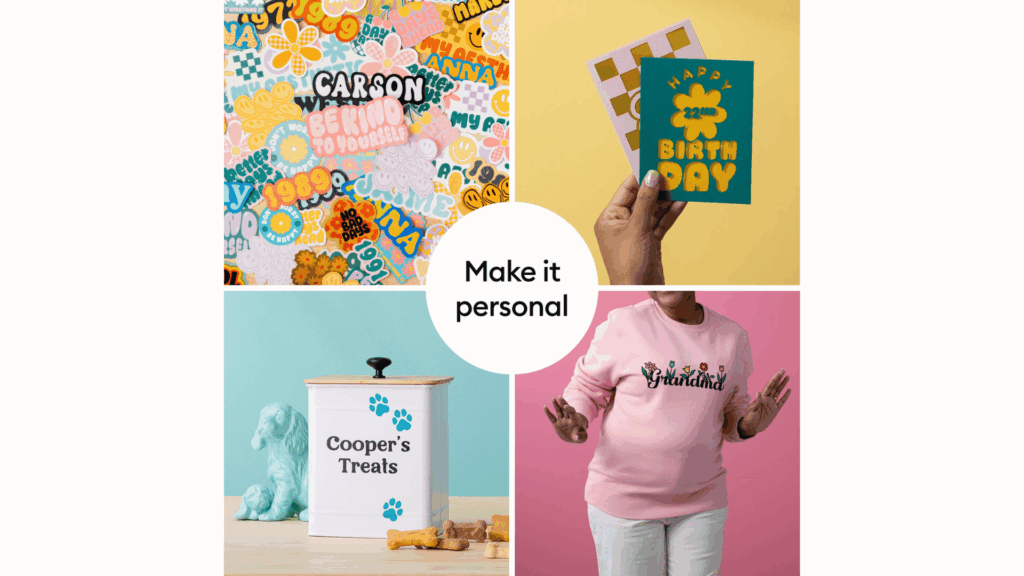
The Cricut Joy Xtra is more capable than its compact size suggests. From home organization to custom apparel, here are some of the most popular projects you can create with this machine.
1. Stickers and Labels
The Joy Xtra makes it easy to create custom stickers and labels right at home. Cut personalized labels for pantry jars, storage bins, and containers to keep things organized.
You can also make planner stickers for tracking habits and goals, or quick name labels for school supplies and notebooks.
2. T-Shirts and Iron-On Projects
With iron-on vinyl, you can add custom designs to t-shirts, tote bags, and fabric items with ease. It is a great way to create personalized gifts, event shirts, or everyday wear.
You can even use it to decorate baby onesies and clothing for a thoughtful, handmade touch.
3. Cards and Invitations
The Joy Xtra lets you cut and score clean, precise cards for any occasion. Create greeting cards for birthdays and anniversaries, custom party invitations, or holiday cards in bulk.
It is a simple way to make handmade cards that look polished and professional.
4. Vinyl Decals
Vinyl decals are one of the easiest and most popular projects you can make with the Joy Xtra.
Design and cut wall decals for home décor, rear-window car decals, or custom laptop stickers to personalize your devices. The machine cuts clean edges, making every decal look sharp and finished.
Cricut Joy vs. Cricut Joy Xtra
Both machines are compact and beginner-friendly, but they are not the same. Here is a side-by-side comparison of the two machines across the most important factors.
| Comparison | Cricut Joy | Cricut Joy Xtra |
|---|---|---|
| Maximum Cut Size | 4 inches wide, 20 inches long | 4.5 inches wide, 24 inches long |
| Print Then Cut | Not supported | Supported |
| Material Support | Basic materials only | Wider range, including printable vinyl and sticker paper |
| General Price Range | $99 – $129 | $179 – $199 |
| Best For | Beginners on a budget | Versatile crafting and long-term use |
Who Should Buy Cricut Joy Xtra?
The Cricut Joy Xtra is a compact and versatile cutting machine perfect for crafters looking to tackle small projects with ease. It offers convenience, flexibility, and a user-friendly experience.
- Beginner Crafters: Ideal for those just starting with DIY projects or Cricut machines.
- Small Space Owners: Its compact size makes it a great option for people with limited space.
- Sticker and Label Makers: Perfect for creating custom stickers, labels, and decals.
- Busy Crafters: Fast cutting without the need for a mat, saving time on crafting.
- Mobile Crafters: Lightweight and portable for taking to classes, meetups, or craft parties.
Final Thoughts
The Cricut Joy Xtra is a solid choice for anyone who wants a reliable, easy-to-use machine without the bulk of a full-sized cutter. It works best for sticker makers, label lovers, and casual crafters who value simplicity and convenience.
If you plan to cut thick materials or regularly work on large-scale projects, a larger machine like the Cricut Maker may suit you better.
For first-time buyers looking for good value, the Joy Xtra hits the right balance between price, performance, and portability. It is a smart starting point worth the investment.