

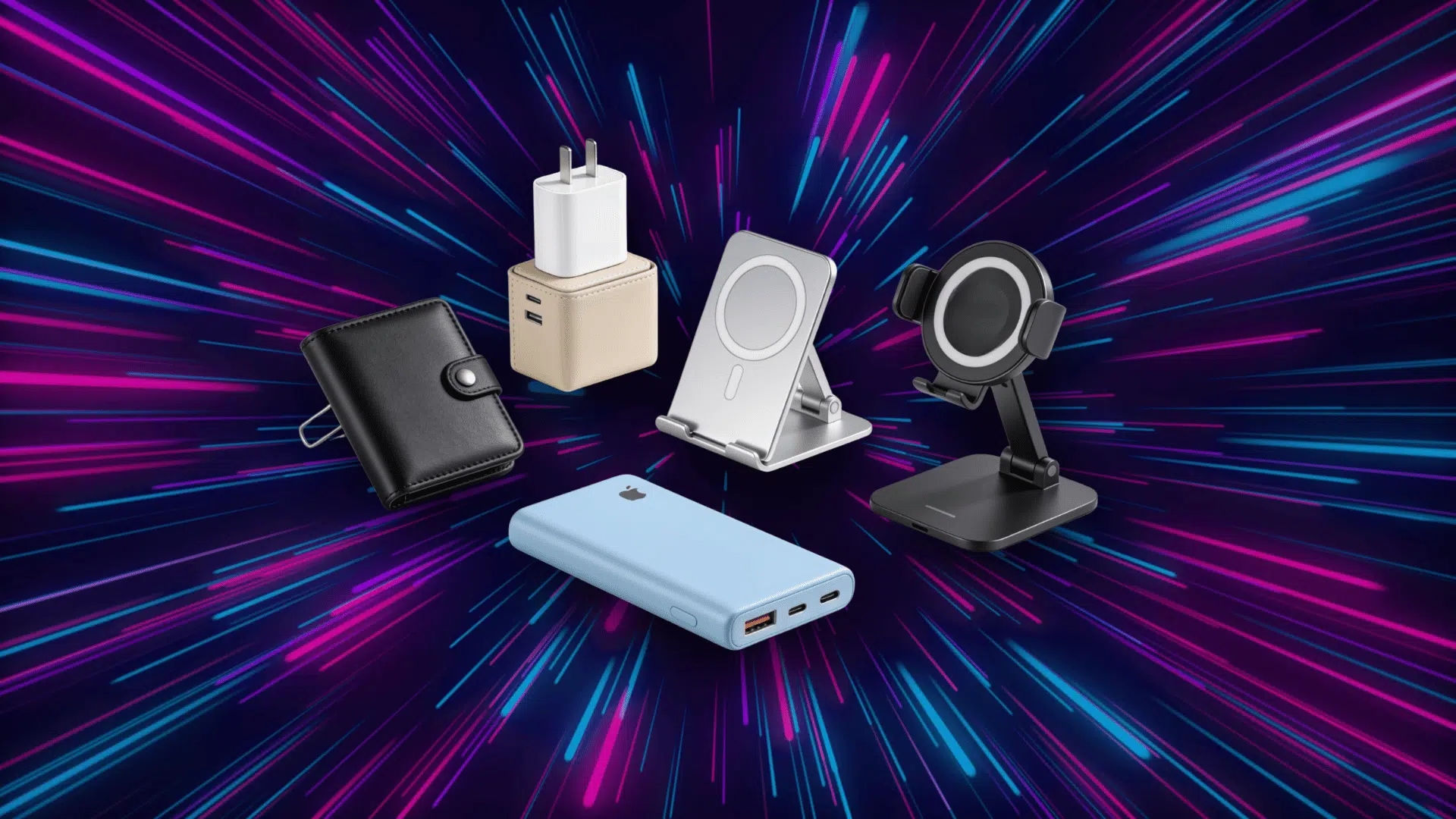



That satisfying little snap when your phone clicks into place? That’s MagSafe, and once you’ve felt it, there’s no going back.
But those magnets can do so much more than just charge. Chargers, stands, wallets, car mounts, grips- the list keeps growing every year.
I’ve learned that the trouble is, not all of them are worth your money, but some feel flimsy, some barely hold, and a few just aren’t built to last.
That’s where a solid roundup of the best MagSafe accessories comes in handy. So let’s dig into the ones actually worth snapping onto your phone.
Is MagSafe Limited to Apple Devices?
No, MagSafe is not limited only to Apple devices. While Apple developed MagSafe for iPhone models, many compatible accessories can also work with other smartphones.
MagSafe was designed around magnetic alignment for charging and attachments, allowing supported devices to connect to compatible cases or magnetic rings.
However, iPhone users usually get the full range of MagSafe features because the system was created specifically for Apple devices. Other phones may need extra accessories to use MagSafe attachments.
Cool MagSafe Accessories to Check Out
MagSafe accessories vary for different charging, carrying, and mounting needs, from daily setups to travel attachments. Understanding each helps you choose the right one for your routine and device:
1. A 3-in-1 Foldable Travel Dock
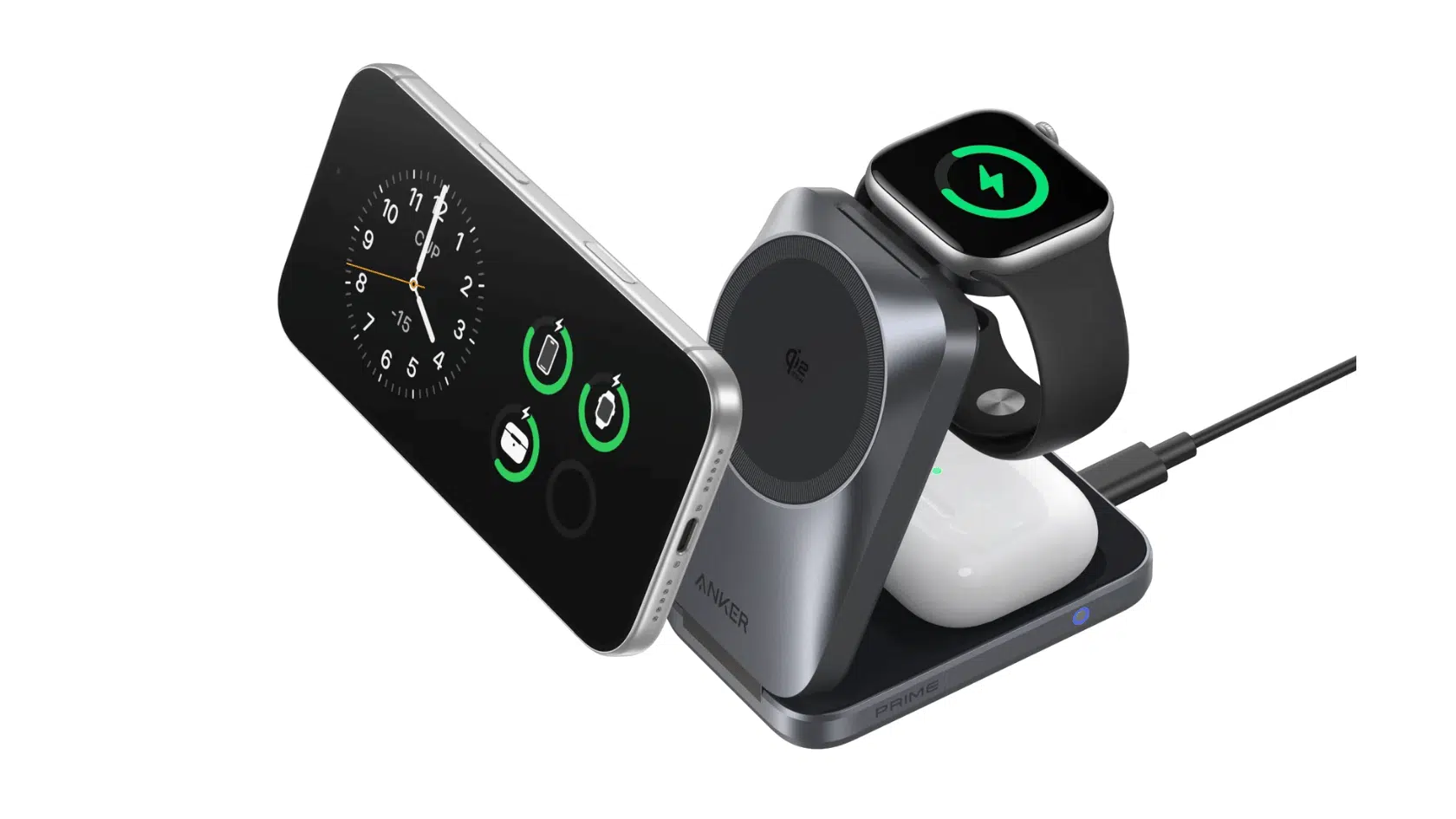
Image Source: Anker
A 3-in-1 Foldable Travel Dock combines charging support for an iPhone, Apple Watch, and AirPods into a single foldable unit. It is made for users who want fewer charging accessories while traveling or setting up a bedside charging space.
- Best for: frequent travelers, Apple device users, bedside setups, work desks
- Price: $80–$160
Recommended MagSafe Charging Docks:
| Product | Type | Key Feature |
|---|---|---|
| Anker MagGo Wireless Charging Station | Folding desktop charger | Cube shape, foldable body, easy storage |
| Evolved MagBank Station | Charging dock | Portable battery, docked charging, travel use |
| Dashed Home Base Charger | Home charging base | Extra ports, Apple device support |
| Evolved Chargers Power Tower | 6-in-1 charging station | GaN charging, tower layout, multiple ports |
What users say:
“Get a high-quality, slightly expensive charger cheap ones are unreliable and can even damage your battery over time.” – Hime sho, Reddit
“Anker cube: This is the one that most people would recommend. It answered all of the needs that were missing with my first choice. I know that they’re also high quality. My main issues with it are the cube shape. This almost defeated the portability part of it for me.” – Parinceo, Reddit
“I’ve been wanting the same thing and have been looking. Unfortunately, there aren’t any 3-in-1s that have the AirPods charging portion with a magnet. At least nothing official/licensed/MFi that will do maximum supported charging for all the devices.” – Joonken, Reddit
2. High-Capacity Active-Cooling Power Bank
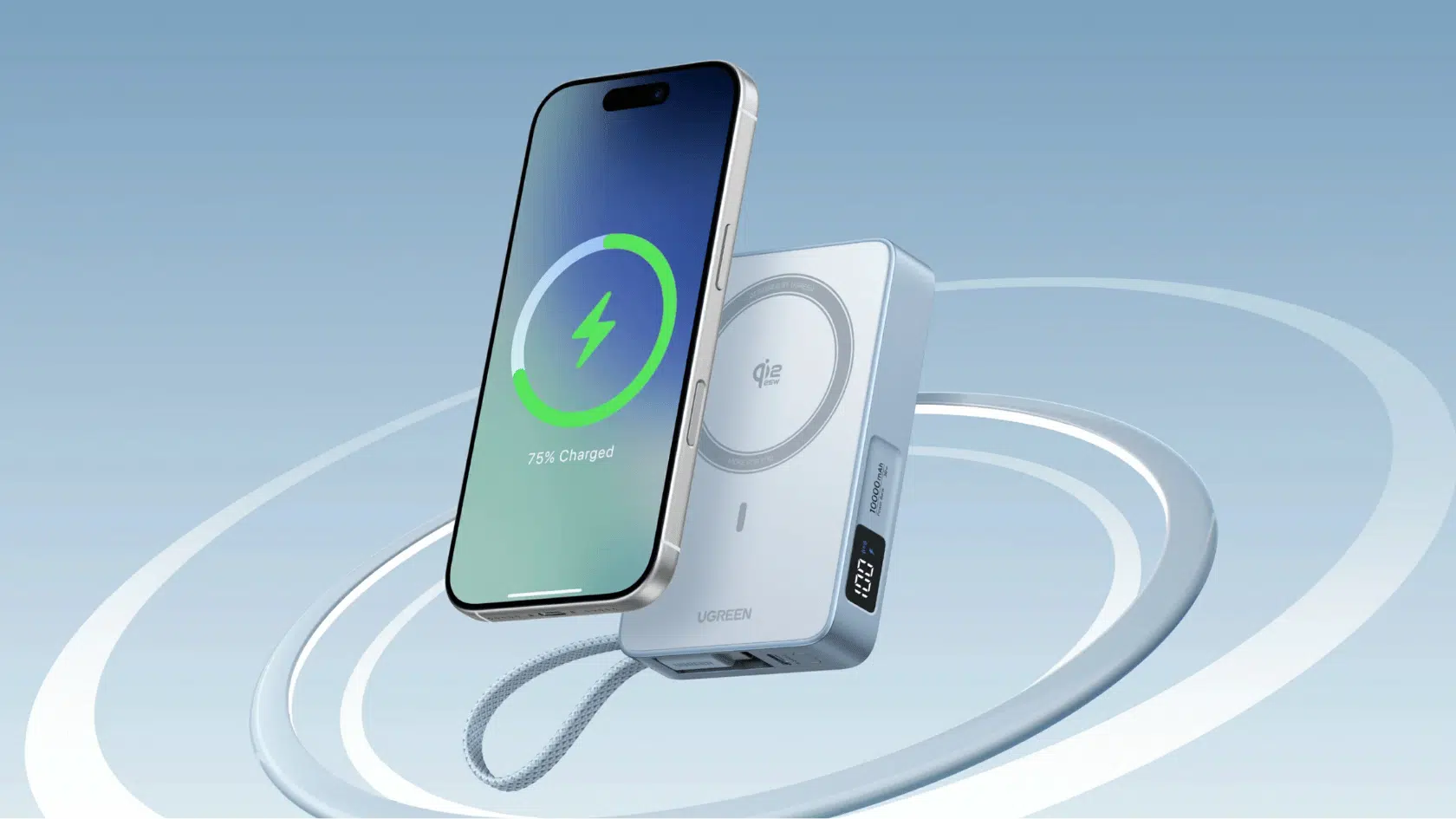
Image Source: UGREEN official
A High-Capacity Active-Cooling Power Bank provides users with extra battery power when they are away from a charger.
Some models include cooling features and additional charging options for people who use their phones heavily throughout the day.
- Best for: travelers, outdoor use, long workdays, heavy phone users
- Price: $70–$150
Recommended MagSafe Power Banks:
| Product | Type | Key Features |
|---|---|---|
| Sharge Qi2 ICEMAG | magnetic power bank | 10,000mAh battery, 15W wireless charging, active cooling |
| INIU MagSafe Charge | Magnetic charger | Fast charging, built-in cooling fan, heat control |
| UGREEN Magflow Qi2.25 | Magnetic power bank | 10,000mAh battery, fast wireless charging, USB-C cable |
| Alumo M10 | Multi-charging power bank | MagSafe charging, Apple Watch support, USB-C Port |
What users say:
“I use a bedside Qi2 magsafe charger from ugreen and never charge wired.I have a anker 10k Qi2 magsafe batterypack in my work bag at all times. This is to make sure i never have to worry about charging but my 16 pro max has rarely been below 20% at the end of the day.” – Reddit
“They charge faster than apples power pack and slimmer. Anker has been phenomenal. Customer service for me. They have Qi2 15w fast charging with MagSafe. The rest of the companies are typically 5w. The rest are rebranded Chinese drop shipping companies.” – PineappleIsland3, Reddit
“Try the brand Halo. I stand by them. They have different sizes and mph. (That’s Miliamp hours). The higher the number the more charge you can get out of it.” – Lisa Marie, Facebook
3. Origami-Style Wallet Stand
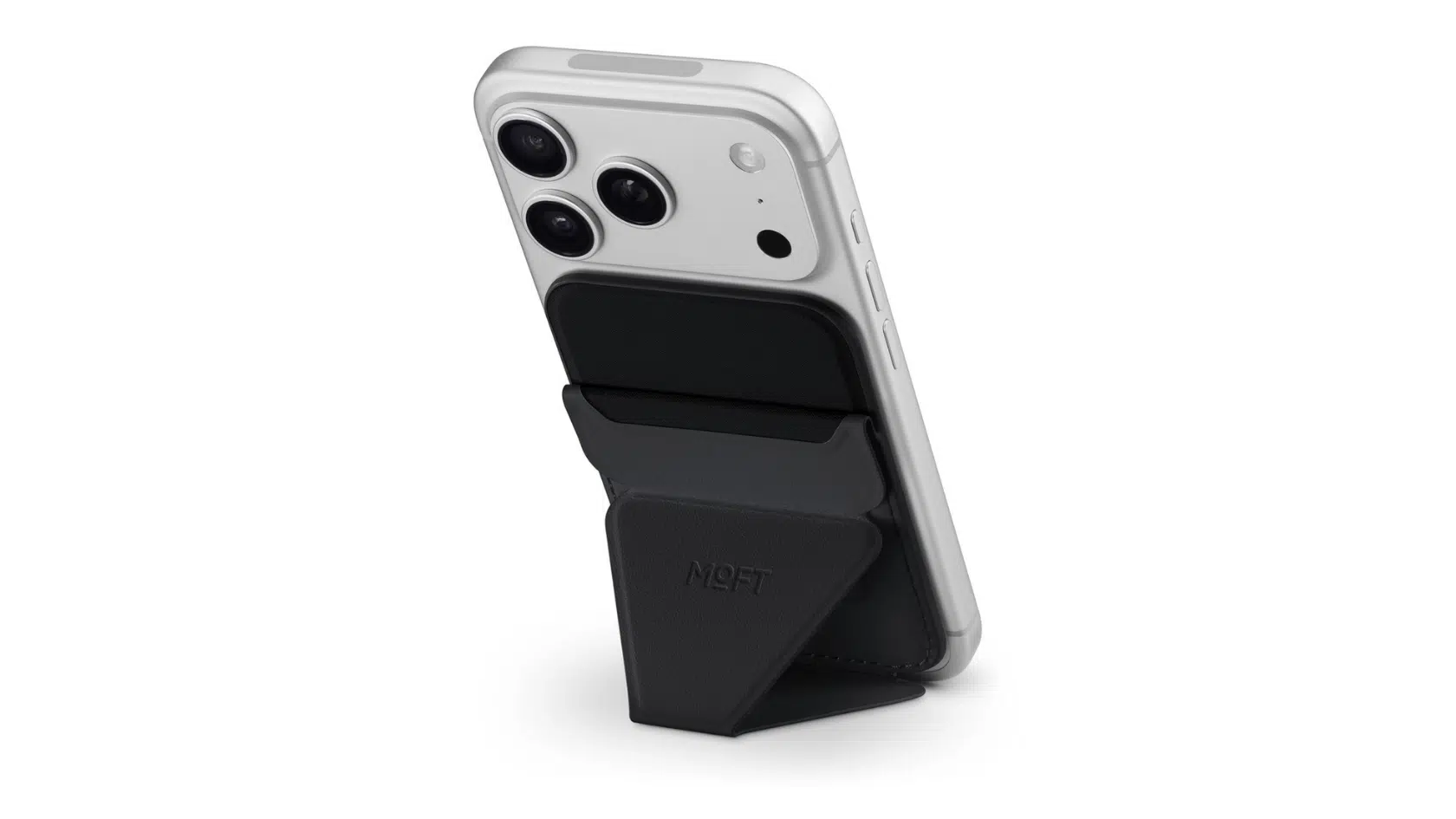
Image Source: Apple
An Origami-Style Wallet Stand combines card storage and phone support into a single magnetic attachment. Its folding design allows users to place their phone at different angles for video calls, watching content, or hands-free use.
- Best for: card holders, commuters, frequent travelers, video viewers
- Price: $30–$60
Recommended MagSafe Wallet Stands:
| Product | Type | Key Features |
|---|---|---|
| MOFT Snap On | Wallet stand | Foldable design, MagSafe support, hands-free viewing |
| MAGFold Wallet Stand | Card wallet stand | Holds three cards, cash slot, portrait or landscape use |
| MOFT findMy Wallet Stand | Magnetic wallet stand | Adjustable angle, card storage, iPhone attachment |
| Ergomi Design Herculus+ | Phone wallet stand | Three-card capacity, built-in stand, angle adjustment |
What users say:
“I believe you’re referring to MagSafe Wallet. I am using one for sometime it’s convenient and holds two cards. Magnet has to be strong so buy a good case and wallet.” – Suleman H, Facebook
“Never use one. Always worried that if your phone is stolen then so are your cards, plus is it necessary when you have a digital wallet on your phone anyway?” – Ross Cotter, Facebook
“I have the non fold out version and find the magnet to be extremely strong compared to the official Apple unit. The ability to push the card/cash out from the bottom is excellent and I’m generally pleased with it.” – r/MagSafe, Reddit
4. Active-Cooling Car Vent Mount
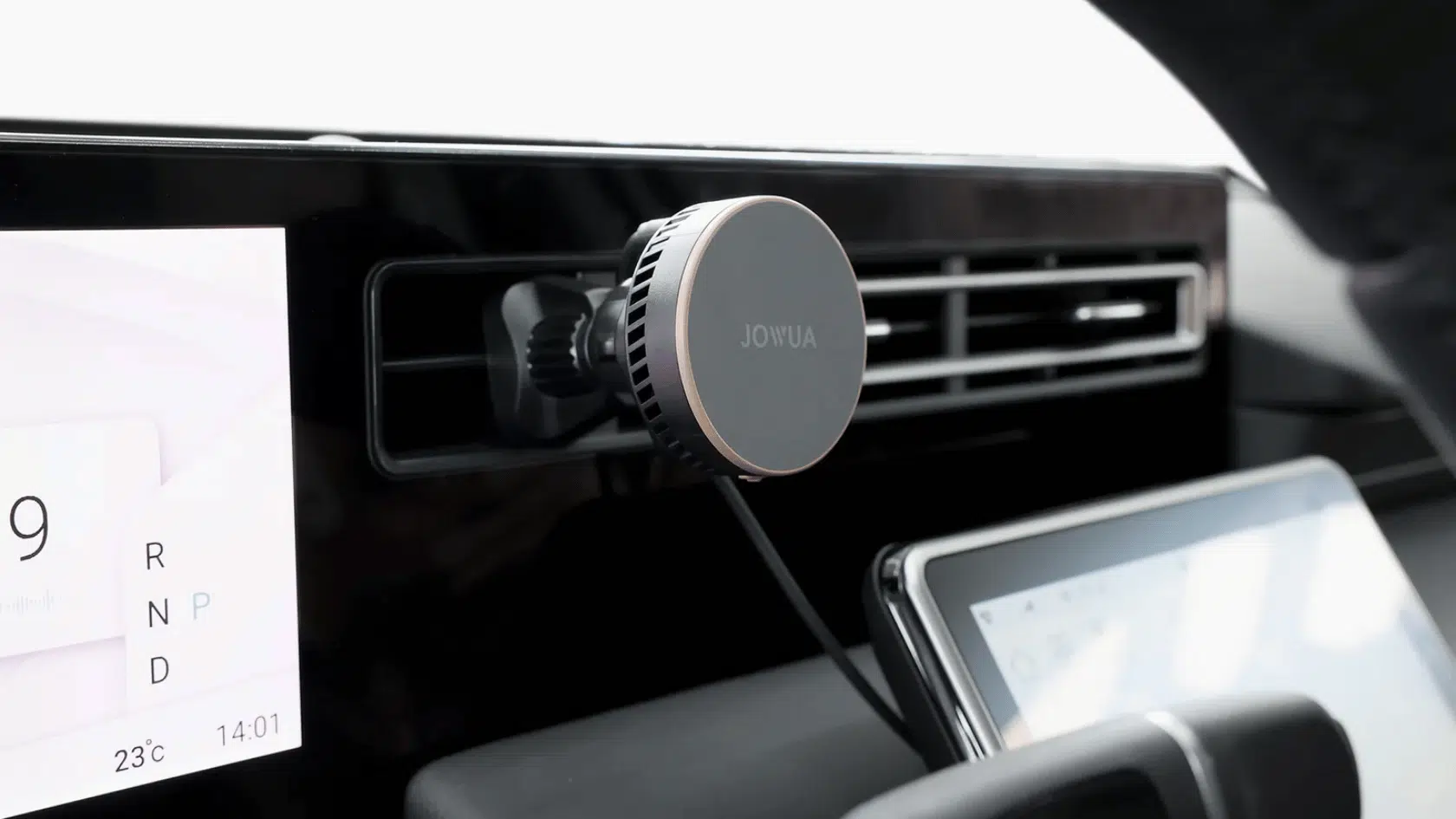
Image Source: Jouwa
An Active-Cooling Car Vent Mount keeps the phone attached near the driver while offering charging support, with models that include temperature-control features that help manage heat during wireless charging and on longer drives.
- Best for: daily drivers, navigation users, road trips, wireless charging users
- Price: $50–$120
Recommended MagSafe Car Mounts:
| Product | Type | Key Features |
|---|---|---|
| Flexdrive Qi2 | Magnetic car charger | Qi2 certified, 15W charging, secure phone hold |
| JOWUA Universal Magsafe | Air vent charger mount | Active cooling, Qi2 support, vent attachment |
| Trackform Air Vent Mount | Magnetic vent mount | 20mm metal ball, flexible positioning, charger support |
What users say:
“My car’s magsafe holder charger is a lifesaver.” – Aphaits, Reddit
“I’m liking my MagSafe phone holder/charger. It holds and charges my iPhone very nicely” – Darryl McGrath, Facebook
“I’ve been using the Tackform vent mount. The mount itsself is screwed into the vent frame super securely, and the MagSafe plate feels rock solid to me.” Andrew Rubin, Facebook
5. Content Creation Neck Mount
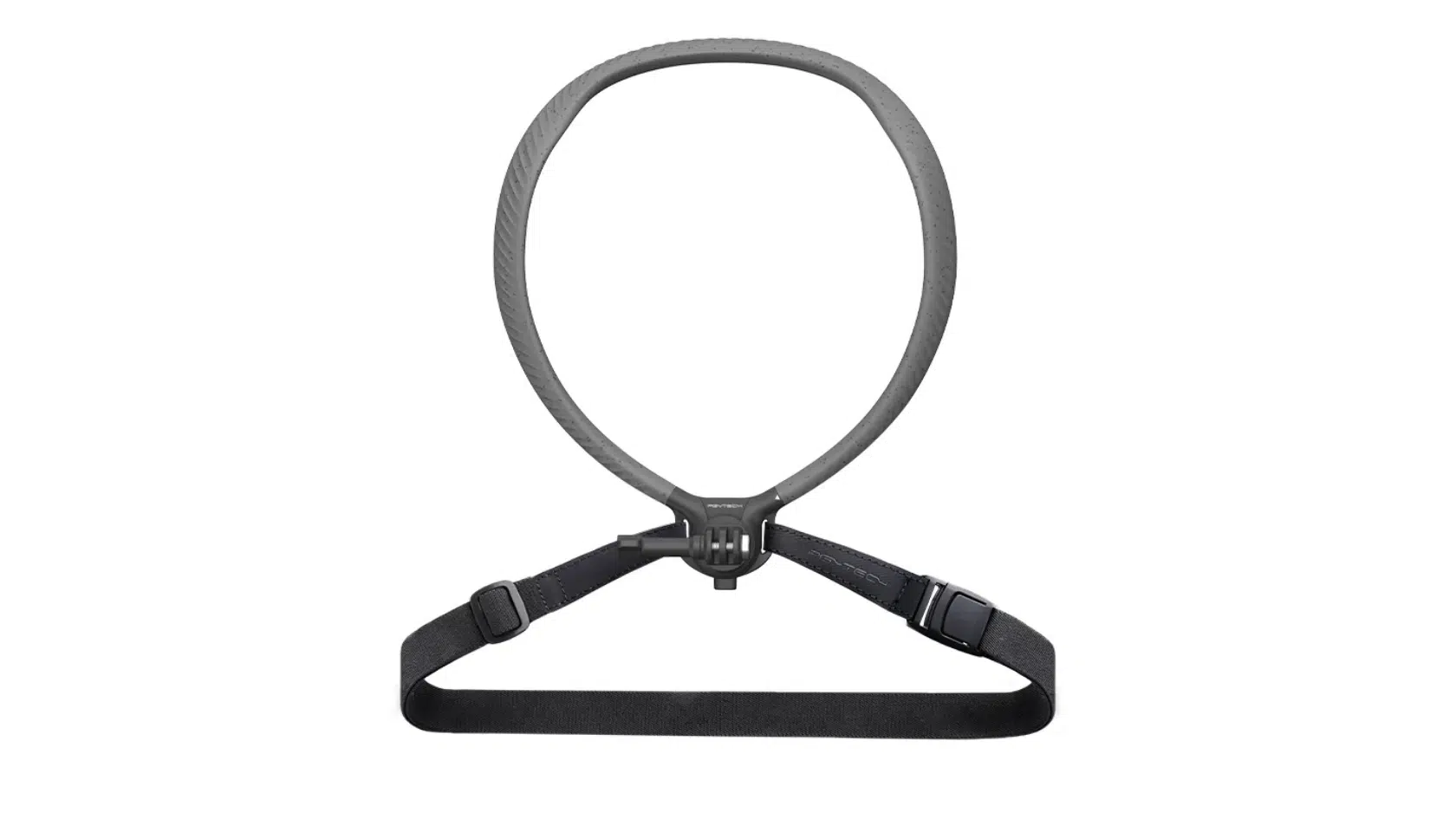
Image Source: Pgytech Caplock
A Content Creation Neck Mount helps creators record hands-free videos from a first-person view. It allows users to capture tutorials, demonstrations, and daily activities without holding the phone.
- Best for: vloggers, video creators, tutorial makers, hands-free recording
- Price: $25–$80
Recommended MagSafe Creator Mounts:
| Product | Type | Key Features |
|---|---|---|
| TELESIN Neck Mount | Action camera neck mount | Hands-free POV filming, GoPro support, wearable design |
| Small Rig POV Quick Release Neck Mount | Smartphone neck mount | Quick-release system, MagSafe support, 2-prong adapter |
| NEEWER Magnetic Neck Phone Strap | Magnetic phone neck mount | Adjustable joints, multiple angles, hands-free recording |
| PgyTech Caplock | Magnetic neck mount | 30N magnetic hold, flexible neck tube, portrait or landscape use |
What users say:
“I have a 2012 CTSV and looking for a gooseneck with MagSafe (no charge necessary) on one end and flat to screw into the floor. In the 80s and 90s we had them in cars for EQs and I can no longer find them.” – thumbssquared, Reddit
“MagBack makes cases that hold on just about anything magnetic. I like the tripod idea, there was one I saw years ago that holds your phone/tablet over your bed so you can watch things laying down. I use the Moft cases myself. Strong magnets and innovative stands to prop up your device in multiple ways.” – SpringBoared, Reddit
“Does the phone have to be on your person? If not, look at small portable tripod. This is what influencers use when filming solo. For some reason, gorilla pod is coming to mind.” – boomer7793, Reddit
6. Magnetic Desk Mat
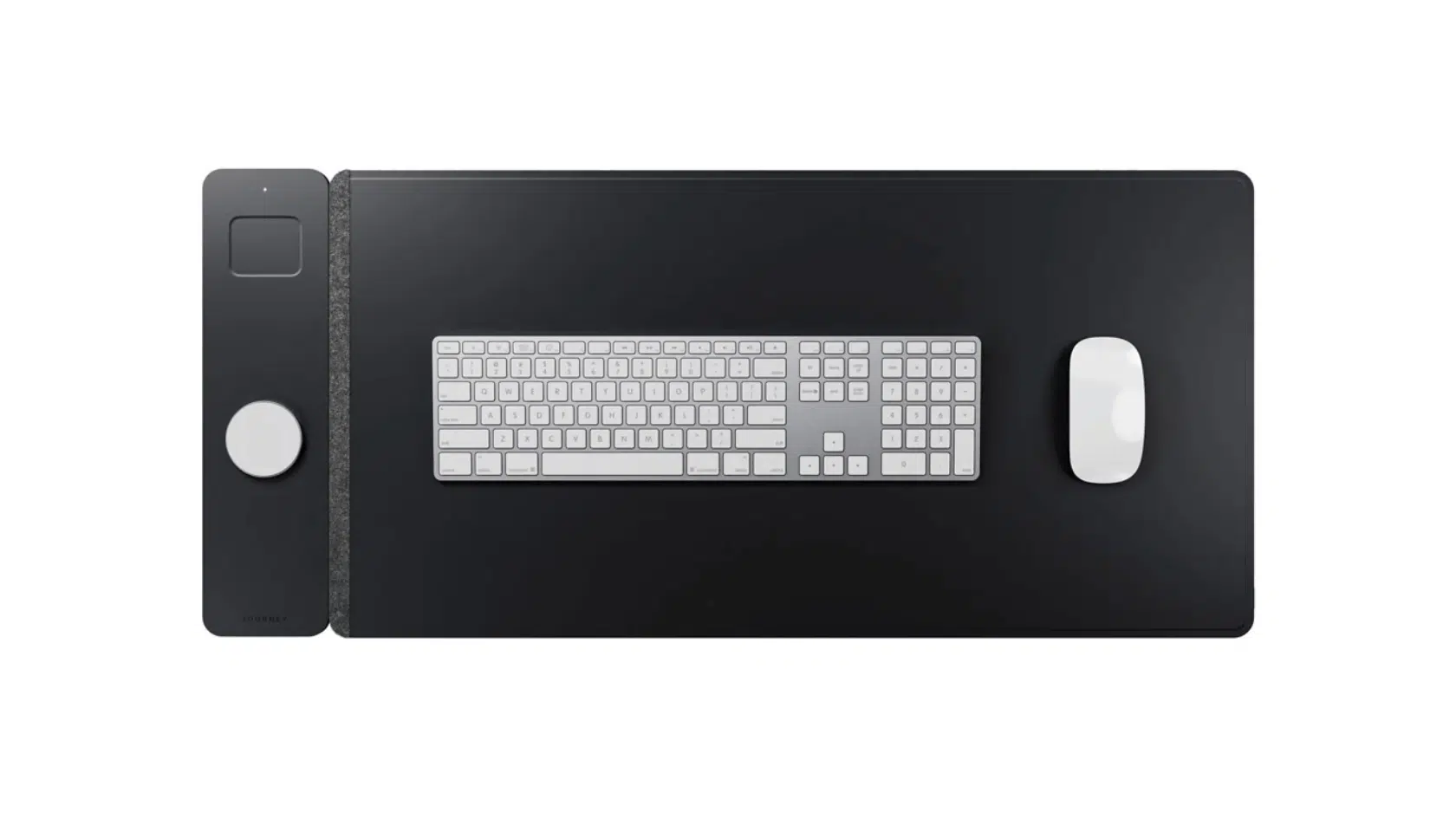
Image Source: ALTI
A Magnetic Desk Mat adds a dedicated space for charging and organizing devices in a workspace. Some models include magnetic charging areas that keep compatible accessories in place while working.
- Best for: office setups, remote workers, desk organization, device users
- Price: $80–$150
Recommended MagSafe Charging Mats:
| Product | Type | Key Features |
|---|---|---|
| ALTI ULTRA Charging Mat | Wireless charging desk mat | Large work surface, built-in charging area, desk-friendly layout |
| ELAGO Charging Pad | Silicone charger holder | Non-slip base, fixed charger position, iPhone and AirPods support |
| Multi-device charging pad | Magnetic alignment, three charging spots, home or desk use | |
| Courant MagSafe Collection | Dual charging tray | MagSafe area, extra Qi spot, iPhone and AirPods charging |
What users say:
“I decided not to buy because it was too expensive. Instead I bought 4 anker battery packs with MagSafe wireless chargers. They just sit on a table all plugged in so people can put their phone on them to charge at home. ” – SpecialSubsential66, Reddit
“It doesn’t have to be fast charging she uses it for the nightly full charge. If it had the ability to charge ear buds/apple watch thats cool but id rather not spend a ton more to have those features as shes pretty in routine with charging those in their respective spots already.” – puckingbuzzard, Reddit
“Stock charger is not charger but induction heater. I happy that it not work at all on iPhone 16 pro max in case. So it at least not heating phone.” – Tomas Prochazka, Facebook
7. Modular Ring Grip
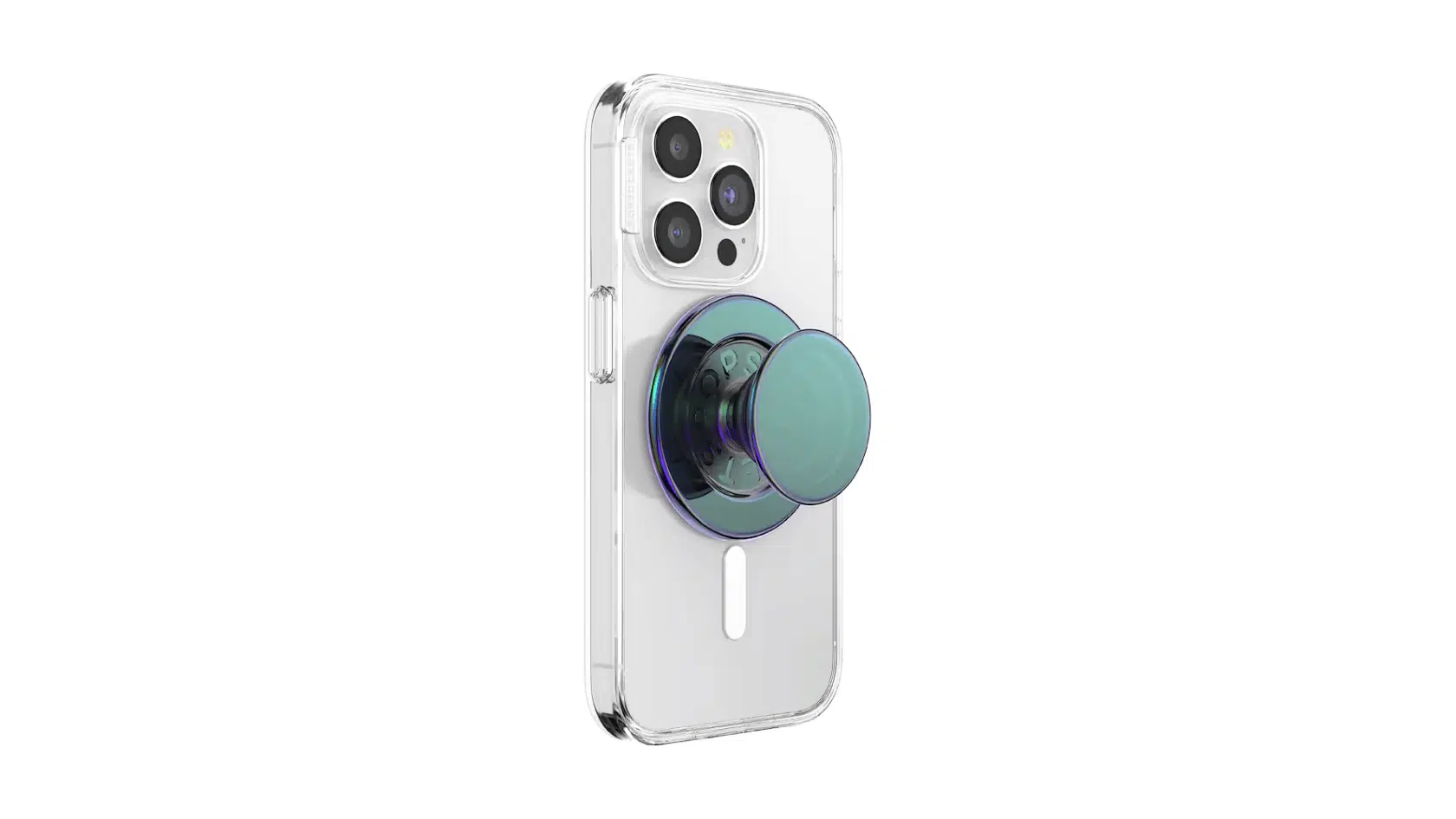
Image Source: Popscokets Store
A Modular Ring Grip helps users hold their iPhone more securely while also working as a stand. The magnetic attachment allows quick placement and removal whenever needed.
- Best for: one-hand phone use, video watching, mobile gaming, daily phone handling
- Price: $20–$40
Recommended MagSafe Phone Grips:
| Product | Type | Key Features |
|---|---|---|
| POPSOCKETS Nightshade | Magnetic phone grip stand | Kick-out stand, secure hold, case compatibility |
| VENA MagSafe Phone Grip | Rotating grip ring | 360-degree rotation, adjustable angles, flexible ring |
| VELVET CAVIER BLACK MagSafe Grip Ring | Magnetic grip ring | Finger support, stand function, leopard print |
What users say:
“I use LoveHandle Phone Grips brand. They are an amazing product and the customer service is beyond top notch. Comfortable to hold and very versatile…plus, they have a kickstand! I highly recommend checking them out.” – Maria Skreznya Minott, Facebook
“MagSafe is the one thing that Android users are sorely missing out on, but the MagSafe Ring aims to address their fear of missing out on the feature.” – SlashGear, Facebook
“OhSnap or Magnetic Popsocket are the best options. Popsocket for ease of use and versatility, and OhSnap for sticking to metal surfaces and an accessorie that does its job but you barely notice it is there.” – Fulgenixo, Reddit
8. Magnetic Sticky Wall Mount
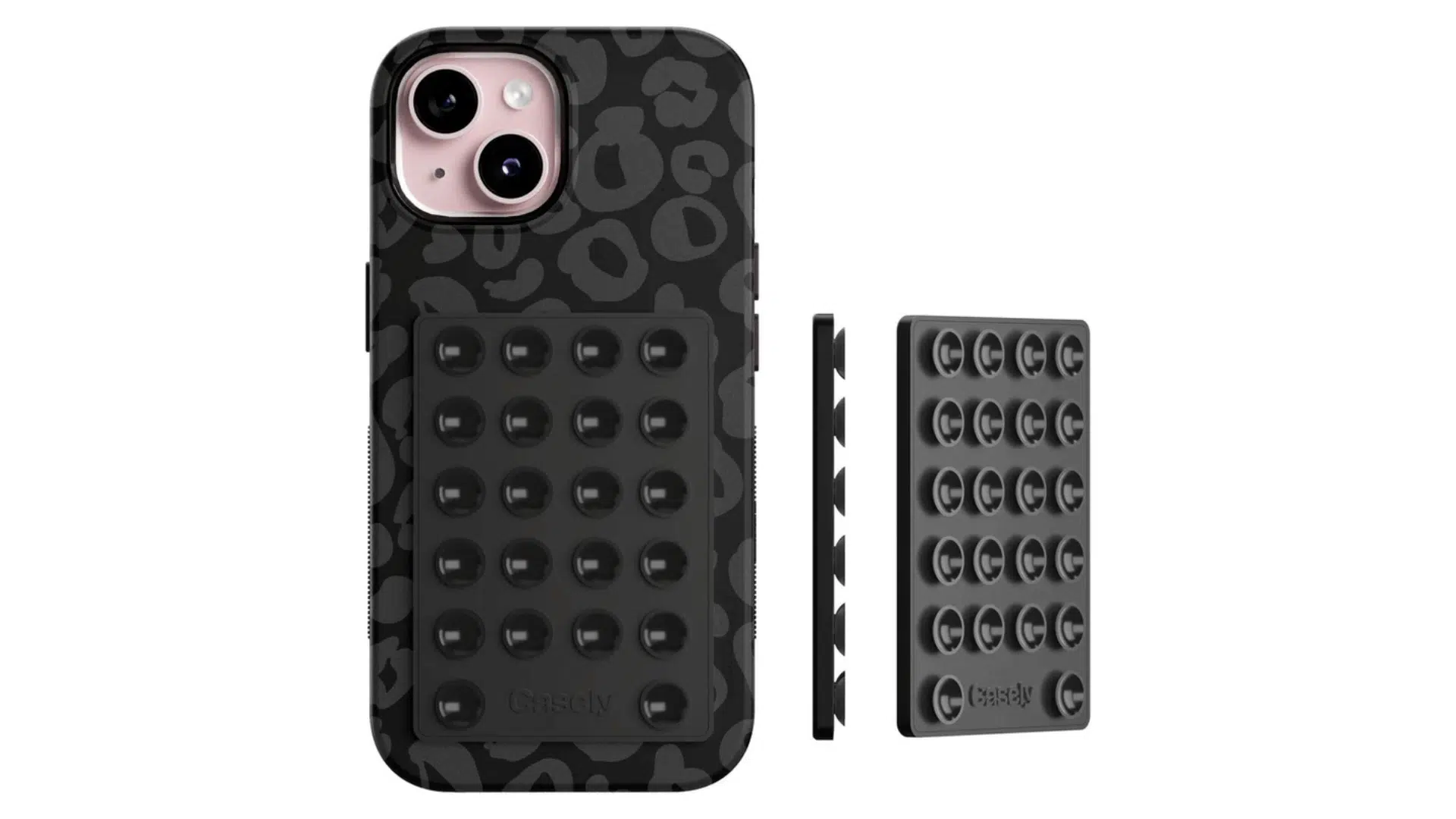
Image Source: getcasely.com
A Magnetic Sticky Wall Mount lets users place their phone on flat surfaces for hands-free viewing. It can be useful in kitchens, work areas, and other spaces where quick access to a phone is needed.
- Best for: video watching, kitchen use, workspaces, hands-free viewing
- Price: $15–$50
Recommended MagSafe Wall Mounts:
| Product | Type | Key Features |
|---|---|---|
| CASELY Silicon Suction Phone Wall Mount | Suction phone mount | Silicone cups, mirror use, window attachment |
| MagSafe Wall Mount Command Strip: | Wall charging mount | Command strip backing, StandBy support, hands-free use |
| Dual-sided wall mount | Flat-surface grip, bathroom use, kitchen placement | |
| Shades Dancewear N52 Magnetic Wall Mount | Magnetic wall mount | N52 magnets, quick attachment, easy removal |
What users say:
“There is also the solution to 3D print an adaptor for an inductive charger which can be mounted to a standard (European) 67mm switch/plug opening . The tablet is then Velcroed to the mount. Works for me.” – TSaG1337, Reddit
“If you have a lot of tile and stainless steal, could a suction cup mount work? It would be larger but adjustable and easy to move.”- camXmac, Reddit
“Instead of mounting one of them on a wall, mount them to each other by sticking 2 of them back to back. One side will stick on the back of your phone, the other side will stick to the metal surface. The connection is extremely strong and I use this at the gym (iPhone 13 Pro w/ a magsafe case) when I work out.” – Dalaw88, Reddit
9. Creator Tripod Mount
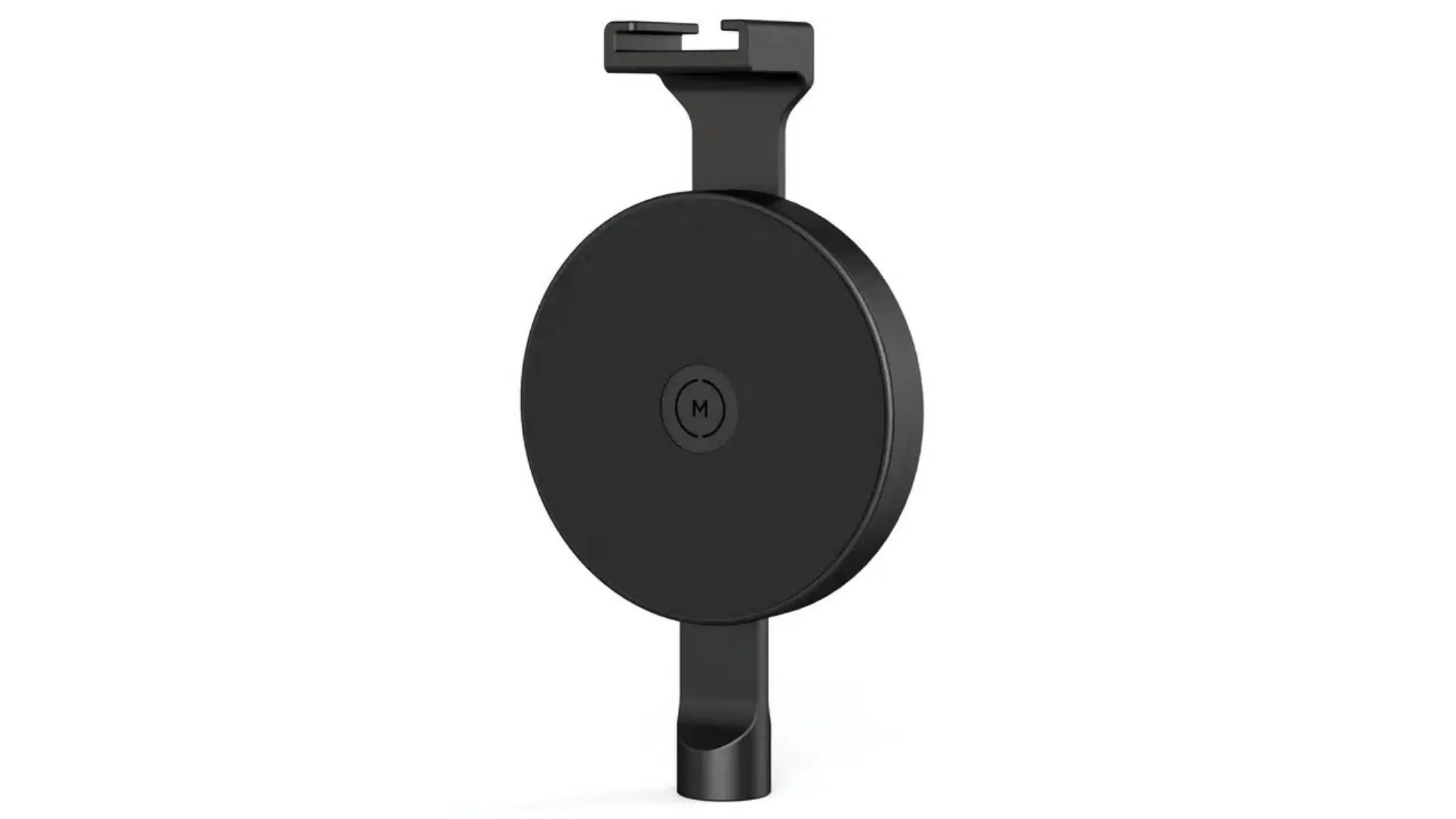
Image Source: Kenmore Camera
A Creator Tripod Mount connects a MagSafe-compatible phone to tripods or stands for photography and video recording. It helps users position their phones for stable shots without having to hold the device.
- Best for: photographers, content creators, livestreams, mobile recording
- Price: $40–$100
Recommended MagSafe Tripod Mounts:
| Product | Type | Key Features |
|---|---|---|
| MOMENT Pro Tripod Mount | Aluminum tripod mount | 1/4″-20 thread, strong magnets, clamp-free setup |
| Blue Bolt Magsafe Tripod | Foldable phone tripod | Wireless remote, 360-degree rotation, compact build |
| Phone Skope Tripod Mount | Magnetic tripod holder | Strong hold, full rotation, adjustable positioning |
| KENMORE Pro Tripod | MagSafe tripod adapter | Portrait or landscape use, padded surface, 1/4″-20 support |
What users say:
“Idk if you’re still drooling after 200 days but I’ve gotten it recently and I’m gonna try it out for the first time tomorrow. From what I’ve tested so far, absolutely worth it, as long as you respect the fact that it is 30 dollars and it is made of plastic. Just treat it carefully, but this thing can do so much. It’s magic” – 7Runwaykid, Reddit\
“I don’t know about that one in particular, but there are many different MagSafe tripods and phone holders you can choose from. I use this one which I like because it can be used on it’s own, can be connected to a regular camera tripod, and can be folded compact and used like a regular magnet. I use it in the gym to stick my phone to the squat rack.” – 0000GKP, Reddit
“I do have a tripod that does this already so maybe I should look for the mount only but yes I did also want to use my phone as a webcam with my new Mac so I was looking for a table top version as well (you can only use the back camera for webcam calls)” – slashedbeauty, Reddit
10. Interlocking Secure Case
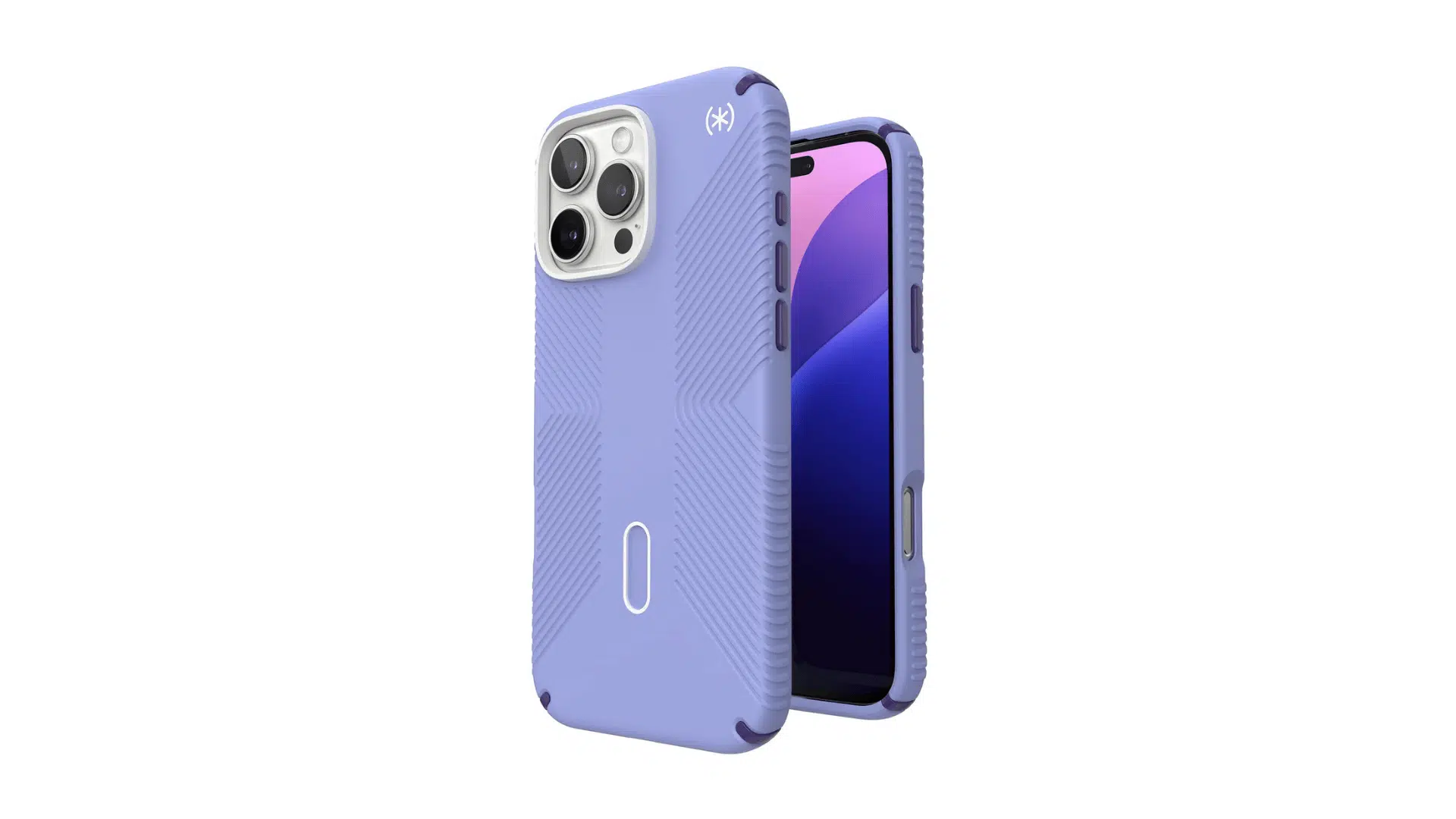
Image Source: Speck
An Interlocking Secure Case provides phone protection while supporting MagSafe attachments. Some cases include stronger connection systems that help keep accessories attached during daily use.
- Best for: active users, accessory users, phone protection, outdoor use
- Price: $40–$80
Recommended MagSafe Compatible Cases:
| Product | Type | Key Features |
|---|---|---|
| Speck ClickLock Presidio 2 Case | MagSafe phone case | No-slip ridges, ClickLock support, stable accessory hold |
| Mous Intralock | Mount-ready phone case | Mechanical locking system, AiroShock protection, Qi2 support |
| QUAD Lock USA Cases | Magnetic mounting case | Polycarbonate core, impact-resistant edges, quick alignment |
| EVOLVED Chargers MagCase Ultra | Privacy metal phone case | Metal frame, side-view privacy glass, magnetic charging |
What users say:
“I am not thinking of getting an IntraLock Bike Stem Mount and an IntraLock case for my iPhone 15 Pro. I charge my phone almost exclusively with Apple MagSafe chargers.” – Reddit
“Still not in the cards atm, but once we know a little more about what our customers think of the product and how they’re using it, we’ll look into expanding the devices it’s available for — possibly including iPhone 12 Pro Max.” – Mous Community Post, Facebook
“Don’t buy this product. If something happens to your phone, they will not repair it.” – Mark Freitch, Facebook
Things to Keep in Mind while Buying MagSafe Accessories
Choosing a MagSafe accessory depends on how you use your iPhone and what features matter most in your daily routine. Before making a choice, here’s how to check if it fits with your other devices:
- Check iPhone Compatibility: Before choosing cool MagSafe accessories, make sure they the compatible with your iPhone model and MagSafe level to avoid connection issues.
- Look at Charging Support: For chargers and power banks, check charging speed, battery capacity, and support for the required charging standards.
- Consider Daily Usage: Choose accessories based on where you use them most, such as at home, in the car, at work, or while traveling.
- Review Attachment Strength: For mounts, grips, and stands, check the magnetic hold and stability to keep your phone secure during use.
- Check Accessory Compatibility: If you already own MagSafe products, confirm that the new accessory works well with your existing cases, chargers, and mounts.
Final Thoughts
So, where does all this leave you? The truth is, the best MagSafe accessories aren’t about owning every gadget out there. They’re about picking the few that actually fit your day.
Maybe that’s a solid charger for your nightstand. Maybe it’s a car mount, a grip, or a wallet stand. It really comes down to how and where you use your phone most.
My advice after years of testing gear? Buy quality once instead of cheap twice. A well-made accessory holds stronger, lasts longer, and saves you the headache down the road.
Start with one piece, see how it fits, and build from there.
Frequently Asked Questions
Can MagSafe Accessories Affect iPhone Battery Health?
Certified MagSafe chargers are designed to manage charging safely, but using reliable accessories helps maintain proper charging performance.
Are MagSafe Accessories Worth Buying for Older iPhones?
Older iPhone models without built-in MagSafe can use some magnetic accessories with compatible adapters, though the experience may differ.
Are MagSafe Accessories Safe to Use in Hot Weather?
High temperatures can affect charging performance, so avoid exposing charging accessories and devices to excessive heat for long periods.