

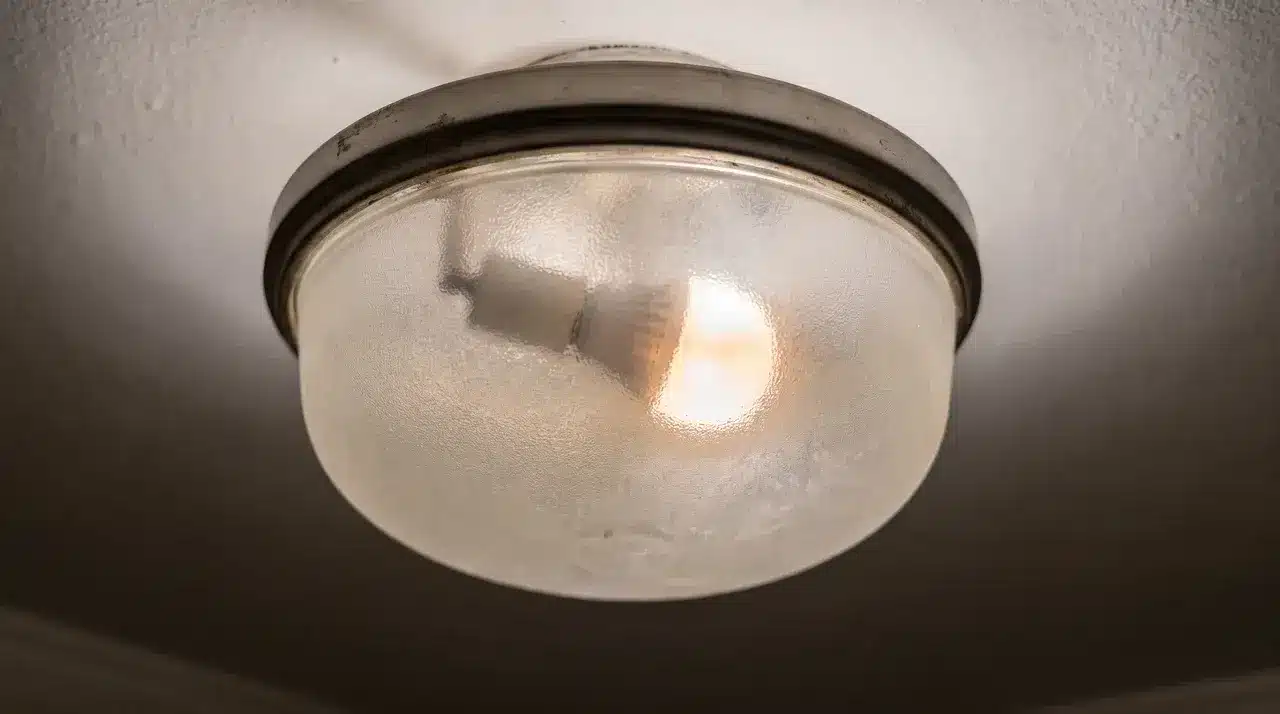






You flip a switch, and the light stutters before it settles. Then it happens again, and you wonder what changed.
Most people blame the bulb and swap it out, but asking why do LED lights flicker often leads somewhere else entirely: the wiring, the switch, or the driver inside the fixture.
LEDs respond to tiny changes in electrical current almost instantly, in a way older incandescent bulbs never did.
That sensitivity means a loose connection or an old dimmer can be the real source of the problem.
Some flicker is not even a fault. It is simply part of how certain bulbs are built to dim. Here is why that flicker keeps happening, starting with the bulb you already suspect.
Why a Flickering LED Doesn’t Always Mean a Broken Bulb
That flicker is usually caused by what the bulb is plugged into, not the bulb itself. LEDs are semiconductors. They react to tiny changes in current almost instantly.
An older incandescent bulb would just absorb that same instability and keep glowing steady. An LED can’t do that.
So a flickering bulb can be perfectly healthy. The real issue might be sitting in the switch, the socket, or the wiring behind it.
I’ve swapped out bulbs on jobs before, only to find the “new” one flickers just as much. The bulb was never the problem.
Some flicker isn’t even a fault. Plenty of LEDs are built to switch on and off rapidly as part of how they dim. That’s normal behavior, not a defect.
What Causes Lights to Flicker?
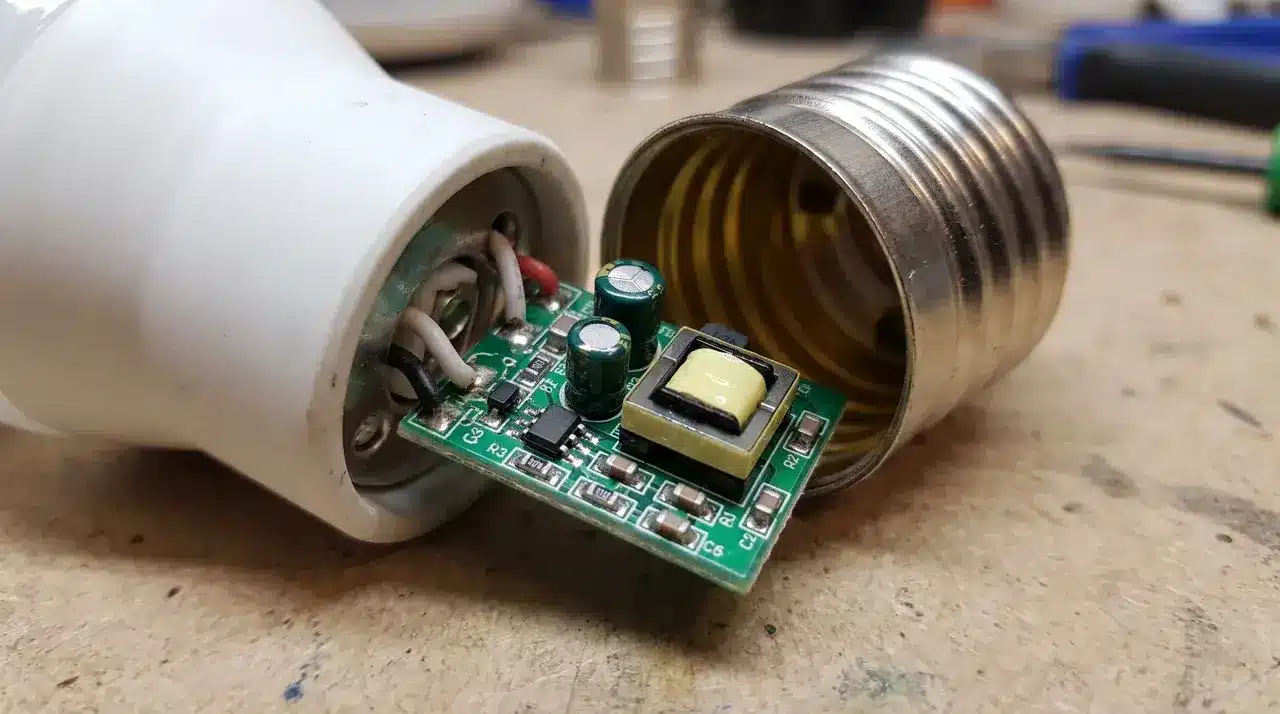
Four things cause most LED flicker: dimmer mismatches, voltage dips, loose connections, and failing drivers. Two of these live inside the bulb or fixture. The other two come from your home’s wiring.
1. Incompatible Dimmer Switches
Old dimmers were built for incandescent bulbs. They use a switching method that doesn’t match how LEDs draw power.
An LED pulls far less wattage than the dimmer expects. The result is a jittery, uneven flicker instead of smooth dimming.
This one’s on the fixture side. Swap in LED-compatible dimmer switches, and it usually clears up.
2. Voltage Fluctuations from Other Appliances
When your fridge or AC kicks on, it can pull down the voltage across that circuit for a second. LEDs react instantly to that dip. There’s no lag, no gradual fade, just an immediate flicker.
This is a house-side issue, not a bulb defect. You’ll usually notice it lines up with the appliance switching on.
3. Loose Connections and Worn Sockets
A bulb that isn’t screwed in all the way will flicker. So will a worn socket or corroded wiring. Any gap in contact interrupts the current, even briefly. That’s enough to make an LED stutter.
This is the easiest cause to rule out. Reseat the bulb first, before assuming anything worse.
4. A Failing or Cheap LED Driver
The driver converts your home’s AC power into the DC power an LED actually runs on. A cheap or aging driver can’t smooth out normal power ripples the way a good one does.
I’ve seen this show up as flicker that only starts once a fixture’s been on a while. Heat makes a struggling driver work even harder.
If your flicker gets worse as the room warms up, the driver is likely the culprit.
Why Do LED Lights Flicker at the Hardware Level?
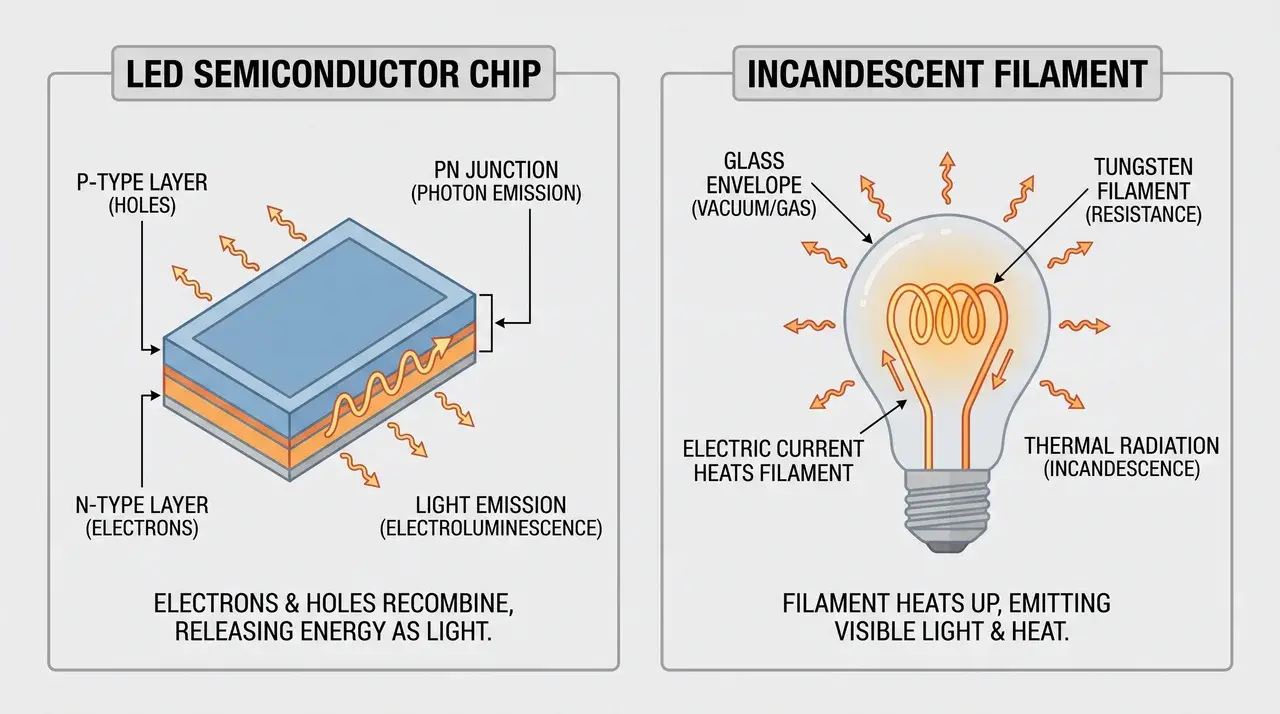
LED flicker happens because LEDs react to changes in electrical current much faster than older bulbs.
An incandescent bulb keeps glowing during small power dips because its hot filament cools slowly, while an LED stops producing light almost instantly when voltage drops.
The issue is not that LEDs are worse. They simply respond to power changes in real time, without a filament to smooth out the gaps.
Many LEDs also use pulse-width modulation (PWM) to adjust brightness through rapid on-off switching. Most people do not notice this because the switching happens too quickly for the eyes to detect.
Some people are more sensitive and may experience eye strain or headaches under certain LED lights, an effect covered in DOE-reviewed flicker research.
The same reason explains why LEDs can look steady but flicker on camera. A phone’s shutter speed can catch the bulb during its off cycle, creating visible bands or flicker in the recording.
Why Do LED Lights Flicker? Here’s What to Do About It
The next step depends on one thing: is one light flickering, or are several lights affected? Work through these steps in order:
- Check whether only one bulb is flickering: a single flickering light usually points to a loose connection, a poor-quality driver, or a dimmer that isn’t LED-rated.
- Reseat the bulb: turn off the power, let the bulb cool, and screw it back in securely, since a loose bulb may not hold steady electrical contact.
- Test the bulb or dimmer: try a top-rated LED bulb or swap in an LED-compatible dimmer. Either change may be enough to stop the flicker.
- Look for flickering in other rooms: flicker across several lights usually points to a loose neutral wire, unstable voltage, or another panel-level problem.
- Call a licensed electrician for house-wide flickering: once several circuits are affected, it’s no longer just a bulb issue, and swapping bulbs won’t fix a problem coming from the wiring or electrical panel.
Conclusion
A flickering LED does not always mean something is broken. Sometimes it is the dimmer. Sometimes it is the driver. Sometimes the bulb was simply built to flicker as part of how it dims.
What matters is spotting the pattern. One flickering bulb usually points to a loose connection, a mismatched dimmer, or a tired driver, and any of those is an easy fix.
Flicker spreading across several rooms points to the wiring instead, and that is not a job for a new bulb. Once you understand why do LED lights flicker, you stop guessing and start checking the right thing first.
If the basics do not clear it up, skip another bulb swap and call a licensed electrician to look at the wiring.
Frequently Asked Questions
How Do I Stop My LED Lights from Flickering?
Start with the simplest fix: make sure the bulb is screwed in fully and that any dimmer switch is rated for LEDs, since standard dimmers built for incandescent bulbs often can’t handle LED wattage correctly. If flicker persists across multiple fixtures rather than just one, the cause is likely upstream in the wiring rather than the bulb itself, and may need an electrician.
Are Flickering LEDs a Fire Hazard?
Occasional flicker from a dimmer mismatch or a brief voltage dip isn’t a fire risk by itself. But flicker caused by loose wiring, a worn socket, or a failing panel component can signal a genuine hazard, particularly if it’s paired with warm outlets, buzzing sounds, or visible discoloration. Those signs warrant a licensed electrician rather than a bulb swap.
Are There Any LED Bulbs that Don’t Flicker?
Higher-quality LED bulbs use better internal drivers that convert AC to DC more smoothly, which reduces or eliminates visible flicker even while dimming. Bulbs labeled “flicker-free” or marketed for camera and video use are tested against stricter flicker-percentage standards, making them a safer choice if flicker sensitivity or on-camera use is a concern.
Can a Bad Breaker Cause LED Lights to Flicker?
Yes. A breaker with a loose connection, or a failing component in the main panel, can create the same kind of voltage instability that a loose bulb or a failing driver does. The key difference is scope: a bad breaker typically affects multiple lights across different circuits, rather than just one fixture, which helps distinguish it from a simple bulb-level problem.