

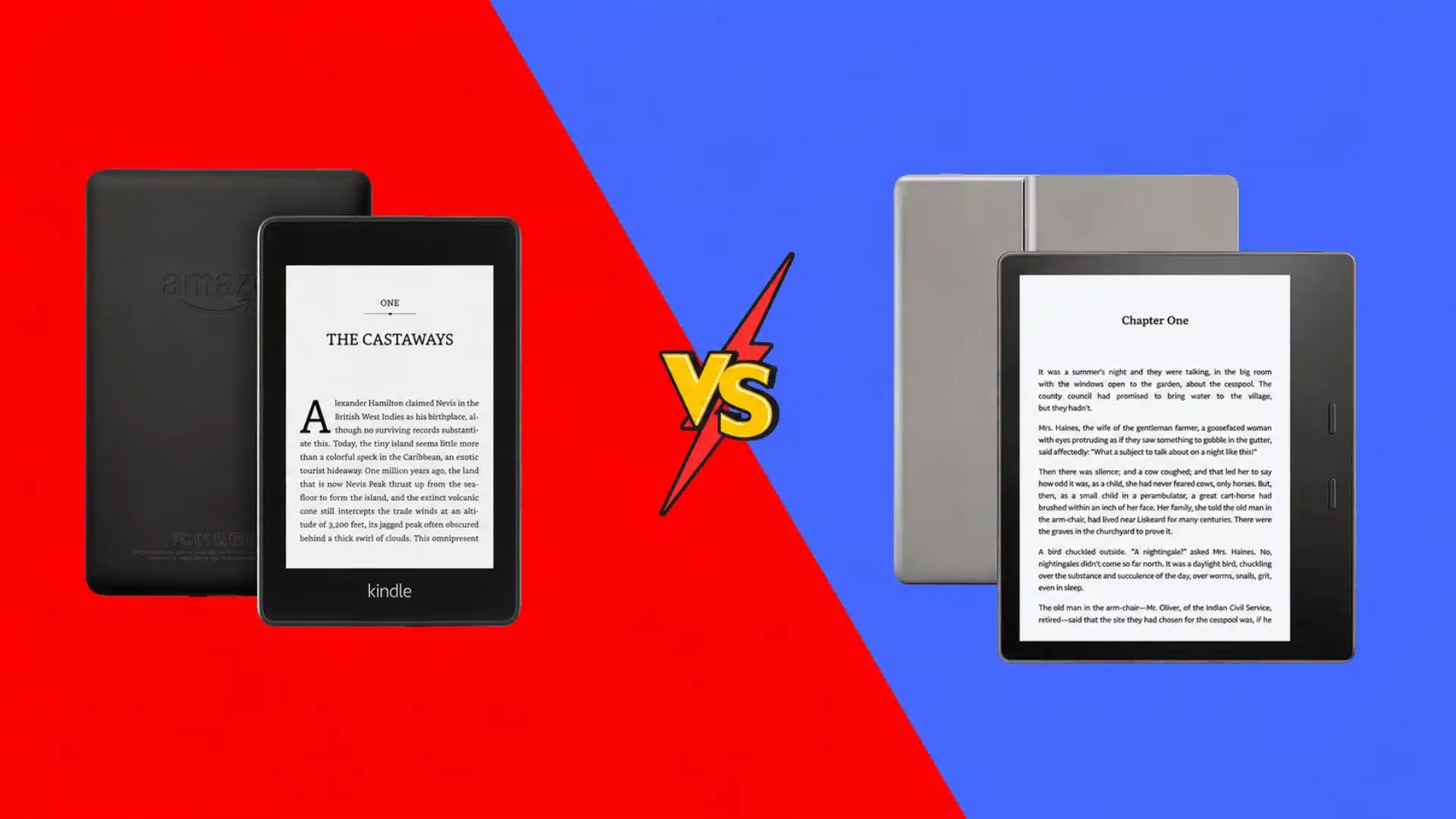

Choosing between two Kindles can get confusing fast, especially when both promise a comfortable reading experience.
If you are comparing Kindle Oasis vs Paperwhite, the real question is which features matter most in daily use. I care less about small spec differences and more about battery life, grip, buttons, charging, and portability.
You probably want the same kind of clear answer before spending money. This comparison looks at how each model feels to hold, how the screens differ, which one travels better, and where the Oasis still has an edge.
By the end, you should know which Kindle fits your reading habits and which trade-offs are worth accepting.
Kindle Oasis vs Paperwhite at a Glance
The main differences become easier to judge when the two readers are placed side by side.
| Feature | Kindle Paperwhite | Kindle Oasis |
|---|---|---|
| Display | 300 ppi E Ink | 300 ppi E Ink |
| Body | Symmetrical | Asymmetrical |
| Page turns | Touchscreen | Touchscreen + physical buttons |
| Grip | Standard tablet-style grip | Raised side grip |
| Warm light | Yes | Yes |
| Auto-adjusting light | Varies by Paperwhite version | Yes on the compared Oasis |
| Charging | USB-C on newer Paperwhite models | Micro-USB |
| Waterproofing | IPX8 | IPX8 |
| Battery | Longer between charges | Requires more frequent charging |
| Portability | Narrower and easier to pack | Wider body |
| Availability | Current option | Discontinued |
| Best fit | Everyday reading and travel | Button-focused one-handed reading |
Screen size varies by Paperwhite generation. The comparison above uses the 6.8-inch Paperwhite referenced alongside the 7-inch Oasis.
The Paperwhite has the advantage in everyday convenience. The Oasis focuses more heavily on physical controls and how the device sits in one hand.
Key Differences Between Kindle Oasis and Paperwhite
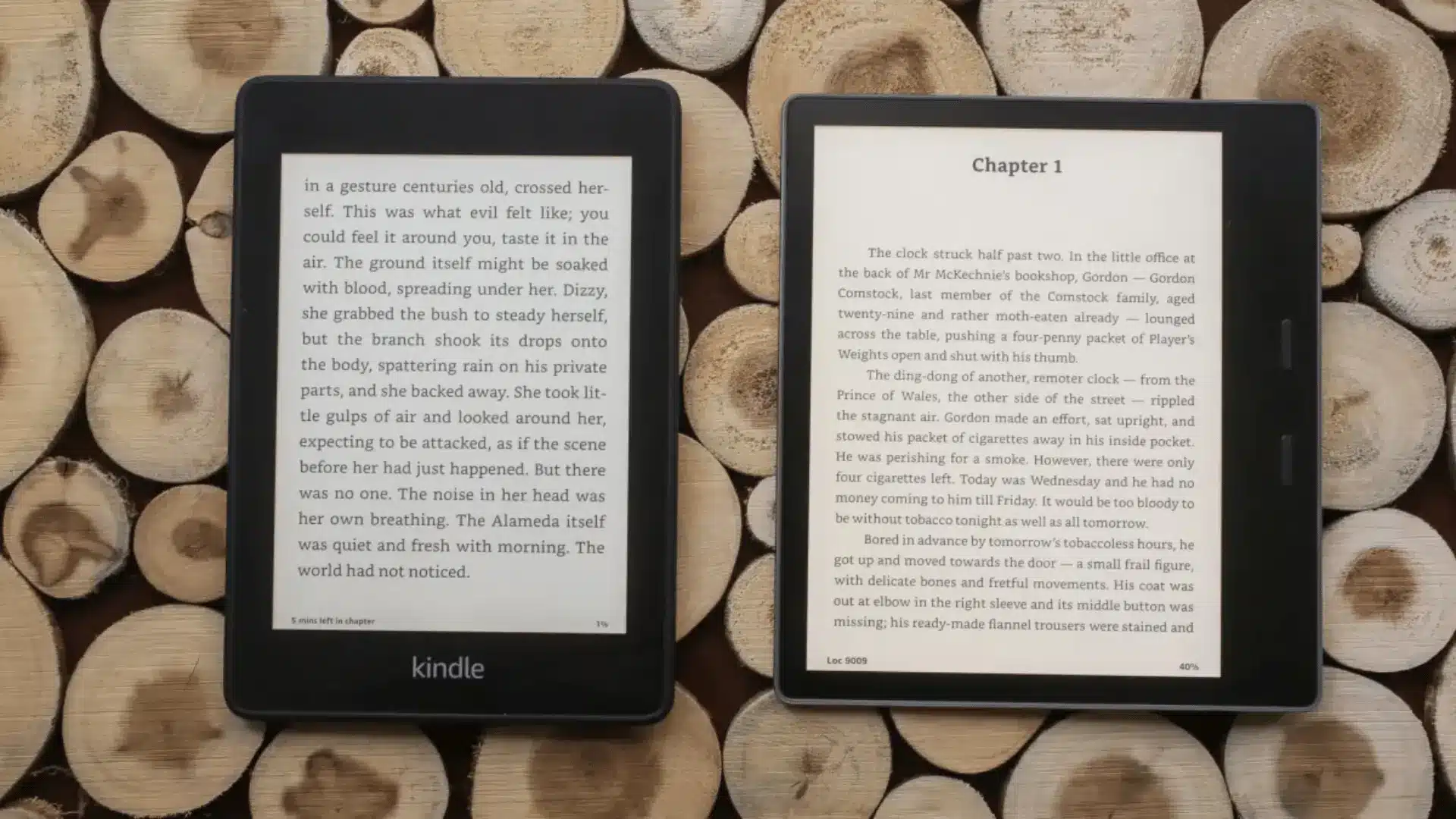
Neither device is better in every area. These differences have the biggest effect on how each Kindle feels and functions during regular reading.
1. Design and Grip
The Paperwhite has a symmetrical rectangular body. Its shape is familiar, easy to hold from either side, and similar to using a small tablet.
The Oasis takes a different approach. One side is thicker, creating a dedicated grip area. The physical page-turn buttons also sit on this side, keeping the thumb close to the controls. If handwriting or note-taking is part of your reading routine, a stylus-driven e-reader built around a larger canvas may fit that habit better than either device here.
Its screen can rotate when the device changes hands, so the thicker grip stays on the preferred side.
For casual reading, the Paperwhite’s simple body works well. The Oasis becomes more appealing for readers who frequently hold their Kindle with one hand for long periods.
2. Screen Size and Display Quality
Both Kindle models offer a 300 ppi E Ink display, so text looks crisp and clear on either screen.
The Oasis has a 7-inch screen, while the 11th-generation Paperwhite has a 6.8-inch display. The 0.2-inch difference is small enough that screen size alone is unlikely to justify choosing one device over the other.
Font size, line spacing, and margin settings can have a larger effect on the amount of text displayed at once.
For standard books and novels, both screens provide plenty of comfortable reading space.
3. Front Lighting
Both devices support warm lighting, which can make reading in dim rooms more comfortable.
The Oasis uses more front LEDs and also includes automatic light adjustment. Its brightness can respond to changes in surrounding light without requiring constant manual adjustments.
The Paperwhite still provides adjustable brightness and warm light, which covers the needs of many readers, and its lighting setup is one of several strengths worth weighing in a closer everyday-use review before you commit to it.
Automatic adjustment is most useful for people who frequently move between rooms or read under changing lighting conditions. Readers who prefer setting brightness manually may see little benefit from the Oasis feature.
4. Page-Turn Controls
Physical page-turn buttons are one of the most noticeable differences between these Kindles.
The Oasis places two buttons beside the screen. A reader can rest a thumb over the controls and move forward or backward without touching the display.
The Paperwhite relies on touchscreen navigation. Tapping or swiping changes pages and keeps the body free from extra controls.
Physical buttons can be particularly convenient while reading in bed or holding the device with one hand. Reader discussions also frequently identify the Oasis buttons as one of its most valued features.
Readers already comfortable with touchscreen page turns may not find the buttons important enough to choose an older Kindle.
5. Battery Life
The Paperwhite performs better when long battery life is a priority.
It can operate for weeks between charges under normal reading conditions. The Oasis also lasts much longer than a phone or tablet, but it generally requires charging more frequently.
Actual runtime depends on factors such as brightness, Wi-Fi use, and daily reading time.
The difference matters most for frequent readers and travelers. Someone who reads occasionally and keeps a charger nearby may barely notice it.
6. USB-C vs Micro-USB Charging
Newer Paperwhite models use USB-C, while the Oasis uses micro-USB.
USB-C is easier to manage because the same cable often works with phones, tablets, headphones, power banks, and other current devices.
Micro-USB remains functional, but it may mean keeping another cable available specifically for the Oasis.
Charging type does not change the reading experience, but USB-C makes the Paperwhite easier to fit into a modern collection of devices.
7. Waterproofing
Water resistance is one area where there is little reason to favor either model.
Both carry an IPX8 waterproof rating. That protection makes either Kindle suitable for reading beside a pool, in the bath, or elsewhere where accidental water exposure is possible.
Since their ratings are similar, waterproofing shouldn’t influence the final choice between them.
8. Portability
The Paperwhite’s narrower body makes it easier to fit into small bags, backpacks, and travel cases.
The Oasis is wider because its body needs space for the thicker grip and page-turn buttons. That extra width supports its one-handed design but takes up more room when packed.
Someone who frequently carries a Kindle during commutes or trips may prefer the Paperwhite.
For a device that stays mostly at home, the wider Oasis body is less likely to be an issue.
9. Availability
Availability creates one of the most important differences for anyone buying today.
The Kindle Oasis has been discontinued, while the Paperwhite remains part of Amazon’s newer Kindle lineup.
Finding an Oasis may therefore involve looking at remaining inventory, refurbished units, or used devices.
That introduces extra considerations such as battery condition, warranty coverage, storage capacity, and the physical condition of an older unit.
The Paperwhite is the simpler choice when purchasing a current device is important.
Is Kindle Oasis Better for Long Reading Sessions?
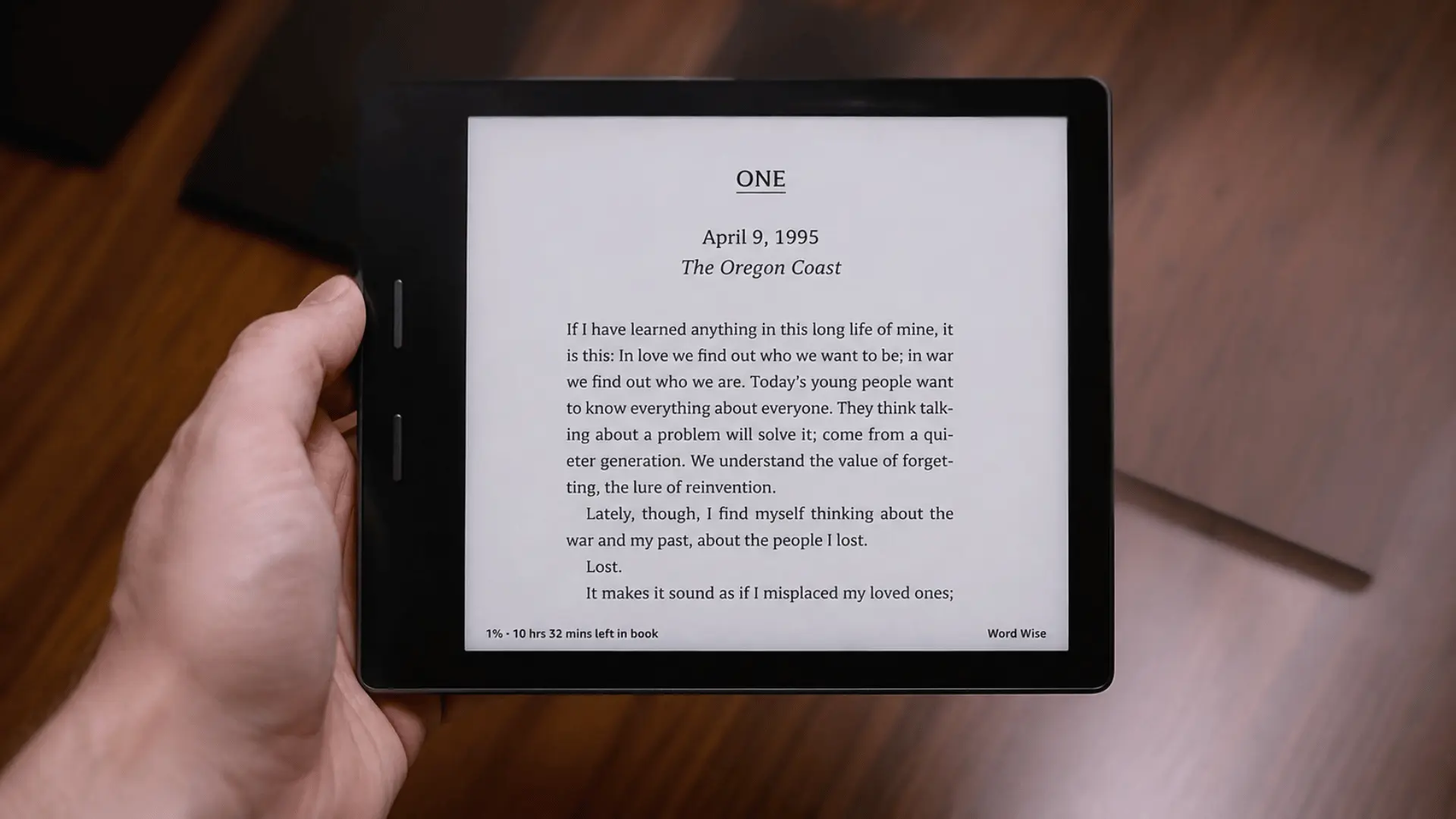
The Oasis has a strong case for readers who regularly spend hours reading.
Its thicker side gives the fingers a dedicated gripping point, while the physical buttons keep page controls near the thumb. This setup can reduce the need to reposition the hand repeatedly.
Some reader discussions also describe the Oasis as comfortable to hold for extended periods despite its wider body.
The Paperwhite may suit shorter reading sessions better when portability matters just as much as grip.
Hand size and reading position still affect comfort, so there is no universal winner. The Oasis has the edge specifically for readers who value one-handed handling.
Is the Kindle Oasis Still Worth Buying?
The Oasis can still be worth considering, but only when its distinctive features solve a specific need.
Physical page-turn buttons are the strongest reason to buy one. The dedicated grip and automatic screen rotation also create a one-handed reading style that the standard Paperwhite doesn’t match.
There are compromises.
The Oasis uses micro-USB, has weaker battery performance than newer Paperwhite models, and is no longer a current Kindle model. Finding one in good condition can also be harder.
Buying an Oasis simply because it was once positioned as the premium Kindle makes less sense today.
Buying one because physical buttons and its unusual grip matter greatly is a much stronger reason.
Who Should Buy the Kindle Paperwhite?
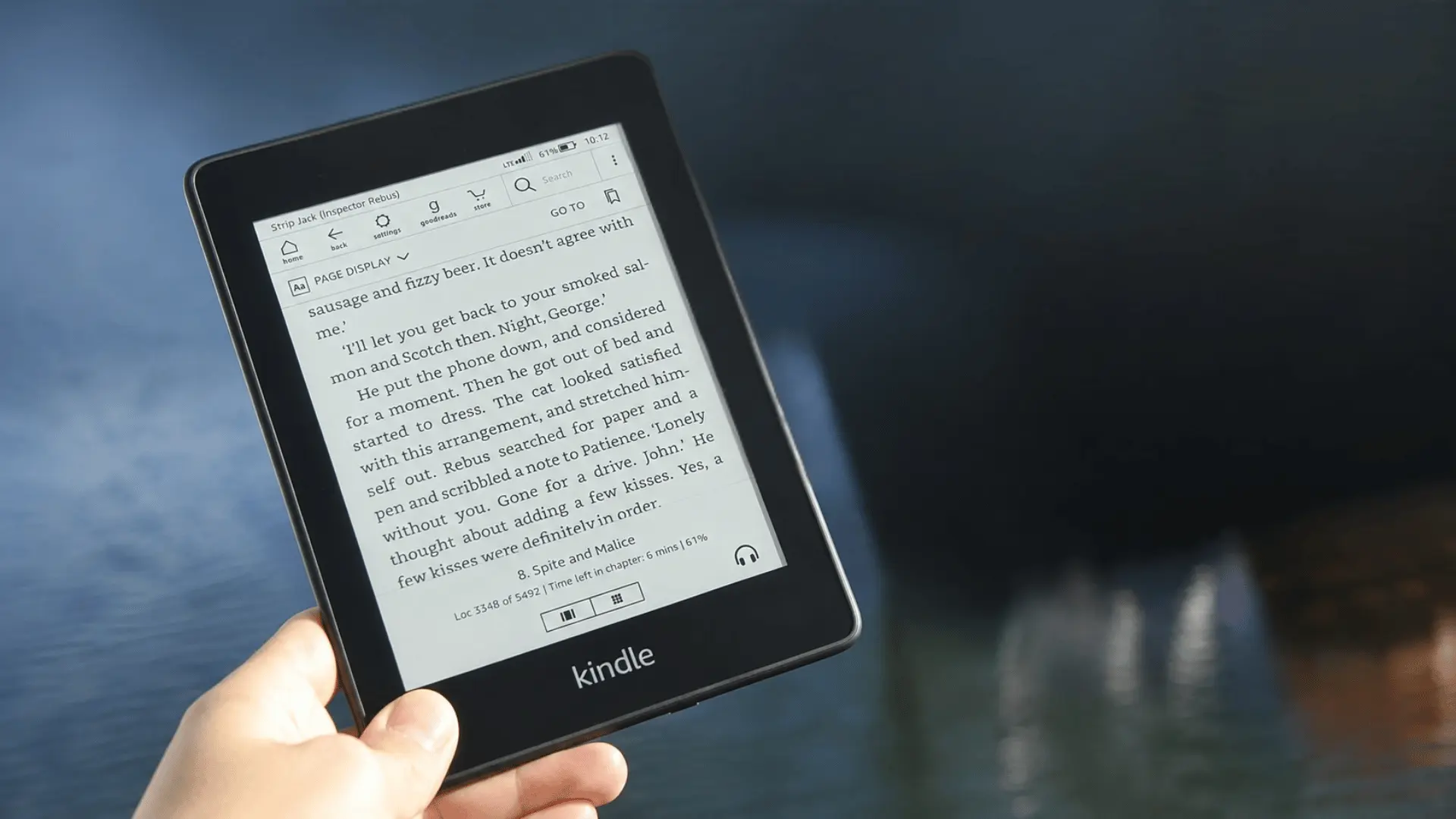
The Paperwhite is the better fit for readers who want a straightforward Kindle for everyday use.
Consider it if these points matter most:
- Battery Life: Longer time between charges suits frequent reading and travel.
- USB-C Charging: Modern charging reduces the need for an extra cable.
- Compact Body: The narrower shape fits more easily into bags.
- Current Availability: Buying a newer unit is simpler.
- Simple Controls: Touchscreen page turns keep the device uncomplicated.
The Paperwhite does not depend on one standout feature. Its strength comes from combining several practical benefits into one reader.
That makes it particularly suitable for first-time Kindle buyers.
Who Should Buy the Kindle Oasis?
The Oasis fits a more specific type of reader.
It makes sense for people who consider physical page-turn buttons important, not optional.
It may also suit readers who:
- Spend long periods reading one-handed
- Prefer a thicker grip area
- Frequently read while lying down
- Like automatic screen rotation
- Already use an Oasis and prefer its control layout
Its advantages center on handling rather than newer hardware.
A good-condition Oasis can still provide an enjoyable reading experience, but its grip and controls need to matter enough to compensate for its older charging system and discontinued status.
Kindle Oasis vs Paperwhite: Which One Should You Choose?
For a new purchase, the Kindle Paperwhite makes more sense for a wider range of readers.
Its modern charging port, stronger battery performance, compact shape, and easier availability make it convenient for everyday use.
The Kindle Oasis has a narrower advantage. Its physical buttons and dedicated hand grip can provide a better experience for readers who spend long periods reading with one hand.
Choose the Paperwhite for convenience, travel, battery life, and modern hardware.
Choose the Oasis when physical page-turn buttons and one-handed comfort are the main priorities.
Final Thoughts
The better Kindle depends on what makes reading easier for you each day. The Paperwhite is the stronger all-around choice for battery life, USB-C charging, portability, and availability.
The Oasis still earns attention for its physical page-turn buttons, side grip, and comfortable one-handed use. For me, that makes the decision less about which model feels more premium and more about which features you use.
If you are comparing Kindle Oasis vs Paperwhite for a new purchase, the Paperwhite suits more readers, while the Oasis makes sense for button-focused users.
Think about where you read most, how you hold your device, and which compromises feel reasonable. Share your pick or check out more Kindle comparisons next.
Frequently Asked Questions
Is the Kindle Oasis Discontinued?
Yes. Amazon confirmed in October 2024 that the Oasis won’t be restocked once the current inventory runs out. It’s the last Kindle with physical buttons, and Amazon says future devices will be touch-only. Units occasionally resurface in the US, and it’s still available in some international markets while stock lasts.
What’s the Main Difference Between the Kindle Oasis and Paperwhite?
The Oasis has an aluminum body, physical page-turn buttons, and a 7-inch screen with 25 LEDs. The Paperwhite has a plastic touchscreen body, USB-C charging, a 6.8-inch screen with 17 LEDs, and up to 10 weeks of battery life against the Oasis’s 6 weeks.
Is the Kindle Oasis Worth Buying Now that It’s Discontinued?
Only if you specifically want physical buttons and its ergonomic grip, and don’t mind buying a device that Amazon won’t update anymore. For nearly everyone else, the actively supported Paperwhite offers better battery life, a lower price, and long-term reliability.
What Kindle Has Physical Page-Turn Buttons Now?
None. The Oasis was the last one, and Amazon has confirmed all future Kindles will be touch-only. Readers who want physical buttons now typically look outside the Kindle ecosystem to brands like Kobo, PocketBook, or Onyx Boox instead.