

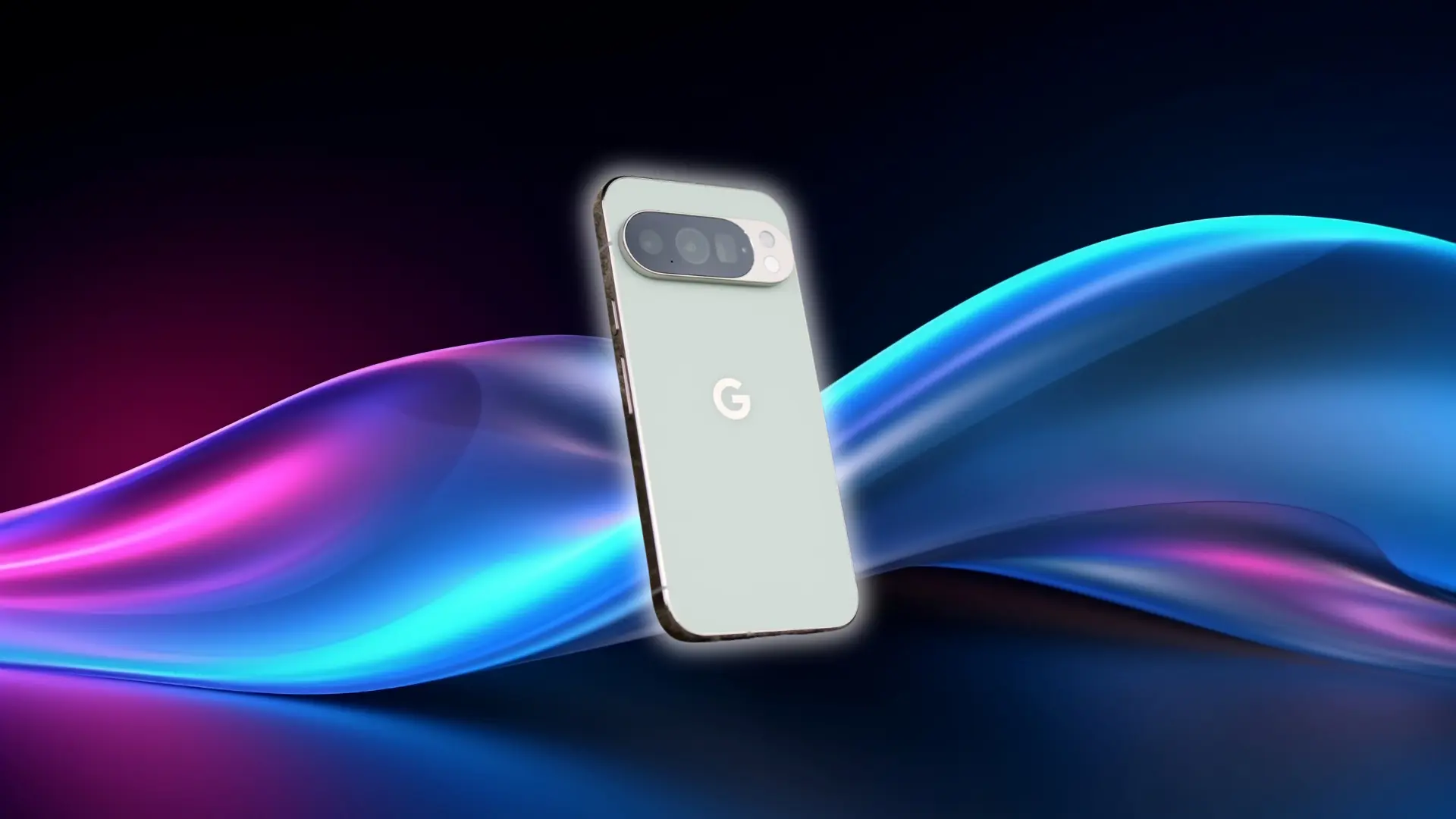





The Google Pixel 10 Pro doesn’t try to win every category, and that’s exactly what makes it interesting.
It makes deliberate trade-offs. Some will suit you perfectly. Others might be the reason you walk away.
This Pixel 10 Pro review covers everything that actually matters for your decision: the camera consistency that sets it apart, the software that ages better than most, and the performance ceiling that a certain kind of buyer will hit sooner than expected, because I know I did.
Brief Overview of Google Pixel 10 Pro
The Pixel 10 Pro is Google’s flagship for 2025. It focuses on consistent camera performance and AI-driven software.
Key Specs:
- Display: 6.3-inch compact OLED screen
- Processor: Tensor G5 chip
- Cameras: 50MP main, 48MP ultrawide, 48MP 5x periscope telephoto
- Battery & Charging: Standard fast charging (not ultra-fast)
- Software Support: Seven-year update commitment
- Starting Price: $999
This is not a phone for heavy gaming, ultra-fast charging, or top-tier GPU benchmarks. It’s designed for people who prioritize photos, clean software, and long-term support.
Display and Design: What You Actually Notice Day to Day
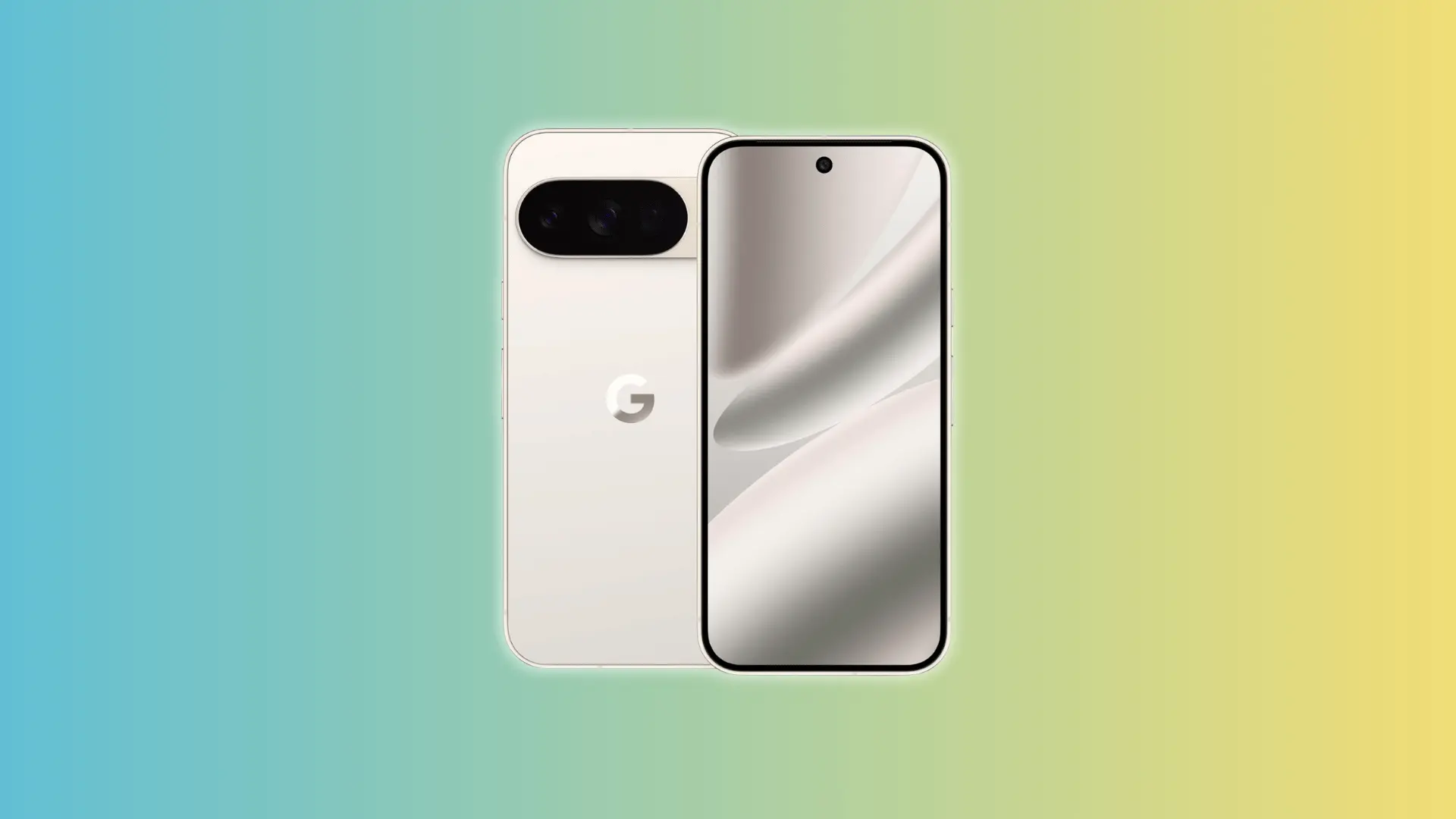
Brightness is the first thing you notice. The 6.3-inch OLED panel pushes high enough that direct sunlight stops being a problem; you can read the screen clearly without hunting for shade or adjusting angles.
Text is sharp, and colors read as natural rather than oversaturated. Nothing looks like it’s been cranked up to compensate for a dim panel.
The body felt solid without being slippery in my hand. Its compact size made one-handed use easy, and I could handle daily tasks without stretching or readjusting my grip. At around 207 grams, it felt substantial but never tiring to hold across a full day.
Build quality and display are areas where almost no one has complaints. At this price, they need to be excellent, and the Pixel 10 Pro delivers on both.
Camera Performance: Where the Pixel 10 Pro Earns Its Price
The triple rear camera is the main reason most people buy this phone. After months of use, it’s the most reliable point-and-shoot camera on Android in 2025. Here’s how each part performs in practice:
Still Photography
Most flagship cameras can take a good photo. The Pixel 10 Pro takes a great one without thinking about it.
Auto-exposure handles mixed lighting well; bright skies and dark shadows in the same frame come out balanced rather than blown out. Autofocus locks fast enough that you’re not chasing the shot.
What stands apart is how the results actually look. Colors are natural, skin tones are accurate, and nothing is over-sharpened to compensate for processing.
The bigger advantage, though, is that this happens consistently, not occasionally, not when conditions are perfect, just every time you point it at something and shoot.
Zoom Range in Practice
The 100x zoom exists, but it’s mostly a gimmick. You’ll try it once to show someone, then forget it’s there.
The 5x optical zoom is what matters day to day. It’s sharp, locks fast, and holds up well in lower light. That’s the zoom you’ll actually use.
Video
For casual videos like social clips, travel shots, and family moments, the Pixel 10 Pro is excellent. Stabilization works well, auto-exposure adjusts smoothly to changing light, and the footage looks polished without any extra effort.
One feature worth knowing here is Video Boost. It’s a Pixel-exclusive capability that uses the Tensor chip to post-process video after recording, applying HDR+ and stabilization upgrades that aren’t possible in real time.
On casual footage, it produces noticeably cleaner results. But it only works in specific modes and doesn’t give you manual control.
If you shoot in flat profiles, high-bitrate footage, or do serious editing, it still falls short of phones like the Sony Xperia or iPhone 17 Pro. The phone makes processing decisions you can’t undo later.
For everyday video, the Pixel 10 Pro does very well. For professional work, it doesn’t match the control or raw quality of other high-end options.
AI Features and Software
The Pixel 10 Pro runs Android 16 and includes AI features powered by the Tensor G5 chip. Most of these run directly on the device, which makes them faster and keeps your data local. Some still reach Google’s servers, but core functions work without a strong connection.
| AI Feature | What It Does | Notes |
|---|---|---|
| Gemini Live | Handles voice queries and understands your screen context | Keeps conversation context for follow-ups |
| Real-Time Call Screening | Detects spam or unknown calls and transcribes them | Helps you decide whether to answer quickly |
| Smart Reply | Suggests replies in messaging apps | Works without typing and adapts to your style |
| Live Translate | Translates on-screen text in real time | Useful for reading content in other languages |
| Recorder with AI Transcription | Converts speech to text instantly | Supports keyword search and context recognition |
| Photo Unblur & Magic Eraser | Uses AI to enhance or edit photos | Runs locally for faster edits |
Call Screening
Call Screening quietly earns its place over time. It intercepts unknown calls, asks the caller to state their name and reason, and shows you a live transcript before you decide to answer.
In practice, it’s useful but needs some adjustment. It regularly screens important calls like food delivery, Amazon, or Uber, which lead to missed handoffs, late fees, and package chases. I’ve been through that more than once.
The fix is simple: add your regular delivery numbers and frequent contacts to your address book. Saved numbers bypass screening entirely, which eliminates most false positives once you’ve done it.
For spam and robocalls, it works well. After a few weeks, you rely on it without thinking, but expect an adjustment period before it stops flagging calls you actually want.
Android 16 and Long-Term Support
The Pixel 10 Pro runs Android 16 exactly as Google built it. There’s no extra carrier software, no branded apps, no duplicate utilities, no heavy manufacturer interface layered on top.
That means faster updates, smoother performance over time, and no waiting months for a security patch stuck in a carrier approval queue.
Android 16 also brings a visual refresh called Material 3 Expressive, a redesign of animations, color use, and UI interactions that makes the interface feel more responsive.
It launched first on the Pixel 10 series and hasn’t rolled out to older Android phones yet. That’s part of what you’re paying for.
Google promises seven years of updates, covering both OS upgrades and security patches. A phone bought today stays supported until 2032. Most people could skip the Pixel 11 Pro entirely and still have a secure, current device. At this price, that longevity is a real argument.
Performance and Gaming: Where the Tensor G5 Hits Its Ceiling
The Tensor G5 was built for AI processing efficiency, not raw GPU output. That trade-off shapes everything about how this phone performs, smooth and capable for daily tasks, but limited under sustained graphical load.
Everyday Use
For anything outside gaming, the Pixel 10 Pro is smooth. Apps open quickly, task switching doesn’t stutter, and the phone handles what most people do most of the time without friction.
Long-term users, including those six and nine months in, report that daily performance holds up well. It doesn’t feel slower six months later, the way some phones do, which matters more than launch-day benchmarks.
Gaming Performance
This is where the ceiling shows up.
Casual games such as Roblox, card games, or anything 2D ran perfectly. No issues, no hesitation.
But 3D gaming is a different story. Games like Genshin Impact or Call of Duty Mobile push the GPU hard. After 20 to 30 minutes, two things happen: the phone gets warm, and frame rates start to dip.
That’s thermal throttling. The Tensor G5 was designed to prioritize AI processing efficiency rather than sustained GPU output.
Unlike Qualcomm’s Snapdragon 8 Elite, which powers the Galaxy S25 with a more powerful GPU architecture, the Tensor G5 trades graphics headroom for on-device AI capability.
Under sustained GPU load, the chip heats up, the system dials back clock speeds to prevent damage, and frame rates drop as a result.
It’s not a defect. It’s a deliberate design choice that helps everywhere except graphics-intensive gaming. But if mobile gaming is a meaningful part of how you use a phone, this will bother you regularly. not occasionally.
Battery Life and Charging
For normal use, the Pixel 10 Pro lasts a full day without stress. I consistently had battery left by bedtime.
Push it harder with long gaming sessions, heavy video recording, GPS all day, and you’re reaching for a charger by early evening. It’s not a battery that impresses, but it covers a standard day without worry.
Wired charging tops out at 30W, which gets you to around 55% in 30 minutes. A full charge takes about 90 minutes, slower than most phones at this price.
A 30-minute midday top-up gets you roughly four to five more hours of moderate use. Enough to finish a workday, not enough if you started from empty at noon.
Wireless charging adds Qi2 magnetic support, convenient for a desk pad, bedside stand, or car mount, keeping the battery topped up without thinking about it. It’s not fast, but it’s genuinely useful for passive charging throughout the day.
Battery and charging are solid for everyday use. They only become a real frustration if you push the phone hard or depend on quick top-ups across a heavy day.
How the Pixel 10 Pro Compares to Its Closest Rivals
No flagship exists in a vacuum. At $999, the Pixel 10 Pro competes against some strong alternatives, and the right choice depends entirely on what matters most to you.
Here’s how it stacks up against the phones most buyers are weighing.
| Feature / Phone | Pixel 10 Pro | Pixel 10 Pro XL | Samsung Galaxy S25 | iPhone 17 Pro |
|---|---|---|---|---|
| Size & Weight | Standard, compact | Larger, heavier | Similar to XL | Medium, typical iPhone size |
| Battery | Moderate, lasts a day | Bigger battery | Similar or slightly bigger | Similar or slightly smaller |
| Charging | 30W wired | 45W wired | 45–65W wired | Faster than Pixel 10 Pro |
| GPU / Gaming | Good for daily use | Good for daily use | Stronger, better for sustained gaming | Stronger GPU, better gaming |
| Cameras | Accurate, natural | Same as Pro | Punchy, aggressive processing | Excellent, especially video |
| Software | Clean, simple | Clean, simple | More features, more clutter | Closed ecosystem, smooth |
| Extras | Gemini Live AI features | Gemini Live AI features | Feature-rich, less consistent | Video and production tools stronger |
| Best For | Balanced use, compact size | Heavy use, faster charging | Gaming and raw performance | Video, GPU-intensive tasks, Apple users |
The Pixel 10 Pro often sells below its $999 retail price. At $749 — a common street price — the slower charging and gaming limits are easier to accept alongside everything it does well.
At full retail, you’re paying for the complete package, so it’s worth knowing what you’re getting into before you commit.
Conclusion
Google built the Pixel 10 Pro to be exceptional at specific things and honest about its limits. That’s exactly what it is.
The cameras are the best point-and-shoot option on Android, the software stays clean and receives updates longer than almost anything else at this price, and the AI features are practical rather than decorative.
But the phone’s limits matter as much as its strengths: it’s not a gaming device, not a fast-charging solution, and not a professional video tool.
If your needs align with what it does well, it’s hard to beat. If they don’t, there are better fits at similar prices. Know what you’re buying. Then decide.
Frequently Asked Questions
Is the Pixel 10 Pro worth it in 2026?
For camera-focused buyers who value clean software and long update support, yes. For heavy gamers or anyone needing fast charging, competing flagships offer better returns on those specific needs.
Is the Pixel 10 Pro better than the Pixel 9 Pro?
Meaningfully, yes, but probably not enough to justify the full cost of switching if your Pixel 9 Pro is still running well. The camera hardware is identical: same 50MP main sensor, same 48MP telephoto. The real differences are the Tensor G5 chip, Qi2 magnetic wireless charging, a slightly brighter display, and Android 16 with Material 3 Expressive arriving here first. If your Pixel 9 Pro feels slow on AI tasks or camera processing, the upgrade is worth it. If everything still runs well, waiting for the Pixel 11 Pro makes more financial sense.
What are the disadvantages of the Pixel 10 Pro?
The two that matter most: 30W charging is slow for a $999 phone, and sustained gaming triggers thermal throttling. Neither is a dealbreaker unless those are central to how you use a phone.
How good is the Pixel 10 Pro camera?
It’s the most consistent point-and-shoot camera on Android. Auto-exposure, dynamic range, and natural color processing are all excellent. For casual and travel photography, it’s hard to beat at this price.