

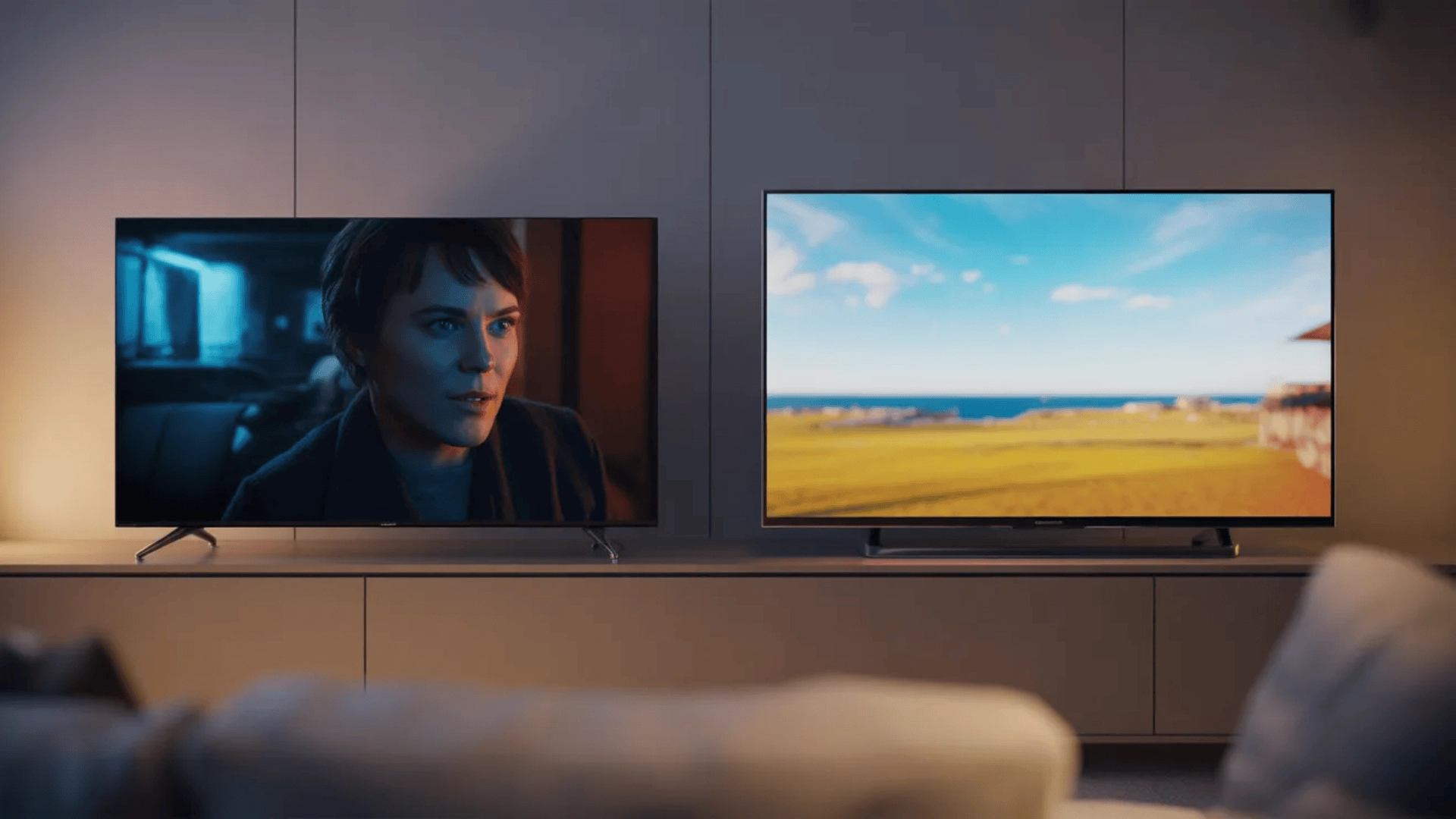

When comparing LG vs. Samsung, the decision goes far beyond brand reputation. Both companies lead the TV market, but they prioritize performance in different ways.
Understanding how OLED and QLED technology affect contrast, brightness, and motion is essential. The right choice depends heavily on your room lighting and viewing habits.
This guide breaks down the real differences in picture quality, gaming performance, software, and pricing. By the end, you’ll know which brand aligns better with your specific needs.
The Core Technology Difference that Drives Everything (OLED vs. QLED)
This comparison starts with how each display technology controls light, because that single difference shapes everything you see on screen.
How LG’s OLED Technology Works
LG’s OLED TVs use self-lit pixels, meaning each pixel produces its own light. When a scene calls for black, that pixel turns off completely, with no backlight involved.
Because every pixel controls its own light, OLED delivers extremely precise contrast. There is no light spill between bright and dark areas, which is why dark scenes look deep and clean.
This pixel-level control is what allows OLED to achieve true black. When pixels shut off entirely, contrast increases naturally, and shadow detail remains intact.
However, OLED panels have lower peak brightness compared to LED-based systems. In very bright rooms, strong ambient light can reduce perceived contrast, making the image feel less impactful.
How Samsung’s QLED and Mini LED Technology Works
Samsung’s QLED and Mini LED TVs use a backlight system behind the screen. A quantum dot layer enhances brightness and helps maintain strong color intensity at higher light levels.
Instead of controlling light at the pixel level, QLED controls it in zones. These zones brighten or dim together, which allows the TV to reach much higher peak brightness.
This higher brightness makes QLED especially effective in bright rooms. Sunlight and reflections are handled better because the panel can push more overall light output.
The trade-off is precision. Since light is controlled in zones rather than individual pixels, bright objects on dark backgrounds can sometimes create blooming or halo effects.
QLED is not simply a brighter OLED. It is a fundamentally different system designed to prioritize brightness and daytime visibility over pixel-level contrast precision.
Picture Quality Breakdown (Contrast, Brightness, Color Behavior)
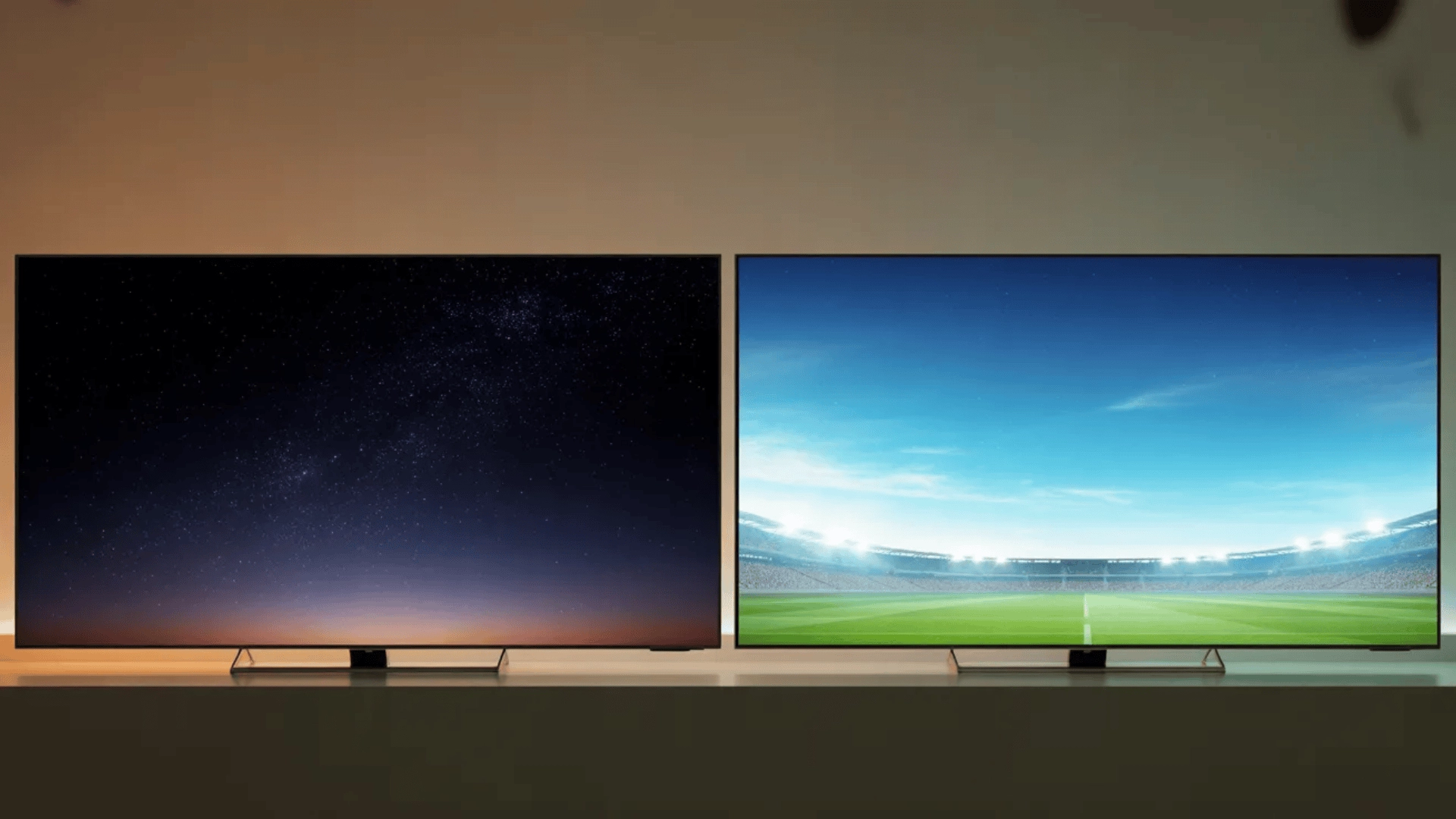
Picture quality differences between LG and Samsung come down to how each brand controls light, brightness, and color.
Here’s a clear look at those differences so you can quickly see what matters in real-world viewing:
| Factor | LG (OLED) | Samsung (QLED / Mini LED) | What It Means For You |
|---|---|---|---|
| Light Control | Each pixel lights itself independently | Backlight zones control groups of LEDs | OLED is more precise; QLED pushes more overall brightness |
| Black Levels | True black (pixels fully turn off) | Very dark gray (backlight still active) | OLED looks deeper, especially in dark scenes |
| Blooming / Halo | No blooming (no backlight) | Possible glow around bright objects | QLED may show halos in subtitles or star fields |
| Peak Brightness | Moderate | Very high | Samsung performs better in bright rooms |
| Daytime Viewing | Can look softer in strong light | Stays clear and punchy in bright spaces | QLED handles glare and sunlight better |
| Color Style | More natural and accurate | More vivid and punchy | LG looks realistic; Samsung looks more vibrant |
| HDR Performance | Contrast-driven depth | Brightness-driven impact | OLED feels deeper; QLED feels brighter |
| Best Environment | Dark or controlled lighting | Bright rooms with windows | Your room lighting should guide your choice |
Quick takeaway: OLED wins on precision and contrast. QLED wins on brightness and daytime visibility.
Gaming Performance Differences that Actually Matter
Modern LG and Samsung TVs both market themselves as gaming-ready, but the real differences show up in motion clarity, brightness behavior, and response precision.
Understanding how those factors work in practice matters more than simply reading “120Hz” on the box.
What Both Brands Already Do Well
Both LG and Samsung support HDMI 2.1 on their mid-range and premium models. That means you get 4K at 120Hz, Variable Refresh Rate (VRR), and low input lag for modern consoles.
These features reduce screen tearing and keep gameplay smooth. For most players, either brand already meets next-gen console requirements.
Where LG Has the Edge
LG’s OLED panels have near-instant pixel response times. Because pixels change state extremely fast, motion blur is reduced, and fast-moving objects look clearer.
This is especially noticeable in competitive games where quick camera movement is common. Motion remains sharp without relying heavily on extra processing tricks.
Where Samsung Has the Edge
Samsung’s QLED panels can reach higher peak brightness. In bright HDR games, explosions, sunlight, and highlights appear more intense and impactful.
Samsung also includes additional gaming tools in many models. Features like on-screen game bars, motion enhancements, and aspect ratio controls add customization options for certain players.
When Each Brand Underperforms
LG can feel less impactful in very bright rooms. If ambient light is strong, HDR highlights may not pop as aggressively as they do on a brighter QLED panel.
Samsung may show slightly more motion blur due to slower pixel response compared to OLED. While still fast, it cannot match OLED’s instant pixel transitions.
Note: Refresh rate alone does not determine gaming quality. A 120Hz panel means little if response time, brightness behavior, and processing are not optimized.
Real gaming performance depends on how quickly pixels react, how stable the image remains during motion, and how well HDR holds up in your specific room lighting.
Smart Platform and Software Differences
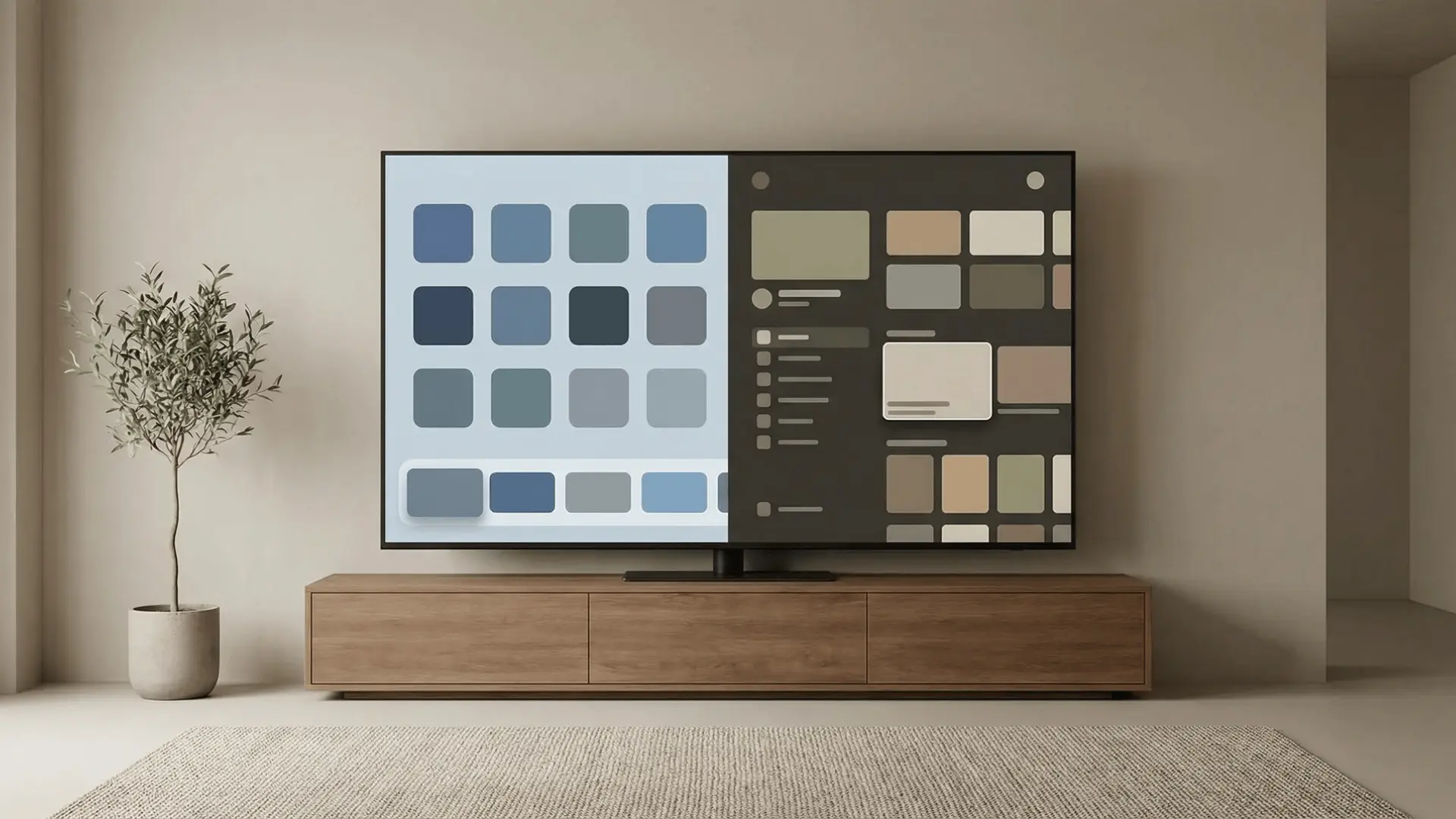
Smart features can influence convenience, but they rarely determine overall TV performance. Here’s how LG’s webOS and Samsung’s Tizen actually compare in practical terms.
1. webOS vs. Tizen
LG uses webOS, while Samsung uses Tizen. Both are proprietary platforms designed specifically for their TVs.
webOS is often described as clean and straightforward, with a simple layout. Tizen tends to emphasize integration with Samsung devices and a more ecosystem-driven experience.
2. App Ecosystem Similarity
Both platforms support major streaming apps like Netflix, Prime Video, YouTube, and Disney+. It is rare to find a mainstream app missing from either system.
Because these brands hold a dominant market share, developers prioritize compatibility. For most users, app availability will not be a deciding factor.
3. Update Longevity Differences
Both companies provide firmware updates for several years after launch. Higher-end and more popular models typically receive updates more frequently.
Program updates vary by model tier, but neither brand guarantees long-term support. Smart features eventually age out regardless of brand.
4. Ad Presence in Both Systems
Both webOS and Tizen include ads within the interface. Users can limit personalized tracking, but ads cannot be fully removed while connected to the internet.
This is an industry-wide practice rather than a brand-specific issue. The presence of ads does not affect picture quality.
5. Why Smart OS Rarely Determines the Better TV
The operating system affects navigation and layout, not core display performance. Panel technology, brightness, and contrast have a far greater impact on viewing quality.
If software becomes outdated, external streaming devices can replace most smart functions. The panel itself cannot be upgraded, which is why display quality matters more.
Price and Value Reality (Where Buyers Often Misjudge)
Smart buyers often assume brand name equals consistent quality at every price point. In reality, value depends far more on the model tier than on the brand.
- Entry-Level Models: Limited features, weaker contrast, and brightness
- Mid-Range Tier: Balanced performance, better dimming, and color
- Premium Tier: Best panels, advanced processing, full gaming support
- LG OLED Pricing: Higher cost due to pixel-level technology
- Samsung Pricing Range: Wider spread across budget to premium
- Manufacturing Complexity: Advanced panels increase production cost
- Panel Precision: More light control equals higher expense
- Value Misjudgment: Cheap model ≠ same brand performance
- Common Misconception: Brand name does not guarantee quality at every price level
In short, focus on the model tier and panel type, not just the brand name, because those are what truly determine long-term value and performance.
LG vs. Samsung: When Each is the Better Choice
The right brand depends on your room lighting, viewing habits, and what you value most in picture quality. This comparison shows where each clearly fits:
| Decision Factor | Choose LG (OLED) If… | Choose Samsung (QLED / Mini LED) If… |
|---|---|---|
| Room Lighting | You watch mostly in dark or controlled lighting | Your room is bright or gets direct sunlight |
| Movie Watching | You want deep blacks and a cinematic look | You prefer brighter highlights and punchier scenes |
| Black Levels | True black and shadow detail matter most | You’re okay with slight blooming in dark scenes |
| HDR Impact | You prefer depth and contrast in HDR | You want brighter, more intense HDR highlights |
| Gaming Performance | You want faster response and less motion blur | You want brighter visuals in HDR gaming |
| Viewing Angles | You have wide seating and off-center viewing | Most viewing is directly in front of the TV |
| Color Preference | You prefer natural, accurate colors | You prefer more vivid and saturated colors |
| Daytime Usage | You rarely deal with strong glare or sunlight | You watch often during the day or sports |
| Price Flexibility | You’re focused on premium OLED models | You want options from budget to high-end |
| Where It Falls Short | Bright rooms can reduce overall impact | Dark scenes may show slight halo effects |
Bottom Line: LG fits better for dark-room accuracy and contrast. Samsung fits better for brightness and everyday versatility.
Wrapping Up
The LG vs. Samsung debate has no universal winner. The better option depends entirely on your environment and how you use your TV.
If you prioritize dark-room contrast and fast gaming response, LG stands out. If brightness and daytime versatility matter more, Samsung becomes the smarter choice.
Focus on your room conditions, content preferences, and performance priorities. Compare models within your budget, review real-world specs carefully, and choose the one that best fits your space.
Frequently Asked Questions
Which brand is more reliable in the long run, LG or Samsung?
Both brands are generally reliable for long-term use. Lifespan depends more on build quality, usage patterns, and proper ventilation than the brand itself.
Do LG or Samsung TVs support Dolby Vision and HDR10+?
LG supports Dolby Vision, while Samsung supports HDR10+. The difference matters based on the content you watch and which HDR format your streaming platform uses.
Which brand offers better sound quality?
Sound quality varies by model rather than brand. Built-in speakers are usually limited, so adding a soundbar is recommended for better audio performance.