





The 16-inch MacBook Pro is built to impress, and for the most part, it absolutely delivers.
But like any high-performance machine, it occasionally needs a little attention to keep running at its best, especially when paired with powerful chips, as discussed in any M4 vs M4 Procomparison.
From battery concerns to display quirks, knowing what to look out for can make all the difference.
Most of these issues come with straightforward fixes that do not require a trip to the Apple Store. This blog walks through the most common problems and exactly what can be done to get things back on track.
Why Do Even Premium MacBooks Develop Issues Over Time
High-end laptops like the 16-inch MacBook Pro are built for performance, but that performance comes at a cost, as often highlighted in MacBook 14 vs 16 comparison.
Powerful processors generate more heat, batteries go through hundreds of charge cycles, and software updates can sometimes introduce bugs. Over time, these factors can affect performance and stability.
External factors such as dust, heat, and heavy workloads also play a role. Even the best laptops require proper care and maintenance to stay reliable.
16-inch MacBook Pro Common Issues and Fixes

Before fixing any problem, it helps to know the most common issues 16-inch MacBook Pro users encounter over time.
Overheating & Fan Noise Issues
Overheating and loud fan noise are among the most common issues in the 16-inch MacBook Pro, especially during heavy workloads or prolonged use.
Why the 16-inch MacBook Pro Overheats
- High-performance CPU and GPU
- Running heavy apps like video editing or coding
- Poor ventilation or dusty internals
How to Fix Overheating
- Close unnecessary apps
- Use a laptop stand for better airflow
- Keep vents clean
- Avoid using on soft surfaces
A simple airflow improvement can significantly reduce heat and noise.
Battery Drain & Charging Problems
Battery drain and charging issues are common concerns that can reduce usage time and affect overall performance if not managed properly.
Common Battery Issues
- The battery drains quickly under load
- Charging slows down or feels inconsistent
- Battery health drops over time
Fixes & Prevention
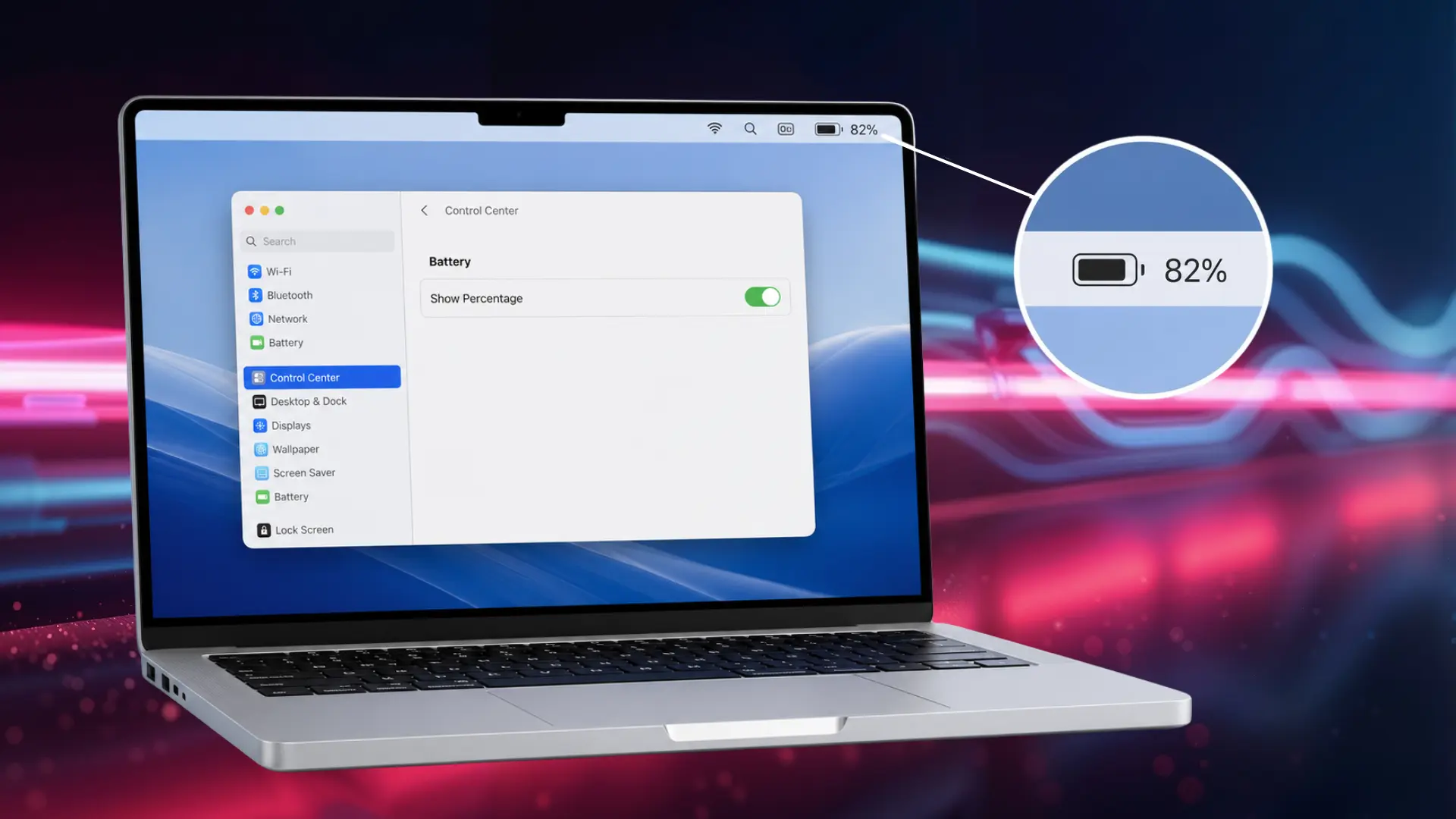
- Enable Low Power Mode
- Reduce background activity
- Keep the battery between 20%–80% for longevity
- Avoid overheating while charging
Battery performance improves with better usage habits.
Slow Performance & System Lag
Slow performance and system lag can make your 16-inch MacBook Pro feel unresponsive, often caused by heavy workloads, limited storage, or background processes.
Why Your MacBook Feels Slow
- Too many apps are running in the background
- Storage almost full
- Outdated macOS
How to Improve Performance
- Free up storage space
- Monitor Activity Monitor for heavy apps
- Update macOS regularly
- Restart your system occasionally
Even powerful machines slow down if resources are overloaded.
Display Issues (Flickering, Black Screen, Brightness Problems)
Display issues can disrupt your workflow and viewing experience, often appearing as flickering screens, black displays, or brightness control problems.
Common Display Problems
- Screen flickering
- Black screen during startup
- Brightness not adjusting
How to Fix
- Restart your Mac
- Reset NVRAM/SMC
- Update macOS
- Test with an external display
Most display issues are software-related, not hardware failures.
Keyboard & Trackpad Problems
Keyboard and trackpad problems can affect basic usability, making typing and navigation difficult during everyday tasks.
Common Issues
- Keys not responding
- Trackpad lag or unresponsiveness
- Inconsistent typing experience
How to Fix
- Clean keyboard surface
- Restart the system
- Check system settings
- Update macOS
These issues are usually minor and easy to resolve.
Boot & Startup Issues
Boot and startup issues can prevent your MacBook from powering on properly, often indicating system errors or underlying hardware problems.
Common Symptoms
- MacBook won’t turn on
- Stuck on the Apple logo
- Random shutdowns
How to Fix
- Hold the power button for a reset
- Boot in Safe Mode
- Use Disk Utility
- Reinstall macOS if needed
Persistent issues may indicate hardware problems.
MacOS Bugs & Software Issues
MacOS bugs and software issues can cause crashes, freezes, or unexpected behavior, especially after updates or when there are app conflicts.
Common Problems
- Apps crashing
- System freezing
- Bugs after updates
How to Fix
- Update macOS or roll back if needed
- Reinstall problematic apps
- Monitor system activity
Keeping your system updated reduces most software issues.
Speaker, Port & Hardware Issues
Speaker, port, and hardware issues can affect overall functionality, often leading to audio problems, connectivity failures, or device recognition errors.
Common Issues
- Speaker crackling
- USB-C ports not working properly
- External devices are not connecting
How to Fix
- Clean ports carefully
- Try different cables or accessories
- Reset system settings
Hardware issues are less common but can occur due to wear.
When Should You Get Professional Repair?
You should consider professional repair when the issue goes beyond simple troubleshooting and starts affecting core hardware.
Problems like the MacBook not turning on, severe overheating, or a rapidly degrading battery need expert attention. If your device keeps crashing or freezing even after software fixes, it may indicate deeper internal faults.
Physical damage, such as a cracked screen or faulty ports, also requires professional repair. Ignoring these signs can lead to more serious and costly issues over time.
Getting timely help ensures your MacBook remains safe, reliable, and functional.
How to Prevent 16-Inch MacBook Pro Problems
Good maintenance can extend your MacBook’s life by years. Prevention goes a long way in avoiding major issues.
- Keep your Mac clean and dust-free to maintain proper airflow
- Avoid overheating environments to prevent thermal issues
- Update macOS regularly to ensure stability and security
- Manage storage space to avoid performance slowdowns
- Limit background apps to reduce system load
- Follow proper charging habits to protect battery health
- Restart your Mac occasionally to keep performance optimized
Final Verdict
The 16-inch MacBook Pro is a powerhouse, and with the right knowledge, it can stay that way for a long time.
Every issue covered in this blog has a solution, and in most cases, a simple fix is all it takes to restore that smooth, seamless experience Apple is known for.
Regular upkeep, timely updates, and a little awareness go a long way in keeping this machine performing at its absolute best.
Because a laptop this good deserves to be treated well, and with the right care, it will keep delivering everything it was built to do.