



Some iPhones can hold a charger or wallet to the back with no clips, but not every model works the same way.
If you are asking, “Are iPhones Magnetic?” the short answer is yes for many newer models with MagSafe. The confusing part is knowing which iPhones have built-in magnets, what those magnets actually do, and when a case or adapter is needed.
I keep the answer simple and practical here. You can learn which models support MagSafe, how magnetic charging and accessories work, how cases affect the connection, and what to know about safety.
That gives you a clearer way to check your iPhone before buying a charger, wallet, mount, or power bank.
Are iPhones Magnetic?
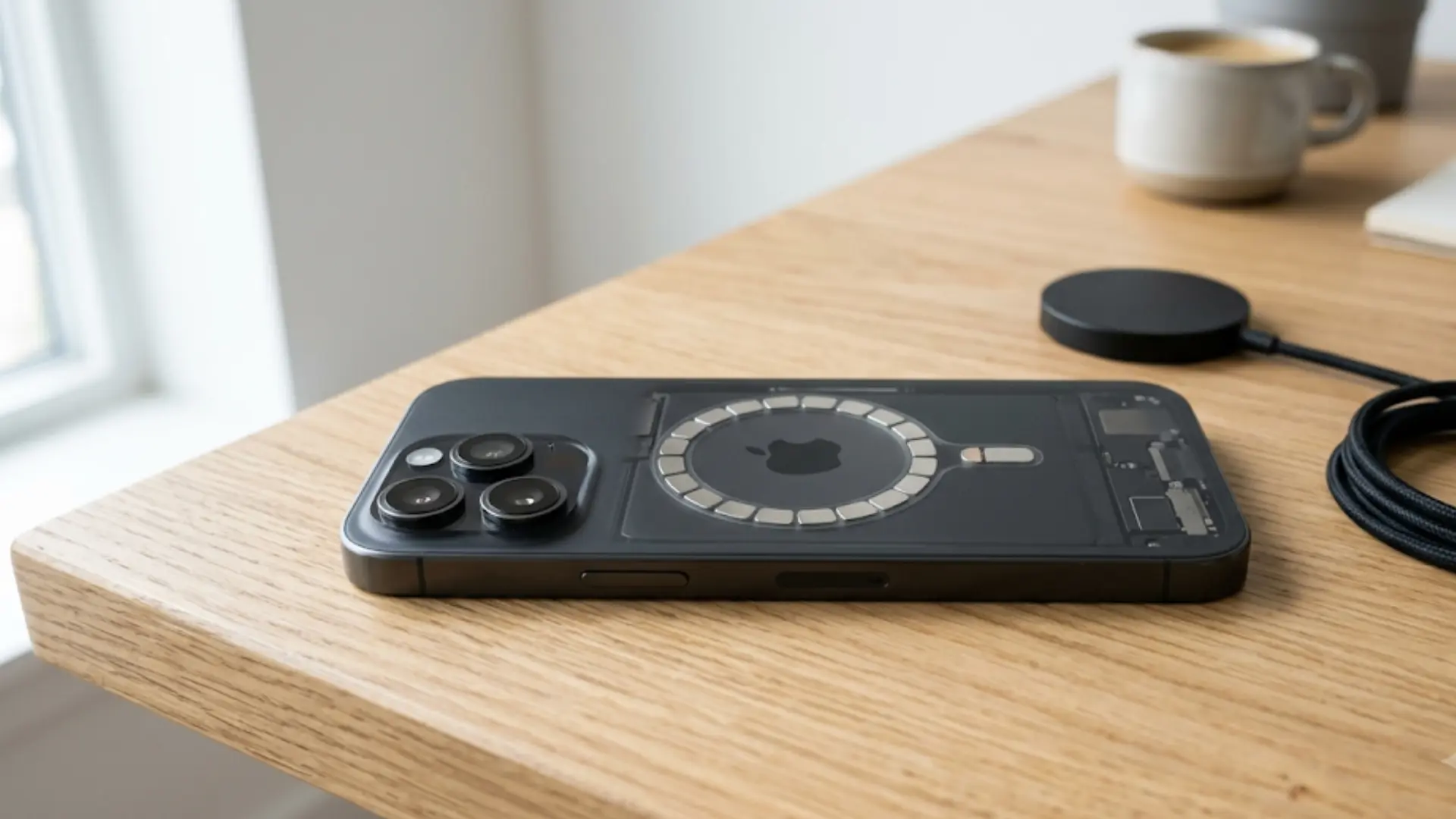
Yes, iPhones with native MagSafe contain a magnetic array around the wireless charging area on the back. The magnets help a compatible charger or accessory line up and stay attached.
Apple introduced MagSafe on the iPhone 12 family. Current Apple documentation lists iPhone 12 through iPhone 17 generations among supported MagSafe devices, with some model-specific exceptions.
For example, the iPhone 16e does not appear on Apple’s native MagSafe compatibility list, a gap worth noting if you’re still deciding between it and the rest of the iPhone 16 lineup.
That does not mean the entire back of an iPhone behaves like a large magnet. The magnetic force is concentrated around the MagSafe area, where compatible accessories attach.
Which iPhones Have Built-In MagSafe Magnets?
The easiest way to check magnetic support is by model rather than assuming every recent iPhone works the same way.
Apple currently lists the following devices for MagSafe charging.
| iPhone Model or Series | Native MagSafe | Magnetic Accessories Without Special Case |
|---|---|---|
| iPhone 17 | Yes | Yes |
| iPhone 17 Pro / Pro Max | Yes | Yes |
| iPhone 17e | Yes | Yes |
| iPhone Air | Yes | Yes |
| iPhone 16 | Yes | Yes |
| iPhone 16 Plus | Yes | Yes |
| iPhone 16 Pro / Pro Max | Yes | Yes |
| iPhone 16e | No | Magnetic case or ring needed |
| iPhone 15 series | Yes | Yes |
| iPhone 14 series | Yes | Yes |
| iPhone 13 series | Yes | Yes |
| iPhone 12 series | Yes | Yes |
| iPhone 11 and earlier | No native MagSafe | Magnetic case or ring needed |
| iPhone SE models | No native MagSafe | Magnetic case or ring needed |
The important detail is native MagSafe support. An older phone can still work with some magnetic cases or adapters, but the phone itself does not gain Apple’s built-in magnetic array.
Apple’s iPhone 17 specifications, for example, specifically list a magnet array and alignment magnet alongside MagSafe and Qi2 wireless charging. Battery size and camera hardware also shift noticeably between the iPhone 17 Pro and Pro Max.
How Do Magnets Work in an iPhone?
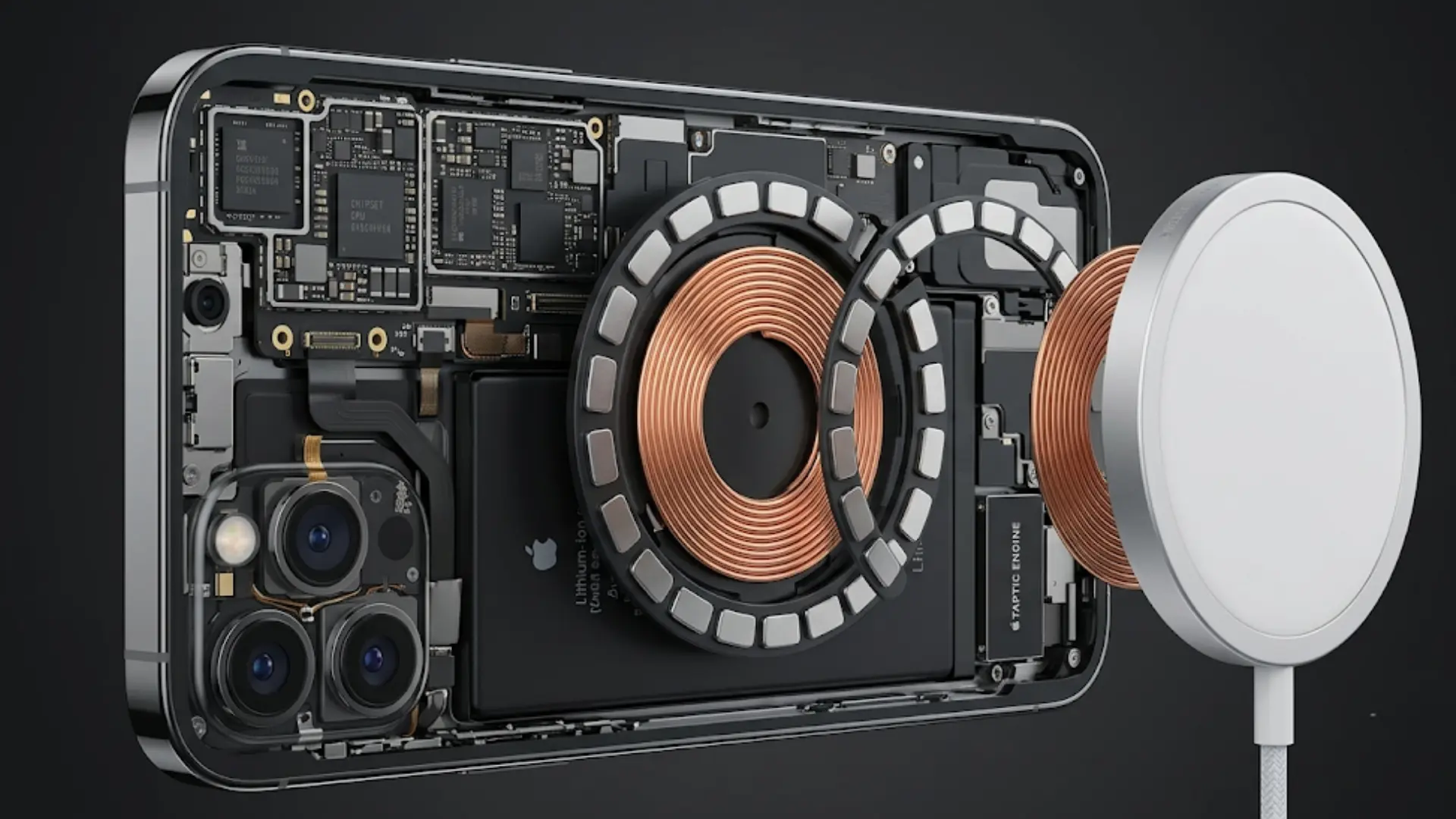
The MagSafe magnetic system sits around the wireless charging area inside a compatible iPhone. When a MagSafe charger approaches the back, the magnets guide it toward the correct charging position.
That alignment matters because wireless charging works best when the charging coils sit in the right position. Apple states that MagSafe chargers and battery packs snap onto supported iPhones, with magnets helping maintain proper alignment.
The same attachment system also supports accessories that do not charge the phone. Wallets, grips, mounts, and stands can use the magnetic area simply to stay attached.
The magnets therefore serve two main jobs: positioning wireless charging equipment and holding compatible accessories.
What Is MagSafe on an iPhone?
MagSafe is Apple’s magnetic attachment and wireless charging system for supported iPhones. It combines magnetic positioning with compatible chargers, cases, and accessories.
A standard magnet sticking to a phone is not automatically the same as MagSafe.
MagSafe Charging
A MagSafe charger attaches to the back of a compatible iPhone and lines itself up with the charging area. This reduces the chance of placing the phone too far away from the ideal charging position.
Apple’s current charger documentation includes iPhone 12 through newer compatible models and treats non-MagSafe Qi devices differently.
MagSafe Accessories
Charging is only part of the system. MagSafe also supports accessories such as:
- Magnetic wallets
- Charging stands
- Car mounts
- Battery packs
- Desk stands
- Phone grips
- MagSafe cases
Accessory strength can vary by product, case thickness, and magnet placement.
Will a Magnet Stick to an iPhone?
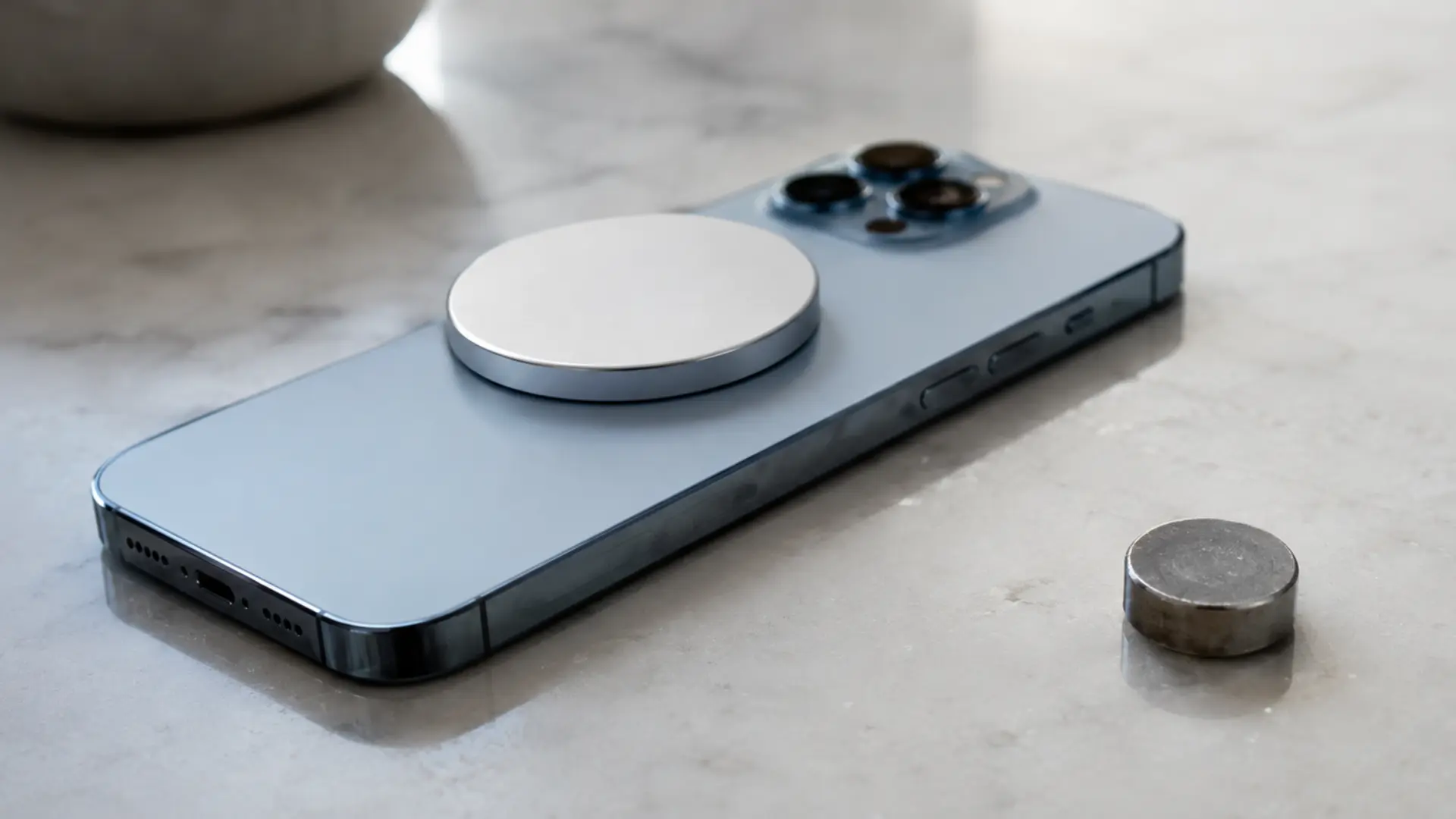
A compatible magnetic accessory can stick to the back of an iPhone with native MagSafe. The strongest attachment usually occurs around the circular MagSafe area.
A random household magnet is different. It might attach to certain parts of the phone or react with its internal magnetic components, but that does not make it a suitable MagSafe accessory.
For regular use, a product made for MagSafe or the phone’s specific model is a better choice. The magnetic layout is designed to line up with the intended attachment area.
Some third-party products also use stronger magnets or metal plates, so compatibility matters more than simply asking if a magnet can stick.
Are iPhones Magnetic Without a Case?
Yes. A compatible MagSafe iPhone has its magnetic system inside the phone, so a case is not required for native magnetic attachment.
You can place a MagSafe charger directly against the back of a supported iPhone.
Cases can still affect how strongly an accessory holds. A thick standard case creates more distance between the phone’s magnets and the accessory. That can make the connection feel weaker.
A MagSafe case solves this by adding its own correctly positioned magnetic system. Apple’s MagSafe cases include built-in magnets that line up with the phone underneath.
I prefer checking for actual MagSafe compatibility instead of judging a case only by how thin it looks.
Are MagSafe Cases Magnetic?
Yes, MagSafe-compatible cases are magnetic.
Their built-in magnets line up with the magnetic system inside a supported iPhone. This allows a charger, wallet, mount, or stand to attach through the case without relying only on the phone’s magnets.
Apple describes its iPhone 17 MagSafe case as having built-in magnets aligned with the phone.
A regular case is different. It might allow wireless charging, but it may not provide a strong magnetic hold.
This distinction matters when shopping. “Wireless charging compatible” does not always mean “MagSafe compatible.”
Can Older iPhones Use Magnetic Accessories?
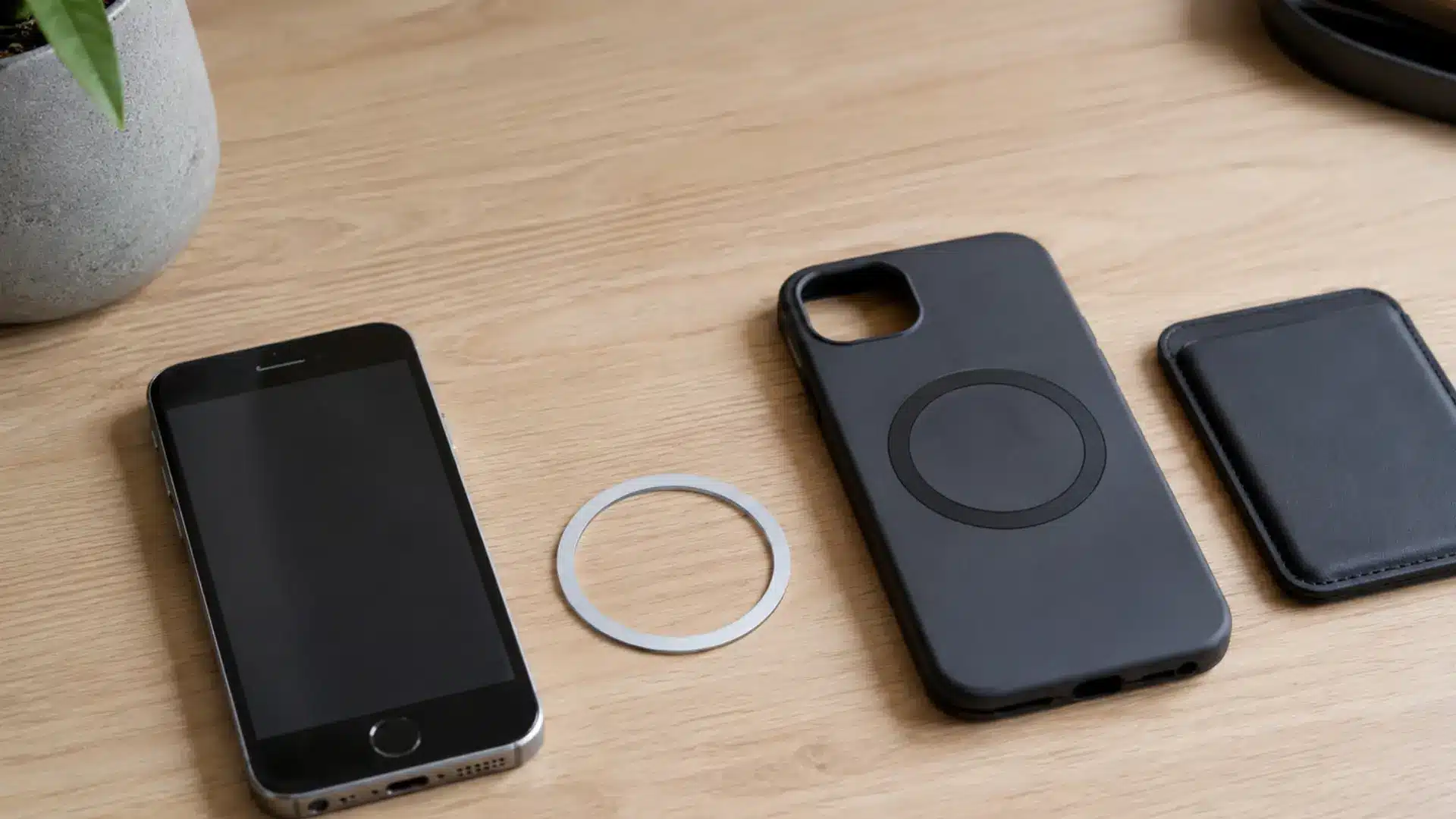
Yes, older iPhones can use certain magnetic accessories, but they usually need extra hardware.
Phones before the iPhone 12 generation do not have Apple’s native MagSafe magnetic attachment system. A magnetic case or adhesive magnetic ring can add an attachment point for wallets, stands, or mounts.
That setup is not identical to native MagSafe.
For example, Apple notes that a MagSafe Charger can still charge some non-MagSafe Qi-compatible iPhones, including iPhone 11, iPhone X, iPhone XS, iPhone XR, and iPhone 8 models. Charging behavior differs from supported MagSafe models because those phones lack the same magnetic alignment system.
I would check both charging support and accessory compatibility before adding a magnetic ring to an older phone.
Are Magnets Safe for iPhones?
MagSafe accessories are specifically designed to work with compatible iPhones, so normal use is generally part of the intended design.
That does not mean every strong magnet is harmless in every position.
Apple warns that some third-party accessories containing strong magnets or magnetizable metal plates near the rear camera can interfere with optical image stabilization and closed-loop autofocus systems.
Magnetic accessories also deserve extra care around some medical devices. Apple states that iPhone and MagSafe accessories contain magnets and electromagnetic components that may interfere with devices such as implanted pacemakers or defibrillators when placed too close.
For everyday use, stick with properly designed accessories and follow the safety guidance supplied with the phone, accessory, and any medical device.
What Can You Attach to the Back of a Magnetic iPhone?
MagSafe has created a large range of snap-on accessories. The most useful options depend on how the phone is used each day.
- MagSafe Charger: Attaches around the charging area and keeps the charger properly aligned.
- Magnetic Power Bank: Sits against the phone while supplying extra battery power.
- MagSafe Wallet: Holds cards against the back of the phone without a permanent adhesive.
- Car Mount: Keeps the phone attached to a dashboard or vent mount.
- Desk Stand: Holds the iPhone upright for calls, videos, notifications, or charging.
- Phone Grip: Adds a removable grip that can make a large iPhone easier to hold.
A compatible case is worth checking before buying any accessory. Strong phone magnets cannot fully compensate for a thick, non-magnetic case.
MagSafe vs Regular Wireless Charging
Both systems can charge an iPhone without plugging a cable directly into the phone, but their attachment methods differ.
The table below shows the practical difference between native MagSafe and basic non-magnetic wireless charging.
| Feature | MagSafe | Regular Non-Magnetic Wireless Charging |
|---|---|---|
| Magnetic attachment | Yes | No |
| Automatic charger alignment | Yes | Usually no |
| Snap-on accessories | Yes | No |
| Requires exact manual placement | Less often | More often |
| Can work through a compatible case | Yes | Yes |
| Designed for magnetic wallets and mounts | Yes | No |
MagSafe’s main advantage is not simply wireless power. Its magnetic alignment also creates a stable attachment system for chargers and other phone accessories.
Newer wireless standards such as Qi2 can also support magnetic alignment, so “wireless charging” is becoming a broader category. Apple currently lists both MagSafe and Qi2 charging on recent iPhones such as the iPhone 17.
Final Thoughts
Many newer iPhones use built-in magnets to make charging and accessories easier, but model support still matters.
The iPhone 12 series and many later models support MagSafe, while older iPhones and some exceptions need a compatible case or magnetic ring.
Cases can also affect attachment strength, and strong third-party magnets may interfere with certain phone features. So, Are iPhones Magnetic? Yes, many are, but checking your exact model gives you the most useful answer.
I find that a quick compatibility check can prevent wasted money on the wrong charger, wallet, stand, or mount. If you are choosing a MagSafe accessory next, check your iPhone model first and read related iPhone guides for more practical tips.
Frequently Asked Questions
Can an iPhone stick directly to a metal surface?
Sometimes, but MagSafe is not designed to turn your iPhone into a strong general-purpose magnet. Attachment strength varies greatly depending on the metal surface, case, and iPhone model.
Can you rotate a MagSafe accessory after attaching it?
Many MagSafe mounts and chargers allow some rotation after attachment. However, accessory design varies, so wallets, grips, stands, and car mounts may have different positioning limits.
Do iPhone magnets use battery power?
No. The permanent magnets used for MagSafe do not need battery power to create their magnetic force. Your battery is only involved when an attached accessory uses or supplies power.
Can dust affect a MagSafe connection?
Dust normally does not stop the magnets from working, but dirt trapped between your iPhone and an accessory can reduce contact quality or cause marks. Keep both surfaces reasonably clean.
Can you use wired charging while a MagSafe accessory is attached?
It depends on the accessory. A wallet or grip may stay attached while you use a cable, but some accessories can block the charging port or make the phone uncomfortable to handle.