

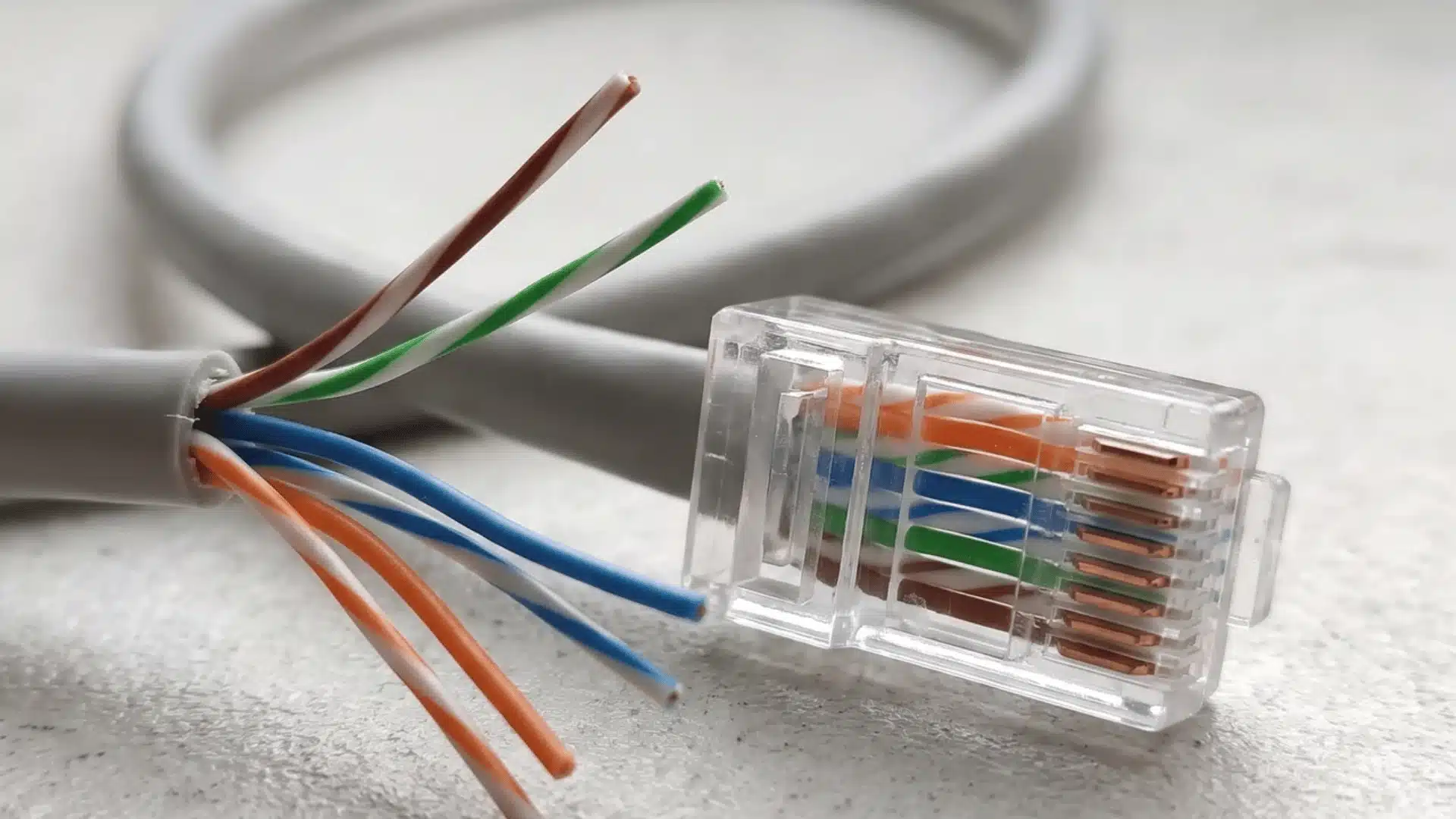






One wrong wire inside an RJ45 connector can turn a simple network job into a frustrating mess. You may plug the cable in and still get slow speeds, weak performance, or no connection at all.
The good news is that the Ethernet cable color order follows two clear standards: T568A and T568B. Similar mix-ups happen with other connector types; people often assume pricier cable options automatically perform better, when the standard used actually matters more.
I’ll help you see how each one is arranged, why the wire sequence matters, and how to tell straight-through cables from crossover cables.
You’ll also learn how Cat5e and Cat6 use the same basic order, what jacket colors mean, and which wiring mistakes are easiest to avoid before you crimp the connector.
What Is the Correct Ethernet Cable Color Order?
Ethernet cables use eight conductors arranged according to either T568A or T568B. Both are valid standards, but T568B is the more common Ethernet cable pinout found in Ethernet installations and pre-made network cables.
Before checking the colors, hold the RJ45 connector correctly. With the clip facing away from you or downward, read the contacts from left to right, starting with Pin 1.
The Telecommunications Industry Association’s ANSI/TIA-568.0-E cabling standard identifies the wiring arrangements used for structured telecommunications cabling.
T568B Color Order
T568B arranges the eight conductors as follows:
- Pin 1: White/Orange
- Pin 2: Orange
- Pin 3: White/Green
- Pin 4: Blue
- Pin 5: White/Blue
- Pin 6: Green
- Pin 7: White/Brown
- Pin 8: Brown
T568A Color Order
T568A follows this sequence:
- Pin 1: White/Green
- Pin 2: Green
- Pin 3: White/Orange
- Pin 4: Blue
- Pin 5: White/Blue
- Pin 6: Orange
- Pin 7: White/Brown
- Pin 8: Brown
The difference is simple: the orange and green pairs change positions. The blue and brown pairs remain in the same pins.
Neither standard inherently provides better Ethernet performance. The important part is using the intended pattern correctly at each end of the cable.
Why Ethernet Wire Order Matters
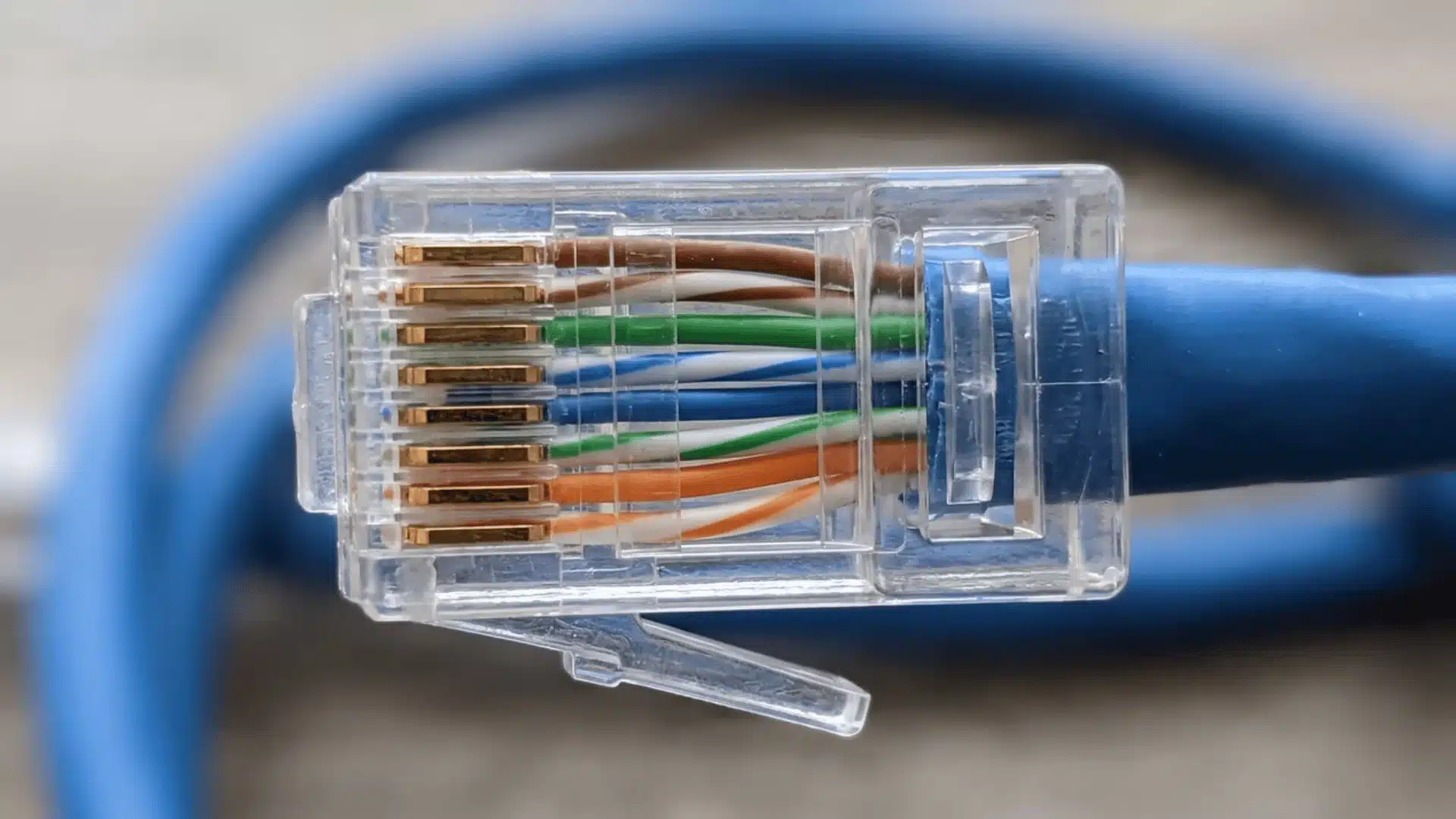
Ethernet wire colors do more than make installation easier. They identify twisted pairs designed to carry signals while limiting electrical interference.
1. Twisted Pairs Reduce Interference
Inside an Ethernet cable, the conductors are grouped into four twisted pairs. Those twists help reduce electromagnetic interference and crosstalk between signals.
Problems can occur when conductors from different pairs are placed together incorrectly, even if every pin appears electrically connected.
That is why arranging eight random wires from Pin 1 through Pin 8 is not enough. The correct pairs need to remain associated with the correct pin positions.
2. Wiring Problems May Not Be Obvious
A badly terminated cable does not always fail completely.
Some wiring errors may produce an unstable connection, reduced performance, or intermittent problems instead of an immediate loss of connectivity. That can make the connector easy to overlook while troubleshooting.
Checking the pin order with a cable tester is more reliable than assuming a cable is correct because a device shows a network connection.
3. Cheap Cables Can Make Colors Harder to Identify
Some low-cost cables use conductors with faint stripes or similar-looking colors. Blue and green, for example, may be difficult to distinguish under poor lighting.
When the markings are unclear, look at the original twisted pairs before completely separating them. The conductors remain physically paired inside the cable, which can help identify uncertain colors.
Untwist only as much wire as needed for termination so you can keep track of each pair more easily.
Straight-Through vs Crossover Ethernet Cables
The standards used at the two ends determine what type of Ethernet cable you have.
| Feature | Straight-Through | Crossover |
|---|---|---|
| Wiring | Same standard at both ends | T568A at one end and T568B at the other |
| Traditional use | Connecting different types of network devices | Directly connecting similar devices |
| Common today | Very common | Much less common |
Straight-Through Cables
A straight-through cable uses an identical wiring arrangement on both ends.
That means the cable can be:
- T568A to T568A, or
- T568B to T568B.
These are the cables normally used for everyday network connections such as computers, routers, switches, wall jacks, and other Ethernet equipment, and they’re just as essential when wiring up peripherals like docks and hubs in a home setup.
Most commercially made patch cables fall into this category.
Crossover Cables
A crossover cable intentionally uses T568A on one connector and T568B on the other.
Historically, this arrangement allowed certain similar devices, such as two computers, to communicate directly without another networking device between them.
Modern Ethernet hardware can often handle this automatically, so dedicated crossover cables are far less important than they once were.
You can identify the difference visually by placing both connectors next to each other. Identical conductor positions indicate a straight-through cable, while swapped orange and green pairs indicate crossover wiring.
Does Cat6 Use a Different Color Order?
No. Cat6 does not have its own separate RJ45 color sequence.
Both Cat5e and Cat6 cables can be terminated using T568A or T568B. The category refers to cable construction and performance requirements rather than a different eight-wire arrangement.
Cat6 cable may have tighter twists or other internal construction features designed to improve signal performance. These physical differences make careful termination particularly important.
When preparing the connector, keep the pairs twisted as close to the termination point as practical. Excessively separating and straightening the conductors removes part of the structure designed to control interference.
The key distinction is therefore simple: cable category affects performance specifications, while T568A and T568B determine conductor placement.
How to Check an RJ45 Connector Before Crimping
A quick inspection before crimping can prevent most termination mistakes.
First, arrange the conductors according to your chosen standard. Flatten them gently so each wire sits beside the next without crossing.
Then check three things:
- Connector orientation: Make sure you are reading the pins from the correct side.
- Wire sequence: Confirm every conductor matches the selected T568A or T568B arrangement.
- Wire position: Make sure all eight conductors reach fully into their individual connector channels.
The cable jacket should also extend far enough into the connector for the strain relief to grip it.
Once the connector has been crimped, test the finished cable with a network cable tester. A visual check can catch obvious mistakes, but a tester confirms that every conductor reaches the correct pin electrically.
Does Ethernet Cable Jacket Color Matter?
The outer cable color and the internal wire order serve completely different purposes.
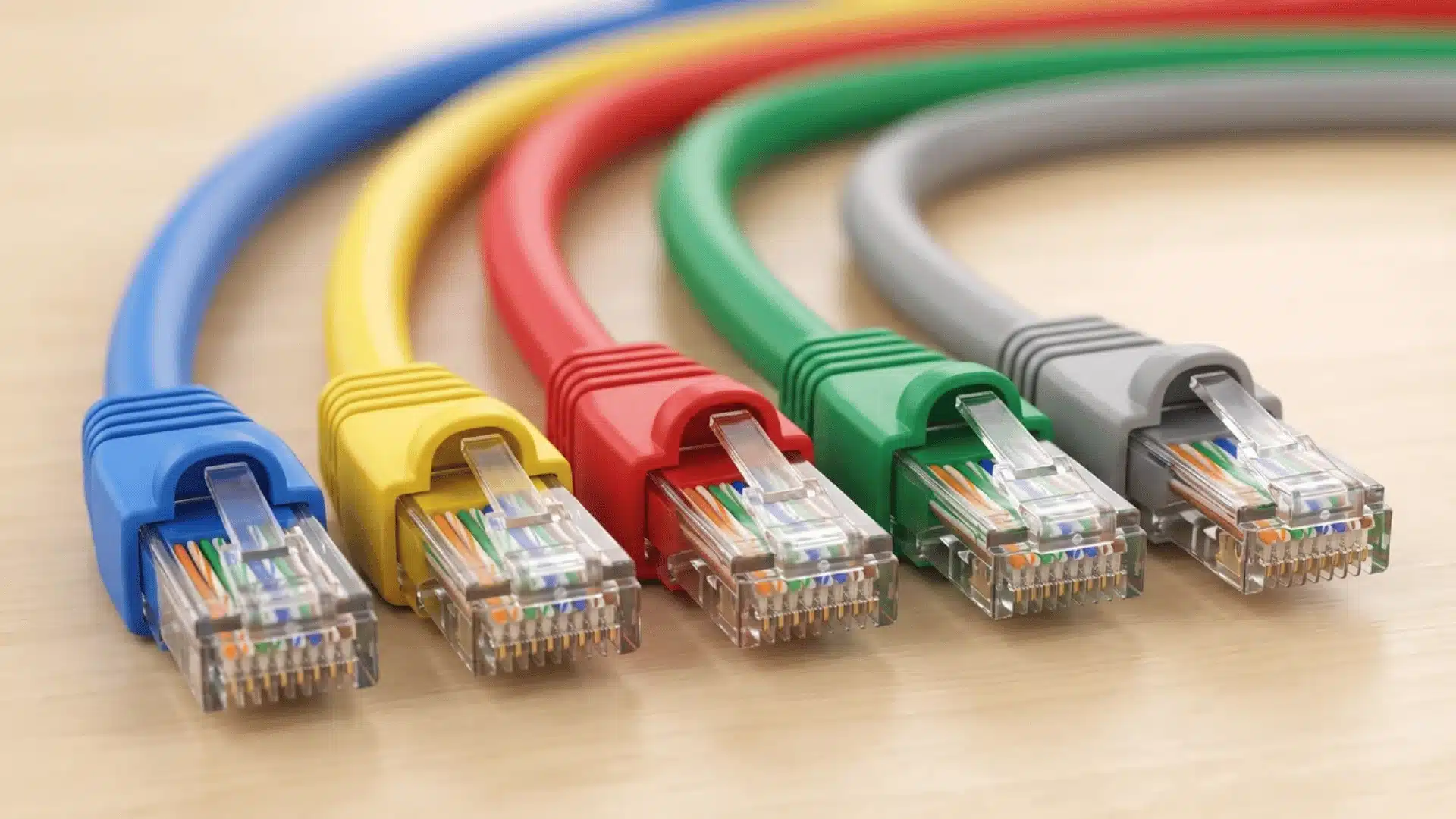
An Ethernet cable may have a blue, yellow, red, green, gray, black, or white jacket while using exactly the same T568B arrangement inside.
Organizations sometimes assign their own meanings to cable colors to make network infrastructure easier to manage. One company may use blue for ordinary data connections and another color for special equipment or separate network segments.
Those conventions are not universal.
A red cable in one network could serve an entirely different purpose from a red cable somewhere else. Jacket color alone therefore cannot tell you how the connector is wired or what type of connection the cable carries.
For a personal network, color coding can still be useful. Just document what each color means so the system remains understandable later.
Common RJ45 Wiring Mistakes
Most termination problems come from a few simple errors.
- Reading the connector backward: Flipping the RJ45 plug changes how the pin sequence appears. Always confirm the position of Pin 1 before arranging conductors.
- Mixing twisted pairs: Putting the right eight colors into the connector is not enough if conductors are combined into incorrect pairs.
- Accidentally creating a crossover cable: Using T568A on one end and T568B on the other changes the cable configuration. Use matching standards when you want a normal straight-through connection.
- Untwisting too much cable: Separate only the length needed to organize and insert the conductors.
- Crimping before checking: Look through the transparent connector and verify every wire before using the crimping tool.
- Skipping the cable tester: A tester can reveal incorrect pins, open conductors, and other faults that may not be visible from the outside.
Conclusion
Getting RJ45 wiring right is less about memorizing colors and more about following one standard carefully. You now know how T568A and T568B differ, why twisted pairs matter, and how straight-through and crossover cables use those patterns.
The Ethernet cable color order also stays the same across Cat5e and Cat6, so the real focus should be correct pin placement and consistent termination. I’d always check the connector orientation, keep the pairs twisted as much as possible, and test the cable before relying on it.
If you’re wiring your own Ethernet cable, use these steps as a quick check before crimping. Then share your setup or read more networking tips for your next project.
Frequently Asked Questions
Can Cat5e and Cat6 use the same RJ45 connectors?
Both categories use the familiar eight-position Ethernet connection, although the connector should be suitable for the cable’s construction, conductor type, and gauge. Cat6 cables can be thicker than some Cat5e cables.
Can I repair only one end of an Ethernet cable?
Yes. If one connector is damaged, you can replace that termination. Check the wiring pattern on the undamaged end first so the repaired cable keeps the intended straight-through or crossover configuration.
Can an Ethernet cable work with one wire disconnected?
Performance depends on the Ethernet mode and which conductor has failed, but a missing or poorly terminated conductor can prevent the expected connection from working correctly. A cable tester is the quickest way to locate the fault.
How can I tell if an Ethernet cable is wired correctly?
Check both connector ends visually and then use a cable tester. The tester verifies the pin-to-pin connections and catches problems that may not be obvious just by looking through the RJ45 plug.