

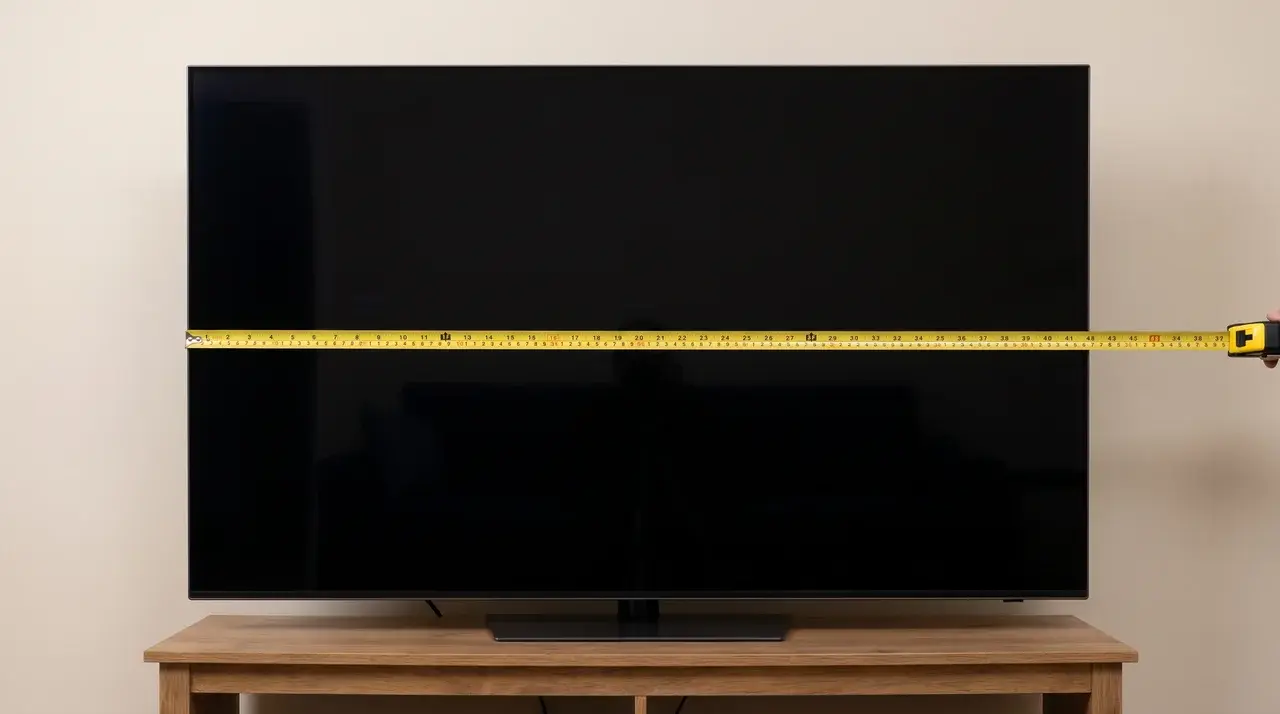






Ask five people how wide a 65-inch TV is, and you’ll get five slightly different numbers. None of them are wrong.
That’s the strange part about TV sizing. The number on the box doesn’t measure width at all.
It measures something else entirely, and that one detail explains why your neighbor’s 65-inch TV might sit an inch narrower than yours. Same size on paper, different fit on the wall.
Here’s what this comes down to: the actual width you’ll be working with, why two “identical” TVs can measure differently, and how much real space you need to clear before mounting or placing one.
Get that right, and buying the stand or shelf becomes easy.
How Wide is a 65 Inch TV?
A 65-inch TV is about 56.7 to 58 inches wide, or roughly 144 to 147 cm, depending on the model. That “65 inch” number doesn’t actually measure width; it measures the screen diagonally, corner to corner.
That’s why width isn’t one fixed number. It’s a small range, and the model you pick decides where you land in it.
Here’s a detail most people don’t expect: the stand barely changes the width at all. Measure the screen alone or the whole TV on its stand, and you’ll get almost the same number.
Height is where the stand actually adds size, not width.
Dimensions of a 65 Inch TV
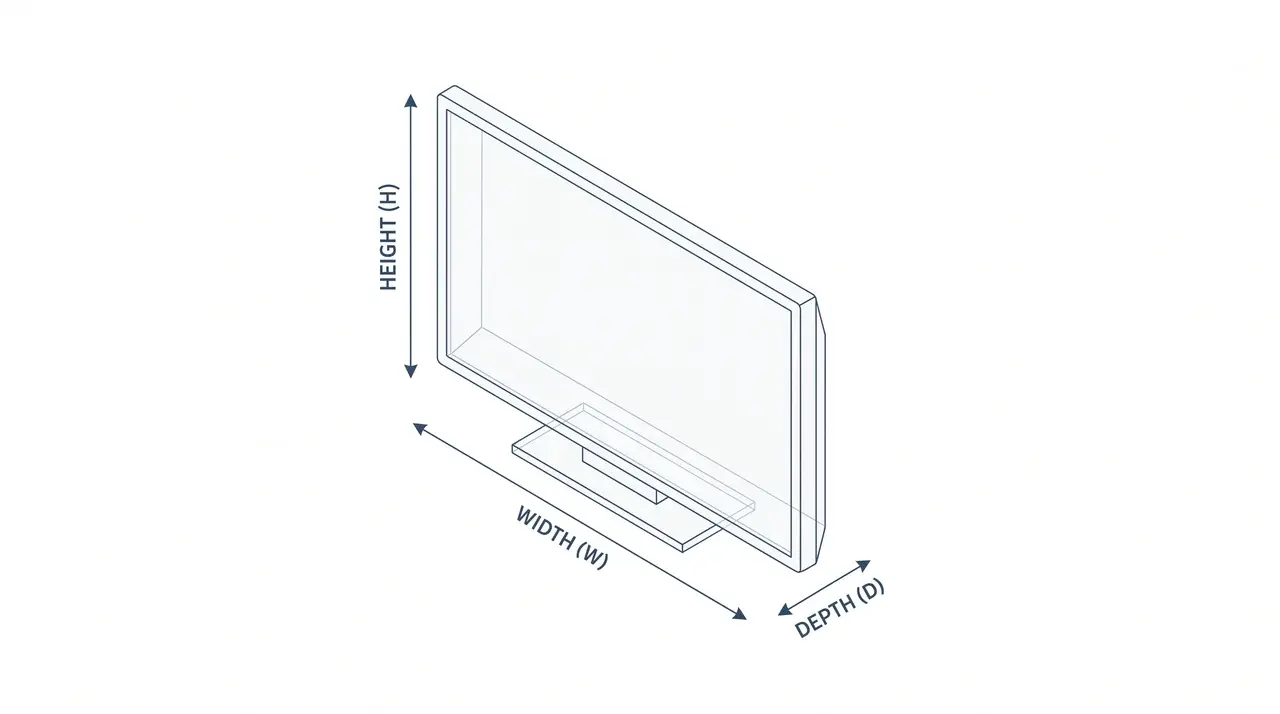
While width is usually the first measurement people check, it isn’t the only one that matters. Height, depth, and weight all affect how a TV fits on a stand, mounts to a wall, or fits into an entertainment setup.
The dimensions below show the typical range you’ll see across most 65-inch models.
| Dimension | Typical Size | Notes |
|---|---|---|
| Width | 56.7–58 in (144–147 cm) | Varies slightly with bezel thickness. |
| Height (without stand) | 32–34 in (81–86 cm) | TV panel only. |
| Height (with stand) | 34–36 in (86–91 cm) | Depends on the stand design. |
| Depth (without stand) | 1.5–3 in (4–8 cm) | The stand may add extra depth. |
| Weight | 50–60 lb (23–27 kg) | OLED models are often lighter than LED TVs. |
I’ve mounted more than a few 65-inch sets over the years, and weight is the number people skip past until they’re standing on a ladder holding the panel.
Note: Width stays fairly consistent across brands, but height, depth, and weight can vary enough to influence your wall mount or TV stand. Always check the manufacturer’s specifications before making a final purchase.
65 Inch TV Dimensions by Brand
Width barely shifts between brands. Depth is where the real difference shows up.
| Brand | Width | Height | Depth |
|---|---|---|---|
| Samsung (Crystal UHD/Neo QLED) | 57.1″ | 32.7″–32.8″ | 1.1″–2.6″ |
| LG (OLED C/G series) | 56.9″ | 32.7″ | Under 1″–3.0″ |
| Sony (Bravia XR) | 57.0″–57.1″ | 32.8″–32.9″ | 1.6″–3.3″ |
| TCL | 57.1″–57.4″ | 32.7″–33.1″ | 1.8″–3.0″ |
| Hisense | 57.0″ | 32.7″ | 1.8″ |
The width gap between brands rarely tops half an inch. Depth swings more, mostly based on panel type. OLED sets from LG stay thinnest, since there’s no backlight layer to fit behind the screen.
LED and QLED models from Samsung, Sony, and TCL run thicker to house that backlight and its cooling.
Why Does the Width Vary Slightly Between Models?
The width difference comes down to bezel design, not inconsistent manufacturing:
- Thicker bezels: add more width around the screen.
- Thinner bezels: reduce the overall width of the TV.
- Panel size: a model measuring 56.7 inches may simply have slimmer bezels than one measuring 58 inches, while the actual 65-inch panel stays nearly the same size across brands.
- Slim or edge-to-edge designs: It usually sit closer to the lower end of the width range.
A half-inch difference between models is normal, not a quality concern.
In my experience testing these side by side, the slimmer-bezel sets almost always look better on the wall simply because more of that 58-inch footprint is picture instead of frame.
How Much Space Does a 65 Inch TV Need?
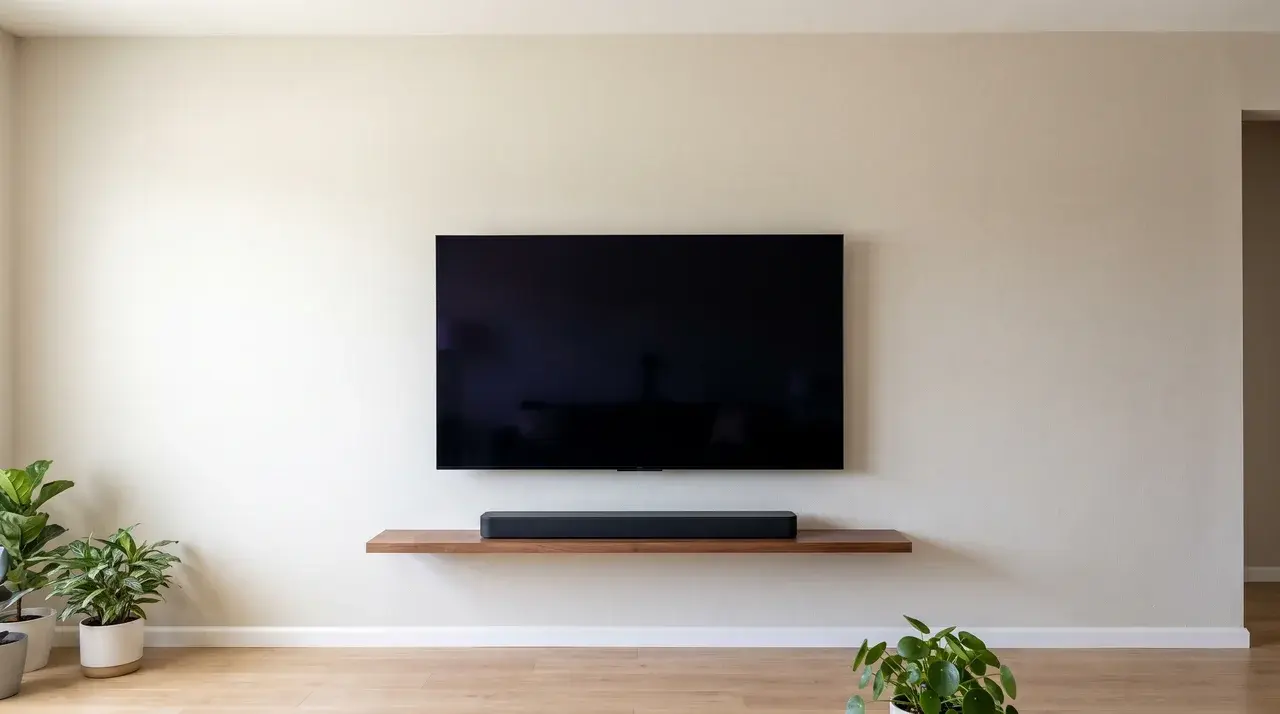
A 65-inch TV typically needs at least 58 inches of horizontal space to fit comfortably. While the screen itself measures about 56.7 to 58 inches wide, leaving a little extra clearance on each side makes installation easier and creates a more balanced look.
A 65-inch TV is about 8.5 to 9 inches wider than a 55-inch model, so upgrading means your wall or TV stand needs noticeably more available space.
The screen may not be the widest part of your setup. Swivel stands can extend beyond the panel and require extra clearance on either side.
A soundbar can also add width below the TV. Measure the complete setup before buying a stand or choosing its final position on your wall.
Viewing Distance Formula: SMPTE vs. the Simple Rule
There are two ways to figure out the right distance. One comes from TV engineers, the other is a simpler rule most people actually use.
1. The SMPTE Method
SMPTE (the Society of Motion Picture and Television Engineers) is commonly cited as recommending that the screen fill 30° to 40° of your field of view.
For a 65-inch TV, that guidance works out to sitting roughly 6.5 to 8.9 feet away.
Treat the exact SMPTE figure as a widely repeated industry guideline rather than a number pulled from a single verified page, since the underlying standard isn’t published in a freely accessible spot.
| Diagonal | Recommended Distance |
|---|---|
| 55″ | 5.5 – 7.5 ft |
| 60″ | 6.0 – 8.2 ft |
| 65″ | 6.5 – 8.9 ft |
| 70″ | 7.0 – 9.5 ft |
| 75″ | 7.5 – 10.2 ft |
2. The Simple Formula
This one just multiplies the diagonal size by 1.5 and 2.5:
- Minimum: 65 × 1.5 = 8.1 ft
- Maximum: 65 × 2.5 = 13.5 ft
It sits further back than SMPTE because it was built for general living-room comfort, not home theater immersion.
3. Which to Trust?
Use SMPTE if your room is tight. Use the 1.5x–2.5x rule if you’ve got space to spare and want a more relaxed setup.
On a 4K 65-inch TV, either range works fine, since the higher pixel density holds detail even at the closer distances.
TV Stand vs. Wall Mount for a 65 Inch TV
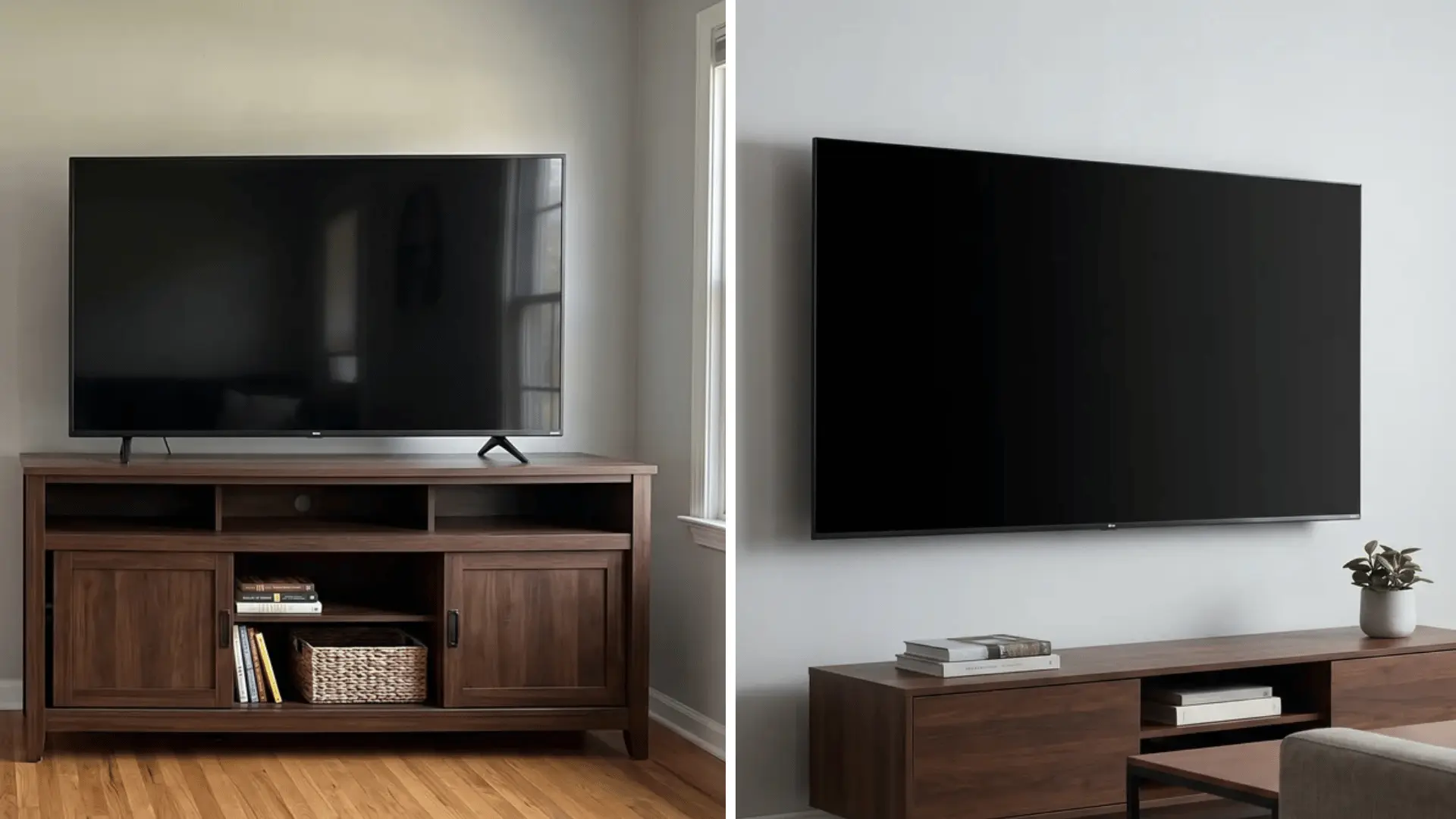
Both work for a 65-inch TV. The right one depends on your room and how you live in it.
Pros and Cons of Each:
- Wall mount: saves floor space, adjustable angle, safer around kids and pets.
- Wall mount downside: permanent holes, harder to move later, needs a stud.
- TV stand: easy to relocate, extra storage, no wall damage.
- TV stand downside: takes up floor space, needs enough width to stay balanced.
Renting or moving often? Go with a stand. Tight on space? Mount it.
What to Consider Before Buying a 65-Inch TV?
A 65-inch screen makes every weak spot in a TV more obvious. Here’s what actually matters before you buy.
- Resolution: 4K is standard at this size and gives you sharp detail up close. 8K exists, but content is still limited, so it rarely justifies the price jump.
- Screen tech: OLED gives deeper blacks and better contrast, ideal for dark rooms. QLED and LED run brighter, which works better in a sunny living room.
- HDR: look for HDR10 at minimum, Dolby Vision if you can get it. This is what makes bright scenes pop and shadows stay detailed.
- Audio: built-in speakers are usually thin on bass at this size. A soundbar fixes this fast, and Dolby Atmos support adds real depth.
- Smart features: check the operating system before you buy, not after. A clunky interface gets old fast, no matter how good the picture looks.
- Connectivity: get at least four HDMI ports. Between a console, a streaming box, and a soundbar, ports run out quicker than people expect.
Get these right, and the size of the screen stops being the only thing doing the work.
Conclusion
So, how wide is a 65-inch TV? About 56.7 to 58 inches, and that range comes from bezel design, not measuring error, since the 65-inch label always refers to the diagonal, not the width.
Width barely moves between brands, while height, depth, and weight shift more depending on the model you pick.
Plan for close to 58 inches of clear space, and add extra room if a soundbar or wide stand sits below the screen.
Planning to buy a TV soon? Measure your wall or shelf twice before picking a mount or stand, then check your seating distance against the screen size so the one you choose actually fits the room.
Frequently Asked Questions
How Wide is a 65 Inch TV Without the Stand?
A 65-inch TV is typically 56.7 to 58 inches wide, about 144 to 147 cm, without the stand. This is the screen-only measurement, and it’s nearly identical to the width with the stand attached, since stands rarely add meaningful width. Height is where a stand can add noticeable size, depending on the specific design the manufacturer uses.
How Much Wider is a 65 Inch TV than a 55 Inch TV?
A 65-inch TV is roughly 8.5 to 9 inches wider than a 55-inch TV. Both sizes share the same diagonal-based scaling, so the width difference stays consistent across most brands, making it a reliable estimate when comparing footprint before choosing between the two sizes.
Is a 65 Inch TV Too Big for a Living Room?
It depends on viewing distance rather than width alone. Most guidance suggests sitting 8 to 10.5 feet away for a 65-inch screen. If your seating falls within that range and your stand or wall space accommodates roughly 57 inches, the size fits comfortably in most standard living rooms.
Does TV Width Vary by Brand for the Same Screen Size?
Slightly. Since “65 inch” measures the diagonal, actual width shifts by about an inch across brands depending on bezel thickness. Panels with thinner bezels sit near 56.7 inches, while thicker-framed models reach closer to 58 inches, a small enough difference to rarely affect space planning.