





I once dropped my phone in the sink and just froze for a second, with the heart racing. That split-second panic is basically universal at this point.
Phones survive splashes all the time, but does that actually mean they’re safe underwater too? Turns out, there’s a big difference between “resistant” and “proof,” and most people never really learn it until something goes wrong.
Marketing terms don’t always match real-world results either, which makes the confusion even worse. So what’s the honest answer here? Let’s settle it: is the iPhone 16 waterproof once and for all?
Is iPhone 16 Waterproof?
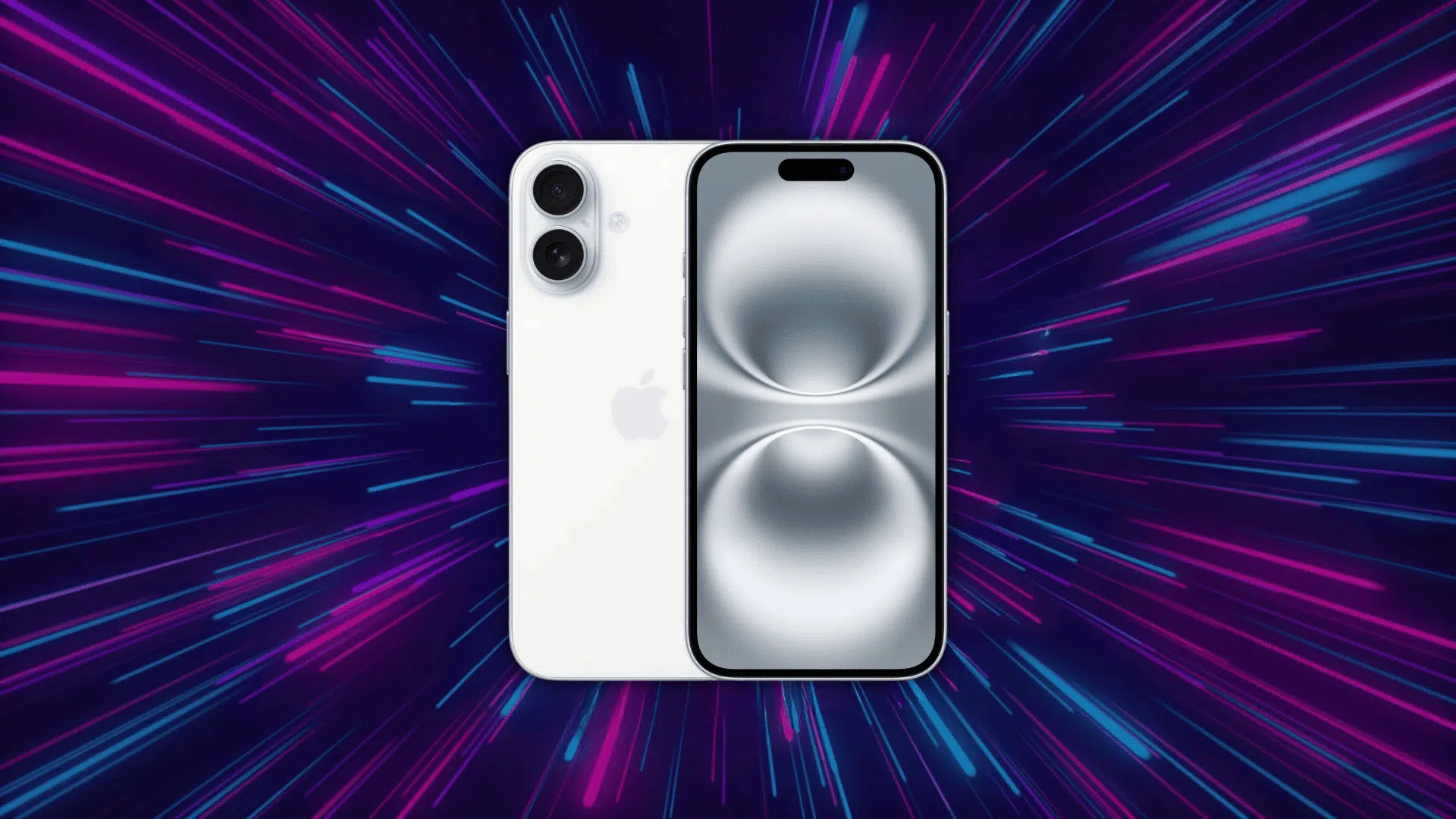
No, the iPhone 16 is not waterproof; it is water-resistant with an IP68 rating. This means it can handle certain accidental water exposure, such as splashes or brief immersion under controlled testing conditions.
Apple tested the device at up to 6 meters of water for 30 minutes, but this does not mean it is safe for regular underwater use. Real-life factors can affect protection.
The iPhone 16 is designed to reduce the risk of liquid damage, not to make water exposure completely risk-free.
Waterproof vs. Water-Resistant
The terms waterproof and water-resistant are often used interchangeably, but they do not mean the same thing. Understanding the difference helps you know what level of protection a device actually offers.
| Feature | Waterproof | Water-Resistant |
|---|---|---|
| Basic Meaning | Designed to prevent water from entering | Designed to reduce the risk of water entering |
| Protection Level | Usually stronger within certified limits | Limited to specific depth and time conditions |
| Testing | May use product-specific pressure and depth tests | Commonly tested through an IP rating |
| Depth | Depends on the certified rating | Depends on the manufacturer’s stated limit |
| Time Underwater | May allow longer use within set conditions | Usually tested for a fixed period |
| Water Pressure | May handle more pressure if certified for it | Strong sprays and moving water may cause damage |
| Protection Over Time | Can weaken if seals are damaged | Can decrease after drops, cracks, repairs, or regular use |
Does Apple’s Warranty Cover Water Damage?

No, Apple’s standard limited warranty generally does not cover iPhone damage caused by liquid contact.
The warranty mainly covers manufacturing defects rather than damage caused by spills, submersion, or other accidents.
The IP68 rating should not be treated as a repair guarantee. It describes performance during controlled testing, but it does not mean Apple will repair liquid damage for free if water enters the phone.
AppleCare+ might cover accidental liquid damage, but a service fee may apply. The coverage, fees, and limits vary by plan and location, so check your current AppleCare+ terms before requesting service.
What Does Apple Officially Say About Water Protection?
Apple states that splash, water, and dust resistance are not permanent and may decrease with regular wear. It also makes clear that protection may decrease with regular wear, drops, cracks, or repairs.
According to Apple’s safety standards:
- Avoid Intentional Submersion: Do not swim or bathe with the iPhone 16.
- Keep It Away From Pressurized Water: Avoid high-speed water, strong sprays, and water sports.
- Avoid Steam and Heat: Do not use the phone in a sauna or steam room.
- Limit Contact With Other Liquids: Soap, detergent, salt water, and pool chemicals may affect the device.
- Let It Dry Before Charging: Do not connect a cable while the charging port is wet.
- Liquid Damage Is Not Normally Covered: Apple’s standard limited warranty generally does not cover damage caused by liquids.
This means the official rating is intended to reduce damage from accidental exposure, not to make the phone suitable for regular underwater use.
What to Do If Your iPhone 16 Gets Wet?
A wet iPhone can be stressful, especially when you are unsure what to do first. The next few minutes matter, so it is important to stay calm and avoid actions that may cause more damage.
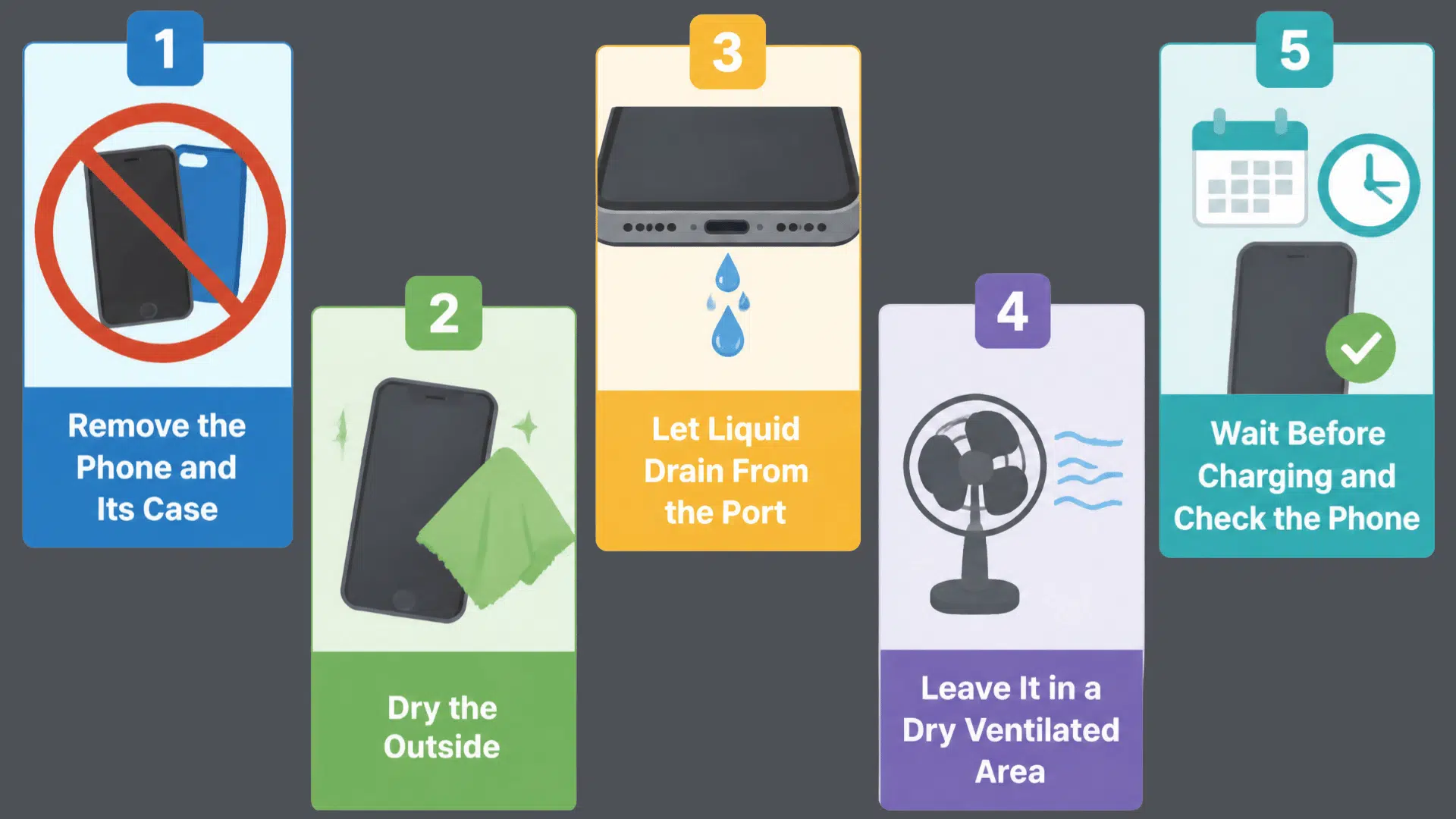
1. Remove the Phone and Its Case
Remove the iPhone from water immediately, then take off its case, MagSafe accessory, and any connected devices to prevent moisture from trapping, especially around buttons, the camera, speaker openings, and the charging port.
Keep the phone disconnected from the power. Water in the USB-C port triggers liquid detection, and charging before it dries can cause corrosion or damage to the contacts.
Tip: Hold the phone with the charging port facing downward while removing the case so loose liquid can drain away instead of moving deeper into the device.
2. Dry the Outside Area
Use a soft, lint-free cloth to gently dry the screen, back glass, frame, camera lenses, and buttons.
Removing surface moisture helps prevent water from reaching the charging port, speaker openings, and other exposed areas while you handle the phone.
Do not insert paper towels, tissues, cotton swabs, or other objects into the charging port or speaker grilles, as they can leave fibers, damage components, or trap moisture.
Tip: If the cloth becomes damp, switch to a dry section or use another clean, lint-free cloth instead of rubbing the same wet area repeatedly.
3. Let Liquid Drain From the Port
Hold the iPhone with the USB-C charging port facing downward and gently tap it against your hand.
This helps excess liquid drain from the connector naturally rather than remain in the port, where it can interfere with charging.
Avoid shaking the phone forcefully or blowing air into the port. Strong movement may spread moisture, and compressed air can push liquid deeper, damaging charging contacts.
Tip: If the iPhone displays a liquid detection alert, leave it unplugged and allow the port to dry naturally before attempting to charge it again.
4. Leave It in a Dry, Ventilated Area
Place the iPhone on a clean, dry surface with airflow around it. Keep the USB-C port exposed and avoid enclosed spaces where moisture can gather.
Avoid direct sunlight, heaters, hair dryers, or compressed air to prevent damage to seals and entry of dust or grains into the charging port. Rice is also unsafe, as dust and grains can enter the port.
Tip: A cool indoor area with natural airflow is safer than using artificial heat, even if the drying process takes longer.
5. Wait Before Charging and Check the Phone
Allow the iPhone to dry completely before connecting a charging cable, as moisture can trigger a liquid detection alert to protect the device.
Once the alert no longer appears, test the phone by checking the display, buttons, cameras, speakers, microphones, Face ID, and charging function.
If any feature does not work as expected after the phone has fully dried, stop using it and contact Apple Support or an Apple Authorized Service Provider.
Tip: Even if the iPhone turns on normally, monitor its performance over the next day or two, as moisture-related issues can sometimes appear after the initial exposure.
How Can You Check If Your iPhone 16 Has Water Damage?
Water damage may not always appear immediately. Watch for changes in charging, sound, camera performance, screen response, or other functions after the phone has been exposed to liquid.
- Liquid Detection Alert: A warning may appear when moisture is detected in the USB-C port.
- Charging Problems: The phone may charge slowly, stop charging, or fail to recognize the cable.
- Muffled Speakers: Water trapped in the speaker openings can make audio sound quiet, distorted, or unclear.
- Foggy Camera Lenses: Condensation inside the camera area may point to moisture entering the phone.
- Screen Issues: Look for flickering, dark spots, lines, or delayed touch response.
- Unexpected Shutdowns: The iPhone may restart, freeze, or turn off without warning.
- Microphone Problems: Calls, videos, or voice recordings may sound faint or unclear.
- Visible Liquid Contact Indicator: A red liquid contact indicator inside the SIM area may signal contact with moisture on models that include an accessible indicator.
Contact Apple Support or an Apple Authorized Service Provider if any of these signs remain after the phone has fully dried.
Can You Use iPhone 16 Around Everyday Water Situations?
The iPhone 16 can handle some accidental water exposure, but not every situation has the same level of protection. Knowing what is safer and what to avoid can help prevent liquid damage.
| Situation | Safe to Do? | Reason Behind It |
|---|---|---|
| Light rain | Usually safe | Small water droplets are within normal water resistance limits. |
| Small spills | Usually safe | Brief freshwater contact is less likely to cause damage. |
| Wet hands | Usually safe | Small amounts of moisture are unlikely to affect normal use. |
| Kitchen splashes | Usually safe | Minor freshwater drops are less risky than prolonged exposure. |
| Sink drop | May survive | Short freshwater exposure may be manageable, but risk increases over time. |
| Toilet drop | Higher risk | Longer exposure and dirty water increase the chance of damage. |
| Rain outdoors | Use caution | Longer exposure may put more stress on water protection. |
| Beach use | Avoid | Salt water and sand can damage the phone. |
| Pool use | Avoid | Chlorine is not covered by Apple’s water testing. |
| Shower use | Avoid | Steam, soap, and water pressure can affect seals. |
| Hot tubs or saunas | Avoid | Heat and steam may weaken water resistance. |
| Water sports | Avoid | Waves and strong water pressure exceed normal testing. |
| Underwater photos | Avoid | IP68 does not mean the phone is waterproof. |
Simple Tips to Protect Your iPhone 16 Around Water
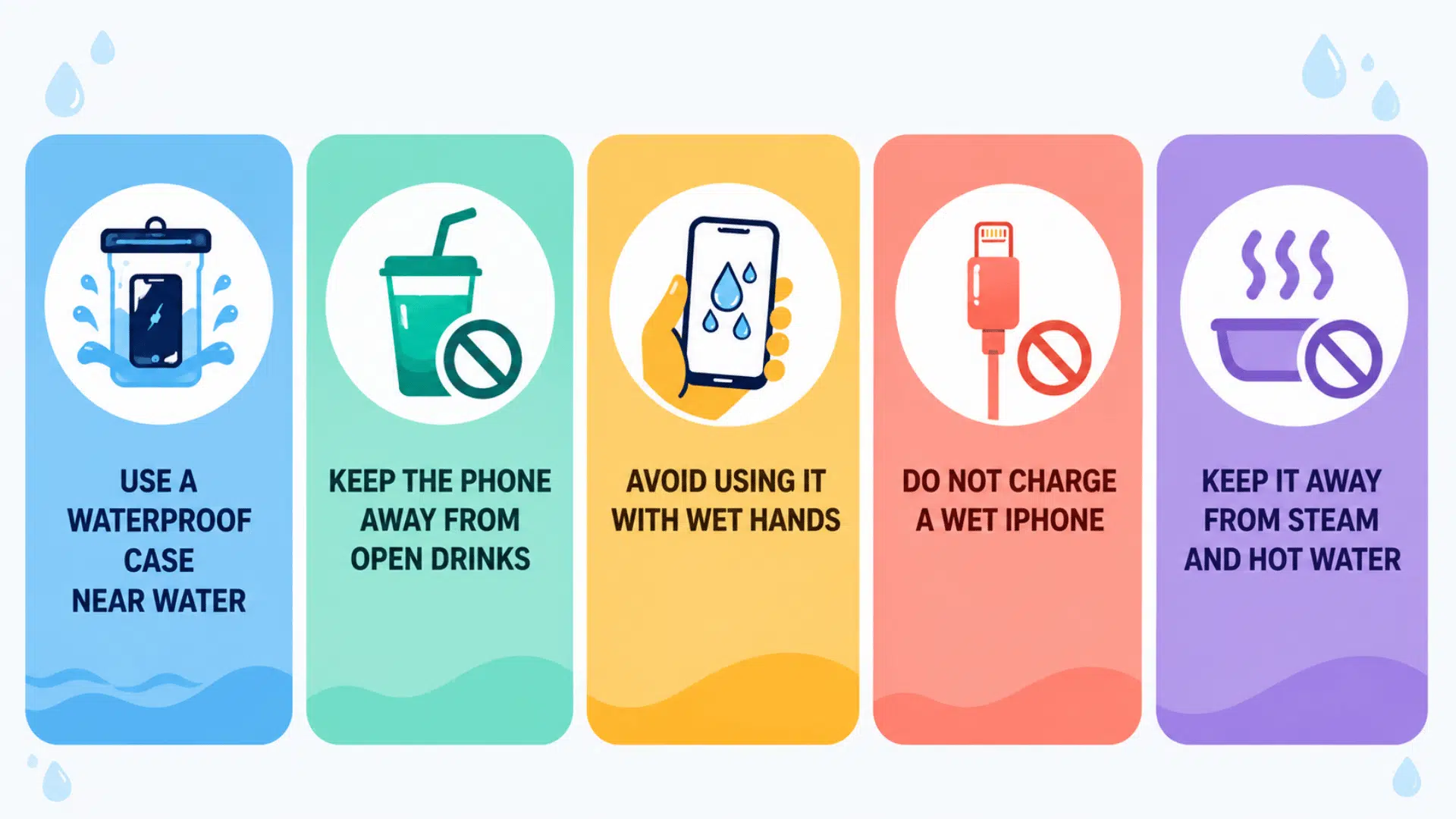
The iPhone 16 can handle limited water exposure, but regular care helps reduce the risk of liquid damage. These simple habits can protect the phone during daily use and outdoor activities:
- Use a Waterproof Case Near Water: Add extra protection when visiting pools, beaches, lakes, or water parks.
- Keep the Phone Away From Open Drinks: Place drinks at a safe distance to prevent accidental spills.
- Avoid Using It With Wet Hands: Dry your hands before touching the phone, especially near the charging port.
- Do Not Charge a Wet iPhone: Wait until the charging port is completely dry before connecting a cable.
- Keep It Away From Steam and Hot Water: Avoid using the phone in saunas, hot tubs, and steamy bathrooms.
- Dry Splashes Right Away: Wipe the phone with a soft, lint-free cloth as soon as it gets wet.
- Check for Cracks After Drops: Damage to the screen or frame may weaken the phone’s water resistance.
- Back Up Important Data: Regular backups can help protect photos, contacts, and files if liquid damage occurs.
Final Take
I eventually realized that split-second panic near water probably won’t fully disappear; phones and liquid just don’t mix well, no matter how advanced the tech gets.
But knowing the real difference between resistant and proof takes away a lot of unnecessary guesswork. Some situations are genuinely fine, others deserve real caution, and now at least there’s a clearer line between the two.
So next time a splash or spill happens nearby, there’s no need to spiral. A little awareness goes a lot further than any waterproof case ever could.
Frequently Asked Questions
Does Using Wireless Charging Pose Any Risk If the Phone is Damp?
Yes, charging a damp phone, even wirelessly, is not recommended until the device is completely dry to avoid potential internal damage.
Can Water Resistance Be Restored After It Weakens?
No, water resistance is built into the phone’s original seals and cannot be professionally restored or recalibrated once it degrades.
Does the iPhone 16 Have Better Water Resistance Than the iPhone 15?
Both carry the same IP68 rating, so there’s no official improvement in water resistance between the two models.