




Amazon sells two versions of its popular Paperwhite e-reader, and the price difference raises a simple question: what does the extra money actually buy?
The Kindle Paperwhite vs Signature Edition comparison is less about reading quality than convenience. Both models share the same display, waterproof design, battery claim, and general performance.
I think that makes the buying decision much easier once the extra features are separated from the basics. The Signature Edition adds more storage, automatic brightness, wireless charging, and an ad-free lock screen.
For me, the important question is not which Kindle has more features. It is which extras match the way someone actually reads.
Kindle Paperwhite vs Signature Edition at a Glance
The quickest way to understand the difference is to compare the features that stay identical with the few that change.
| Feature | Kindle Paperwhite | Signature Edition |
|---|---|---|
| Display | 7-inch, 300 PPI | 7-inch, 300 PPI |
| Warm Light | Yes | Yes |
| Storage | 16GB | 32GB |
| Brightness | Manual adjustment | Auto-adjusting |
| USB-C Charging | Yes | Yes |
| Wireless Charging | No | Yes |
| Waterproofing | IPX8 | IPX8 |
| Battery | Up to 12 weeks | Up to 12 weeks |
| Lock Screen Ads | Included on base configuration | Ad-free by default |
| Best Fit | Regular ebook reading | Extra convenience and larger files |
The important part is the first few rows. The Signature Edition doesn’t offer a sharper screen or a different basic reading experience.
What Do Both Kindle Paperwhite Models Have in Common?
Both Kindle Paperwhite models share the same core reading features.
The 7-inch E Ink display has a 300 PPI resolution, so text looks equally sharp on either device. Both also include adjustable warm light for changing the screen tone during evening reading.
Water resistance is another shared feature. Both carry an IPX8 rating, making them suitable for reading near a pool, bath, or other places where splashes are possible.
Battery life is rated at up to 12 weeks under Amazon’s stated testing conditions. Both models also use USB-C charging.
Their everyday speed is similar. Paying more for the Signature Edition mainly adds convenience features rather than noticeably changing page turns or book navigation, and neither approaches the kind of stylus-driven, handwriting-focused e-ink deviceAmazon sells for note-taking rather than straight reading.
Does the Signature Edition Have a Better Screen?
No. The Signature Edition does not upgrade the resolution, screen size, or basic text quality.
Both models use the same 7-inch, 300 PPI Paperwhite display. Fonts, illustrations, page layouts, and ebooks therefore look essentially the same on each device.
The difference comes from how the front light is controlled.
The standard Paperwhite requires manual brightness changes. The Signature Edition can adjust brightness automatically based on surrounding light.
That feature can make reading more comfortable when moving between different environments, but it does not make the display itself sharper.
I see automatic brightness as a convenience feature rather than a reason to expect better-looking books.
What Are the Main Differences Between the Paperwhite and Signature Edition?
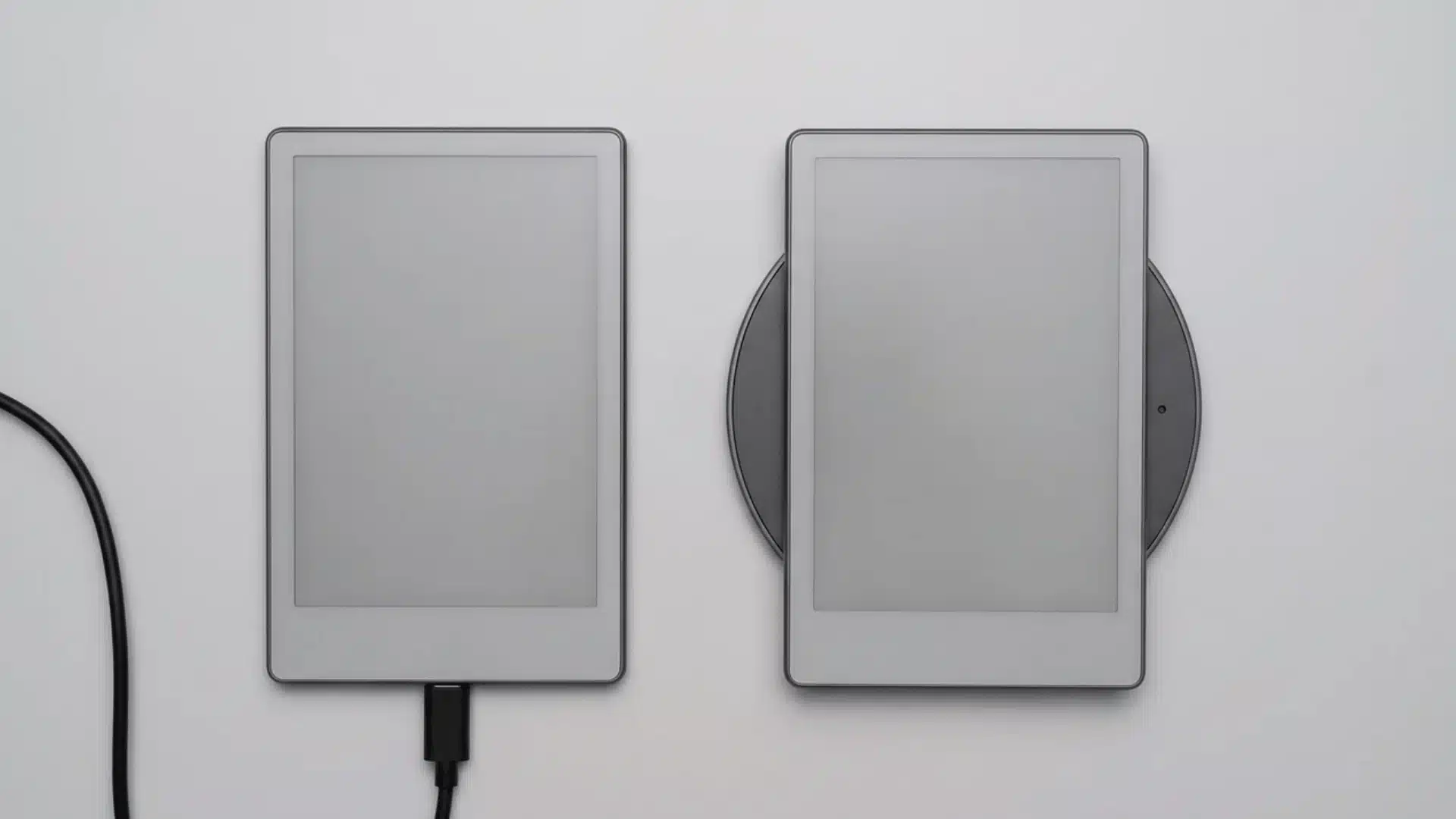
Four additions separate the Signature Edition from the standard model: storage, automatic brightness, wireless charging, and its ad-free configuration.
Each one matters differently depending on how you use the Kindle.
1. 16GB vs 32GB Storage
Amazon lists the standard model with 16GB, while the Signature Edition offers 32GB.
For standard ebooks, 16GB is already a lot of space. Text-based Kindle books are usually small, so a regular reader can keep a sizable library downloaded without getting close to the limit.
If you’re weighing storage against everyday reading needs more broadly, it’s worth checking a dedicated standard Paperwhiteto see how far 16GB actually stretches in daily use.
The extra storage becomes more useful with larger files.
Audiobooks, comics, manga, and graphic novels consume much more space than standard novels. Someone who keeps many of those files offline has a stronger reason to consider 32GB.
I would treat the extra storage as useful for media-heavy reading rather than an essential upgrade for ordinary ebooks.
2. Manual vs Automatic Brightness
Both Paperwhite models allow screen brightness adjustment.
The standard model leaves those changes to the reader. The Signature Edition uses a light sensor to adjust brightness automatically as the surrounding environment changes.
That can help during:
- Commuting between indoor and outdoor spaces
- Reading at different times of day
- Moving between rooms with different lighting
- Switching between bright daylight and dim evening conditions
Someone who mainly reads under the same lamp every night gains less from this feature.
Automatic brightness saves a few taps. It does not improve resolution or change the actual E Ink panel.
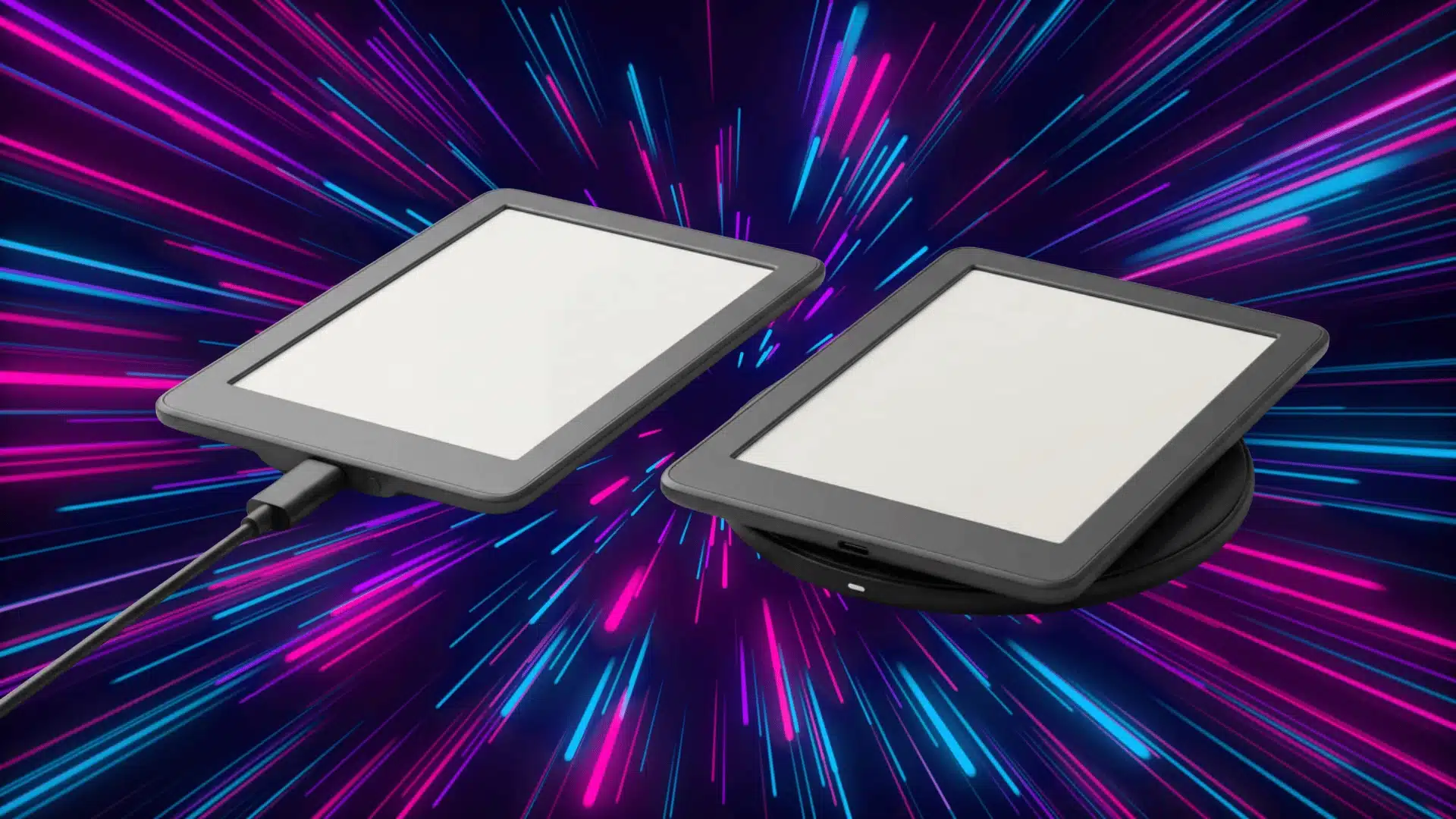
3. USB-C vs Wireless Charging
Both models charge through USB-C.
The Signature Edition also supports wireless charging, while the standard Paperwhite does not. A compatible wireless charger is required.
Wireless charging is convenient, but it is hardly essential on a device with long battery life. A Kindle may go weeks between charges depending on use.
The Signature Edition also does not require wireless charging. USB-C remains available whenever a cable is faster or easier.
Readers interested in charging accessories can also compare the differences between USB and USB-C.
4. Lock Screen Ads
The standard Paperwhite’s base configuration may include sponsored lock-screen content, while the Signature Edition comes ad-free.
Those ads appear while the Kindle is locked, not across book pages. They do not interrupt chapters or appear between pages during reading.
Amazon also lets you remove ads from eligible standard models for an additional charge.
That matters when comparing prices. A buyer already planning to pay for an ad-free standard Paperwhite should compare the final cost, not just the starting price.
Is 32GB Worth It on a Kindle?
For text-based ebooks, probably not by itself.
Sixteen gigabytes can hold a large collection of novels, biographies, nonfiction books, and other standard Kindle titles. Storage becomes more important once larger media files enter the library.
The 32GB Signature Edition makes more sense for readers who regularly keep:
- Audible audiobooks downloaded
- Manga volumes
- Comics
- Graphic novels
- Large illustrated books
- A big offline library
Audiobook listeners benefit the most because audio files take considerably more room than ordinary ebooks. Readers who mainly store novels may never notice the storage difference.
Which Model Is Better for Night Reading?
Both models work well for evening reading because each includes adjustable brightness and warm light.
Warm light changes the screen from a cooler white tone toward a warmer shade. That can feel more comfortable in a dark bedroom or dim reading space.
The Signature Edition’s advantage is automation.
Its light sensor can change brightness without requiring manual adjustment. That is useful when room lighting changes frequently during a reading session.
The standard Paperwhite can reach the same manually selected brightness level. Readers who already set their preferred brightness once and leave it there lose very little.
For night reading alone, automatic adjustment is convenient, not essential.
Which Reading Habits Make the Signature Edition Worth It?
The extra features matter more for some routines than others.
- Frequent Audiobook Listening: The extra 16GB provides more room for downloaded audio without needing to manage storage regularly.
- Manga and Comic Reading: Larger image-heavy files make 32GB more useful than it is for standard novels.
- Changing Light Conditions: Automatic brightness helps readers who move between bright and dim spaces throughout the day.
- Wireless Charging Setup: A charging pad on a desk or nightstand makes cable-free charging more convenient.
- Ad-Free Preference: The Signature Edition already removes sponsored lock-screen content from the purchase.
- Mostly Ebook Reading: The standard Paperwhite covers the important features without charging for extras you may not use.
These habits matter more than the longer specification list. A useful feature is only worth paying for when it solves an actual problem during regular reading.
Is the Kindle Paperwhite Signature Edition Worth the Extra $40?

The $40 price difference becomes easier to judge when the four extras are considered together.
The Signature Edition adds:
- 16GB more storage
- Automatic brightness
- Wireless charging
- An ad-free lock screen
Someone who values two or three of those features can make a reasonable case for spending more.
The standard Paperwhite remains the stronger value for readers who mainly download ebooks, adjust brightness manually, and have no interest in wireless charging.
Ad preferences can narrow the effective price gap. Paying separately to remove ads from the standard model means its final cost moves closer to the Signature Edition.
The upgrade therefore makes the most sense as a convenience package, not as a performance upgrade.
Kindle Paperwhite Pros and Cons
The standard Paperwhite keeps the main reading features while leaving out several convenience extras that may not matter to everyone.
| Pros | Cons |
|---|---|
| Lower starting price | No wireless charging |
| Same 7-inch, 300 PPI display | Brightness changes are manual |
| Adjustable warm light | Half the storage of the Signature Edition |
| IPX8 waterproofing | Base configuration may include lock-screen ads |
| Long battery claim | — |
| 16GB is ample for standard ebooks | — |
| USB-C charging | — |
For regular ebook reading, these limits rarely affect comfort, speed, or text quality once the device is in everyday use.
Kindle Paperwhite Signature Edition Pros and Cons
The Signature Edition adds several convenience features, but its higher price only makes sense when those extras match reading habits.
| Pros | Cons |
|---|---|
| 32GB storage | Higher price |
| Automatic brightness adjustment | Same basic display quality as the standard model |
| Wireless charging support | Extra storage may go unused by ebook-only readers |
| Ad-free configuration | Wireless charging requires compatible hardware |
| Better fit for audiobooks and larger files | — |
Its value depends on how often you use those added features, rather than on any major change in reading quality.
So Which Kindle Paperwhite Should You Buy?
Buy the standard Kindle Paperwhite if ebooks make up most of your reading and saving money matters more than extra convenience.
It already provides the 7-inch display, warm light, waterproof build, long battery claim, and enough storage for a large text-based library.
Buy the Kindle Paperwhite Signature Edition if you regularly download audiobooks, read manga, change lighting conditions, use wireless charging, or want an ad-free lock screen.
The Signature Edition is not the better reader simply because it costs more. Its advantage comes from reducing small inconveniences around storage, lighting, charging, and ads.
For many readers, the standard Paperwhite remains the better value. For the right routine, the Signature Edition’s extras can justify the additional cost.
What Kindle Owners Say About Paperwhite vs Signature Edition
Reader discussions tend to focus on the same three Signature Edition features: extra storage, automatic brightness, and wireless charging.
Some Kindle owners consider those additions too minor to justify paying more, especially when they mainly read standard ebooks. Others value automatic lighting or larger storage more because those features match how they use the device every day.
That split makes sense to me. Someone reading novels at home can get nearly everything needed from the standard Paperwhite, while audiobook listeners and readers who move between different lighting conditions have clearer reasons to spend more.
Final Verdict
The Kindle Paperwhite vs Signature Edition choice comes down to paying for convenience rather than paying for better book quality.
Both models provide the same core Paperwhite experience, so the standard version is the option I’d choose for straightforward ebook reading. Its display, waterproofing, battery claim, and 16GB storage already cover the needs of many readers.
My preference would shift toward the Signature Edition for frequent audiobook downloads, changing lighting conditions, wireless charging, or an ad-free setup from day one.
Neither choice requires giving up the important reading features. Match those four extras against your normal reading routine, then spend only where the difference has practical value.
Frequently Asked Questions
Is the Kindle Paperwhite Signature Edition worth the extra money?
It can be worth paying more for frequent audiobook listeners, readers who value automatic brightness, or anyone wanting wireless charging and an ad-free device. Ebook-only readers usually gain less.
What is special about the Kindle Paperwhite Signature Edition?
The Signature Edition adds 32GB storage, automatic brightness adjustment, wireless charging, and an ad-free lock screen. Its main display and core reading features remain similar to the standard Paperwhite.
Is there a performance difference between the Kindle Paperwhite and Signature Edition?
The Signature Edition’s extra storage does not automatically make books open or pages turn faster. Its main advantages involve storage capacity and convenience rather than a major change in everyday reading speed.
How much more storage does the Signature Edition have?
The Signature Edition provides 32GB compared with 16GB on the standard Paperwhite. That difference matters most for audiobooks, manga, comics, and other files that use more storage.
Does the Kindle Paperwhite Signature Edition support wireless charging?
Yes. The Signature Edition supports compatible wireless charging and USB-C. The standard Paperwhite relies on USB-C charging.
Can the standard Kindle Paperwhite remove lock screen ads?
Eligible standard Paperwhite models can have lock-screen ads removed for an additional charge. That extra cost is worth considering when comparing its final price with the Signature Edition.