


Color eReaders are becoming more popular as readers want a screen that feels easier on the eyes than a tablet.
Many people also like having color support for comics, manga, and highlighted notes.
This review covers the Kobo Libra Color features, specs, display quality, battery life, usability, and overall reading experience to help readers decide if it is worth buying.
Meet the New Kobo Libra Color
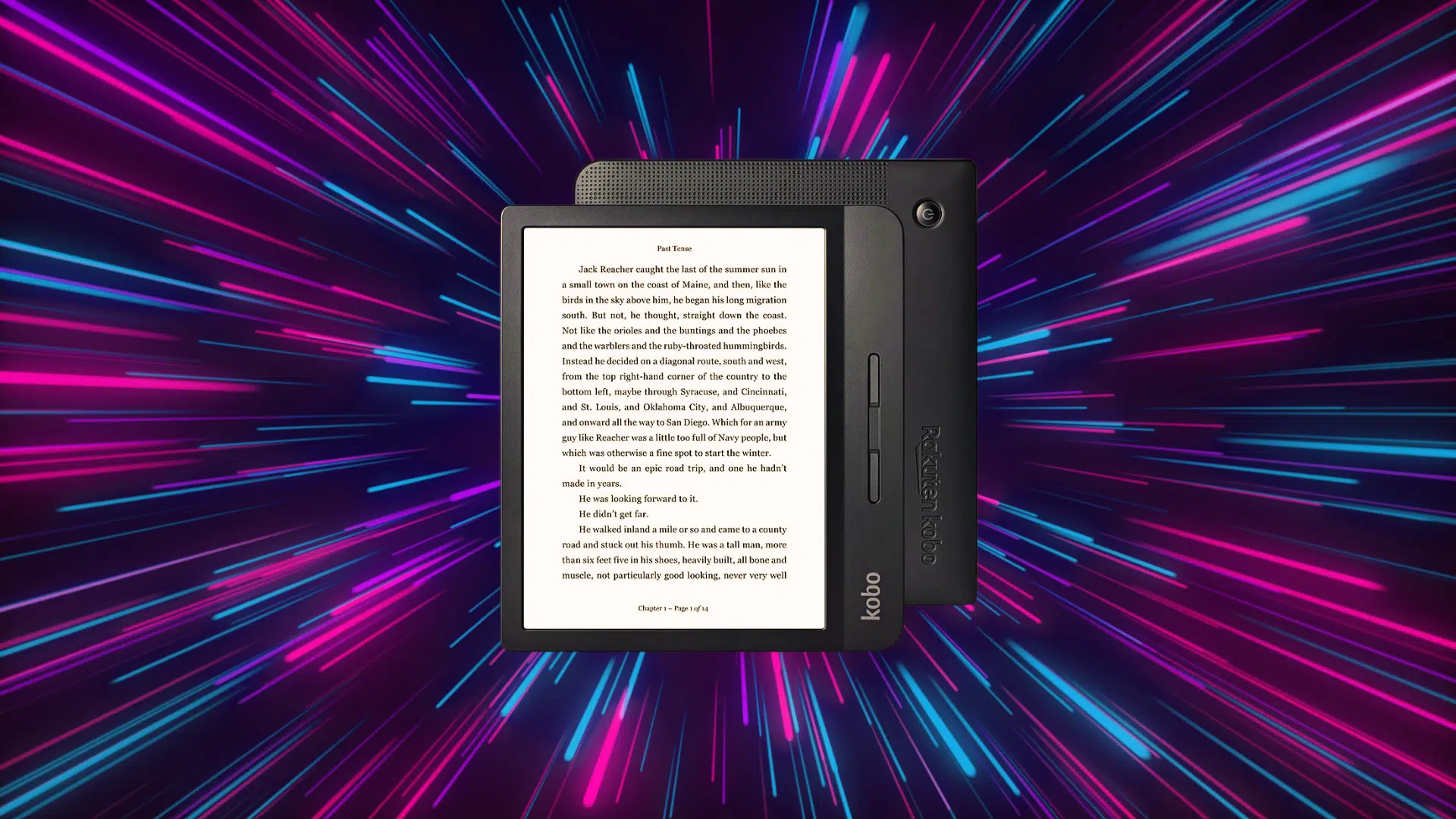
The Kobo Libra Color is a eReader designed for books, comics, manga, PDFs, and note-taking.
It combines a color E Ink display with physical page turn buttons, stylus support, and waterproof protection in a lightweight design.
Kobo Libra stands out because of its balance of color reading, handwritten notes, audiobook support, and customizable reading settings while still keeping the soft paper-like screen experience.
Rakuten Kobo and its eReader Lineup
The device is made by Rakuten Kobo, a company known for its range of eReaders focused on comfortable reading and flexible file support.
Kobo devices are often compared with Kindle because of their reading features and EPUB compatibility.
Rakuten Kobo offers several eReaders designed for different types of readers, including compact devices for casual reading and larger models for note-taking and PDFs.
The Kobo Libra Color sits in the middle of the lineup by combining color reading, portability, and extra features like stylus support and audiobook compatibility.
Kobo Libra Color Hardware and Design
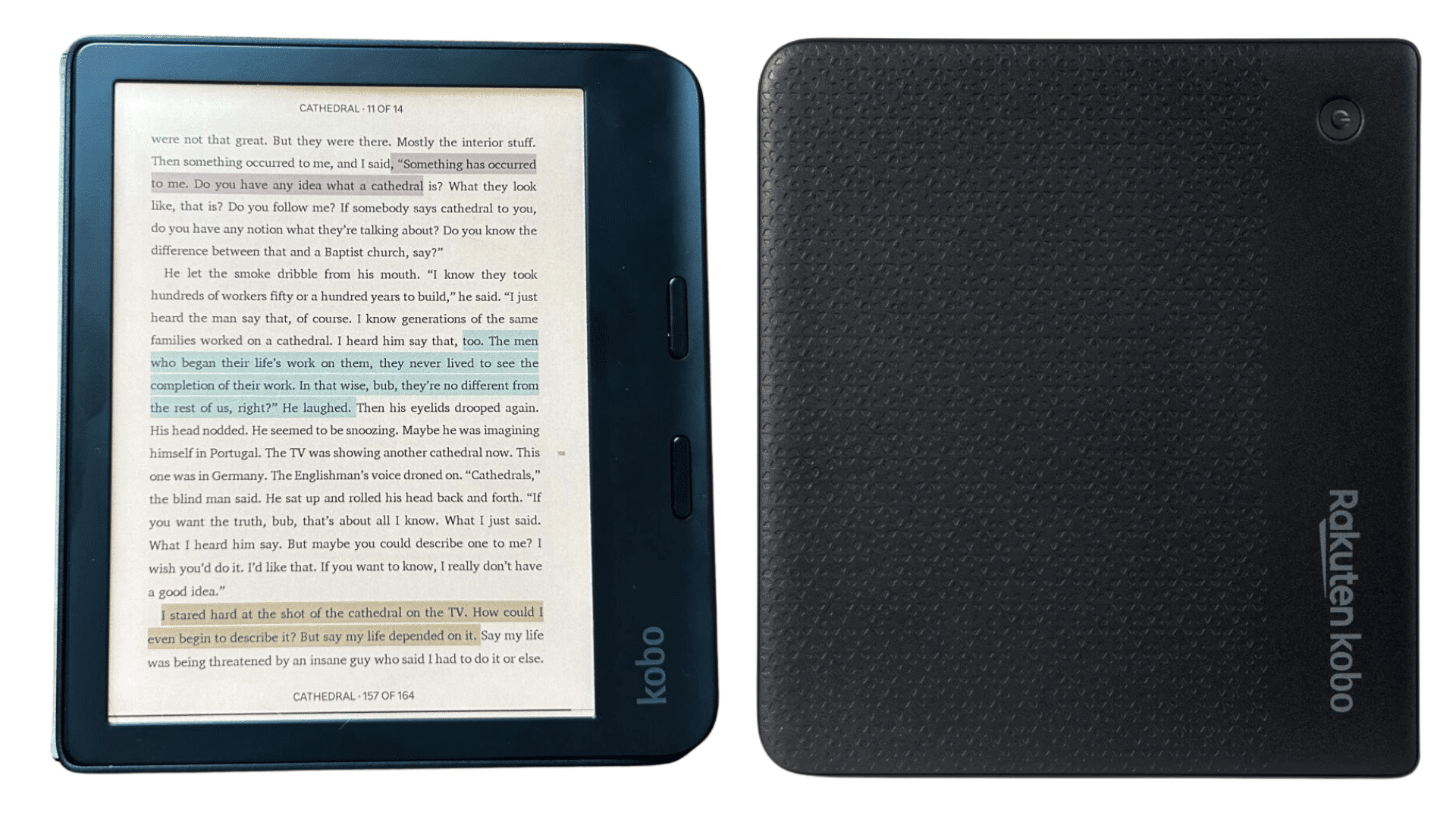
The Kobo Libra Color follows a simple design that puts reading comfort first. Instead of adding unnecessary design elements, it focuses on making the device easy to hold, carry, and use for long periods.
Its compact shape and practical button layout help it stand out from many touchscreen-only eReaders. The overall design feels modern while still keeping the reading experience as the main priority.
1. Build Quality and First Impressions
The device features a matte finish that gives it a clean appearance and helps reduce fingerprints. It feels sturdy in hand and offers a good balance between durability and portability.
From the moment it is picked up, the Kobo Libra Color feels like a premium reading device. The materials and overall construction make it feel well-built without adding extra weight.
2. Size, Weight, and Portability
The Kobo Libra Color uses a compact 7-inch design that is easy to carry between home, work, and travel. Its size allows it to fit comfortably in many bags without taking up much space.
The lightweight body also makes a noticeable difference during longer reading sessions. Readers can comfortably hold the device for extended periods without experiencing significant hand fatigue.
3. Physical Controls and Ergonomics
One of the standout hardware features is the dedicated page-turn buttons located on the side grip. These buttons provide a more traditional reading experience and reduce the need for constant screen swiping.
The asymmetrical design also improves one-handed use by giving readers a natural place to rest their hand. This makes the device feel comfortable during both short and extended reading sessions.
Key Highlights:
- Matte fingerprint-resistant finish
- Lightweight 7-inch design
- Dedicated page-turn buttons
- Comfortable side grip
- IPX8 waterproof protection
“Seems good. Comfortable to hold.” – Michael Scecina, kobo.com
“Light and very design to hold with one hand or two.” – Francois, kobo.com
Kobo Libra Color Software and Specs
The Kobo Libra Color combines color reading technology with software features designed to keep the reading experience simple and flexible. It supports multiple file formats, reading tools, and customization options without making the interface feel cluttered.
Beyond the display itself, the device includes useful features such as note taking, audiobook support, and library management tools. These additions help it appeal to readers who want more than just a basic eReader.
4. Display Quality and Reading Experience
The Kobo Libra Color features a 7-inch Kaleido 3 color E Ink display that adds color to book covers, comics, illustrations, and highlights. The screen keeps the paper-like feel many readers prefer while avoiding the brightness of a tablet display.
Black and white text remains sharp and easy to read, front lighting and dark mode also help create a comfortable reading experience in different environments.
5. Note Taking and Productivity Tools
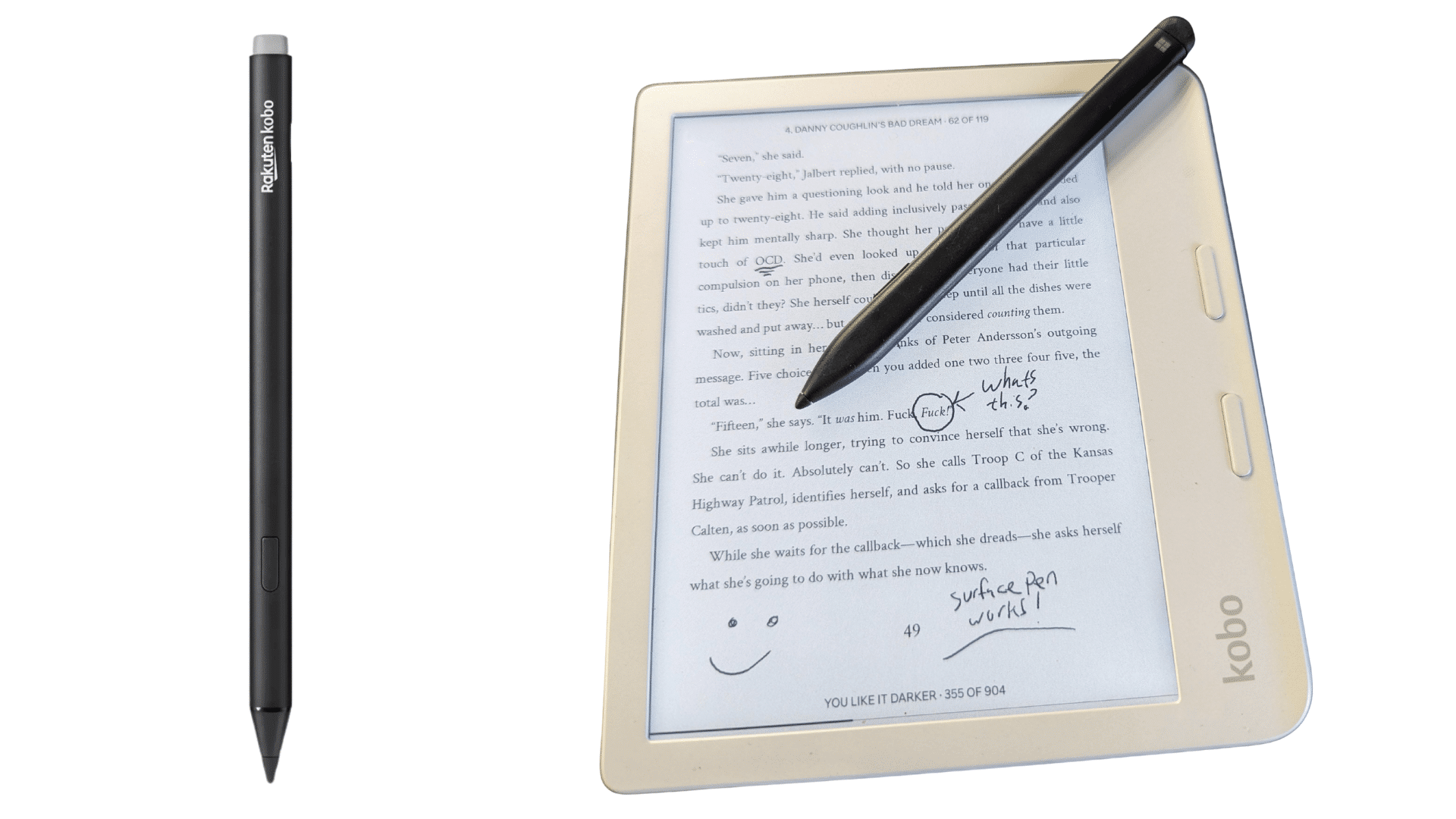
The device supports Kobo Stylus 2, allowing users to add handwritten notes, create highlights, and annotate supported documents. These features make it useful for students, researchers, and readers who like interacting with their content.
PDF annotation support adds another layer of functionality by allowing notes to be written directly on documents. Readers can also organize highlights and annotations for future reference.
6. Software Features and File Compatibility
The Kobo software experience focuses on reading while still offering useful tools such as Pocket integration, library management, and reading customization. Users can adjust fonts, margins, spacing, and other settings to match their preferences.
One of Kobo’s biggest advantages is broad file support, including EPUB compatibility. The device also supports Bluetooth connectivity for audiobooks, giving readers the option to switch between reading and listening.
Key Highlights:
- 7-inch Kaleido 3 color E Ink display
- 32GB internal storage
- EPUB and multiple file format support
- Kobo Stylus 2 compatibility
- Bluetooth audiobook support
“I heard horror stories about Amazon’s Kindle being that people were having their books deleted so I ultimately chose this one.” – Cynthia, kobo.com
“Completely satisfied!” – Linh, kobo.com
Kobo Libra Color Battery and Performance
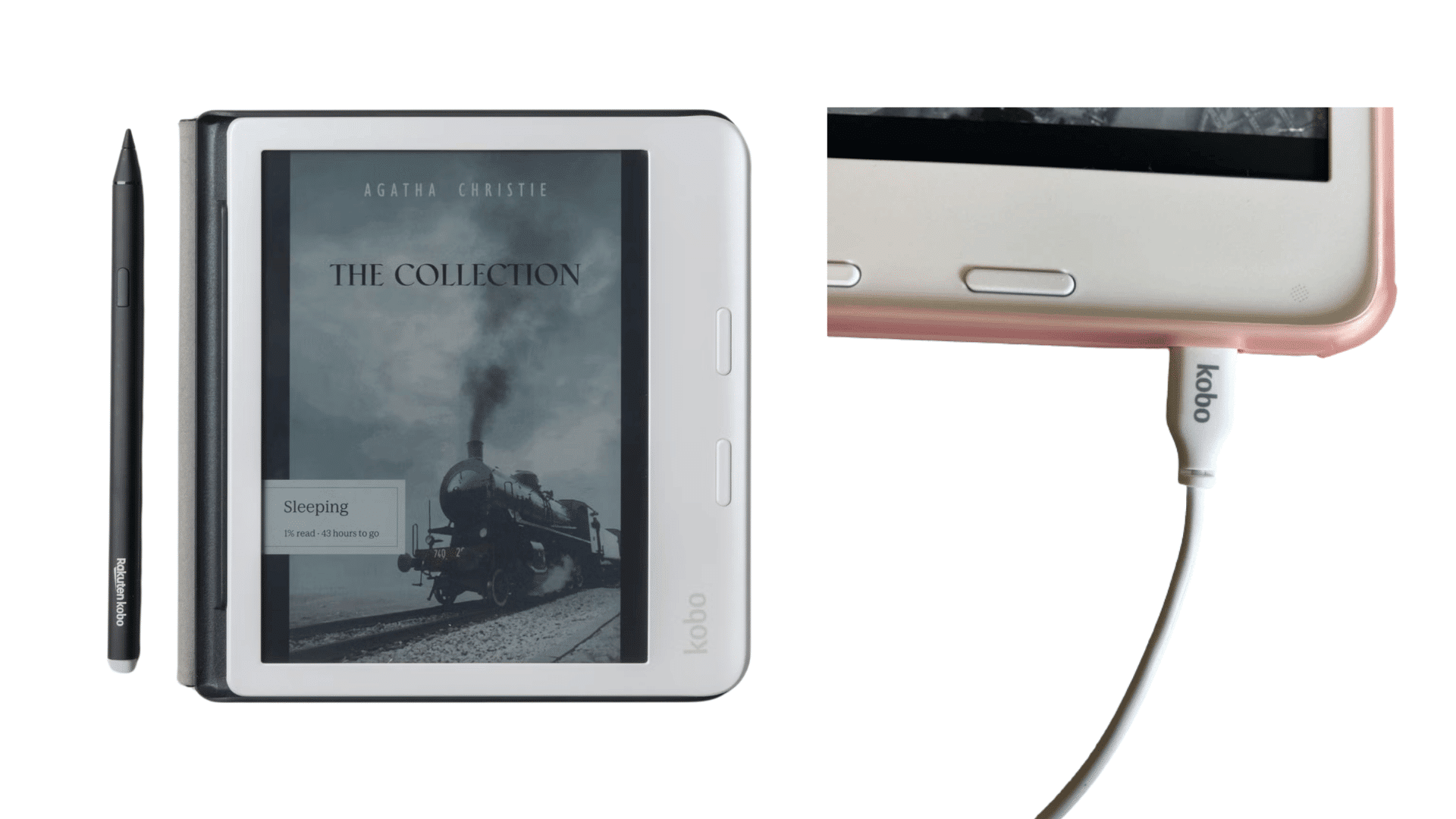
The Kobo Libra Color is designed to last through extended reading sessions without requiring frequent charging. Its efficient E Ink display and optimized software help keep power consumption low during everyday use.
Performance is focused more on reading stability than raw speed. While it is not designed to function like a tablet, it handles page turns, library navigation, and note taking smoothly for most users.
7. Battery Life and Charging
Battery life varies depending on brightness settings, Bluetooth usage, and note taking habits. For regular reading, many users can go several weeks between charges before needing to plug the device in again.
The Kobo Libra Color uses a USB-C port for charging, making it compatible with many modern cables and chargers. This also helps simplify charging when traveling or using multiple devices.
8. Long-Term Reading Performance
The Kobo Libra Color performs best when used for what it was designed to do. The combination of the E Ink display and efficient software helps maintain a distraction free experience even during extended sessions.
Standby battery drain is also relatively low, allowing the device to remain ready for use after sitting unused for several days. This makes it practical for readers who do not use their eReader every day.
Key Highlights:
- Battery life can last for weeks
- USB-C charging support
- Smooth page turn performance
- Responsive touchscreen navigation
- Good standby battery efficiency
“In summary, i am very happy with this purchase, and would recommend it to anyone wanting to improve their reading experience !” – Juliette, Reddit
“The battery life is, quite frankly, hilarious.” – Helen, Reddit
Is the Kobo Libra Color Worth Buying?
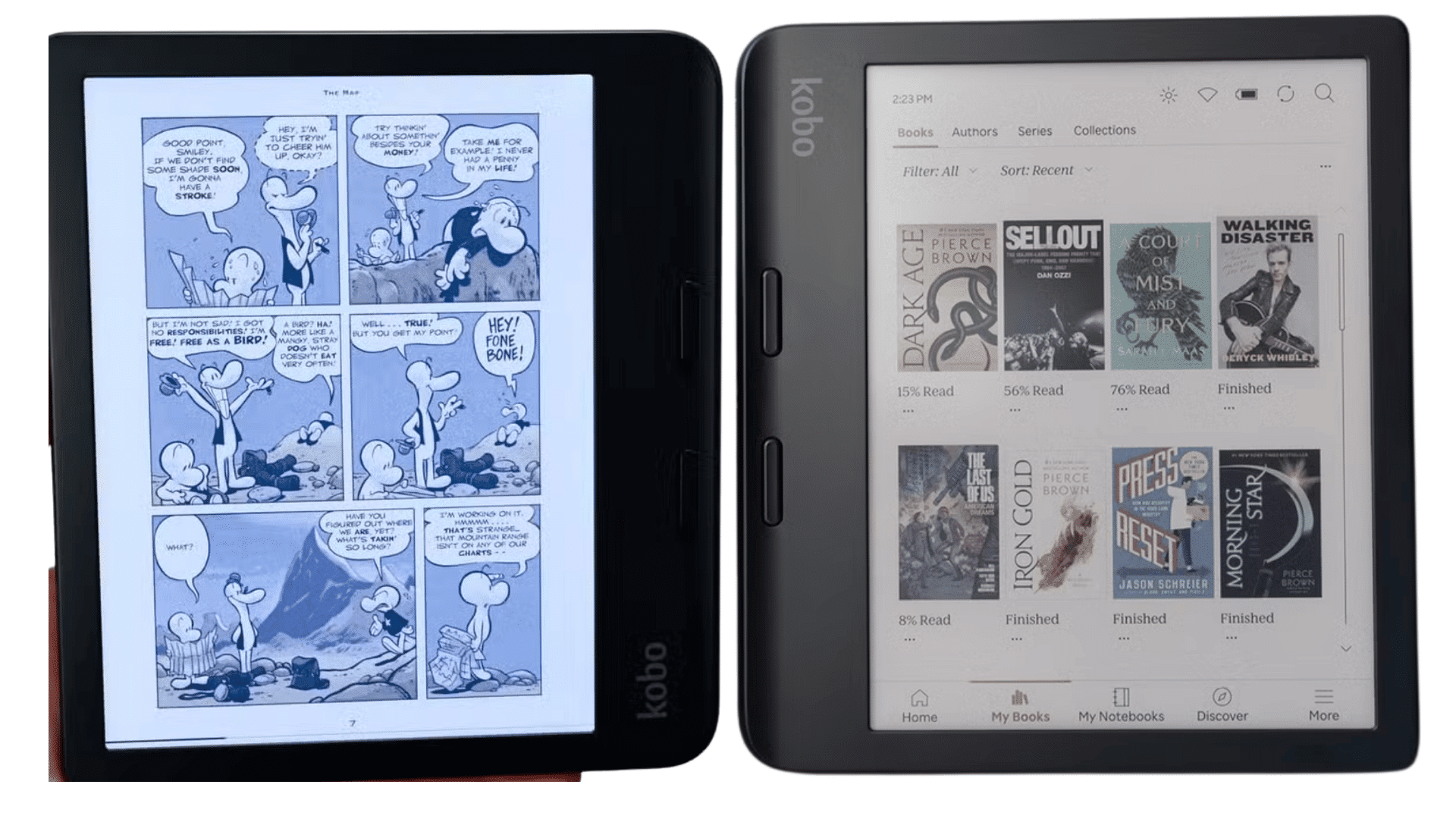
The Kobo Libra Color offers a mix of color reading, note-taking, and flexible file support in a single device. It is best suited for readers who want more than a basic eReader but do not need a full tablet experience.
| Pros | Cons |
|---|---|
| Color E Ink display improves comics, manga, and illustrated books | Colors are softer and less vibrant than tablet screens |
| Supports Kobo Stylus 2 for notes and annotations | The stylus is sold separately |
| Physical page-turn buttons improve reading comfort | Higher price than many black and white eReaders |
| EPUB support and broad file compatibility | Smaller app ecosystem than tablets |
| Long battery life that can last for weeks | The battery drains faster when using Bluetooth and note-taking features |
| IPX8 waterproof rating for added durability | Color layer slightly reduces screen contrast compared to monochrome eReaders |
| Bluetooth audiobook support | Audiobook options are mainly tied to the Kobo ecosystem |
For readers who enjoy comics, manga, PDFs, note taking, or EPUB books, the Kobo Libra Color offers enough extra features to justify its price. Those who only read standard novels may find a basic black and white eReader to be a more affordable option.
Where to Buy Kobo Libra Color From?
The Kobo Libra Color is available through the Kobo official store and major retailers such as Walmart and Best Buy. Pricing can vary based on promotions, availability, and whether accessories are included as part of a bundle.
For buyers looking to save money, refurbished and second-hand units are also available through online marketplaces. Comparing prices before purchasing can help you find the best value.
| Buying Option | Typical Price Range |
|---|---|
| Launch Price | $219–$229 |
| Current New Retail Price | $239–$259 |
| Refurbished Units | $180–$220 |
| Second-Hand Units | $150–$210 |
| Kobo Stylus 2 | $60–$70 |
| SleepCover Case | $30–$50 |
New units purchased directly from Kobo often include access to official accessories and warranty support. Retailers occasionally offer discounts, bundle deals, or faster shipping options.
What Can Affect the Price?
Several factors can influence how much you pay for a Kobo Libra Color. Prices often change throughout the year based on demand, promotions, and accessory bundles.
- Seasonal sales and holiday discounts
- New versus refurbished condition
- Included Kobo Stylus 2 bundle
- Protective cover and accessory packages
- Retailer pricing and stock availability
Conclusion
The Kobo Libra Color stands out because it combines a color E Ink display with comfortable reading features in a lightweight design.
Physical page turn buttons, waterproof protection, audiobook support, and flexible file compatibility also make it feel more practical for daily reading.
For readers looking for a color eReader that focuses mainly on reading comfort and usability, the Kobo Libra Color is a strong option worth considering.
Frequently Asked Questions
Does Kobo Libra Color support screen rotation?
Yes, the device can automatically adjust orientation, allowing readers to switch between portrait and landscape modes for a more comfortable reading experience.
Can you read in direct sunlight on Kobo Libra Color?
Yes, the E Ink display is designed to reduce glare, making the screen easier to read outdoors than most tablets and smartphones.
Can multiple people use the same Kobo Libra Color?
Yes, multiple users can read on the same device, although reading progress, notes, and recommendations are tied to the active Kobo account.