

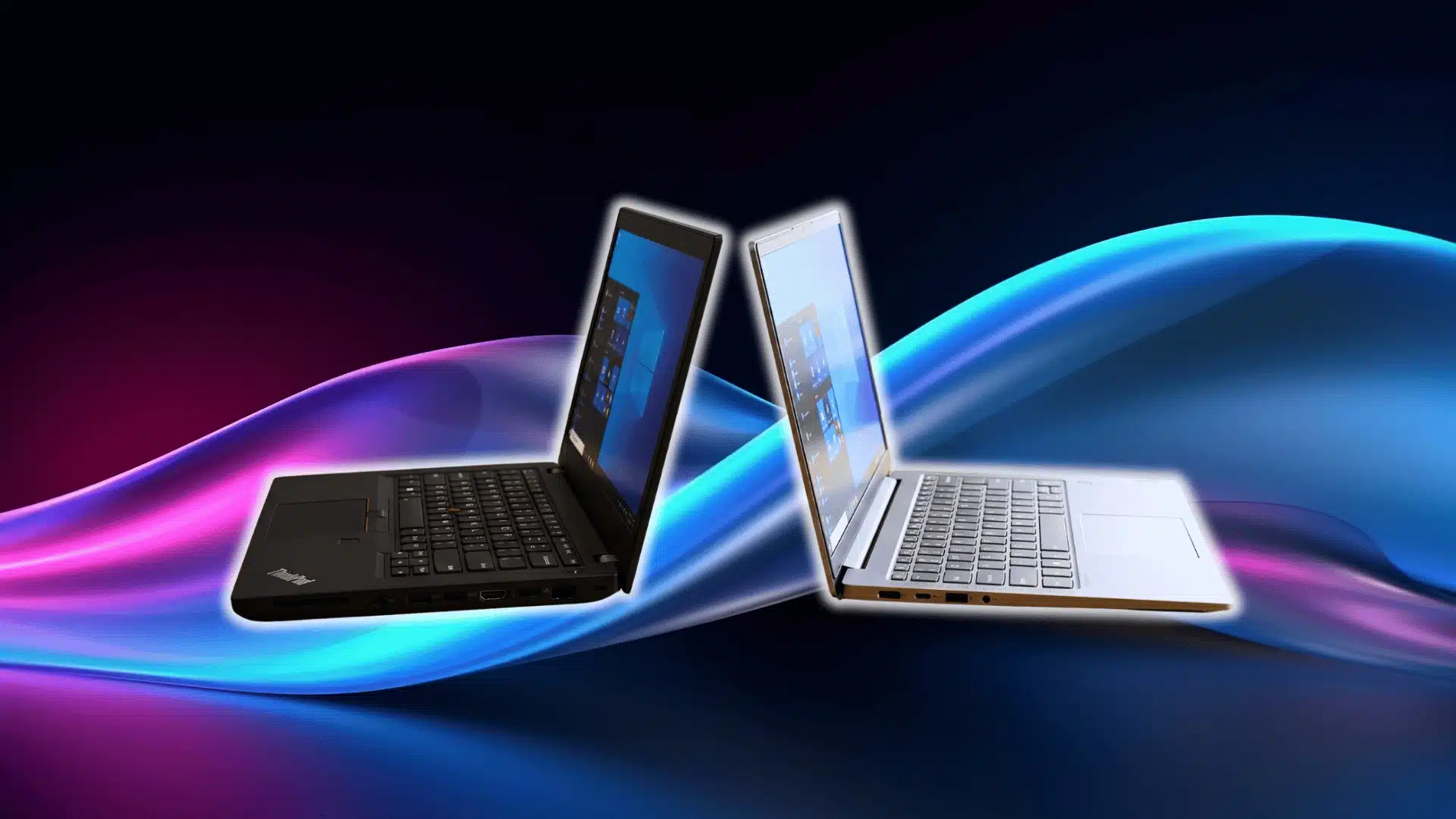


Two Lenovo laptops can carry similar processors, memory, and storage yet feel very different once daily work begins. That makes the ThinkBook vs ThinkPad comparison less about raw specifications and more about how each laptop is built for everyday use.
I have seen buyers pay more for a ThinkPad simply because it has the stronger business reputation, even when a well-reviewed line from a curated expert-picked business laptop would have covered their needs for less.
I have also seen a cheaper ThinkBook make far more sense for someone working mainly with browsers, spreadsheets, meetings, and email.
ThinkBook focuses on value and everyday business use. ThinkPad puts more attention on demanding professional work, durability, corporate features, and long-term service. My choice would depend on workload, travel, budget, and the exact model, not the name alone.
What Are ThinkBook and ThinkPad Built For?
ThinkPad is Lenovo’s traditional professional laptop family. It mainly serves corporate teams, business users, frequent travelers, and people who rely on one computer throughout the workday.
ThinkBook targets small companies, freelancers, students, and remote workers who still want business-friendly hardware at a lower price.
The difference is mainly in priorities. ThinkBook puts stronger specifications and practical features within reach of budget-conscious buyers. ThinkPad spends more of its cost on professional construction, input devices, service options, and corporate hardware.
Some ThinkPad E-series laptops sit close to ThinkBook models in price, so individual specifications still matter.
ThinkBook vs ThinkPad: Quick Comparison
The table below gives a simple overview before the larger differences are discussed in detail. Exact features can still change between individual models and generations.
| Feature | ThinkBook | ThinkPad |
|---|---|---|
| Main User | Freelancers, students, small businesses | Professionals and corporate teams |
| Build | Modern metal-focused design | More work-focused construction |
| Keyboard | Conventional laptop keyboard | Strong typing reputation and TrackPoint |
| Performance | Strong everyday speed | Better options for sustained professional work |
| Battery | Depends heavily on configuration | Strong travel-focused options on selected lines |
| Display | Good range, including premium panels | Wide range of business-focused options |
| Security | Standard business protections | More corporate security options |
| Repairability | Model dependent | Often more service-focused |
| Price | Usually lower | Usually higher |
| Best Fit | Value-focused daily work | Heavy professional use |
These differences describe the general direction of each family. A premium ThinkBook can still outperform or outspec an entry-level ThinkPad in several areas.
Key Differences Between ThinkBook and ThinkPad
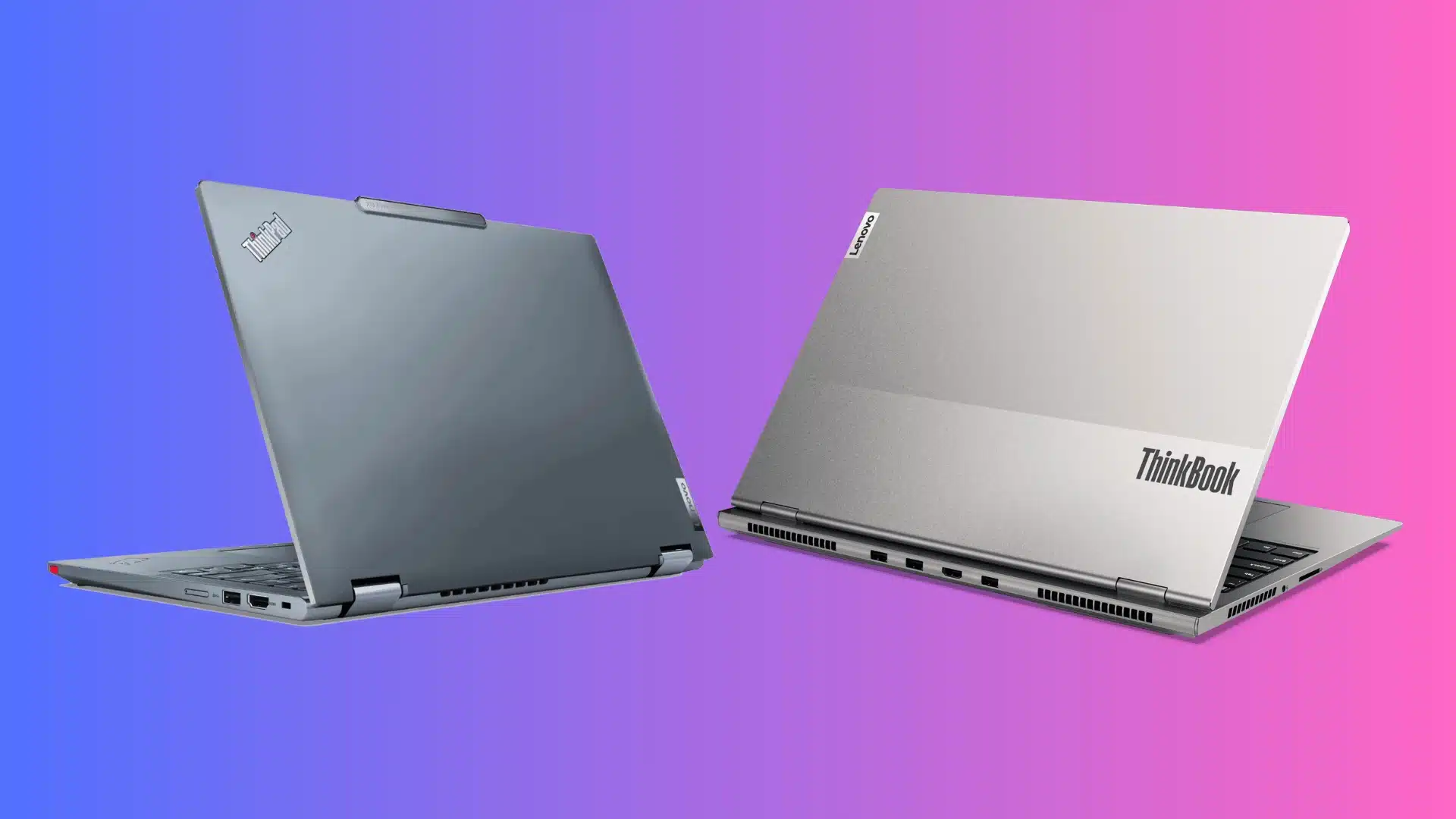
The important differences go beyond processor names, and they show up in the same places where brand reliability comparisons usually focus too: construction, typing comfort, cooling, battery setup, connectivity, service access, and business features can affect daily use much more.
1. Design and Build Quality
ThinkBook usually has a cleaner silver or grey finish that feels closer to a modern business ultrabook. Its construction suits office work, studying, meetings, and normal travel.
ThinkPad pays more attention to chassis strength and repeated professional use. Certain models use reinforced structures and stronger materials around key stress areas. For frequent commuting or regular air travel, ThinkPad generally has the stronger case.
2. Keyboard and Input
ThinkBook uses a conventional keyboard suited to documents, email, browsing, spreadsheets, and everyday programming. Feel and key travel vary between models.
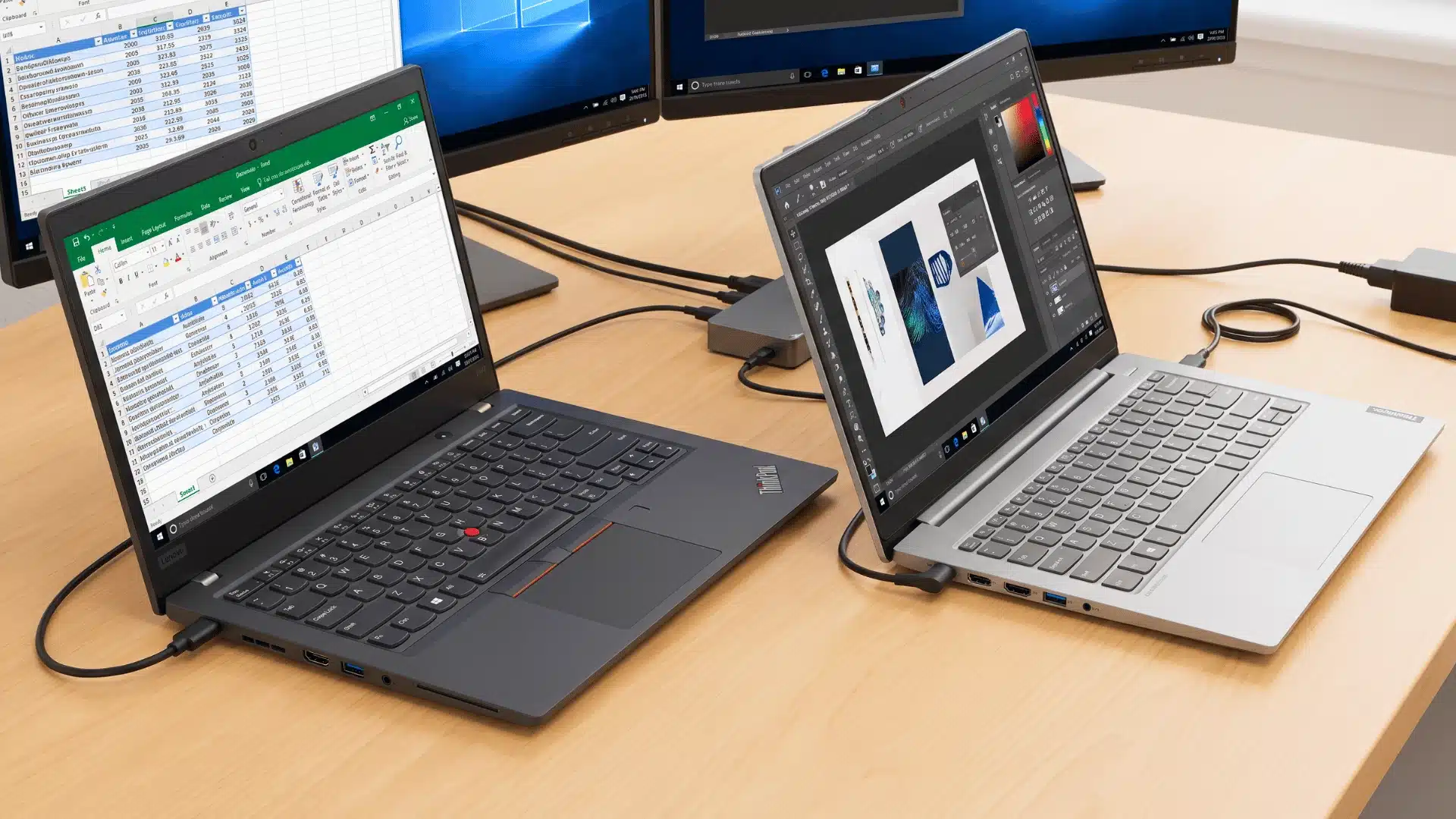
ThinkPad has a stronger reputation among people who type for several hours daily, and traditional models include the red TrackPoint. That feature lets you control the cursor without moving your hand to the touchpad. Writers, programmers, analysts, and other keyboard-heavy users may notice the difference more clearly.
3. Performance and Cooling
A ThinkPad is not automatically faster. Both families can use processors from the same Intel or AMD generations, and a well-configured ThinkBook can outperform an entry-level ThinkPad, in much the same way a well-specced budget laptop can hold its own against pricier machines.
The larger difference appears during long workloads. Certain ThinkPads are designed around stronger cooling and higher hardware limits. ThinkBook remains capable for browsers, office software, video calls, programming, and regular multitasking without requiring the added cost of workstation-focused hardware.
4. Battery Life and Portability
Battery life depends on far more than the ThinkBook or ThinkPad badge. Battery capacity, processor efficiency, display resolution, brightness, and power settings all affect runtime.
Some travel-focused ThinkPads are configured around longer unplugged work, while certain ThinkBooks use brighter or higher-resolution panels that consume additional power.
Charging speed also changes between models. Anyone working away from a desk regularly should compare independent battery results for the exact configuration.
5. Display Quality
ThinkPad does not automatically have the better display. ThinkBook models can include OLED, touch, high-resolution, and other premium panel options, while cheaper ThinkPads may ship with more basic screens.
Brightness matters for outdoor use, while color coverage becomes important for photo and video work. Office users should focus on readable text and comfortable brightness. Screen specifications deserve separate attention because the laptop family alone says little about actual panel quality.
6. Ports and Docking
Both families can include USB-C, HDMI, USB-A, Thunderbolt or USB4, and audio connections, depending on the model.
ThinkBook sometimes adds practical consumer-friendly ports such as a full-size SD card reader. ThinkPad models can place greater emphasis on Ethernet, mobile broadband, and business docking.
A desk with several monitors needs particularly close attention to USB-C, Thunderbolt, or USB4 capabilities. Checking the exact port list prevents unpleasant surprises after purchase.
7. Security and IT Management
ThinkBook provides enough security for many individuals and small companies, including fingerprint login, webcam privacy controls, and standard Windows protections on suitable configurations.
ThinkPad can add Smart Card support, mobile connectivity, and deeper management features on business-focused models. These tools matter most when an IT department controls many laptops. A freelancer managing one computer is far less likely to gain enough value to justify the extra cost.
8. Repairability and Upgrades
ThinkPad traditionally places more attention on servicing and component access, although modern models differ greatly. Storage, batteries, keyboards, and other components may be easier to replace on suitable ThinkPads.
ThinkBook can still provide accessible RAM or SSD upgrades, but some configurations have more limited internal layouts. Anyone planning to keep a laptop for several years should check for soldered memory, SSD slots, battery access, and Lenovo service documentation before deciding.
9. Price and Overall Value
ThinkBook usually makes its strongest argument through price. Buyers can often get competitive processors, memory, storage, and display options without paying for every corporate feature.
ThinkPad costs more when you include professional construction, service options, input devices, and enterprise hardware. That premium makes sense for demanding daily work or frequent travel.
For ordinary office tasks, a properly configured ThinkBook can provide better practical value because fewer paid features remain unused.
Which Is Better for Coding: ThinkBook or ThinkPad?
Both can handle programming well, so the laptop’s specifications matter more than the family name.
A ThinkBook with a recent processor, enough RAM, and a fast SSD suits web development, college programming, IDEs, local testing, and many software projects.
Memory becomes especially important once browsers, containers, databases, and development tools run together. Buyers unsure about capacity can compare how RAM affects everyday performance.
ThinkPad makes more sense when programming is a full-time job involving long sessions, demanding local workloads, or company-managed hardware.
For an independent developer or student, ThinkBook can offer stronger specifications for the budget. For intensive professional development, higher ThinkPad lines may justify their additional cost.
Which Lenovo Laptop Should You Buy?
The best choice becomes clearer when the decision is based on daily working conditions instead of brand reputation. ThinkBook and ThinkPad serve different priorities; neither replaces the other.
Choose ThinkBook If
ThinkBook makes more sense for freelancers, students, remote workers, and small businesses focused on value. It suits email, office applications, video meetings, programming, research, and regular multitasking.
It is also a practical choice when the laptop spends much of its time on a desk. Buyers who care more about processor, RAM, storage, and display specifications than corporate management tools can often get more hardware for their budget.
Choose ThinkPad If
ThinkPad fits users who depend heavily on a laptop throughout the working day. Frequent travel, long typing sessions, corporate security requirements, IT management, and demanding professional workloads can justify its higher price.
It also makes more sense when service options and reduced downtime carry financial value. Paying extra is harder to justify when the machine handles only light office tasks and rarely leaves a desk.
Do ThinkPad Subseries Matter?
Yes, because ThinkPad models differ greatly in price, portability, construction, and intended workload.
- The E Series is the entry-level option and competes most closely with ThinkBook for budget-focused buyers.
- The L Series moves further into traditional business use with additional corporate features.
- The T Series focuses on regular professional work and stronger business hardware.
- The X Series focuses on lightweight portability for frequent travelers.
- The P Series includes mobile workstation models intended for demanding professional software and heavier workloads. These differences mean the ThinkPad name alone is not enough to judge a laptop.
Comparing a ThinkBook 14 with a ThinkPad E14 is far more useful than comparing that same ThinkBook against an expensive T, X, or P model built for a completely different type of user.
What About IdeaPad?
IdeaPad sits on the consumer side of Lenovo’s laptop range.
ThinkBook adds more business-oriented hardware and features, while IdeaPad focuses more on personal use, school tasks, browsing, streaming, and general computing.
Someone whose needs rarely go beyond web browsing and entertainment may not need ThinkBook or ThinkPad at all. That distinction also matters when comparing laptops with Chromebooks, since you should settle on the operating system and workload before comparing business laptop families.
ThinkStation and ThinkCentre are separate desktop product families, so they don’t directly compete with ThinkBook or ThinkPad.
Final Verdict
The ThinkBook vs ThinkPad choice is mainly about paying for the features that fit real daily work. ThinkBook gives budget-focused buyers capable hardware for office work, study, remote jobs, coding, and general business tasks.
ThinkPad earns its higher price when durability, professional input, corporate management, service options, and demanding use matter more.
I would pick ThinkBook for routine productivity and better value. I would pick ThinkPad when the laptop travels constantly or supports work where hardware problems create costly downtime.
Before buying, compare the exact processor, RAM, storage, display, battery, ports, warranty, and upgrade options. The right configuration matters more than relying only on the Lenovo family name.
Frequently Asked Questions
Can Linux Run on ThinkBook and ThinkPad?
Yes, Linux can run on models from both families. Hardware compatibility varies, so check support for Wi-Fi, graphics, fingerprint readers, audio, sleep functions, and other components on the exact model before installing it.
Which Holds Its Resale Value Better?
ThinkPad can have stronger second-hand demand because certain models have an established reputation among professional users and businesses. Actual resale value still depends on age, condition, specifications, battery health, and the individual ThinkPad subseries.
Can ThinkBook or ThinkPad Handle Gaming?
Neither family is primarily designed around gaming. Light games may run well on suitable configurations, but demanding titles depend mainly on graphics hardware, cooling, processor performance, and power limits rather than the ThinkBook or ThinkPad name.