








Ever wonder why cloud breaches keep making headlines, even at companies with massive security budgets?
Most of them were not outsmarted. They were just using the wrong playbook. The cloud does not play by the same rules as traditional IT, and securing it requires a completely different approach.
Cloud-native security practices are exactly that.
This shift becomes especially important when dealing with real-world breaches and system failures that stem from weak security configurations.
If you are just getting started or looking to tighten up what you already have, understanding the practices outlined below could be what keeps your organization off that breach list.
What is Cloud-Native Security?
Cloud-native security is a security approach designed specifically for cloud environments. It protects the applications, data, and infrastructure that organizations build and run in the cloud.
Modern cloud environments also rely heavily on secure identity control and access management to reduce exposure risks across distributed systems.
The cloud moves fast, scales constantly, and operates across distributed systems. Security has to match that reality. This is not a patched-together solution; it is a purpose-built approach designed to handle the unique demands of modern cloud technology.
As more businesses shift their operations to the cloud, cloud-native security has become a fundamental part of keeping those environments safe and trustworthy.
What Makes Cloud-Native Security Practices Work?

Cloud-native security practices are built to protect dynamic, fast-moving cloud environments. They cover everything from how applications are built to how they run in production.
Key Features of Cloud-Native Security
Cloud-native security practices come with capabilities designed specifically for modern cloud environments. From automated threat detection to real-time visibility, these features work together to keep cloud workloads protected:
- Continuous monitoring across containers, microservices, and serverless workloads
- Automated threat detection and response across cloud infrastructure
- Identity and access management (IAM) for every user, service, and workload
- Runtime protection that detects and blocks threats as they happen
- Vulnerability scanning built directly into CI/CD pipelines
- Network segmentation to limit the spread of breaches
- Secrets management to secure API keys, tokens, and credentials
- Compliance monitoring with real-time policy enforcement
- Workload isolation to contain risk across distributed environments
- Unified visibility across multi-cloud and hybrid cloud setups
Core Principles of Cloud-Native Security
Effective cloud-native security practices are grounded in a set of guiding principles. These principles shape how security is approached across every layer of the cloud environment:
- Shift Left Security: Security is integrated early in the development process, catching vulnerabilities before they reach production.
- Zero Trust Architecture: No user, device, or service is trusted by default; every request is continuously verified.
- Least Privilege Access: Every identity is granted only the minimum permissions needed to perform its function.
- Immutable Infrastructure: Systems are replaced rather than patched, reducing the risk of configuration drift and tampering.
- Defense in Depth, Multiple overlapping security layers ensure that no single failure exposes the entire system.
- Automation First, Security checks, policy enforcement, and incident response are automated to match the speed of cloud operations.
- Continuous Compliance: Policies are enforced in real time, ensuring systems remain compliant as they scale and change.
Cloud-Native Security vs. Traditional Security
Security was not built with the cloud in mind. As organizations moved workloads off physical servers and into dynamic cloud environments, the old ways of doing things started to break down.
The table below breaks down exactly where the two approaches differ:
| Aspect | Traditional Security | Cloud-Native Security |
|---|---|---|
| Infrastructure | Fixed, physical servers | Dynamic, virtualized cloud environments |
| Scalability | Limited by hardware capacity | Scales automatically with workloads |
| Deployment Speed | Slow, manual rollouts | Rapid, continuous deployments |
| Threat Response | Reactive, after-the-fact | Real-time, automated response |
| Security Ownership | Centralized security teams | Shared across dev, ops, and security |
| Environment Visibility | Siloed, limited scope | Unified across all cloud layers |
| Policy Enforcement | Periodic audits and reviews | Continuous, real-time enforcement |
| Application Architecture | Monolithic applications | Microservices and containers |
| Access Control | Role-based, perimeter-focused | Identity-driven, zero trust model |
| Cost Structure | High upfront infrastructure cost | Pay-as-you-go, usage-based |
Let’s Learn About the Major Cloud-Native Security Practices
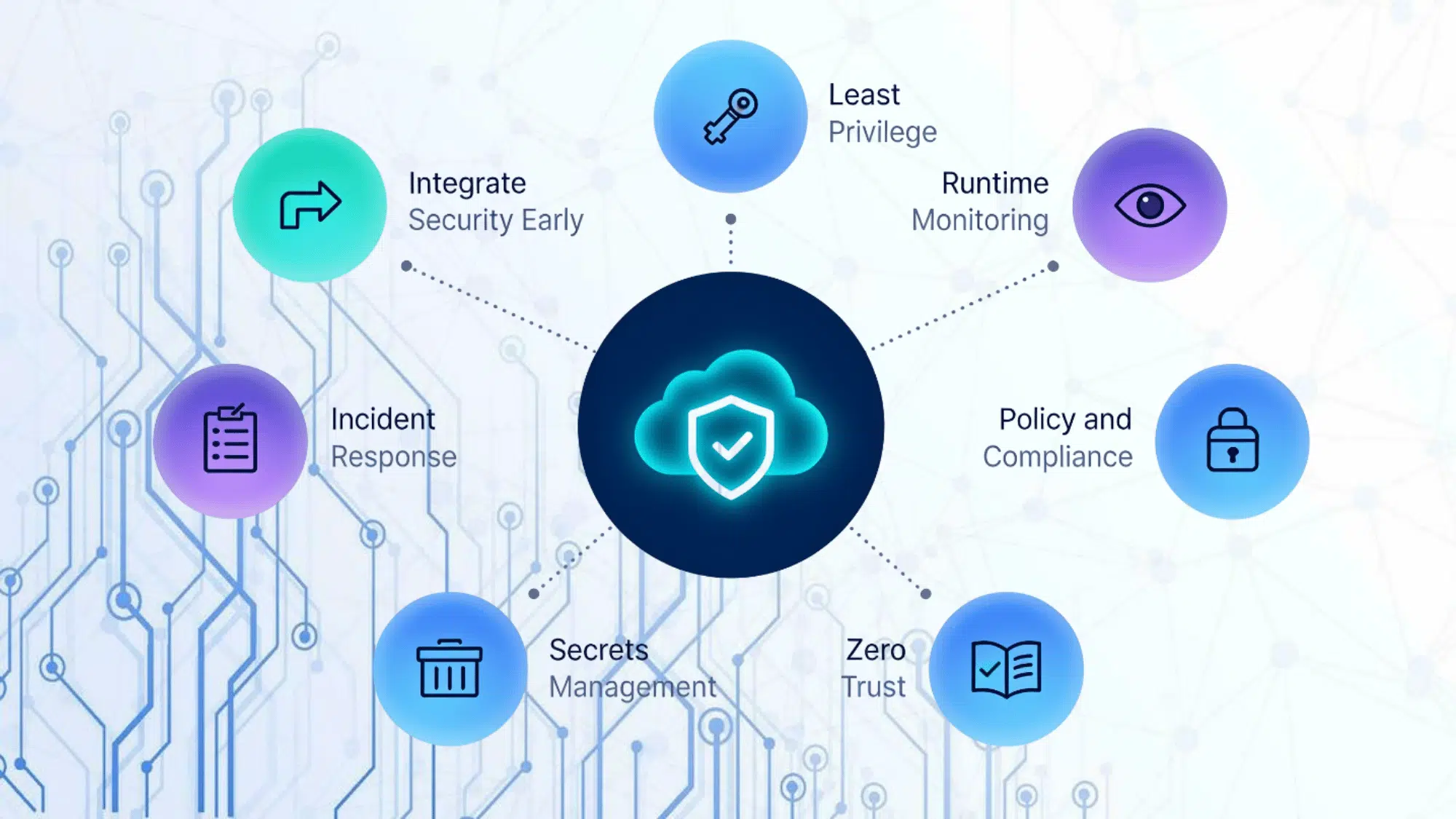
Doing cloud-native security right takes more than just the right tools. It requires a deliberate approach that covers every stage of development, deployment, and operations. Here are the key practices every team should follow:
1. Integrate Security Early in the Development Pipeline
Waiting until deployment to check for vulnerabilities is too late. Security checks should live inside the CI/CD pipeline so issues are caught the moment code is written.
For example, a team using GitHub Actions can run automated static code analysis on every pull request, flagging problems before they ever move forward.
2. Apply Least Privilege Across All Identities
Every user, service, and workload should only access what it absolutely needs, nothing more. Over-permissioned accounts are one of the most exploited weaknesses in cloud environments.
For example, a payment processing microservice should never have access to user authentication databases it has no business touching.
3. Monitor Workloads Continuously at Runtime
Threats do not wait for scheduled scans to show up. Real-time monitoring across containers and serverless functions catches unusual behavior before it escalates.
For example, if a container suddenly starts making outbound network calls it was never configured to make, runtime monitoring flags that anomaly instantly.
4. Automate Policy and Compliance Enforcement
Manual compliance checks cannot keep up with fast-moving cloud deployments. Every new resource spun up should automatically meet security standards from the start.
For example, teams using Open Policy Agent can automatically reject any deployment that fails to meet defined security baselines, without human review.
5. Manage Secrets and Credentials Securely
Hardcoded API keys sitting in code repositories are a breach waiting to happen. Sensitive credentials must be stored, rotated, and accessed through dedicated secrets management tools.
For example, HashiCorp Vault can dynamically generate short-lived credentials for each service, so long-lived secrets never sit exposed in the codebase.
6. Enforce Zero Trust for Network Access
No connection, internal or external, should be trusted by default. Every request must be verified before access is granted.
For example, enforcing mutual TLS between microservices ensures that even internal traffic is authenticated, stopping attackers from moving laterally if one service is compromised.
7. Scan and Patch Container Images Regularly
Outdated container images quietly expand the attack surface over time. Scanning images for known vulnerabilities before deployment keeps risk low and environments clean.
For example, making image scanning a mandatory gate in the deployment pipeline ensures that no unpatched image ever reaches production, a cornerstone of strong cloud-native security practices.
8. Build Cloud-Specific Incident Response Playbooks
Generic incident response plans built for on-premise environments do not translate well to the cloud. Cloud-native security practices demand response playbooks designed specifically for cloud scenarios.
For example, a well-built playbook might outline exactly how to isolate a compromised container, revoke its credentials, and deploy a clean replacement, all within minutes of detection.
Final Thoughts
So, you have made it this far, and now you know exactly what it takes to secure a cloud environment the right way. Cloud-native security practices are not just a nice-to-have.
They are the difference between staying protected and becoming the next breach headline. The cloud is fast, complex, and constantly changing, but so are these practices.
Stay consistent, keep your defenses layered, and never treat security as a checkbox. Your cloud environment is only as strong as the effort you put into securing it. And with the right practices in place? It is pretty strong indeed.
Frequently Asked Questions
What Types of Cloud Environments Does Cloud-Native Security Apply To?
It applies to public, private, and hybrid cloud environments wherever workloads are deployed and managed.
Is Cloud-Native Security only Relevant for Large Enterprises?
No, businesses of any size running workloads in the cloud can benefit from it.
Does Cloud-Native Security Slow Down Development Teams?
When implemented correctly, it actually speeds things up by catching issues early and automating checks.