




Computer viruses have been disrupting systems, leaking personal data, and costing businesses millions for decades. Yet most people still can’t tell one type from another and that gap in knowledge is exactly what cybercriminals rely on.
A computer virus is not a single, generic threat. It comes in several distinct forms, each designed to infiltrate and damage systems in different ways.
Some target your files, some embed themselves deep into your system, and some spread so quietly you won’t notice until the damage is already done.
Understanding the types of computer viruses how they enter, what they target, and how they operate is one of the most practical things you can know about digital security today.
What Exactly is a Computer Virus?
A computer virus is a piece of malicious code that attaches itself to a legitimate file or program and activates when that file is opened or executed.
Once active, it can copy itself, corrupt data, and spread to other files on the same system.
Where people get confused is the terminology. Worms spread on their own without needing a host file. Trojans disguise themselves as legitimate software to trick users into installing them.
Spyware sits silently in the background, collecting personal information without the user’s knowledge. A virus specifically needs that host file to function; that single detail is what separates it from everything else.
Types of Computer Viruses You Need to Know
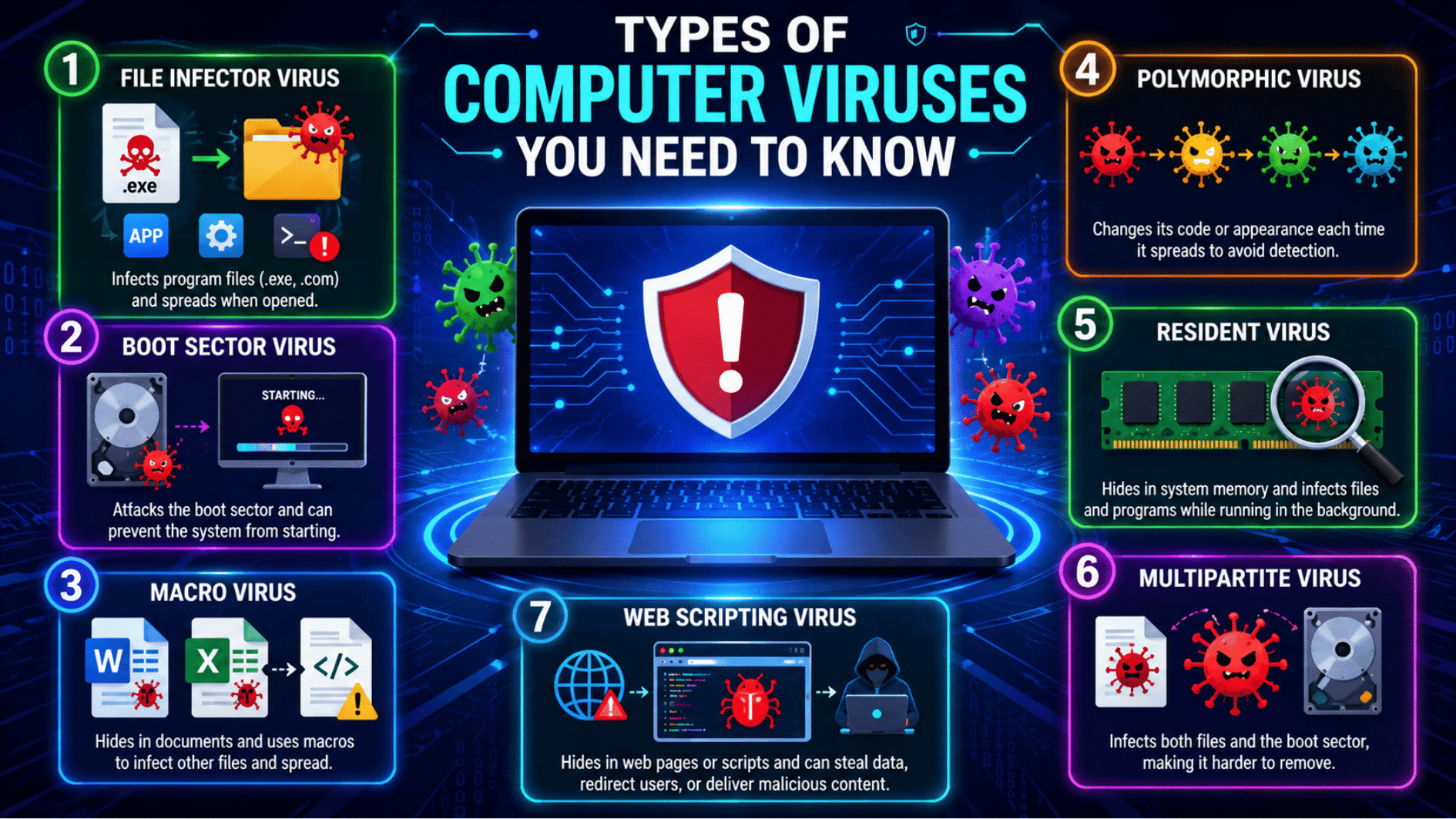
Computer viruses come in many forms. Some hide in files, some attack your startup process, and some sit quietly in the background.
1. File Infector Virus
What It is: A file infector virus attaches itself to program files, especially files that end in .exe or .com. These are the files your computer uses to open and run software.
How It Spreads: It spreads when you open an infected program or share infected files with another device. It can also move through downloads, external drives, or shared folders.
What Makes It Dangerous:
- Corrupt important files
- Make programs crash
- Slow down your computer
- Spread to other apps on the system
It can cause serious problems, especially on work or school computers where files are shared often.
2. Boot Sector Virus
What It is: A boot sector virus attacks the part of your computer that helps it start up. This area is called the boot sector.
How It Spreads: It often spreads through infected USB drives, external hard drives, or older storage devices. When the computer starts with an infected device connected, the virus can load before the system is fully ready.
What Makes It Dangerous:
- Stop your computer from starting
- Damage startup files
- Make the system unstable
- Hide before antivirus tools fully load
One known example is the Michelangelo virus, which affected boot sectors and could damage stored data.
3. Macro Virus
What It is: A macro virus hides inside documents, usually Word, Excel, or similar office files. It uses macros, which are small scripts made to automate tasks.
How It Spreads: It spreads when someone opens an infected document and allows macros to run. Many people get hit through email attachments, fake invoices, resumes, forms, or shared office files.
What Makes It Dangerous:
- Infect other documents
- Steal or change data
- Spread through email
- Trick users because the file looks normal
The tricky part is that the document may look harmless at first.
4. Polymorphic Virus
What It is: A polymorphic virus is a shape-shifting virus. It keeps changing its code while still doing the same harmful work.
How It Spreads: It spreads through infected files, downloads, email attachments, or unsafe software. Each time it spreads, it may change its form to avoid being caught.
What Makes It Dangerous:
- Avoid basic antivirus scans
- Keep changing its pattern
- Spread without looking the same each time
- Make detection much harder
This is why updated security tools are important.
5. Resident Virus
What It is: A resident virus hides inside your computer’s memory and stays active in the background.
How It Spreads: It usually spreads after opening an infected file or application. Once inside memory, it can continue infecting files automatically.
What Makes It Dangerous:
- Slow system performance
- Damage files silently
- Interfere with programs
- Stay active for a long time
Many users do not notice it right away because it works quietly behind the scenes.
6. Multipartite Virus
What It is: A multipartite virus attacks more than one part of a computer at the same time. It can infect both files and the boot sector.
How It Spreads: It spreads through infected files, storage devices, or downloads. Since it targets different areas, it can come back even after one part is cleaned.
What Makes It Dangerous:
- Infect several system areas
- Spread quickly
- Damage files and startup data
- Be harder to remove fully
Cleaning only one infected area may not solve the problem.
7. Web Scripting Virus
What It is: A web scripting virus hides in website scripts or browser-based code. It can affect users when they visit an unsafe or infected web page.
How It Spreads: It spreads through harmful scripts added to websites, links, pop-ups, or unsafe pages. Sometimes attackers place bad code on weak websites without the site owner knowing.
What Makes It Dangerous:
- Redirect users to fake pages
- Steal browser data
- Show harmful pop-ups
- Push users to download unsafe files
It can start with something as simple as clicking a bad link.
How are Computer Viruses Different from Other Malware?
A computer virus is a type of malware, but malware is the bigger category. The main difference is simple: a virus usually attaches to a file or program and spreads when that file is opened, shared, or run.
| Type | What It Does | How It Spreads |
|---|---|---|
| Virus | Attaches to files and infects more files | Needs a user to open or run the infected file |
| Worm | Copies itself across devices | Spreads on its own through networks |
| Trojan | Pretends to be safe software | Tricks users into downloading or opening it |
| Ransomware | Locks files and demands payment | Spreads through bad links, emails, or downloads |
How to Stay Protected from All These Virus Types?
Knowing what these viruses do is already half the battle. The other half comes down to a few consistent habits:
- Keep your software updated. Most virus attacks exploit outdated software. Updates patch those vulnerabilities before they can be used against you.
- Install a reliable antivirus program. A good antivirus catches threats before they settle in. Make sure it runs regular scans and stays updated alongside your system.
- Be careful with email attachments. If you were not expecting a file, do not open it. Macro viruses in particular travel heavily through email attachments disguised as normal documents.
- Think before you click. Suspicious links in emails, social media, and unfamiliar websites are among the most common entry points for web scripting and file infector viruses.
- Use a secure browser and enable script blockers. A script blocker adds an extra layer of defense against web scripting viruses that activate simply from visiting a webpage.
- Back up your data regularly. No protection is perfect. A recent backup means that even in a worst case scenario, your files are not gone permanently.
Conclusion
Learning about the types of computer viruses can make online safety feel much simpler.
Once you know how each computer virus works, it becomes easier to spot risky files, unsafe links, and strange system behavior before they cause bigger problems.
The good news is that staying protected does not require expert tech skills. Simple habits like updating your software, using antivirus protection, avoiding unknown attachments, and thinking twice before clicking links can help a lot.
Save this page for later, or share it with someone who wants to keep their device safer online.
Frequently Asked Questions
Can a computer virus infect a smartphone or tablet?
Yes, mobile devices are not immune. While less common than on desktops, viruses and other malware can infect smartphones, particularly through unofficial app stores and suspicious downloads.
Does factory resetting a device guarantee it is virus-free?
Not always. While a factory reset removes most infections, certain deep-level viruses that have embedded themselves into firmware can survive even a full reset.
Is a virus able to spread through a Wi-Fi connection alone?
A virus itself does not spread through Wi-Fi directly, but an unsecured network makes it significantly easier for attackers to deliver infected files or scripts to connected devices.
Can a computer virus lie dormant without causing any damage?
Yes. Some viruses are programmed to stay inactive until a specific date, user action, or system condition triggers them causing damage long after the initial infection.